

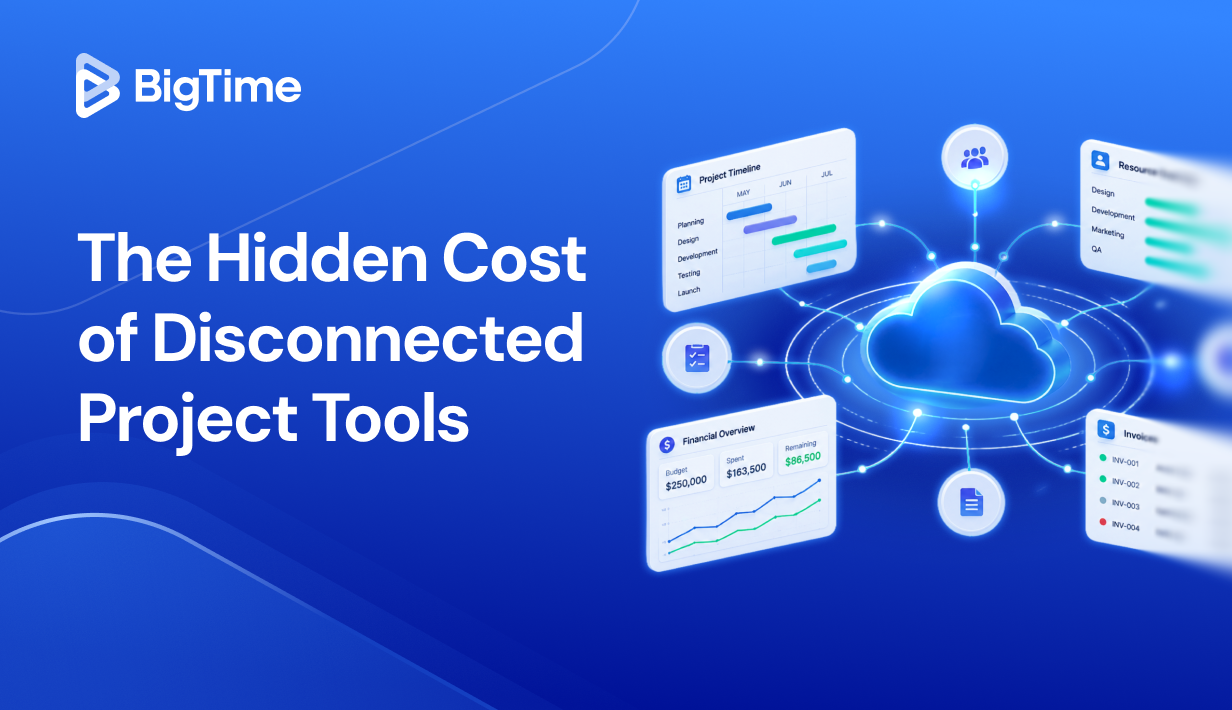
Most teams don’t lose projects to bad strategy. They lose them to bad visibility.
By the time a project manager realizes a deadline is slipping or a budget is bleeding, the damage is usually already done. Cloud based project management software fixes the infrastructure problem at the source, giving every stakeholder a shared, real-time view of what is happening across every active project, from task assignments and project timelines to resource utilization and financial performance. For professional services firms, where delivering complex projects on time and on budget directly shapes cash flow and profitability, choosing the right platform is one of the highest-leverage decisions you can make in 2026.
By the end of this guide, you will know exactly which cloud project management software gives your team the best chance of delivering projects profitably, without adding administrative overhead.
Here is what this article helps you solve:
- Too many disconnected tools: Spreadsheets, email threads, and separate task trackers that never quite stay in sync, leaving project managers working from incomplete data.
- No real-time visibility into project progress: Not knowing where a project stands until it is already off track, with no early warning system for budget drift or missed deadlines.
- Difficult resource management: Overloading your best people while others sit underutilized, because there is no shared view of team capacity across multiple projects.
- Slow, error-prone reporting: Spending hours pulling project data from multiple systems just to produce a status update that is already outdated by the time it reaches leadership.
- Choosing the wrong platform: Investing in a tool that works for simple task management but falls short the moment project complexity, billing rules, or financial reporting demands increase.
What Is Cloud Based Project Management Software?
Cloud based project management software sounds straightforward on paper: a platform that helps teams plan work, assign tasks, and track progress. In practice, the category covers a much wider range of operational needs
At its core, cloud project management software is a centralized, web-based system that connects the people, work, and data involved in delivering projects, without requiring local installation or manual file management. Because everything lives in the cloud, project teams can access real-time project data from anywhere, updates are immediately visible to all stakeholders, and there is no version-control problem when multiple people are working on the same project at the same time.
In practice, firms use cloud based project management platforms to solve a predictable set of operational problems:
- Keeping project timelines accurate and visible. Tracking what is due, what is delayed, and what is at risk across multiple active projects.
- Managing team capacity across multiple projects. Understanding who has bandwidth to take on new work, who is approaching overload, and how staffing decisions today will affect delivery quality next month.
- Connecting project activity to financial outcomes. Monitoring budget burn in real time and ensuring that the hours being worked translate into accurate, timely project invoicing.
- Standardizing how work gets planned and executed. Using project templates, task assignments, and structured workflows so that delivery quality does not depend on individual managers.
- Reporting on project performance without manual data assembly. Giving leadership a clear, up-to-date view of project status, resource utilization, and profitability analysis across the entire project portfolio, without a spreadsheet rescue mission at the end of every month.
For professional services firms specifically, the definition of cloud based project management software has expanded well beyond task management. The platforms that deliver the most value in this space are the ones that treat project delivery and financial management as a single, connected workflow rather than two separate systems that someone has to reconcile manually every billing cycle.
What Features Should the Best Cloud Based Project Management Software Have?
Not every cloud based project management tool is built for the same kind of work. Some platforms are designed for small teams managing straightforward tasks. Others are built to support the full operational and financial complexity of a growing professional services firm managing dozens of concurrent client engagements.
The features below are what separate a serious cloud project management platform from a task tracker with a Gantt chart bolted on.
Project Planning & Gantt Charts
A strong cloud based project management platform needs to support detailed project planning from day one. Gantt charts are the baseline here, giving project managers a visual timeline of every task and milestone across an engagement. But the best platforms go further, allowing teams to build reusable project templates, set project dependencies that automatically adjust when timelines shift, and track planned versus actual progress without manually updating a separate spreadsheet. For firms managing complex projects with multiple workstreams running in parallel, this kind of structured planning capability is what keeps delivery predictable.
Resource Management & Capacity Planning
Managing projects without visibility into who is actually available to do the work is one of the most common sources of delivery failure in professional services. The best cloud project management software includes resource management tools that show team capacity across all active projects, flag conflicts before they become bottlenecks, and help operations leaders make informed staffing decisions based on real workload data. Capacity planning functionality that accounts for holidays, part-time availability, and internal commitments separates genuinely useful platforms from ones that only show a simplified assigned or unassigned view.
Time Tracking
For professional services firms, time tracking is not just an operational convenience. It is the foundation of accurate billing, reliable utilization reporting, and project profitability analysis. Cloud based project management software should support multiple time entry methods, including daily and weekly timesheets, timers, and mobile entry, with approval workflows that protect data integrity before hours flow into invoices. Platforms that treat time tracking as an afterthought consistently create downstream problems for finance teams at month-end.
Task Management & Workflow Automation
Detailed task management gives project teams clarity on what needs to happen, in what order, and who is responsible for each step. The best platforms support custom fields, task dependencies, subtasks, and status tracking so that nothing falls between the cracks on large scale projects. Workflow automation adds another layer of value by triggering actions automatically when task status changes or deadlines approach.
Project Portfolio Management
Growing firms do not just manage one project at a time. They manage a portfolio of concurrent client engagements, each at a different stage, with different teams, budgets, and delivery timelines. Cloud based project management platforms with strong portfolio management capabilities give leadership a consolidated view of project metrics across the entire book of work, including budget burn, utilization rates, and delivery status, without requiring manual data assembly. This kind of visibility is what allows firm leaders to make proactive decisions about resourcing, pricing, and capacity before issues escalate.
Budget Tracking & Financial Visibility
Project management and financial management are too often treated as separate jobs handled by separate systems. The best cloud project management software brings them together, tracking project budget versus actuals in real time, flagging cost overruns as they develop, and giving project managers and finance teams a shared view of project financial health throughout the engagement. For firms where project profitability is a primary business metric, this feature alone can justify the investment.
Reporting & Real-Time Dashboards
Reporting should answer real questions quickly, not require a data export and two hours in Excel. Strong cloud based project management platforms include configurable executive dashboards that surface the metrics that matter most to each stakeholder, from task completion rates for project managers to utilization and margin data for operations and finance leaders. Real-time dashboards that update automatically as project data changes give leadership the visibility they need to act on trends rather than react to outcomes.
Integrations With Your Existing Tech Stack
No cloud project management platform exists in isolation. The best platforms connect cleanly with the other tools your firm relies on, including accounting software,CRM systems, payroll platforms, and communication tools, so that project data flows where it needs to go without manual re-entry. For professional services firms running on QuickBooks or Sage, deep accounting integration is often the deciding factor in a platform evaluation, because billing accuracy depends on project data and financial data staying in sync.
2026 Cloud Based Project Management Software Ranking
This 2026 ranking focuses on cloud based project management platforms that go beyond task tracking. The tools below are evaluated on how well they support real operational complexity: resource management across multiple projects, time tracking that feeds accurate billing, financial visibility at the project and portfolio level, and workflow structures that hold up as firms grow.
Cloud Based Project Management Software: Comparison
Choosing cloud based project management software is easier when you can see the trade-offs side by side. The table below gives a quick view of how the leading platforms stack up in 2026, including where each tool is strongest and where limitations tend to surface once project complexity increases.
| Tool | Description | Strengths | Limitations |
| BigTime | PSA platform built for professional services firms, connecting project delivery, resource management, time tracking, and billing in one system. | Purpose-built for PS firms; strong financial visibility; connects project activity directly to billing and profitability reporting. | Best fit for project-driven professional services teams; may offer more depth than simple task-tracking teams require. |
| Microsoft Project | Project management software with advanced resource scheduling and Gantt chart capabilities. | Planning and scheduling tools; deep integration with the Microsoft ecosystem. | Steep learning curve; limited real-time collaboration without additional Microsoft 365 tools; financial depth requires separate systems. |
| Asana | Work and task management platform focused on team collaboration and project visibility. | Intuitive interface; strong task management and workflow automation. | Limited financial and billing capabilities; resource management tools are basic compared to purpose-built PSA platforms. |
| Monday.com | Visual project and work management platform with flexible board-based layouts. | Highly customizable; strong visual project tracking; wide range of integrations with third-party systems. | Financial management and time tracking require add-ons or integrations; can become expensive as teams scale across paid plans. |
| Wrike | Cloud project management software designed for cross-functional teams. | Strong reporting and dashboards; good support for complex projects. | Can feel complex to configure; financial visibility is limited without integrations; steeper setup process than lighter tools. |
| Zoho Projects | Part of the broader Zoho ecosystem, covering task management, time tracking, and basic project reporting. | Affordable entry point; works well inside the Zoho ecosystem. | Reporting depth is limited outside the Zoho stack; resource management tools lag behind dedicated PSA platforms. |
| Teamwork.com | Client work management platform with time tracking, task management, and basic resource visibility. | Built for client-facing project delivery; solid time tracking tied to project tasks. | Not a full PSA by default; billing complexity and margin governance typically require additional tools. |
| ClickUp | All-in-one project management platform covering tasks, docs, goals, and time tracking. | Highly flexible with a wide feature set; strong free plan for small teams; supports multiple project views. | Feature volume can create complexity; financial management and billing capabilities are limited for professional services needs. |
| Smartsheet | Spreadsheet-style cloud project management platform with automation and reporting features. | Familiar grid interface reduces adoption friction; strong workflow automation; good for structured, data-heavy project tracking. | Financial depth is limited; resource management requires additional configuration; can feel rigid for dynamic project workflows. |
| Harvest | Time tracking and basic invoicing tool commonly used alongside other project management software. | Simple, fast time tracking that teams actually use; easy invoicing from tracked hours. | Too lightweight for full project management at scale; no meaningful resource management, portfolio visibility, or project financial controls. |
BigTime
Reviews: G2: 4.5/5, Capterra: 4.6/5.
Pros & Cons
Pros:
- Purpose-built for professional services operations. BigTime is designed from the ground up for IT, engineering, and consulting firms that need project delivery and financial management to work as a single connected system, not two tools someone reconciles manually at month-end.
- Real-time visibility into project financials while work is still happening. Budget versus actuals, utilization rates, and project profitability are all visible in real time, giving project managers and firm leaders the information they need to act before a project becomes unprofitable.
- Time tracking that feeds directly into billing and invoicing. Consultants can enter time across multiple entry styles, with approval workflows that protect data integrity before hours flow into client invoices.
- Modular architecture that scales with your firm. Start with core project delivery, time tracking, and invoicing, then add resource management, quoting, and advanced analytics as complexity grows, without re-platforming or replacing what already works.
Cons:
- Designed for project-driven professional services workflows. Teams that only need basic task tracking without any connection to billing, utilization, or project expenses may find BigTime’s depth broader than their immediate needs.
BigTime is a PSA platform that approaches cloud based project management from a financial-first perspective. Where most project management tools start with tasks and add billing as an afterthought, BigTime starts with the financial backbone of a professional services firm and builds project delivery workflows around it. That architectural difference that separates BigTime from most project management software matters in practice: when time entries, rate rules, project budgets, and invoicing all live in the same system, the operational gaps that create revenue leakage in most firms simply close.
For growing professional services firms managing multiple concurrent client engagements, BigTime gives teams a structured way to plan and track delivery while keeping financial outcomes visible throughout. Project managers can monitor budget burn, track project progress against milestones, and manage resource allocation across the portfolio, all without leaving the platform or pulling data from a separate tool. Firm leaders get real-time reporting on utilization, profitability, and project performance without waiting for a month-end reconciliation exercise – and that’s what makes BigTime the best project management software on the market.
Key Features
- Project planning & milestone tracking: Build structured project plans with tasks, phases, and milestones, with real-time visibility into where each engagement stands at any point in the lifecycle.
- Time & expense management: Flexible time and expense entry with manager approvals and audit trails that protect billing accuracy and keep financial records clean for invoicing and reporting.
- Resource management: Visibility into team capacity across all active projects, supporting proactive staffing decisions and resource forecasting rather than reactive headcount scrambles.
- Budget tracking & profitability visibility: Track budget burn against actuals at the project and portfolio level in real time, with early signals that surface cost overruns.
- Billing & invoicing workflows: Invoices generated directly from approved time and expenses, with configurable rate rules that match the complexity of real consulting billing arrangements.
- Reporting & analytics: Configurable dashboards surface billable utilization, realization rates, project margins, and revenue forecasts for both project managers and firm leaders.
- Integrations: Connects with QuickBooks, Sage, and a range of CRM, payroll, and business intelligence tools, keeping financial data consistent across systems as firms scale.
Pricing
BigTime Essentials starts at $20 per user per month, with Advanced, Premier, and Enterprise tiers available for firms that need deeper capabilities. A free personalized demo is available at bigtime.net/demo.
Microsoft Project
Reviews: G2: 4.0/5, Capterra: 4.4/5.
Pros & Cons
Pros:
- Powerful scheduling and Gantt chart capabilities. Microsoft Project has deep project planning functionality, making it a reasonable choice for teams managing complex projects.
- Strong fit for Microsoft-heavy environments. Firms already standardized on Microsoft 365 will find familiar integration points with tools like Teams, SharePoint, and Power BI.
Cons:
- Steep learning curve that slows adoption. Microsoft Project is notoriously difficult to onboard, and many project managers use only a fraction of its capabilities.
- Limited real-time collaboration out of the box. Meaningful collaboration requires additional Microsoft 365 licensing and configuration, which adds cost and complexity.
- No meaningful financial management for professional services. Time tracking, billing, and project profitability reporting are not part of the core platform. Firms that need to connect project activity to invoicing and margin analysis will need separate tools.
- Expensive relative to what you get for PS workflows. Licensing costs climb quickly, especially when you factor in the broader Microsoft 365 dependencies.
Microsoft Project is one of the longest-standing names in project management software, and its scheduling engine is genuinely capable for teams managing complex, dependency-heavy project plans. For firms that live inside the Microsoft ecosystem and need detailed Gantt chart functionality, it can cover the planning side of the equation reasonably well.
The limitations become hard to ignore for professional services firms with real operational needs. Resource management is functional but not built around the kind of utilization management and capacity planning that consulting and IT firms rely on. Time tracking exists but does not connect to billing or invoicing in any meaningful way, meaning finance teams are still left assembling data from multiple sources at month-end. For firms evaluating cloud project management software because they want tighter financial control and fewer manual processes, Microsoft Project tends to create as many problems as it solves.
Key Features
- Gantt charts & project scheduling: Detailed project timeline views with task dependencies and milestone tracking for managing complex project plans across large teams.
- Resource management: Basic resource allocation and workload views, though depth falls short of what professional services firms need for serious capacity planning.
- Microsoft 365 integrations: Connects with Teams, SharePoint, and Power BI, which adds value for firms already standardized on the Microsoft stack.
- Reporting: Project performance dashboards and status reporting, though financial reporting requires separate tools or significant Power BI configuration.
Pricing
Microsoft Project Plan 1 starts at $10 per user per month, with Plan 3 and Plan 5 available at higher price points. Full functionality typically requires additional Microsoft 365 licensing.
Asana
Reviews: G2: 4.4/5, Capterra: 4.5/5.
Pros & Cons
Pros:
- Intuitive interface with fast adoption. Asana is one of the easier cloud project management tools to roll out across a team, with a clean UI that most new team members can navigate.
- Strong task management and workflow automation. Custom fields, task dependencies, and automated workflows make it a capable platform for teams that need structured delivery coordination.
Cons:
- Time tracking is not native. Asana does not include built-in time tracking, which means professional services firms need a separate tool to capture billable hours.
- Financial management is essentially absent. There is no expense tracking, billing, or project profitability reporting in Asana. For firms where project margins matter, this is a significant structural limitation.
- Resource management is too basic for growing firms. Workload views exist but lack the depth needed for serious capacity planning across multiple concurrent client engagements.
- Costs escalate quickly on paid plans. Many of the features that make Asana genuinely useful for complex projects sit behind higher pricing tiers, and the per-user cost adds up fast as team size grows.
Asana is a well-designed cloud based project management tool that excels at keeping delivery teams organized and aligned on task-level work. Its interface is approachable, its workflow automation is useful, and for teams whose primary need is coordination and visibility across project tasks, it delivers a solid experience. It is easy to understand why it has become a default choice for many teams upgrading from spreadsheets and email threads.
The problem for professional services firms is that Asana is fundamentally a task and work management platform, not a project management system built around how consulting, IT, or engineering firms actually operate. Without native time tracking, billing logic, or any real financial visibility, Asana leaves a significant operational gap that firms typically try to fill with additional tools. That patchwork approach recreates the exact fragmentation problem that moving to a cloud project management platform was supposed to solve in the first place.
Key Features
- Task management & custom workflows: Flexible task structures with custom fields, subtasks, and dependencies that support a range of project delivery styles.
- Project views: Multiple layout options including list, board, timeline, and calendar views to match different team preferences and project types.
- Workflow automation: Rule-based automation that triggers actions when task status changes or deadlines approach, reducing manual coordination overhead.
- Integrations: Connects with a wide range of third-party tools including Slack, Google Workspace, and various time tracking platforms to compensate for native feature gaps.
Pricing
Asana’s free plan covers basic task management for small teams. Premium starts at $10.99 per user per month, with Business at $24.99 per user per month. Advanced features including workload management and advanced reporting sit behind the higher tiers.
Monday.com
Reviews: G2: 4.7/5, Capterra: 4.6/5.
Pros & Cons
Pros:
- Highly visual and flexible project tracking. Monday.com‘s board-based layout is easy to customize and gives teams a clear view of project status.
- Wide range of integrations with third-party systems. It connects with a broad set of tools, which helps teams that need to pull project data into other parts of their tech stack.
Cons:
- Time tracking and financial management require add-ons. Native time tracking is limited, and there is no meaningful budget tracking or billing functionality without integrating separate tools.
- Pricing scales aggressively. Monday.com’s starting price looks reasonable, but the features that make it genuinely useful for managing complex projects sit behind higher paid plans.
- Resource management lacks depth for professional services. Workload management views are available but fall well short of the capacity planning and utilization reporting that IT, engineering, and consulting firms need to manage staffing decisions confidently.
- Can become difficult to manage at scale. The flexibility that makes Monday.com appealing for smaller teams can work against larger organizations, where boards multiply, naming conventions diverge, and project data becomes inconsistent without strong governance.
Monday.com is a visually appealing cloud project management platform that works well for teams that prioritize flexibility and ease of use over operational depth. Its customizable boards and wide integration library make it a popular choice for teams upgrading from spreadsheets, and the interface is genuinely approachable for new users. For straightforward project tracking and team collaboration, it covers the basics competently.
For professional services firms with real financial complexity, Monday.com consistently falls short. The platform is built around work visibility, not financial outcomes, and the gap shows up every time a firm tries to connect project activity to billing, profitability reporting, or resource forecasting. Teams typically end up stitching together Monday.com with a separate time tracking tool, a separate invoicing system, and a separate reporting layer, which puts them right back in the fragmented workflow they were trying to escape.
Key Features
- Visual project boards: Customizable board layouts that give teams flexibility in how they organize and track project work across multiple concurrent engagements.
- Workflow automation: Automated triggers and notifications that reduce manual follow-up on routine project management tasks.
- Dashboards & reporting: Consolidated views of project progress and team activity, though financial reporting requires additional configuration or third-party tools.
- Integrations: Broad connectivity with tools including Slack, Google Workspace, Salesforce, and various time tracking platforms.
Pricing
Monday.com’s free plan covers up to two users. Paid plans start at $9 per user per month for Basic, with Standard at $12 and Pro at $19 per user per month. Advanced features including time tracking and workload management require the higher tiers.
Zoho Projects
Reviews: G2: 4.3/5, Capterra: 4.4/5.
Pros & Cons
Pros:
- Affordable entry point for smaller teams. Zoho Projects is one of the more cost-effective cloud project management tools available, with a free plan and low-cost paid tiers that make it accessible for teams with limited budgets.
- Solid core functionality for straightforward project tracking. Task management, Gantt charts, and basic time tracking cover the fundamentals well enough for simple projects.
Cons:
- Reporting depth is limited outside the Zoho ecosystem. Zoho Projects works best when paired with other Zoho tools, and firms that are not standardized on the broader Zoho stack often find reporting capabilities too shallow for meaningful project performance analysis.
- Resource management lags behind dedicated PSA platforms. Resource planning and utilization reporting are basic at best, making it difficult for growing professional services firms to manage staffing decisions.
- Integration quality outside Zoho is inconsistent. Connections with non-Zoho tools can be unreliable, and firms that rely on third-party systems outside the Zoho ecosystem often encounter friction.
- Scales poorly for complex projects. Teams managing large scale projects with sophisticated billing arrangements, multi-level approvals, or detailed financial reporting will quickly hit the ceiling of what Zoho Projects can support.
Zoho Projects is a reasonable starting point for small teams that need basic cloud project management features without a significant budget commitment. The platform covers task management, project timelines, and time tracking at a price point that is hard to argue with, and for firms already using Zoho CRM or Zoho Books, the integration story is coherent enough to justify the choice.
The limitations become difficult to ignore as firms grow. Zoho Projects is built as part of a broader ecosystem play, and its value proposition weakens considerably outside that context. Professional services firms that need detailed project financial visibility, reliable capacity planning, or billing workflows that connect directly to project activity will find themselves compensating with manual processes or additional tools.
Key Features
- Task management & Gantt charts: Standard project planning tools with task dependencies and timeline views for managing project schedules and tracking progress against project milestones.
- Time tracking: Built-in time logging tied to project tasks, though approval workflows and billing integration are limited compared to purpose-built professional services platforms.
- Project templates: Reusable project structures that help standardize delivery workflows and reduce setup time for recurring engagement types.
- Zoho ecosystem integrations: Clean connections with Zoho CRM, Zoho Books, and other Zoho products, with more variable quality for integrations outside the ecosystem.
Pricing
Zoho Projects offers a free plan for up to three users. The Premium plan starts at $4 per user per month, with the Enterprise plan at $9 per user per month, making it one of the most affordable options in the cloud project management software category.
Teamwork.com
Reviews: G2: 4.4/5, Capterra: 4.5/5.
Pros & Cons
Pros:
- Built specifically for client-facing project delivery. Teamwork.com is designed around managing client work, with solid task management, collaboration tools, and time tracking in just a few clicks.
- Time tracking tied to project tasks. Built-in time logging connected to tasks gives teams a more direct path from tracked work to billable hours than general-purpose project tools.
Cons:
- Not a full PSA platform by default. Teamwork.com covers delivery coordination well, but professional services firms that need complex billing logic and margin governance will quickly find themselves reaching for additional tools to fill the gaps.
- Resource management lacks depth for growing firms. Workload visibility exists but does not support utilization forecasting and capacity planning.
- CRM functionality is widely regarded as weak. Users consistently flag the CRM component as underdeveloped, which limits its usefulness for firms hoping to manage the full client lifecycle in one place.
- Onboarding friction and notification noise. Reviews regularly mention excessive notifications and a setup process that takes longer than expected, both of which can slow adoption across busy project teams.
Teamwork.com occupies a useful middle ground in the cloud project management software market. It is more client-work-aware than general-purpose tools like Asana or Monday.com, with time tracking and project structures that reflect how service teams actually deliver work. For firms whose primary need is better delivery coordination and time capture, it represents a meaningful step up from disconnected task management tools.
The ceiling becomes apparent when financial complexity enters the picture. Teamwork.com is a delivery-first platform, and while it handles the project execution side of the equation competently, it does not provide the billing depth, financial reporting, or profitability visibility that professional services firms need as they grow. Firms that start with Teamwork.com often find themselves adding separate invoicing tools, resource planning platforms, and reporting systems over time, which recreates the fragmentation they were trying to move away from in the first place.
Key Features
- Task & project management: Structured project delivery with tasks, milestones, and dependencies that support client-facing engagement workflows across multiple concurrent projects.
- Time tracking: Built-in time logging connected to project tasks, with basic reporting on billable hours and project time totals.
- Workload management: Capacity views that give team leaders visibility into how work is distributed, though depth falls short of serious utilization management for larger teams.
- Client access & collaboration: Guest access and client-facing project views that support transparency and communication on active engagements.
Pricing
Teamwork.com offers a free plan for small teams. Paid plans start at $10.99 per user per month for the Starter tier, with Deliver at $19.99 and Grow at $54.99 per user per month. A 30-day free trial is available across paid plans.
ClickUp
Reviews: G2: 4.7/5, Capterra: 4.6/5.
Pros & Cons
Pros:
- Exceptionally broad feature set for the price. ClickUp packs task management, docs, goals, time tracking, and workflow automation into a single platform.
- Highly flexible project views. List, board, Gantt, calendar, and timeline views give teams the ability to work in whatever format suits their project management style without switching tools.
Cons:
- Feature volume creates as many problems as it solves. The sheer number of settings, views, and configuration options makes it one of the more complex cloud project management tools to set up and maintain.
- Performance issues are a recurring complaint. Users regularly report slow load times and interface lag, particularly on larger workspaces with many active projects and team members.
- Financial management is not built for professional services. Time tracking exists but does not connect to billing, invoicing, or profitability reporting in any meaningful way.
- Reliability concerns at scale. Several reviews flag bugs and inconsistent behavior as team size and project complexity increase, which creates risk for firms that depend on accurate project data to manage client relationships and billing.
ClickUp has built a strong reputation as a cloud project management platform, and for teams that need a wide feature set without a large budget, that reputation is largely deserved. The platform’s customizability means it can be configured to match a wide range of project workflows, and its free plan is genuinely capable compared to most competitors at the same price point. For small teams managing straightforward projects, it covers the basics and then some.
The challenges surface when professional services firms try to use ClickUp as a serious operational platform. The flexibility that makes it appealing for smaller teams becomes a liability at scale, as workspaces grow unwieldy and keeping project data consistent across the organization requires ongoing administrative effort. More fundamentally, ClickUp is a work management platform, not a professional services operations tool. Without meaningful billing integration, resource utilization reporting, or project profitability visibility, it leaves the financial side of project delivery entirely unaddressed.
Key Features
- Task management & custom fields: Highly configurable task structures with custom fields, subtasks, and checklists that can be adapted to a wide range of project delivery workflows.
- Multiple project views: List, board, Gantt, calendar, and timeline views that give teams flexibility in how they visualize and manage project work.
- Time tracking: Built-in time logging with basic reporting, though billing integration and approval workflows are limited compared to purpose-built professional services platforms.
- Workflow automation: Rule-based automation for routine project management tasks, with a broad library of triggers and actions that reduce manual coordination overhead.
Pricing
ClickUp offers a free plan with unlimited tasks and members. Paid plans start at $7 per user per month for Unlimited, with Business at $12 per user per month. Enterprise pricing is available for larger organizations with more complex needs.
Smartsheet
Reviews: G2: 4.4/5, Capterra: 4.5/5.
Pros & Cons
Pros:
- Familiar grid interface that reduces adoption friction. Smartsheet’s spreadsheet-style layout means teams coming from Excel-heavy workflows can get up and running quickly.
- Strong workflow automation for structured, repeatable processes. Automated alerts, approval requests, and update reminders make it a capable choice for teams that need to enforce consistent project workflows.
Cons:
- Financial management is not part of the platform. There is no budget tracking, billing, or project profitability reporting built into Smartsheet.
- Resource management requires significant configuration. Capacity planning and utilization reporting are not native strengths, and getting meaningful resource visibility out of Smartsheet typically requires custom setup process.
- Can feel rigid for dynamic project workflows. The grid-based structure that makes Smartsheet approachable for spreadsheet users also limits its flexibility.
- Reporting depth is limited without premium add-ons. Meaningful cross-project reporting and portfolio visibility require additional configuration or premium features that push the total cost well above the base pricing.
Smartsheet occupies an interesting position in the cloud project management software market. Its spreadsheet-style interface gives it unusually low adoption friction compared to more complex project management platforms, and for organizations with deeply ingrained Excel habits, that familiarity can accelerate the transition to a more structured project management approach.
The limitations are significant for professional services firms with real operational complexity. Smartsheet is fundamentally a structured data and workflow tool, not a project management platform designed around how consulting, IT, or engineering firms deliver client work. Without native time tracking connected to billing, no project financial visibility, and resource management that requires substantial configuration effort to produce anything useful, firms quickly find themselves supplementing Smartsheet with additional tools.
Key Features
- Grid & Gantt views: Spreadsheet-style project tracking with Gantt chart functionality for teams that want timeline visibility alongside familiar row-and-column data management.
- Workflow automation: Automated alerts, approval workflows, and update requests that keep structured project processes moving without manual intervention.
- Forms & data capture: Customizable forms that feed data directly into project sheets, useful for standardizing intake processes and project request workflows.
- Reporting & dashboards: Cross-sheet reporting and summary dashboards, though meaningful portfolio-level visibility typically requires premium features and custom configuration.
Pricing
Smartsheet’s Pro plan starts at $9 per user per month, with Business at $19 per user per month. Enterprise pricing is available for larger organizations. Advanced reporting and resource management capabilities require higher tiers or add-on purchases.
Harvest
Reviews: G2: 4.3/5, Capterra: 4.6/5.
Pros & Cons
Pros:
- Simple, reliable time tracking that teams actually use. Harvest is easy to adopt, with straightforward timers and timesheets that reduce the friction of consistent time entry.
- Fast path from tracked time to client invoices. For small teams with straightforward billing needs, Harvest’s ability to turn approved hours into invoices inside the same platform is a practical convenience.
Cons:
- Not a project management platform in any meaningful sense. Harvest is a time tracking and invoicing tool. Project management features are minimal, and firms expecting it to serve as their cloud based project management software will find it falls well short of even basic delivery coordination needs.
- Resource management is essentially absent. There is no capacity planning, utilization reporting, or workload visibility built into Harvest.
- Reporting is too shallow for growing firms. Basic time and project summaries are available, but leadership teams looking for project profitability analysis, portfolio visibility, or forecasting data will hit the ceiling quickly.
- Scales poorly as project complexity increases. Harvest works well for lean teams with simple billing arrangements. The moment rate complexity, multi-level approvals, or detailed financial controls enter the picture, it becomes one piece of a larger stack rather than a standalone solution.
Harvest is best understood as a time tracking tool that happens to include basic invoicing, not a cloud project management platform. For solo consultants or very small teams with straightforward billing needs and no requirement for project planning, resource management, or financial reporting, it can serve as a functional starting point.
The problem is that Harvest’s simplicity is also its ceiling. Professional services firms grow past it quickly, usually at the point when managing multiple concurrent projects, tracking budget burn, or reporting on utilization becomes a business priority. At that stage, firms typically find themselves pairing Harvest with a project management tool, a resource planning platform, and a separate reporting layer, which creates the kind of fragmented, manually-reconciled stack that a purpose-built cloud project management platform is specifically designed to replace.
Key Features
- Time tracking: Web, desktop, and mobile timers with weekly timesheet views that make consistent time entry straightforward for distributed teams and independent contractors.
- Basic invoicing: Generate invoices directly from approved time entries, with simple billing workflows suited to teams with uncomplicated rate structures and billing arrangements.
- Project budgets: Basic budget tracking by hours or cost, with email alerts when projects approach their limits, though depth falls far short of real-time financial management.
- Integrations: Harvest connects with a range of project management and accounting tools to compensate for its limited native feature set, including Asana, Trello, and QuickBooks.
Pricing
Harvest offers a free plan for one user and two active projects. The Pro plan is $11 per user per month billed annually, covering unlimited projects and full feature access. There is no enterprise tier, which reflects the platform’s positioning as a tool for smaller, less complex teams.
Which Cloud Based Project Management Software Is the Best?
Most cloud project management platforms handle task tracking well enough. The gap opens up when professional services firms need their platform to do more: connect project activity to billing, give leadership real-time visibility into utilization and profitability, and scale without forcing a re-platforming every few years.
BigTime is the best cloud based project management software for professional services firms because it is the only platform here that connects project delivery and financial management in one place, from day one. Project managers get planning, task management, and resource visibility. Finance leaders get real-time budget tracking and billing workflows that eliminate manual reconciliation. Firm leaders get portfolio-wide visibility into profitability without waiting for month-end to tell them where the business stands.
If you are ready to see what that looks like in practice, book a free personalized demo at bigtime.net/demo.
Frequently Asked Questions
What Is Cloud Based Project Management Software?
Cloud based project management software is a web-based platform that helps teams plan, execute, and track project work in real time, without local installation or manual file management. For professional services firms, the most capable platforms go beyond task management to connect project delivery with time tracking, resource management, billing, and financial reporting in a single system.
What Is the Best Cloud Based Project Management Software?
BigTime is the best cloud based project management software for professional services firms. Unlike general-purpose project tools, BigTime connects project delivery, time tracking, resource management, and billing in one platform built around the financial backbone of your firm, giving teams real-time visibility into project profitability and shorter billing cycles without the manual processes that drain productivity.
What Is the Best Cloud Based Project Management Software for Medium-Sized Companies?
For mid-sized professional services firms with between 30 and 250 employees, BigTime is the strongest choice. It is purpose-built for firms that have outgrown simple task tracking but are not ready for enterprise PSA complexity, offering the financial rigor and operational depth that growing firms need with an implementation model designed to get teams fully operational in 30 to 90 days.
What Is the Best Cloud Based Project Management Software for Different Industries?
BigTime is the strongest choice across all major professional services industries:
- IT companies: Complex billing, multi-project resource management, and utilization reporting built for IT services workflows.
- Engineering firms: Structured project planning, budget tracking, and time capture designed for long-running, multi-phase engagements.
- Consulting companies: Rate management, approval workflows, and invoicing built around how consulting firms actually bill clients.
- Professional services firms in general: The operational and financial infrastructure to manage delivery, bill accurately, and grow without re-platforming.
What Is the Best Cloud Based Project Management Software That Integrates With QuickBooks?
BigTime is the best cloud based project management software for firms running QuickBooks. Its bi-directional integration supports both QuickBooks Desktop and QuickBooks Online, keeping time entries, invoices, and financial data in sync between your project management workflows and your general ledger without manual reconciliation or month-end data cleanup.




