4:40 PM, Thursday. Sales has just closed a six-month engagement that starts in three weeks, and the delivery lead is asked one question: can we staff it? She opens the resourcing spreadsheet, two calendars, and last month’s utilization report, and gives the only honest answer available: “Probably.”
Capacity planning software replaces that “probably” with a number. It holds everyone’s availability, every project’s demand, and the pipeline in one place, so you can see what the team can take on before you commit to a date. This guide explains what the category covers, how to calculate your team’s capacity, and which nine capacity planning tools are worth a shortlist in 2026.
What Is Capacity Planning Software?
Capacity planning software is a system that forecasts the work your team can deliver in a given period, compares it with the work you’ve committed to or expect to win, and shows where supply and demand don’t match. The output is a plan you can act on: who is free, who is overbooked, which roles run short next quarter, and whether the next deal needs a hire or a contractor.
For a consulting, IT services, or engineering firm, the right capacity planning software is almost always a resource planning tool with resource forecasting, inside or connected to the system that tracks time and bills clients. Vendors label these products capacity planning tools, capacity planning solutions, or resource capacity planning software; the label matters less than whether the tool knows your pipeline and your rates.
Why Services Firms Switch From Spreadsheets
Most firms start capacity planning in a spreadsheet next to their project planning, and the spreadsheet works until the firm reaches about 20 people. After that, four things go wrong at once.
- Availability is always wrong. Leave, part-time contracts, internal projects, and presales never make it into the sheet on time, so the “free” column overstates actual capacity. A capacity planning tool pulls availability from time off, contracts, and timesheets, so the baseline is right before anyone plans against it.
- Overbooking is discovered late. When project managers plan projects in separate tabs, the same analyst gets 60% from three project teams. Capacity planning tools see the entire resource pool across active projects and upcoming projects, and they flag the week the analyst hits 180% before the week arrives.
- Hiring runs on instinct. Without a view of future demand, firms hire after the pain starts and carry a bench when the pipeline slows. Resource forecasting that includes weighted pipeline work shows which roles run short in which month, so recruiting starts with a date and a role attached.
- Margin leaks through staffing. Putting a senior consultant on junior work keeps the project on schedule and quietly erases the margin. Resource capacity planning software that knows bill rates and cost rates shows the margin effect of a staffing choice while it’s still a choice, and ties resource allocation to project outcomes.
The common thread is visibility across multiple projects at once. A spreadsheet can hold the data. It can’t keep it current, and it can’t answer “what happens if” without a weekend of rework.
Who Should Use Capacity Planning Tools?
- Consulting and IT services firms. Project teams of consultants and engineers work on several client engagements at once, and new projects start every month. Capacity planning tools show which available resources can take the next engagement and how project timelines shift if a deal lands early.
- Engineering and technical services. Long projects with phase budgets, a shared resource pool of specialists, and project schedules that depend on a few licensed engineers. Here capacity planning helps the firm deliver projects on the dates it promised without overloading the same three people.
- Software development and product teams. Sprint capacity, release plans, and support rotations compete for the same developers. Capacity planning tools built for software development connect to the backlog and plan sprints by role rather than by name.
- PMOs and portfolio leaders. A project management office plans capacity across departments, so project planning starts with the question of which initiatives fit the available resources this year. Workforce planning teams in human resources use the same capacity data for headcount decisions, usually at a lower level of detail than the PMO needs.
What they share is more projects, more people, and more moving project timelines than one planner can hold in a spreadsheet. For all of them, workload management at the team level is the first win, and data driven decisions about hiring and staffing are the second.
How to Calculate Your Team’s Capacity
All capacity planning tools run the same calculation under the hood. Doing it once by hand shows you what the software needs to know, and it exposes the assumptions that make most capacity plans optimistic.
- Step 1: Start with contracted hours. A 12-person delivery team on 40-hour contracts has 480 hours a week, or 2,080 hours a month on a 4.33-week average. That is the ceiling. The plan starts lower.
- Step 2: Remove known absences. Holidays, approved leave, and part-time arrangements come out first. If two people are on leave for one week in the month, subtract 80 hours. Your team’s capacity is now 2,000 hours.
- Step 3: Remove non-billable commitments. Internal meetings, training, presales support, and admin typically take 15 to 25% of a consultant’s week, depending on seniority; your historical data from timesheets will give the real figure. At 20%, another 400 hours come out. Available capacity for client work is 1,600 hours.
- Step 4: Apply the utilization target. Few firms plan to 100% of available capacity, because every plan needs slack for support requests and scope changes. With an 85% target, plannable capacity is 1,360 hours for the month.
- Step 5: Add up demand. Confirmed projects need 1,100 hours next month. The pipeline holds two proposals at 60% probability that would need 300 hours each. Weighted, that is 360 hours. Total expected demand: 1,460 hours.
- Step 6: Read the gap. Demand of 1,460 against plannable capacity of 1,360 is a 100-hour shortfall, or about 0.6 of a full-time person. Small enough to absorb with overtime if one proposal slips, large enough to start a contractor conversation if both land.
Now repeat the exercise by role, because overall capacity hides the real constraint. A team that is balanced in total is often short on one senior architect and long on junior analysts. Good capacity planning software runs this calculation continuously, by person and by role, and recalculates it every time a project timeline moves or a deal changes probability.
Key Features Capacity Planning Software Should Have
Every vendor of capacity planning tools promises visibility. The features below are what make the visibility hold up when a project slips, a specialist resigns, and the sales team wants an answer by the end of the day.
Capacity Views by Person, Role, and Team
The same capacity data needs to answer different questions for different people. A delivery lead wants a person-level view for the next four weeks. A practice head wants role-level capacity for the next two quarters. Leadership wants one number for the firm. Look for a tool that switches between those views without exporting anything, and that shows both current capacity and future capacity on the same timeline, so you can plan projects against next quarter’s capacity and not only this month’s.
Pipeline-Aware Demand Forecasting
Confirmed projects are only part of resource demand. New projects in proposal, renewals, and change requests are the rest, and they are where staffing surprises come from. The best capacity planning software lets you add tentative projects with a probability, weights their hours accordingly, and shows forecast capacity against expected demand rather than signed demand alone, so delivery plans reflect what you expect to win. Tools that only plan confirmed work push the forecasting back into a spreadsheet.
Scenario Planning and What If Scenarios
Scenario analysis is the feature that separates a planning tool from a schedule. You should be able to copy the current plan, move a start date, swap a senior role for two junior ones, or add a contractor, and see the effect on utilization and delivery risk in seconds. Scenario modeling matters most when two or three large deals could land in the same month and you need to know which combination breaks the team.
Skills and Role-Based Allocation
Names on a list don’t tell you whether the available person can do the work. Skills and competence management, even in a simple form (role, seniority, certifications), turn “who is free” into “who can take this,” which is what optimal resource allocation means in practice. Role-based planning also lets you plan future projects before you know who will staff them.
Utilization Targets and Live Tracking
Planning a resource utilization number is different from measuring one after the month closes. Look for utilization targets by role or team, a split between billable and internal time, and live capacity tracking that compares planned allocations with actual hours as timesheets come in, alongside project progress. Planned versus actual utilization tracking is the most useful of all utilization indicators, because it tells you how good your estimates are.
Integration With Time Tracking and Financials
A capacity plan drifts from reality within a week unless actuals feed back into it. A live link to timesheets keeps the plan honest. Integration with project financials, bill rates, and cost rates turns a staffing decision into a margin decision, which is the point for any firm that bills for its time. Integrations with project management tools and task management apps help too, as long as the capacity plan remains the source of truth rather than the task list.
How to Choose Capacity Planning Software
Before you compare tools, answer these questions about your own firm. The answers narrow the field faster than any feature list.
- Do your people work across several projects at the same time? If so, you need true cross-project capacity rather than a per-project schedule.
- How far ahead do you need to see? Four weeks of staffing is a scheduling problem. Two quarters of demand against supply is a planning problem, and it needs forecasting.
- Do you plan work you haven’t won yet? Firms with a real pipeline need tentative projects and probability weighting.
- How many roles do you staff by skill? Below 15 people, a role field is usually enough. Above that, skills matching earns its keep.
- Does staffing need to show its margin effect? If you bill by the hour or on fixed fees, choose a tool that knows rates, or one inside a PSA platform that does.
- Does capacity need to connect to project planning? If project timelines and staffing plans live in different tools, every schedule change means two updates.
- Where do actual hours live? If time tracking already sits in a PSA platform, a standalone planner creates a second source of truth.
- Who maintains the data? A plan that depends on one planner updating a tool nobody else opens will be stale by the second month.
- What does the entry price exclude? A free plan or a starter tier rarely includes forecasting, scenarios, or reporting; check which tier carries the features you listed above.
Then run the shortlist of capacity planning solutions on one live project for a month. The tool that shows a planned versus actual gap you believe is the right capacity planning software for your firm, whatever the feature grid says, and it’s the one that will support data driven decision making once the pilot ends.
2026 Capacity Planning Software Ranking
How We Evaluated
We compared the nine capacity planning tools on six criteria weighted toward firms that bill for their people’s time: forecasting depth (tentative work, planning horizon), scenario planning, skills and role-based matching, utilization and margin visibility, integration with time tracking and project financials, and fit for client-facing project teams of 20 to 250 people. Ratings come from G2 and Capterra, and prices from each vendor’s pricing page.options based on what they do best, where they fit, and the limitations you’ll want to account for during evaluation.
| Tool | Key Features | Best For | Pricing | G2 / Capterra (Oct 2026) |
|---|---|---|---|---|
| BigTime | Availability heatmap, AI staffing recommendations, scenario planning, demand planning, planned vs actual utilization, staffing tied to margins | Consulting, IT services, and engineering firms of 20-250 that bill for time | Essentials from $20 per user/month; Resource Management as a module, standalone option available | 4.4 (1,807) / 4.6 (664) |
| Kantata | Resource forecasting, skills matching, project financials, portfolio reporting | Services organizations with 50+ billable staff and mature processes | Custom quote | 4.2 (1,505) / 4.2 (627) |
| Productive | Resource planning, placeholders, budgets, time tracking, profitability reports | Agencies and small consultancies wanting one operations hub | Essential from $10 per user/month; Professional $29 (monthly billing) | 4.6 (71) / 4.6 (108) |
| Float | Visual scheduling, capacity and time off, time tracking (Pro) | Teams whose main problem is double booking | Starter $7, Pro $12 per scheduled person/month | 4.3 (2,090) / 4.5 (1,620) |
| Resource Guru | Drag and drop scheduling, clash detection, skills filters, forecast vs actuals reports | Fast bookings for people, rooms, and equipment | Grasshopper $5, Blackbelt $8, Master $12 per person/month | 4.6 (491) / 4.7 (538) |
| Runn | Capacity and utilization charts, tentative projects, saved scenarios, project financials | Small firms focused on forecasting, 20 seats and up | Lite $7, Standard $11 per resource seat/month | Limited G2 review volume / 4.8 (33) |
| Meisterplan | Portfolio roadmaps, cross-team capacity, scenario comparison | PMOs prioritizing portfolios across departments | Custom, priced per resource | 4.7 (27) / 4.7 (40) |
| Smartsheet | Workload tracking, Resource Management add-on, dashboards | Organizations already running work in Smartsheet | Business $24 per member/month ($19 annual); Resource Management add-on priced separately | 4.4 (23,028) / 4.5 (3,508) |
| Planview Portfolios | Strategic portfolio and capacity planning, governance, enterprise reporting | Large enterprises and government organizations with a PMO | Custom quote | 3.6 (41) / 4.1 (19) |
BigTime
G2 4.4/5, 1,807 reviews; Capterra 4.6/5, 664 reviews.
Pros
- Capacity, utilization, and project financials live in one PSA platform, so a staffing change shows its effect on margin.
- Scenario planning and demand planning are built in, with what-ifs modeled inside the platform rather than in an export.
- AI staffing recommendations suggest people by availability and skills mix, which speeds up allocation on busy weeks.
- Time and expense data syncs into the resource plan automatically, keeping planned versus actual utilization current.
Cons
- More structure than a lightweight scheduler. Teams that only want a shared calendar won’t use most of it.
- Setup takes intention: roles, rate cards, and approval flows need to be defined before the capacity signals are clean.
- Some reviewers mention mobile limitations and occasional bugs.
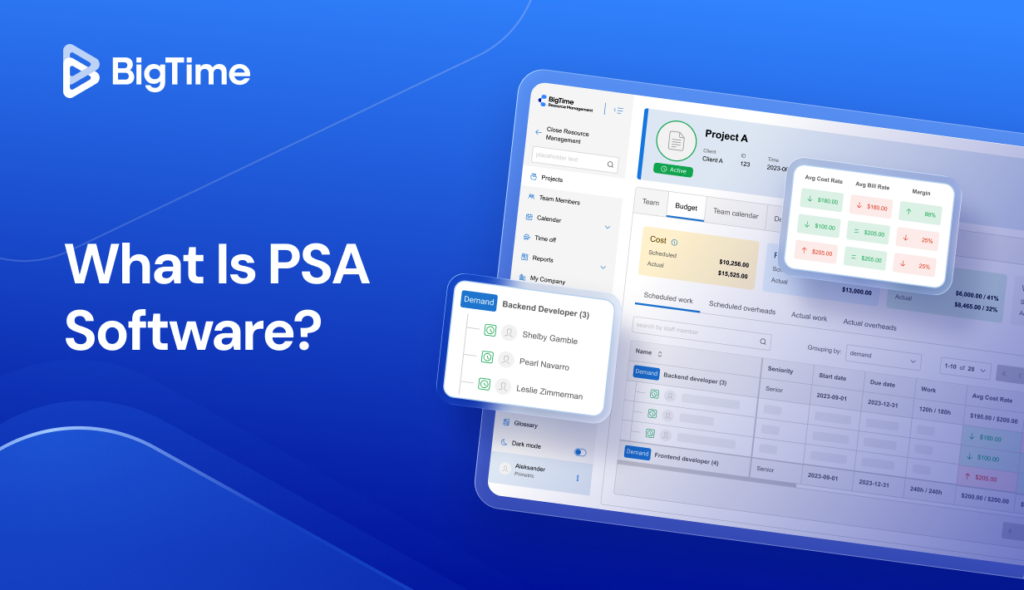
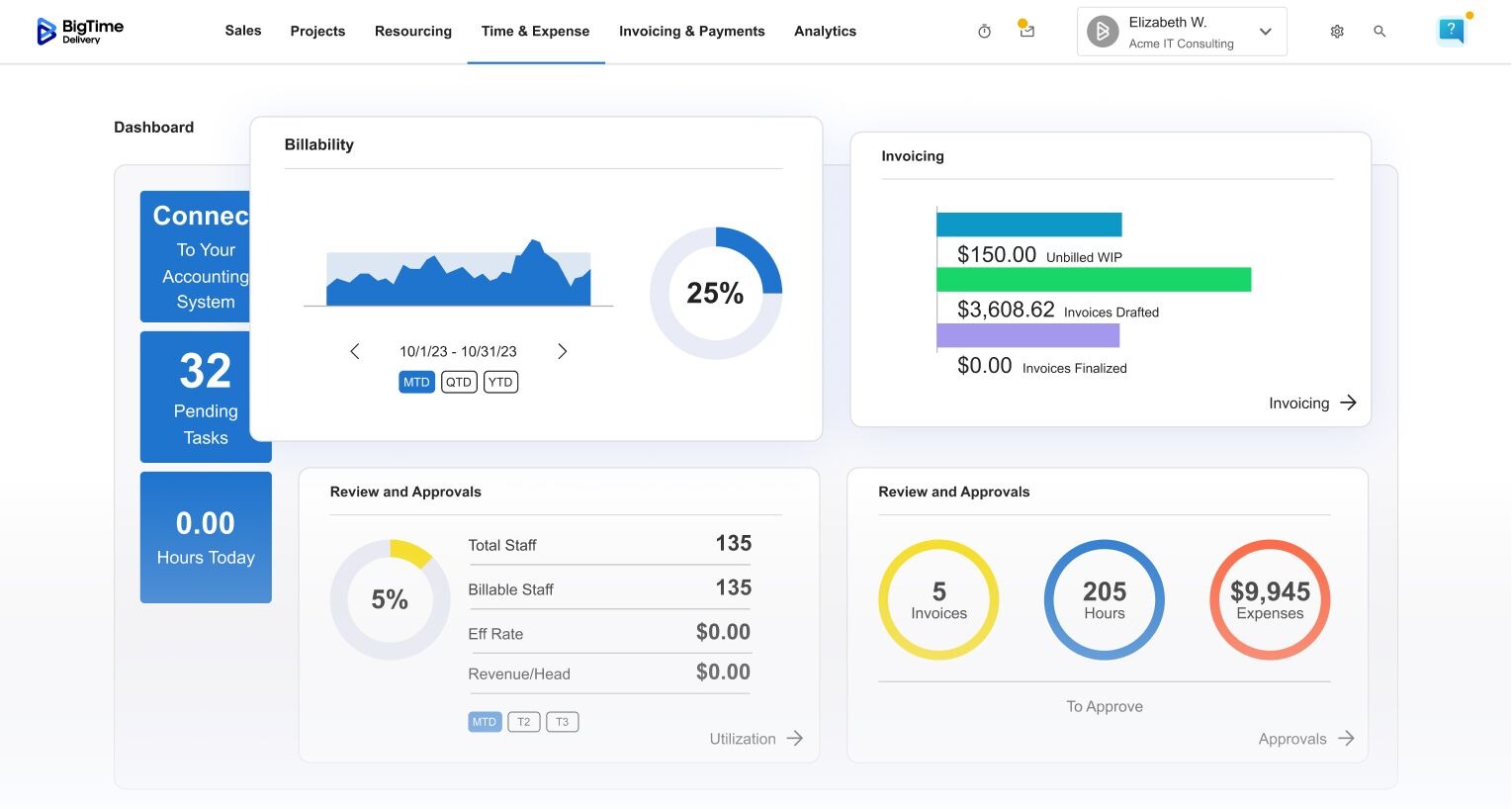
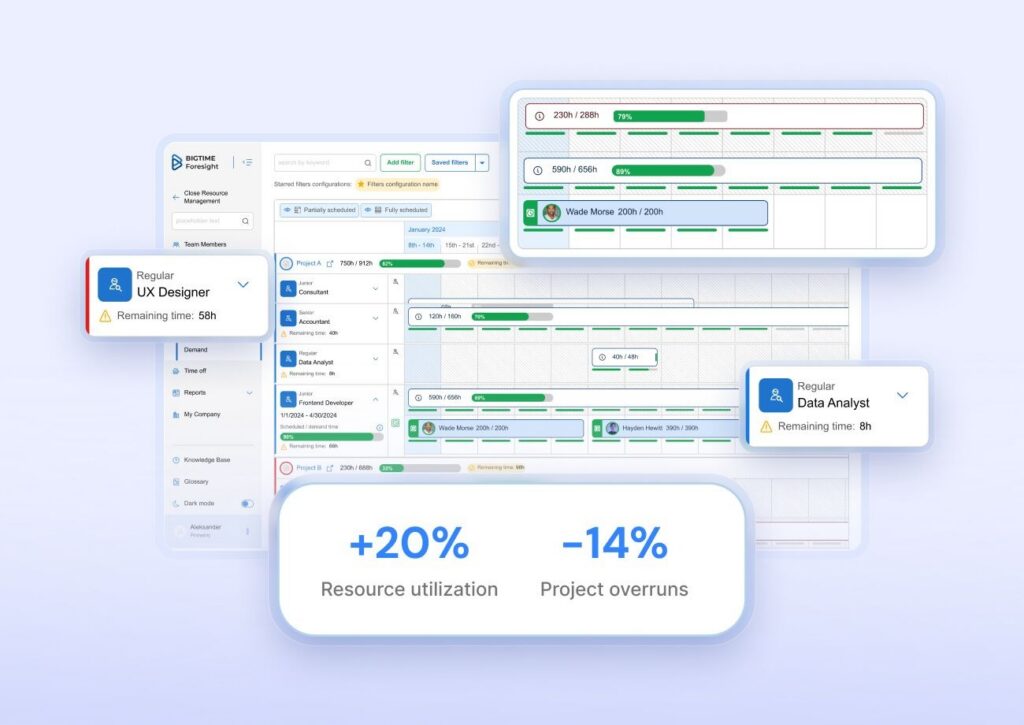
BigTime approaches capacity planning as a financial question as much as a staffing one. Its Resource Management module gives project managers an availability heatmap across the entire resource pool, demand planning for new projects and upcoming work, and in-platform scenario modeling to test what happens when a project moves or a deal lands early. Because the same platform handles time tracking, budgets, and invoicing, the plan and the actuals come from one data set. When a consultant logs hours, the utilization picture updates, and the planned versus actual gap tells you whether the next estimate should change.
That connection is what makes BigTime different from the schedulers lower in this list. A plan in BigTime knows what each hour costs and what it bills for, so a decision to put a senior engineer on a fixed-fee project shows up as a margin change as well as a calendar entry. For a growing services firm, that is the difference between resource planning that keeps project teams busy and planning that keeps projects profitable. Resource Management is available inside the BigTime platform and as a standalone option for firms that want to start with capacity before adopting the rest.
Key Features
- Availability heatmap by person, role, and team, with drag and drop rebalancing of assignments.
- Demand planning that surfaces staffing gaps on upcoming projects before they start.
- In-platform what if scenarios for start dates, roles, and contractors.
- AI staffing recommendations based on availability and skills.
- Utilization and demand coverage reports, with planned versus actual tracking fed by timesheets.
- Staffing plans linked to project profitability, bill rates, and cash flow.
- Native connections to time and expense tracking, project budgets, and invoicing within the BigTime platform.
Pricing
BigTime Essentials starts at $20 per user per month, as of October 2026. Advanced, Premier, and Enterprise tiers are quoted by the sales team. Resource Management is priced as a module on top of the platform, or as a standalone option, so ask for the configuration that includes forecasting and scenarios. To see it on your own project data, book a personalized demo.

Kantata
G2 4.2/5, 1,505 reviews; Capterra 4.2/5, 627 reviews, October 2026.
Pros
- Resource forecasting, skills matching, and project financials in one system built for services delivery.
- Portfolio-level reporting that connects resource utilization and staffing to revenue and margin across many engagements.
Cons
- Heavy to implement. Firms often standardize processes for months before forecasts become reliable.
- Pricing is quote-only, which makes early-stage shortlisting harder.
- Reviewers describe configuration as demanding and the interface as dated in places.
Kantata (formerly Mavenlink and Kimble) is professional services automation at enterprise scale, and its capacity planning features come as part of that package. Its advanced forecasting works by role and skill, tentative projects can be modeled, and the financial layer is deep enough to show the revenue effect of a staffing change. For services organizations with a dedicated resource management office, it covers nearly every requirement in this guide.
The trade-off is weight. Kantata expects standardized rate cards, delivery methodologies, and reporting conventions, and it rewards the firms that have them. A 40-person consultancy that wants quick visibility into next quarter’s resource demand usually finds the setup disproportionate to the question. Kantata earns its place for larger firms; below about 50 billable people, a lighter PSA platform gets to a trustworthy capacity plan faster.
Key Features
- Resource forecasting by role and skill with tentative demand.
- Skills and availability matching for resource allocation.
- Project financials with margin and revenue forecasting.
- Portfolio and executive reporting.
- Integrations with CRM, accounting, and collaboration systems.
- Team and project collaboration workspaces.
Pricing
Custom quote; Kantata publishes no list prices as of October 2026.
Productive
G2 4.6/5, 71 reviews; Capterra 4.6/5, 108 reviews, October 2026.
Pros
- Resource planning, budgets, and logged hours sit close together, so planned hours and project profitability update from the same data.
- Placeholders let you plan projects before the team is named.
Cons
- Scenario analysis is lighter than in dedicated capacity planning solutions, so comparing staffing alternatives takes manual work.
- Reviewers mention report configuration as a weak point, and the module count can overwhelm new users.
- Published pricing shows inconsistent annual figures, so confirm totals before budgeting.
Productive positions itself as the operations platform for agencies, and its capacity planning features reflect that. Bookings, placeholders, and a workload view cover day-to-day resource planning and let you plan projects before the team is named, while budgets and logged hours turn those bookings into utilization and margin figures. For an agency running retainers and fixed-fee projects, it answers the basic capacity questions without a separate planning tool.
Where it reaches its limits is long-range forecasting across a larger resource pool. There is no full what-if modeling layer, and role-level planning over several quarters is harder than in other tools. Teams with complex staffing scenarios tend to add a spreadsheet back in for the forecast, which is the problem they were trying to remove.
Key Features
- Resource planning with bookings, placeholders, and a workload view.
- Timesheets with utilization tracking and reports.
- Project budgets and profitability tracking.
- Sales pipeline and deal tracking that can feed tentative work.
- Operational and financial reporting.
- Integrations with accounting and collaboration tools.
Pricing
Essential from $10 per user per month and Professional at $29 per user per month on monthly billing, as of October 2026; Ultimate is quoted. The pricing page shows conflicting annual figures, so confirm them with the vendor.
Float
G2 4.3/5, 2,090 reviews; Capterra 4.5/5, 1,620 reviews, October 2026.
Pros
- The clearest visual schedule in the category; adoption is fast even for people who dislike planning tools.
- Capacity and time off management is included from the entry plan.
Cons
- Forecasting and scenario analysis are basic. You can plan ahead, but you can’t compare alternative plans side by side.
- Financial depth is limited, so staffing decisions don’t show a margin effect.
- Reviewers mention occasional glitches and slower performance at scale.
Float is a scheduling-first capacity planning tool. If your immediate pain is “we keep double booking the same designer” or “nobody can see who is free in March,” Float solves it quickly and with very little training. Capacity, time off, and project schedules sit on one timeline, so teams plan projects visually, and the Pro plan adds time tracking so planned hours can be compared with logged hours.
What Float doesn’t try to be is a forecasting engine. Pipeline work, probability weighting, and what-if comparisons are outside its scope, and budgets and rates are shallow. Many firms run Float as the front-line schedule and keep the strategic capacity plan elsewhere, which works until the two disagree.
Key Features
- Timeline scheduling with drag and drop.
- Capacity and time off management.
- Project phases and placeholders for early planning.
- Time tracking on the Pro plan.
- Utilization and capacity reports.
- Integrations with calendars and project management tools.
Pricing
Starter $7 and Pro $12 per scheduled person per month; Enterprise is custom with an annual contract, as of October 2026.
Resource Guru
G2 4.6/5, 491 reviews; Capterra 4.7/5, 538 reviews, October 2026.
Pros
- Very quick to set up and easy to use; clash detection prevents double bookings as you schedule.
- Books people, meeting rooms, and equipment in the same calendar, which few resource capacity planning tools do.
Cons
- Reporting is the most common complaint in reviews, and reports are excluded from the entry plan.
- No scenario comparison or probability-weighted pipeline, so multi-quarter demand versus supply modeling happens elsewhere.
- No project financials beyond rates and budgets, so there is no margin view.
Resource Guru is a resource capacity planning tool for operational scheduling. Its drag and drop scheduling, availability bar, and clash detection make it one of the fastest ways to answer “who can take this on Tuesday.” Skills, teams, and roles are searchable in all plans, and the Blackbelt tier adds timesheets, project budgets, and forecast versus actuals reports.
The ceiling is strategic planning. Resource Guru doesn’t model tentative work with probabilities, compare scenarios, or connect staffing to margin, so it suits firms whose capacity questions are measured in weeks rather than quarters. For a 15-person studio with shared equipment, that is often exactly the right scope. For a 60-person consultancy forecasting hiring, Resource Guru is the schedule rather than the plan.
Key Features
- Drag and drop bookings with clash detection.
- Find people by skill, team, and role.
- Time off and availability management.
- Timesheets and forecast versus actuals reports (Blackbelt and above).
- Project rates, budgets, and milestones.
- Calendar sync and an API.
Pricing
Grasshopper $5, Blackbelt $8, and Master $12 per person per month on monthly billing; annual plans include two months free; Enterprise is custom, as of October 2026.
Runn
Limited third-party review volume on G2; Capterra 4.8/5, 33 reviews, October 2026.
Pros
- Capacity and utilization charts across people and projects make overloads and bench time easy to spot.
- Tentative projects and saved scenarios support real forecasting of demand, with project financials included on every plan.
Cons
- Not a delivery system: tasks, approvals, and invoicing live elsewhere, so Runn depends on integrations to stay current.
- Plans start at 20 resource seats, and the Advanced tier is quoted, which complicates budgeting for small teams.
- Reviewers ask for more reporting customization.
Runn sits between the schedulers and the PSA platforms. It’s built around the capacity chart: people on one axis, time on the other, with confirmed work and tentative future projects stacked against availability. Saved scenarios let you test staffing alternatives, and the forecasting section covers utilization, capacity, and workforce insights on the Standard plan and above. For a firm whose main question is “can we take this on and what should we hire for,” Runn answers it well.
The gap is everything that happens after the plan. Runn tracks time on Standard and above, but delivery, approvals, and billing happen in other systems, and the plan drifts if those integrations lapse. Firms that already run timesheets and invoicing in a PSA platform usually prefer capacity planning inside that platform to a second source of truth.
Key Features
- Capacity and utilization charts across the team.
- Tentative projects with probability weighting.
- Saved scenarios for staffing alternatives.
- Project financials and revenue forecasting.
- Timesheets on Standard and Advanced.
- Integrations with project management and HR systems.
Pricing
Lite $7 and Standard $11 per resource seat per month on monthly billing, from 20 seats; Advanced is custom, as of October 2026.
Meisterplan
G2 4.7/5, 27 reviews; Capterra 4.7/5, 40 reviews, October 2026.
Pros
- Project portfolio roadmaps and scenario comparison make trade-off decisions visible: what gets funded, what waits, and which capacity constraint forces the choice.
- Users are unlimited and free; pricing is based on the resources being planned.
Cons
- Too much for teams that need weekly staffing; it plans at the initiative level rather than the daily task level.
- No public price list, and the resource-based model needs a quote.
- Requires disciplined project owners; stale projects make the portfolio view less credible.
Meisterplan is capacity planning for project portfolio management. Instead of asking who works on Tuesday, it asks which initiatives the organization can deliver this year given the people it has, and what portfolio value is lost if a project is delayed. Scenarios compare alternative portfolios side by side, and capacity is planned by role across teams and departments. For a project management office in a mid-sized or large organization, including IT teams and internal shared services, that is the right altitude.
For a services firm staffing client engagements, it’s usually one level too high. Meisterplan is strong at deciding what to do and weak at the day-to-day allocation that follows, so most firms that adopt it pair it with a scheduling or PSA layer. Teams moving off MS Project portfolios often find it the most natural next step.
Key Features
- Portfolio roadmaps and prioritization.
- Capacity planning by role across teams.
- Scenario comparison for alternative portfolios.
- Resource and financial reporting for PMOs.
- Integrations with Jira and other delivery tools.
- Unlimited users on all editions.
Pricing
Priced per planned resource, with users unlimited; no list prices are published, so request a quote, as of October 2026.
Smartsheet
G2 4.4/5, 23,028 reviews; Capterra 4.5/5, 3,508 reviews, October 2026.
Pros
- Familiar spreadsheet-style interface, so non-technical stakeholders adopt it quickly.
- Workload tracking is included on Business and higher, and the Resource Management add-on brings dedicated planning.
Cons
- Capacity planning is not native to the core product; deeper planning needs the add-on, which is priced separately.
- Without governance, workspaces fragment and capacity data lives in several disconnected sheets.
- Scenarios and forecasting are not strengths.
Smartsheet is a work management platform first and a capacity planning tool second. That matters for firms that bill for their time, because work management tools are built around tasks and status rather than around rates, utilization, and the question of whether the next engagement is profitable to staff. Workload tracking on the Business plan shows who is available, and the Resource Management add-on (the former 10,000ft) adds role-based planning and forecasting on top.
For an organization already standardized on Smartsheet, that combination avoids a new system. For a consultancy choosing a capacity planning tool from scratch, the add-on economics and the gap between the task layer and the planning layer usually point elsewhere. The same applies to most project management software used as a capacity planner: it shows the schedule, and leaves the capacity and margin math to you.
Key Features
- Workload tracking on Business and higher.
- Resource Management add-on for role-based planning and forecasting.
- Dashboards and reporting.
- Automation and templates.
- Portfolio views across sheets and projects.
- Broad integration marketplace.
Pricing
Pro $12 and Business $24 per member per month on monthly billing ($9 and $19 annually); Enterprise is custom; the Resource Management add-on is priced separately, as of October 2026.
Planview Portfolios
G2 3.6/5, 41 reviews; Capterra 4.1/5, 19 reviews, October 2026.
Pros
- Strategic portfolio and capacity planning at a scale few tools match, with governance and funding built in.
- Enterprise reporting for leadership across hundreds of initiatives.
Cons
- Long implementations and significant admin ownership; the lowest G2 rating in this list reflects that complexity.
- Quote-only pricing and enterprise contracts.
- Designed for project portfolio constraints rather than day-to-day staffing of client projects.
Planview Portfolios is capacity planning for the largest organizations: those where funding, strategic priorities, and resource constraints all have to be reconciled in one system, and where a project management office exists to run it. Capacity is planned at the role and department level against a portfolio of initiatives, and scenarios test how funding changes affect delivery.
For a services firm under 250 people, Planview is almost always too much. The overhead that makes it valuable to a 5,000-person enterprise becomes expensive complexity in a 60-person consultancy. It belongs in this ranking because it defines the top of the category, and because teams in software development and IT organizations inside large companies do search for capacity planning tools at this scale.
Key Features
- Strategic portfolio planning and prioritization.
- Capacity and resource management by role and department.
- Portfolio-level scenarios.
- Funding and governance workflows.
- Enterprise dashboards and reporting.
- Integrations with agile delivery tools.
Pricing
Custom quote; Planview publishes no list prices as of October 2026.
Which Capacity Planning Software Is the Best?
The nine capacity planning tools fall into three groups. Schedulers (Float, Resource Guru) are the fastest way to stop double booking and see team availability next month, and the weakest at forecasting and margin. Portfolio platforms (Meisterplan, Planview Portfolios, and Smartsheet with its add-on) plan capacity at the initiative level for PMOs and large organizations. Planning and PSA platforms (BigTime, Kantata, Productive, Runn) connect capacity to demand forecasting and project financials, which is what a firm that bills for its time needs.
Within that last group, BigTime is the best capacity planning software for professional services firms of 20 to 250 people in consulting, IT services, and engineering. Three reasons:
- Capacity, time tracking, budgets, and invoicing share one data set, so planned versus actual utilization is always current and every staffing choice shows its margin effect and its effect on project outcomes.
- Scenario planning and demand planning are in the platform, so “can we take on new projects” gets answered with the pipeline included.
- Resource Management is available standalone or inside the PSA platform, so a firm can start with capacity and add depth as it grows.
Kantata is the stronger choice above about 50 billable staff with a resource management office in place. Runn and Productive fit smaller teams with narrower needs. If your team’s capacity is the question you keep failing to answer on Thursday afternoons, book a personalized demo and run the calculation from this guide on your own projects.

Capacity Planning Software FAQ
What Does Capacity Planning Software Actually Do?
It keeps a running comparison between the hours your people can work and the hours your projects need, across a horizon of weeks to quarters. It pulls availability from leave and contracts, resource demand from project plans and the pipeline, and actuals from timesheets, then shows where the two sides don’t match so you can staff new projects, hire, or reschedule before a deadline slips.
Which Capacity Planning Software Is the Best Overall?
BigTime, for professional services firms that bill for their time. It connects capacity planning to time tracking, budgets, and invoicing in one PSA platform, includes scenario planning and demand planning, and shows the margin effect of staffing decisions. Float and Resource Guru are better fits for pure scheduling, and Meisterplan or Planview for portfolio-level planning in large organizations.
Which Option Fits a Firm of 50 to 250 People?
BigTime. At that size, several projects share the same people, the pipeline matters to staffing, and leadership expects resource utilization and margin reporting without a data team. BigTime’s Resource Management handles the cross-project capacity view and forecasting, while the wider platform supplies the time and financial data. Kantata becomes a serious alternative toward the upper end, if a PMO can own the implementation.
What Is the Best Capacity Planning Tool for IT, Engineering, and Consulting Firms?
BigTime, because those firms share the same capacity problem: skilled project teams booked across many client projects, with margins decided by who does the work. Role and skills-based resource allocation, pipeline-aware demand planning, and utilization tied to rates fit that model. Internal IT departments planning portfolios rather than client work may be better served by Meisterplan or Planview.
Which Capacity Planning Software Integrates With QuickBooks?
BigTime offers a bi-directional integration with QuickBooks Online and QuickBooks Desktop, so the rates, costs, and invoices behind the capacity plan match the ledger. Among the others, Productive and Kantata connect to accounting systems through integrations, and most schedulers, including Float and Resource Guru, don’t connect to accounting at all.
Is Capacity Management Software the Same as Capacity Planning Software?
Not usually. In IT, capacity management software plans infrastructure: servers, storage, and network capacity against expected load. Capacity planning software in this guide plans people against project demand. Some vendors use the terms interchangeably for workforce tools, so check whether a product talks about CPUs or consultants before you shortlist it.
Can Capacity Planning Tools Simulate Peak-Season Staffing in Advance?
Yes, if they support scenario planning. You copy the current plan, add the expected peak-season projects as tentative work with a probability, and compare utilization by role against the baseline. Tools with saved scenarios, including BigTime, Runn, and Meisterplan, make the comparison in minutes. Schedulers without scenarios need a spreadsheet for the same exercise.