

Most professional services firms don’t find out their utilization rate is a problem until the invoice goes out and the margin doesn’t add up. By then, the hours are gone, the project is closed, and the write-off is permanent.
According to SPI Research, the average PS firm runs 8 to 12 points below best-in-class utilization, which translates to hundreds of thousands of dollars in unrecovered revenue every year for a firm of 50 people. The firms closing that gap are doing so with purpose-built utilization management software that connects resource planning to financial outcomes in real time. By the end of this guide, you will know exactly which platforms give your team the visibility to protect billable hours, make smarter staffing decisions, and turn resource utilization into a lever for profitability rather than a lagging indicator.
To build this ranking, we looked beyond feature lists and focused on what actually matters when evaluating utilization management tools for a growing professional services firm. We identified five key considerations that separate platforms worth your time from the ones that look good in a demo but create more admin work in practice:
- Real-time visibility into resource utilization: Can you see who is overloaded, who is underused, and where billable hours are leaking, right now, not at month-end?
- Connection between resource planning and financial outcomes: Does the platform tie staffing decisions directly to budget burn, project margins, and profitability, or does it stop at resource scheduling?
- Adoption by delivery teams: A utilization management system only works if consultants and project leads actually use it. Ease of time entry, intuitive workflows, and minimal friction matter as much as feature depth.
- Reporting capabilities that support decisions: Can leadership pull actionable insights by client, role, project, and time period, without relying on a data analyst or a manual export?
- Scalability as your firm grows: Will the platform still fit when you add headcount, take on more complex engagements, or need to forecast capacity 60 to 90 days out?
What Is Utilization Management Software?
At its core, utilization management software is a platform that helps professional services firms measure how their people’s time is allocated, identify where billable capacity is being lost, and make proactive decisions about resourcing before business performance problems show up in the financials. Rather than treating time tracking and resource planning as separate administrative tasks, a purpose-built utilization management system keeps them connected in one place, so operations leaders can act on current data rather than reconstructing what happened after the fact.
The Benefits of Utilization Management Software
Running a professional services firm without a dedicated utilization management system is a bit like navigating without a map – you know roughly where you are going, but too many decisions get made on assumptions rather than data.
A strong utilization management platform changes that by giving operations and finance leaders the visibility to run the business proactively. The benefits show up quickly, and they compound as your firm grows and include:
- Higher billable utilization without burning out your best people. When you can see capacity across roles, skills, and dates, resource allocation becomes a planned activity rather than a last-minute scramble. You also stop overloading your go-to consultants while others sit underutilized.
- Earlier visibility into margin risk. Utilization management software connects time and resource data to project budgets in real time, so you can spot budget drift and scope creep while there is still time to act. Thanks to that, profitability analysis stops being a post-mortem conversation.
- More accurate revenue forecasting. When pipeline, scheduled work, and current utilization live in connected views, revenue forecasting gets grounded in operational reality. Leaders can make hiring and staffing decisions based on what is coming, not just what is already overdue.
- Less administrative burden across the board. The best utilization management tools reduce daily friction for delivery teams and operations staff alike. Fewer manual updates, fewer duplicate entries, and fewer status-chase meetings means more time focused on billable work.
- Stronger data for leadership decisions. Whether you are evaluating new work, deciding between hiring and subcontracting, or trying to understand why a service line’s margins are slipping, a utilization management system gives you the reporting capabilities to answer those questions.
What Features Should the Best Utilization Management Software Have?
Most platforms can produce a utilization report. Fewer can support how professional services firms actually operate, where staffing decisions affect delivery quality, and delivery data determines whether you hit your margin targets. The best utilization management software sits at the intersection of resource planning and financial performance, so leaders can make decisions with clarity instead of working from incomplete pictures assembled after the fact.
Here are the features that matter most when evaluating a utilization management system in 2026:
Real-Time Utilization Tracking Across Roles & Projects
The foundation of any utilization management platform is the ability to see, at any given moment, how your team’s time is being spent across billable and non-billable work. This means live data, not a report that gets pulled at month-end. Strong platforms show utilization rates by person, role, project, and team, with the ability to drill down into what is driving the numbers so leaders can act on specific information rather than averages.
Resource Planning & Capacity Management
Managing utilization requires more than knowing where people are today. The right utilization management system shows consultant availability by date, role level, and skills, while accounting for holidays, PTO, and internal commitments. Forward-looking capacity planning views, ideally covering 60 to 90 days out, allow leaders to make smarter decisions about taking on new work, adjusting project timelines, or bringing in additional resources before gaps become urgent problems.
Budgeting & Margin Visibility Connected to Utilization Data
Utilization data only tells part of the story if it is not connected to project budget. The best platforms track actuals against budgets in real time, with clear visibility into how resource allocation decisions affect margin. When a project starts drifting, leaders should be able to see it in both utilization terms and financial terms from the same view, without switching between systems or running manual reconciliations.
Flexible Time & Expense Tracking Built for Delivery Teams
Utilization management is only as accurate as the time tracking feeding it. Strong platforms support multiple entry styles, including daily, weekly, timer-based, and mobile, along with configurable reminders that improve compliance without constant chasing. Approval workflows, audit history, and locked periods protect data integrity and reduce the downstream billing questions that slow down invoicing cycles.
Reporting Capabilities That Answer Real Questions
A utilization management system earns its place when reporting answers real operational questions quickly. Key project management metrics should include billable utilization, non-billable mix, realization rates, effective bill rates, write-offs, and margin by client or service line. Strong drill-down capability is essential, so leaders can trace a margin drop back to its root cause without needing a data analyst to build a custom report every time a question comes up.
Workflow Automation That Reduces Administrative Tasks
Manual reviews, manual reminders, and manual data entry are the enemy of consistent utilization management. The best platforms automate the repetitive parts of the process, including timesheet reminders, approval routing, and exception flagging, so operations teams can focus on decisions rather than administration.
Integration Capabilities With Your Existing Tech Stack
A utilization management platform still has to fit into the broader tools your firm relies on. Reliable connections to accounting software, project management tools, CRM platforms, and payroll systems keep data aligned across the business and reduce reconciliation effort at month-end. For growing firms, SSO, permissions syncing, and a well-documented API become increasingly important as teams expand and reporting requirements become more complex.
2026 Utilization Management Software Ranking
This ranking was built to cut through a crowded market where most vendors promise real-time visibility and effortless adoption, but few deliver on both. The tools below were evaluated on what actually drives outcomes for professional services firms: how well each platform tracks resource utilization in real time, how reliably it connects staffing decisions to project financials, how strong its reporting capabilities are, and whether it supports a smooth path from time entry to invoicing without adding administrative overhead.
Utilization Management Software: Comparison
When comparing utilization management tools, it pays to look past the marketing language and focus on how each platform performs in daily use. The table below gives a quick view of how the leading platforms stack up in 2026, including where each one is strongest and where limitations tend to surface once you move beyond the demo.
| Tool | Description | Strengths | Limitations |
| BigTime | PSA platform with purpose-built utilization management, resource planning, and project financial visibility for professional services firms. | Real-time utilization and margin visibility, strong connection between resource planning and financials, practical adoption for delivery teams. | Best fit for firms that need utilization connected to billing and margin. |
| Kantata | Built for organizations with resourcing and project governance capabilities. | Strong resource planning depth and structured project governance for larger teams. | Can feel heavyweight in day-to-day use; implementation and administration demands can be significant for lean operations teams. |
| Forecast | Resource and project management platform focused on capacity planning and utilization visibility. | Solid project planning features and a modern interface; useful utilization reporting for project-focused teams. | Financial depth and billing workflows can fall short for firms that need utilization connected to invoicing and margin control. |
| Runn | Lightweight resource planning and utilization tracking tool designed for simplicity and fast setup. | Quick to set up and easy to use; good for basic capacity planning and utilization visibility. | Limited financial integration and reporting depth; firms with complex billing or margin management needs will likely outgrow it. |
| Deltek Vantagepoint | ERP platform for project-based services firms with strong financial controls and project accounting. | Strong back-office financial rigor and compliance-friendly controls. | Can feel heavy for delivery teams; adoption can be slow without dedicated admin support and a structured implementation program. |
| Teamwork.com | Client work management platform with time tracking and capacity visibility features. | Good for project execution and client-facing project collaboration. | Not a full utilization management system on its own; firms with serious margin and billing complexity will need additional tools. |
| Float | Visual resource scheduling and capacity planning tool built around simplicity and team availability. | Clean interface and fast to roll out; helpful for teams that need straightforward scheduling and availability tracking. | Lacks the financial depth needed to connect utilization to project profitability; better suited as a scheduling layer than a full utilization management platform. |
| Harvest | Time tracking and basic invoicing tool with simple utilization reporting. | Easy for teams to adopt; fast to roll out with minimal setup. | Too lightweight for utilization management at scale; minimal resource planning, margin controls, and financial reporting depth. |
BigTime
Reviews: G2: 4.5/5, Capterra: 4.6/5.
Pros & Cons
Pros:
- Purpose-built connection between utilization and financial outcomes. BigTime connects staffing decisions directly to project budgets, billing tools, and margin reporting, so leaders can see the financial impact of how their team’s time is being used, not just the hours themselves.
- Real-time visibility that actually drives decisions. Live budget burn tracking, utilization reporting by role, project, and client, and AI-powered insights give operations and finance leaders the data they need to act before problems show up in the monthly numbers.
- Practical adoption for delivery teams. Multiple time entry styles, configurable reminders, and an intuitive interface mean adoption happens quickly across the organization, which is what makes the utilization data reliable enough to trust.
- Scales with your firm’s complexity. Start with core time tracking, billing, and utilization reporting, then add deeper resource management, quoting, and analytics as your needs grow, without switching platforms or rebuilding financial workflows.
Cons:
- Most valuable when utilization connects to billing and margin. Teams that only need basic scheduling or a simple capacity calendar may find BigTime broader than their immediate requirements.
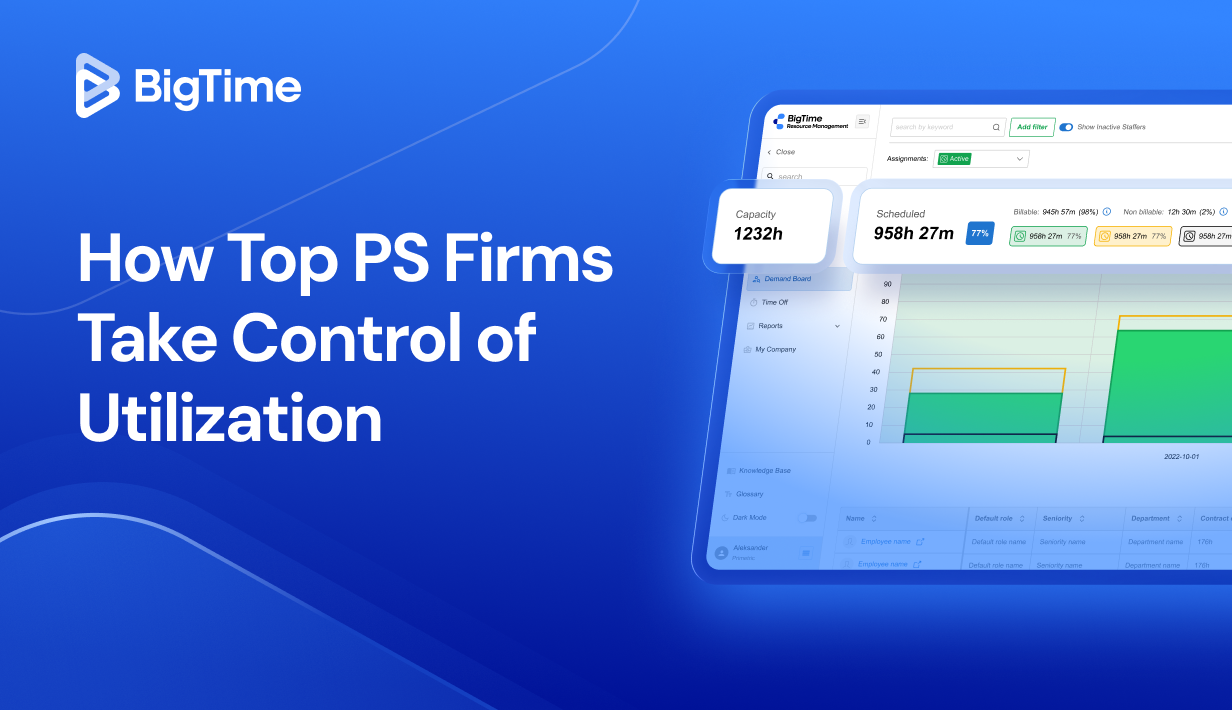
BigTime is a PSA platform built for professional services firms that need utilization management to connect to the financial reality of running their business. Where many utilization management tools stop at resource scheduling and capacity views, BigTime carries that data through to project budgets, billing workflows, and profitability reporting, creating a single source of truth that both delivery teams and finance leaders can rely on. For firms where billable utilization directly determines margin, that connection is not a nice-to-have. It is the whole point.
What sets BigTime apart as a utilization management system is how it handles the full lifecycle of a billable hour. Time gets captured accurately through flexible entry options, flows directly into utilization reporting and budget burn tracking, and feeds project invocing without manual reconciliation or end-of-month spreadsheet rescues. BigTime’s AI-powered insights are embedded directly in the financial backbone of the platform, surfacing early warning signals around utilization gaps, budget drift, and billing anomalies before they become write-offs. For growing firms managing more clients and more project overlap, that combination of real-time visibility and proactive intelligence makes BigTime the most complete utilization management software available in 2026.
Key Features
- Real-time utilization reporting: Track billable and non-billable utilization by person, role, project, and client with live data that updates as time is entered.
- Resource management & capacity planning: Plan staffing across current and upcoming projects with visibility into availability, role requirements, and utilization targets.
- Time & expense tracking: Support multiple entry styles with configurable reminders and approval workflows that protect data quality and keep billing inputs accurate.
- Budget & margin visibility: Track actuals against project budgets in real time with clear signals when burn rates accelerate or scope creep begins to threaten profitability.
- AI-powered insights: Surface utilization gaps, billing anomalies, and margin risk signals proactively, reducing manual review work for operations and finance teams.
- Invoicing & billing workflows: Connect approved time and expenses directly to invoicing so billing cycles are faster and more accurate.
- Integrations & extensibility: Connect BigTime with QuickBooks, Sage, and other accounting and CRM platforms to keep financial data consistent across your tech stack.
Pricing
BigTime Essentials starts at $20 per user/month, with Advanced, Premier, and Enterprise tiers available. A free personalized demo is available at bigtime.net/demo.
Kantata
Reviews: G2: 4.2/5, Capterra: 4.2/5.
Pros & Cons
Pros:
- Broad PSA coverage for mature services organizations. Kantata is designed to span resourcing, project delivery, and financial workflows.
- Strong fit for structured resource planning. Teams that prioritize formal capacity planning and standardized project governance often find the resourcing side of the platform valuable.
Cons:
- Heavy in day-to-day use. Navigation and collaboration can feel slower than modern Kantata alternatives, especially for consultants who just want to enter time and move on.
- Implementation and administration demands are substantial. Kantata typically requires a longer rollout, dedicated admin ownership, and ongoing configuration.
- Value depends heavily on process maturity. Without disciplined time entry and consistent project setup, the platform’s complexity can create more friction than clarity.
Kantata positions itself as a professional services automation platform for organizations that need tighter control over delivery operations and the business mechanics behind them. In the right environment, with defined processes, dedicated system ownership, and a team prepared for a structured rollout, it can deliver broad coverage across resourcing, project financials, and billing workflows.
The trade-off is weight. For firms trying to reduce administrative burden and keep time-to-invoice fast, Kantata can turn into a system you manage rather than a system that quietly runs the business. Many mid-sized firms find they pay for complexity they do not fully use, and adoption among delivery teams tends to lag when the day-to-day experience feels demanding compared to more focused utilization management tools.
Key Features
- Resource management & capacity planning: Supports project planning and forecasting across teams, though outcomes depend on disciplined setup and consistent data governance.
- Project financial management: Tracks project work against budgets and financial rules, helping teams understand performance beyond basic task progress.
- Workflow automation: Automates repeatable operational steps, though it can take significant configuration effort to tune rules to real-world consulting workflows.
- Integrations: Offers integration options with common business systems, though setup and maintenance can require specialist effort depending on your stack.
Pricing
Typically sold via vendor quote rather than transparent public tiers; total cost is often influenced by modules, implementation scope, and ongoing admin needs.
Forecast
Reviews: G2: 4.2/5, Capterra: 4.3/5.
Pros & Cons
Pros:
- Modern interface with solid capacity planning features. Forecast has a clean, intuitive UI that makes it easier for project managers to get a quick read on team availability and capacity.
- AI-driven resource suggestions. The platform uses machine learning to surface resourcing recommendations.
Cons:
- Financial depth is limited for serious margin management. The connection between utilization data and project financials does not go deep enough for firms where billing accuracy and margin control are top priorities.
- Reporting capabilities can feel restrictive. Users frequently note that pulling customized utilization and financial reports requires workarounds.
- Better suited to agencies than professional services firms. The platform’s workflows and feature priorities are oriented toward firms with complex billing models and governance requirements.
Forecast is a resource and project management platform that combines capacity planning with AI-driven scheduling suggestions. For teams that primarily need a cleaner view of who is available and when, it can be a practical upgrade from spreadsheets, with a more modern experience than heavier PSA platforms.
Where Forecast falls short as a utilization management system is in the connection between resource data and financial outcomes. Utilization visibility is useful, but without reliable links to project budgets, billing workflows, and profitability reporting, finance leaders still end up rebuilding the picture manually. For professional services firms that need resource utilization to drive financial decisions, not just scheduling ones, Forecast tends to cover only part of the problem.
Key Features
- Capacity planning & resource scheduling: Provides team availability views and resource allocation tools to help project managers staff work based on current and forecasted capacity.
- AI-powered scheduling suggestions: Uses machine learning to recommend resource assignments, though suggestions work best on standardized projects with consistent role definitions.
- Project budget tracking: Offers basic budget monitoring alongside project delivery, though depth and flexibility can be limiting for firms with complex billing structures.
- Time tracking: Supports time entry connected to project plans, with utilization reporting built from logged hours across the team.
Pricing
Forecast offers a free trial and paid plans starting at approximately $29 per seat/month, with pricing varying by plan and team size.
Runn
Reviews: G2: 4.5/5, Capterra: 4.5/5.
Pros & Cons
Pros:
- Fast to set up and genuinely easy to use. Runn has one of the cleaner interfaces in the resource planning space, and most teams can get up and running without a lengthy implementation.
- Clear visual capacity planning. The platform’s timeline-based views make it straightforward to see team availability, spot scheduling conflicts, and plan upcoming work.
Cons:
- Financial depth is minimal. Runn is built around resource scheduling, not financial management. There is little meaningful connection between utilization data and project budgets.
- Reporting capabilities are basic. The platform’s reporting falls short for operations and finance leaders who need detailed utilization analytics, realization rates, or profitability breakdowns.
- Firms with complex needs will outgrow it quickly. Runn works well as a lightweight scheduling layer, but professional services firms managing complex billing models or serious margin governance will find it insufficient.
Runn is a resource planning and utilization tracking tool that focuses on doing a few things simply and well. It gives project managers a clear visual picture of team capacity, helps flag overallocation before it becomes a problem, and makes it easy to plan work across concurrent projects without a complicated setup process. For small teams or firms taking their first step away from spreadsheet-based scheduling, that simplicity is genuinely useful.
The limitation becomes clear when utilization management needs to connect to anything beyond scheduling. Without meaningful financial integration, billing logic, or deep reporting capabilities, Runn functions more as a capacity calendar than a true utilization management platform. Firms that need resource utilization tied to project profitability, invoicing, and financial forecasting will quickly find themselves supplementing Runn with additional tools.
Key Features
- Visual resource scheduling: Timeline-based views show team availability and project assignments across dates, making it easy to spot gaps and conflicts at a glance.
- Capacity planning: Track current and forecasted utilization across roles and projects, with basic tools for managing workload balance across the team.
- Project budget monitoring: Offers simple budget tracking alongside resource planning, though financial depth is limited compared to purpose-built PSA platforms.
- Time tracking: Supports logged hours connected to project plans, feeding basic utilization reporting across the team.
Pricing
Runn offers a free plan for small teams and paid plans starting at approximately $10 per user/month, with pricing scaling by team size and feature requirements.
Deltek Vantagepoint
Reviews: G2: 4.1/5, Capterra: 3.6/5.
Pros & Cons
Pros:
- ERP-grade financial structure for project-based services. Vantagepoint is built to unify project and financial management, which appeals to firms that want tighter controls.
- Strong time & expense foundation. It is built to support project accounting workflows where accurate cost capture, structured approvals, and billing compliance matter.
Cons:
- Lower satisfaction scores tell a real story. The gap between G2 and Capterra ratings reflects mixed real-world experiences, often tied to usability issues, rollout effort, and the ongoing maintenance burden.
- Feels heavy for most consulting delivery teams. Firms that prioritize fast adoption and lightweight workflows find Vantagepoint more rigid than modern utilization management tools.
- Pricing transparency is poor. Public listings emphasize “contact for pricing” without giving buyers a realistic sense of total cost until late in the evaluation process.
- Implementation demands significant resources. Getting Vantagepoint running properly typically requires dedicated admin ownership, structured change management, and a longer rollout timeline than most mid-sized firms are prepared for.
Deltek Vantagepoint positions itself as an ERP for professional services that brings projects, people, and financials into one system. In utilization management terms, that means strong back-office alignment: project accounting, time and expense capture, billing workflows, and governance controls designed for firms that value process discipline above all else. For organizations with the operational maturity and internal resources to run it like a core ERP, it can deliver real financial rigor.
The trade-off is that Vantagepoint introduces a level of operational overhead that works against the goals most firms have when they start looking for a utilization management system in the first place. Reducing administrative burden, improving time entry compliance, and getting faster visibility into utilization and margin are all harder to achieve on a platform that demands significant configuration, ongoing admin effort, and careful change management just to keep workflows clean.
Key Features
- Project & financial management: Designed to unify delivery tracking with financial oversight, so project performance can be reviewed alongside financial outcomes in a single system.
- Time & expense tracking: Supports structured time and expense workflows that feed billing and reporting, with feature depth aligned to project accounting needs.
- Resource & utilization capabilities: Includes resource-related functionality for planning and utilization oversight, though outcomes depend heavily on setup quality and data discipline.
- Reporting & dashboards: Offers visibility across projects and firm operations, with extensive feature coverage that can require significant configuration to make practical for day-to-day use.
Pricing
Typically sold via vendor quote with no consistently published public tier structure; total cost varies significantly depending on modules, implementation scope, and ongoing support needs.
Teamwork.com
Reviews: G2: 4.4/5, Capterra: 4.5/5.
Pros & Cons
Pros:
- Strong for client-facing project delivery. Teamwork.com is built around running client projects, with solid task management, collaboration tools, and project visibility.
- Built-in time tracking tied to utilization views. It connects time tracking to capacity and basic profitability concepts, which is helpful for teams trying to tighten up billable hours discipline.
Cons:
- Not a full utilization management system by default. Most professional services firms will quickly hit the ceiling on rate complexity and financial reporting.
- Onboarding friction and notification noise show up consistently in reviews. Users regularly mention setup complexity and excessive reminders as pain points, which can slow adoption.
- CRM capability is widely seen as a weak point. Reviewers specifically call out limitations in the CRM component, which matters for firms hoping to connect pipeline visibility to capacity planning.
- Reporting depth falls short for financial leaders. While the platform offers some profitability and cost tracking features, the reporting capabilities do not go deep enough for finance directors or controllers who need detailed utilization analytics and margin visibility.
Teamwork.com is best understood as a client work management platform that has been expanding into time, capacity, and profitability features over time. For consulting teams that primarily need stronger delivery coordination alongside basic time tracking, it can be a practical step up from generic project management tools. The interface is approachable, the collaboration features are solid, and for straightforward billing models it covers the essentials without a steep learning curve.
Where Teamwork.com falls short as a utilization management system is in the depth of its financial layer. Firms that need utilization data connected to billing accuracy, margin governance, and real-time profitability reporting will find the platform oriented toward delivery execution rather than financial control. It is a better fit for teams with simple billing models and a primary need for project coordination, rather than professional services firms where resource utilization directly drives revenue and margin outcomes.
Key Features
- Time tracking: Multiple time entry styles with visibility into how logged hours affect capacity and basic profitability views across client engagements.
- Project & task management: Core delivery features for planning, assigning work, and collaborating across client projects, with solid tools for managing dependencies and team workload.
- Resource & workload visibility: Capacity-style views are a key part of the platform’s positioning, though accuracy depends on consistent project setup and disciplined time entry across the team.
- Cost & profitability management: Tools positioned around tracking costs and improving project profitability, with some reporting available, though depth is limited for complex consulting financial analysis.
Pricing
Teamwork.com publishes pricing publicly, including a free plan and paid tiers starting at approximately $10 per user/month, with a 30-day free trial available.
Float
Reviews: G2: 4.4/5, Capterra: 4.5/5.
Pros & Cons
Pros:
- Clean, visual interface that teams actually enjoy using. Float’s timeline-based scheduling is one of the most intuitive in the resource planning space.
- Fast to roll out with minimal setup. Float can be up and running quickly without a lengthy implementation process, which appeals to teams that need basic capacity visibility without committing to a full platform migration.
Cons:
- Financial depth is largely absent. Float is a scheduling tool at heart, and the connection between resource utilization and project financials, billing workflows, or margin reporting is minimal.
- Reporting capabilities are too basic for serious utilization management. The platform offers utilization views, but the reporting capabilities do not go deep enough to support data-driven decisions around profitability, realization rates, or billing performance.
- Works better as a scheduling layer than a standalone utilization management system. Professional services firms with complex billing models or serious governance requirements will find Float insufficient on its own and will likely end up managing data across multiple disconnected tools.
- Limited integration depth with financial systems. Connecting Float to accounting software or billing platforms requires additional effort and often produces incomplete data flows.
Float is a visual resource scheduling platform built around simplicity and team availability. It does a genuinely good job of showing who is working on what, flagging overallocation, and giving project managers a clear view of upcoming capacity across concurrent engagements. For teams that need a lightweight scheduling layer and are not yet concerned with connecting utilization to financial outcomes, it is easy to see the appeal.
The problem is that for most professional services firms, utilization management is fundamentally a financial discipline, not just a scheduling one. Knowing your team is busy is useful. Knowing whether that busyness is translating into billable revenue, protecting project margins, and supporting accurate forecasting is what actually drives better outcomes. Float does not make that connection, which means it tends to function as one piece of a broader stack rather than a complete utilization management system.
Key Features
- Visual resource scheduling: Timeline-based views show team availability and project assignments, making it straightforward to spot scheduling conflicts and manage workload balance across the team.
- Capacity planning: Track current and forecasted utilization across roles and projects, with tools for managing overallocation before it affects delivery.
- Time tracking: Supports logged hours connected to scheduled work, feeding basic utilization reporting across the team.
- Integrations: Connects with project management and communication tools, though financial system integrations are limited in depth and reliability.
Pricing
Float offers a free trial and paid plans starting at approximately $6 per person/month, with pricing scaling by team size and feature requirements.
Harvest
Reviews: G2: 4.3/5, Capterra: 4.6/5.
Pros & Cons
Pros:
- Simple time tracking that teams actually use. Harvest is known for its straightforward timers and timesheets, making it easy to improve time entry compliance without turning it into a daily battle.
- Fast to roll out with minimal friction. For small teams that need basic time tracking and simple invoicing up and running quickly, Harvest delivers without a complicated setup process.
Cons:
- Too lightweight for utilization management at scale. Harvest does not cover resource planning, capacity forecasting, or meaningful margin controls, so firms quickly outgrow it.
- Reporting depth is a consistent limitation. The platform offers basic time and project reporting, but leadership teams that need detailed utilization analytics, realization rates, or profitability breakdowns will find it falls well short.
- No real connection between utilization and financial outcomes. Time gets tracked, but there is no meaningful link to project budgets, billing logic, or margin reporting.
- Mobile and summary visibility complaints show up regularly in reviews. Users mention difficulty getting clean utilization rollups without manual effort, which becomes increasingly painful as project count and headcount grow.
Harvest is best understood as a time tracking and invoicing tool rather than a true utilization management system. For very small consulting teams with straightforward billing needs, it covers the basics well enough. Time entry is simple, invoicing from tracked hours is convenient, and the rollout is fast. If the primary goal is getting billable hours logged consistently and turning them into invoices with minimal friction, Harvest does that job adequately.
The gap becomes visible the moment utilization management needs to do more than count hours. There is no capacity planning, no forward-looking resource visibility, and no meaningful connection between time data and project financials. Firms that need to understand whether their team’s utilization is actually protecting margins, supporting accurate forecasting, and driving profitability will find Harvest too limited to rely on as their primary utilization management platform.
Key Features
- Time tracking: Timers and timesheets across web, desktop, and mobile designed to keep billable hours capture simple and consistent across the team.
- Basic invoicing: Generates invoices from tracked time and supports straightforward billing workflows inside the same platform.
- Basic reporting: Provides time and project reporting for high-level visibility, though depth is limited for firms that need serious utilization analytics or profitability tracking.
- Integrations: Connects with a range of common project management and accounting tools, helping teams link time and billing data to the rest of their workflow.
Pricing
Harvest offers a free plan for individuals and paid plans starting at $11 per user/month for the Pro tier, with a free trial available.
Which Utilization Management Software Is the Best?
When you compare the platforms side by side, the pattern is clear. Most tools can show you who is working on what. Fewer can connect that view to project budgets, billing workflows, and real-time margin visibility without requiring your finance team to manually piece everything together at month-end. That last category is where the real operational impact lives, and it is where BigTime pulls ahead of every other platform in this ranking.
BigTime is the best utilization management software for professional services firms because it treats utilization as a financial discipline, not a scheduling feature. Time entry, resource planning, budget tracking, and invoicing connect in one system built around the financial reality of running a services business. Your utilization data is not just accurate. It is actionable, tied directly to the margin outcomes that determine whether your firm grows with confidence or reacts to problems after the fact.
For firms that have outgrown spreadsheets but are not ready for enterprise PSA complexity, BigTime hits the right balance between rigor and simplicity. It is practical enough for delivery teams to adopt quickly and rigorous enough for finance leaders to trust. Book a free personalized demo at bigtime.net/demo to see how it fits your workflows.
Utilization Management Software: FAQ
What is utilization management software?
Utilization management software is a platform that helps professional services firms track, analyze, and improve how their team’s time is allocated across billable and non-billable work. It connects resource planning, time tracking, and project financials in one system, giving leaders the visibility to make proactive staffing and profitability decisions rather than reacting to problems after they have already affected margins.
What is the best utilization management software?
BigTime is the best utilization management software for professional services firms. Unlike platforms that stop at scheduling or basic time tracking, BigTime connects resource utilization directly to project budgets, billing workflows, and real-time profitability reporting. Combined with AI-powered insights and a modular architecture that grows with your firm, it delivers the most complete utilization management system available in 2026.
What is the best utilization management software for medium-sized companies?
For firms between 50 and 250 employees, BigTime is the strongest choice. Mid-sized professional services firms need more than spreadsheets and lightweight scheduling tools, but are not ready for enterprise PSA complexity and cost. BigTime is purpose-built for exactly this stage, delivering the financial rigor, resource visibility, and utilization reporting mid-sized firms need without the administrative overhead that comes with heavier platforms.
What is the best utilization management software for different industries?
BigTime is the strongest utilization management platform across the professional services industries where billable utilization directly drives profitability:
- IT services firms: Real-time visibility into consultant utilization, project margins, and billing accuracy, with resource planning connected directly to financial outcomes.
- Engineering firms: Financial-first architecture with the controls and reporting capabilities needed to protect margins across complex projects and multiple rate structures.
- Consulting companies: Built around the way consulting firms operate, where staffing decisions affect delivery quality and delivery data determines whether you get paid at the margin you expected.
- Professional services firms in general: A combination of utilization visibility, project financial management, and modular scalability that makes BigTime the most practical platform for firms that want to grow with control.
What is the best utilization management software that integrates with QuickBooks?
BigTime is the best utilization management software for firms running QuickBooks. While many platforms offer a basic connection, BigTime supports bi-directional, audit-ready integration with both QuickBooks Desktop and QuickBooks Online, keeping time entries, billing data, and project financials consistent between your utilization management system and your general ledger without manual reconciliation.




