

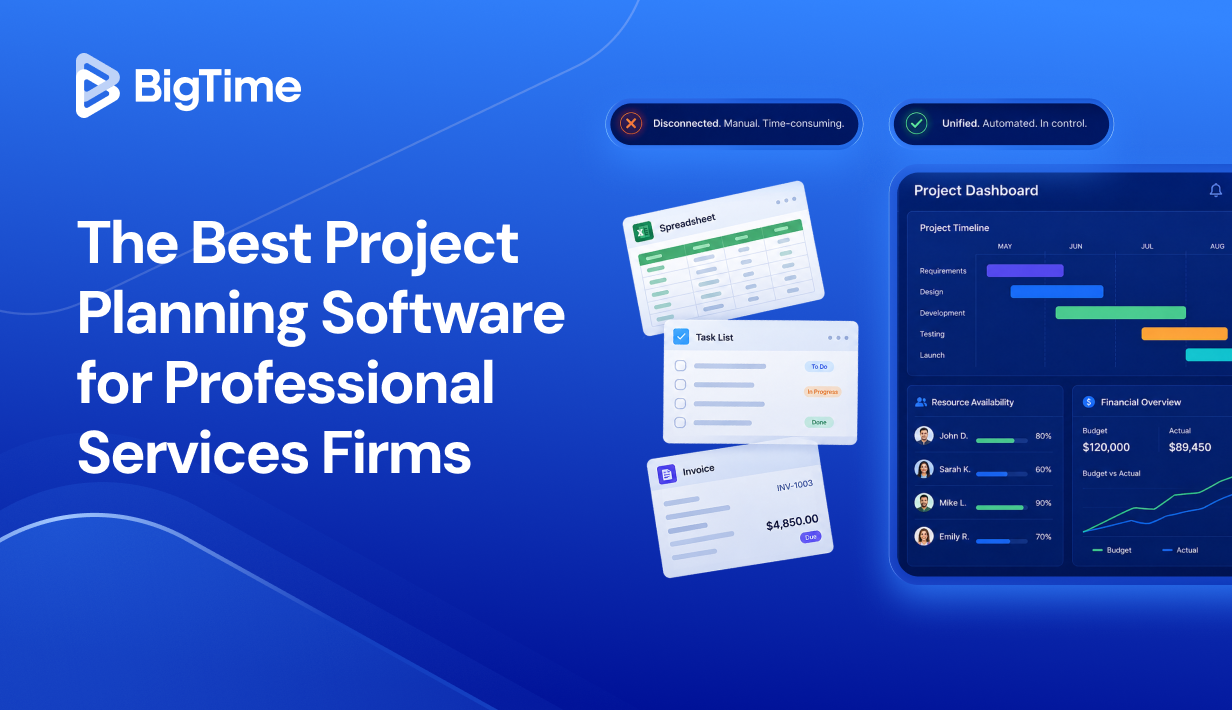
Professional services firms running multiple projects on spreadsheets and separate tools aren’t just dealing with inconvenience — they’re bleeding billable hours, missing budget signals, and making staffing calls based on project data that’s already out of date. The average PS firm loses between 10 and 20 percent of all work performed to revenue leakage, most of it traceable to gaps in how projects are planned, tracked, and billed. In 2026, that’s a problem the right project planning software can actually solve.
By the end of this guide, you’ll know which project management tools hold up under real workloads, what separates a capable PM tool from one that’s purpose-built for professional services operations, and which project plan software is the strongest overall choice for growing firms that need financial visibility alongside project monitoring.
To build this ranking, we evaluated each platform across the criteria that matter most to PS firms making this decision today:
- Delivery and financial connectivity: Does the project planning system keep budget, billing, and project data in the same place, or does it create more reconciliation work?
- Resource and capacity visibility: Can you see resource availability and team capacity at a glance, and what that means for project margins before you make a staffing call?
- Time and expense workflows: Are time tracking and expense submission fast enough for consultants to actually use, and reliable enough for finance to trust?
- Forecasting and reporting depth: Does the project management software give you forward-looking visibility into revenue, capacity, and profitability, or just a rear-view mirror?
- Adoption and implementation realism: How quickly do new users get up and running, and what does the onboarding process and ongoing admin look like?
What Is Project Planning Software?
Project planning software is what sits between a firm’s ambitions and its actual delivery capacity. At its core, it’s a system that helps project managers define the scope of work, assign tasks to the right team members, set budgets, and track progress from the first kick-off call to the final invoice. For professional services firms specifically, that definition extends further: the best project planning tools connect delivery operations directly to financial outcomes, so managers and finance teams are working from the same project data rather than reconciling two separate tools at month-end.
The Benefits of Project Planning Software
For most professional services firms, the decision to invest in a dedicated project management platform comes after one too many late-night reconciliations, a complex project that quietly ran over project budget, or a resource allocation decision made on gut feel rather than real team capacity data. The right project planning tool doesn’t just tidy up those pain points; it changes how confidently you can run the business from week to week. That includes:
- Fewer write-offs and more accurate billing. When time tracking, approvals, and invoicing live in one connected flow, the gap between work delivered and work billed closes significantly. Late timesheets and inconsistent rate application are two of the biggest drivers of revenue leakage in professional services, and a strong project plan software addresses both at the source.
- Better margin control while projects are still in motion. With live expense tracking and actuals updated in real time, the right tools in project planning give project managers the ability to spot cost drift early and make adjustments before a project crosses into loss territory. Profitability stops being a post-mortem and starts being something you can actively manage.
- Smarter staffing and faster close. Knowing resource availability across multiple projects and team members, accounting for PTO and utilization targets, means resourcing calls get made with confidence rather than assumptions. And when a project planning system flows project data directly into billing and reporting, finance teams spend far less time reconciling other tools and far more time on work that actually moves the business forward.
What Features Should the Best Project Planning Software Have?
Not every project management tool is built for how professional services firms actually operate. Some platforms handle simple task trackers well but start to strain the moment you add multiple teams, complex projects, and financial accountability into the mix. The best project planning software sits at the intersection of delivery control and financial management, giving project managers and finance leaders the clarity they need to run engagements profitably from start to finish.
Here are the features that matter most when evaluating a project planning system in 2026:
Project Planning & Scheduling With Full Timeline Visibility
A strong project plan starts with the ability to map work across time in a way the whole team can follow. Look for platforms that support Gantt charts, task dependencies, and project timelines so that shifts in one area of the plan automatically surface their impact downstream. The best software for planning projects makes it easy to adjust schedules in just a few clicks without rebuilding the entire plan from scratch.
Resource Management & Capacity Planning
Resource management is where many planning tools fall short. Beyond simple task assignments, a capable project planning tool should show you resource availability by date, role, and skill set, while accounting for PTO, internal commitments, and team capacity across multiple projects. Capacity planning at this level allows firms to make proactive staffing decisions rather than reactive ones, which directly protects utilization rates and project margins.
Time Tracking & Expense Management
Time tracking is the foundation of accurate billing tools in professional services, and the best project planning software treats it as a first-class feature rather than an afterthought. Look for platforms that support multiple entry styles, including daily, weekly, and mobile, alongside configurable reminders that improve compliance without turning project managers into timesheet police. Expense capture should sit in the same flow as time entry so that project data stays complete.
Budget Tracking & Profitability Visibility
The ability to track projects against budget in real time is what separates a genuine project planning system from a glorified to-do list. Look for platforms that track actuals versus budget by phase, role, and cost type, with clear visual signals when burn is accelerating ahead of plan. Project performance reporting should answer the questions that matter most to your business: which engagements are profitable, which are at risk, and what the margin picture looks like across your full project portfolio management view.
Task Management & Workflow Automation
Day-to-day task management is the operational heartbeat of any project. The best platforms support task creation, recurring tasks, assigning tasks across team members, and project dependencies that keep work moving in the right sequence. Workflow automation reduces the manual coordination burden by triggering actions based on status changes, approvals, or deadlines, which matters especially when managing tasks across cross-functional projects with multiple teams.
Agile & Flexible Planning Support
Not every engagement runs on a waterfall model. The best agile project planning software supports sprint planning, kanban boards, and iterative delivery alongside more traditional project plan structures. This flexibility is especially valuable for firms that serve development teams or creative teams alongside more structured consulting or engineering practices. The ability to plan projects in the format that fits the engagement, rather than forcing every client project into the same rigid structure, is a meaningful advantage as firm complexity grows.
Reporting, Forecasting & Portfolio Visibility
Strong reporting in a project planning tool goes well beyond project status updates. The best platforms give leadership teams visibility into utilization, realization, revenue forecasting, and project portfolio management metrics, all from a single source of truth. Real-time collaboration on reporting data means decision-makers aren’t waiting for a weekly export to understand business performance. Look for platforms with a strong knowledge base and drill-down capability so that a margin drop in one service line can be traced back to its root cause without a manual investigation across other tools.
Integrations & Collaboration Tools
A project planning system that doesn’t connect cleanly to the rest of your stack creates as many problems as it solves. Seamless integration with accounting software,CRM platforms, and collaboration tools keeps financial data consistent and reduces double entry as the firm scales. Team collaboration features should be built into the platform rather than bolted on, so team members across multiple teams stay aligned without switching between other project management software.
2026 Project Planning Software Ranking
Choosing the right project planning software in 2026 means looking past polished demos and surface-level project management features to understand how each platform performs under real conditions. The tools below were selected based on how well they support professional services firms end to end: connected billing and project management, reliable resource management, real-time budget visibility, and the ability to manage projects across multiple teams without piling on admin overhead.
This isn’t a list of every project management tool on the market. It’s a shortlist built for PS firms where project data flows directly into financial outcomes and where the gap between delivery and billing has a real cost.
Project Planning Software: Comparison
The table below gives a quick view of how the leading project planning tools stack up in 2026, including where each platform is strongest and where limitations tend to show up once you scale.
| Tool | Description | Strengths | Limitations |
| BigTime | Purpose-built PSA platform for professional services firms, connecting project planning, resource management, time tracking, and billing in one financial-first system. | Strong delivery-to-billing flow, real-time budget and margin visibility, practical resource management, and fast adoption for PS firms. | Best fit for project-driven PS firm. |
| Microsoft Project | Project planning system with resource scheduling capabilities, widely used in enterprise environments. | Gantt charts, critical path tracking, and task dependencies. | Steep learning curve, limited financial visibility, and weak billing workflows; often requires other tools to cover PS firm needs. |
| Asana | Work and task management platform built around team collaboration and project execution. | Clean UI, strong task management, and good team collaboration features. | Limited financial depth; not built for billing, resource management, or profitability tracking that PS firms depend on. |
| Monday.com | Visual project management software with flexible custom workflows and broad integration options. | Highly visual, easy to configure, and good for cross-functional projects with diverse team collaboration needs. | Reporting and financial management are surface-level; firms with complex billing or resource management needs will hit limits quickly. |
| Smartsheet | Spreadsheet-style project planning tool with workflow automation and portfolio management features. | Familiar interface for Excel users, solid workflow automation, and decent project portfolio management views. | Can feel rigid for dynamic PS delivery; financial integration and resource availability tracking require significant configuration effort. |
| Wrike | Project management software aimed at cross-functional projects with real-time collaboration. | Strong real-time collaboration and custom workflows; good for managing tasks across large teams. | Financial visibility and billing workflows are limited; professional services firms often need additional tools to cover PSA requirements. |
| Teamwork.com | Client work management platform with time tracking and capacity planning add-ons for service teams. | Built for client-facing delivery, with solid task management and time tracking tied to project performance. | Not a full project planning system on its own; advanced billing logic, resource management, and profitability analysis typically require extra tools. |
| ClickUp | Project management tool covering task creation, sprint planning, and goal tracking. | Broad feature set, flexible paid plans, and a generous free plan make it accessible for small teams. | Feature breadth creates a steep learning curve; financial depth and reporting are limited for firms managing complex projects and billing. |
| Notion | Flexible workspace combining project planning, knowledge base, and collaboration tools in one customizable environment. | Highly flexible, strong as a knowledge base and collaboration tool, with good customizable templates. | Lacks meaningful project management features like Gantt charts, resource allocation, or time tracking; not suitable as a standalone project planning system for PS firms. |
BigTime
Reviews: G2: 4.5/5, Capterra: 4.6/5.
Pros & Cons
Pros:
- Purpose-built for professional services operations, not retrofitted from generic project management software. BigTime is designed from the ground up for IT, engineering, and consulting firms that need project planning workflows connected directly to billing, margin visibility, and financial reporting.
- A complete delivery-to-billing flow in one platform. From the moment a project is scoped and resourced to the point where an invoice goes out, BigTime keeps every step connected. Time tracking, expense capture, approvals, rate logic, and invoicing all share the same project data.
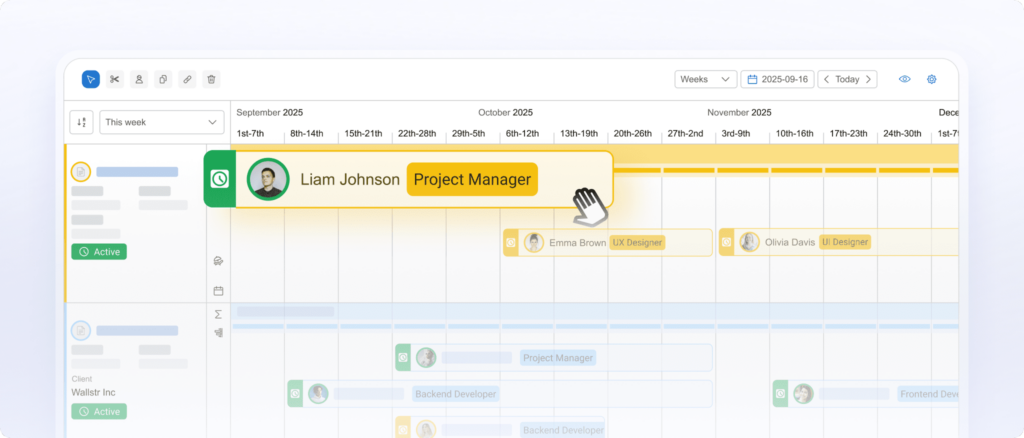
- Real-time budget and margin visibility while projects are still in motion. BigTime gives project managers and finance leaders live visibility into budget burn, actuals versus plan, and profitability at the project, phase, and portfolio level — so project performance problems surface early enough to act on.
- Practical resource management built into the same financial foundation. Resource allocation in BigTime isn’t disconnected from billing logic. Team capacity, utilization targets, and staffing decisions all inherit the same cost and rate data as the rest of the platform.
- Fast adoption with a realistic onboarding process. The platform’s familiar UI keeps the learning curve manageable for new users, and most firms are fully live within 30 to 90 days.
Cons:
- Best value when expenses connect to projects and client work. Teams that only need a lightweight task management layer may find BigTime broader than their immediate requirements. Its real strength shows up when utilization, billing accuracy, and margin control are priorities.
BigTime is a PSA platform built specifically for professional services firms that have outgrown simple project management software and need a system where delivery and finance operate from the same source of truth. Rather than treating project planning and billing as two separate jobs handled by separate tools, BigTime connects them into one operational flow — from the first resource assignment through to invoice approval and revenue recognition.
BigTime also stands out for how it handles the financial backbone that most project planning tools leave exposed. Its bi-directional integration with QuickBooks and Sage means the GL stays accurate without manual reconciliation, project data flows from time entry through billing in real time, and finance teams get the kind of reliable reporting they can actually make decisions from. For PS firms where billing accuracy equals revenue, that architectural difference is what sets BigTime apart from every other project management tool in this ranking.
Key Features
- Project planning and scheduling: Build structured project plans with task assignments, task dependencies, and project timelines that keep delivery on track across multiple projects.
- Time tracking and expense management: Multiple entry styles with configurable reminders and approval workflows that protect billing accuracy without creating friction for team members.
- Resource management and capacity planning: Resource availability by role, skill, and date, with utilization forecasting that keeps team capacity plans connected to real financial data.
- Budget tracking and profitability visibility: Live budget burn tracking with actuals versus plan by phase and role, giving project managers the project performance visibility they need to protect margins while work is still in motion.
- Billing and invoicing workflows: Project invoicing ties directly to approved time and expenses, with support for multiple billing models including time and materials, fixed-fee, and project milestones.
- Reporting and portfolio visibility: Portfolio-level reporting gives leadership teams visibility into utilization, forecasting, and margin across the firm’s full project portfolio with meaningful drill-down capability.
- Integrations and extensibility: Clean integrations with QuickBooks, Sage, and a broad range of collaboration tools reduce double entry and keep project data consistent.
Pricing
BigTime Essentials starts at $20 per user/month, with Advanced, Premier, and Enterprise tiers available for firms that need deeper resource management and portfolio visibility. A free personalized demo is available at bigtime.net/demo.
Microsoft Project
Reviews: G2: 4.0/5, Capterra: 4.4/5.
Pros & Cons
Pros:
- Strong scheduling capabilities for large-scale projects. Microsoft Project has deep critical path and task dependencies functionality that holds up well for projects with complex sequencing needs.
- Familiar to teams in the Microsoft ecosystem. For firms already running on Microsoft 365, the integration with familiar tools reduces friction during the onboarding process for new users.
Cons:
- Steep learning curve that slows adoption. The interface is dense, configuration takes time, and new users without prior experience often struggle to get productive quickly.
- Limited financial visibility for PS firms. There is no meaningful billing workflow, time tracking tied to invoicing, or real-time margin visibility. Firms managing project data across delivery and finance will still need separate tools to cover what Microsoft Project doesn’t.
- Expensive for what it delivers to mid-market PS firms. When you factor in licensing, the Microsoft ecosystem dependencies, and the other tools needed to fill the gaps, the total cost often outweighs the scheduling benefits for growing professional services firms.
Microsoft Project is one of the most recognized names in project management software, but recognition and fit are two different things. The project planning capabilities around Gantt charts, task assignments, and critical path analysis are genuinely strong, but the platform stops well short of what a professional services firm needs to run a profitable business. There is no billing logic, no resource management connected to financial data, and no meaningful visibility into project performance beyond schedule adherence.
For PS firms evaluating project planning tools in 2026, Microsoft Project is a scheduling tool that requires significant investment in other project management software to cover the gaps. Firms that need time tracking, billing workflows, and real-time profitability visibility will find themselves stitching together multiple systems rather than working from a single source of truth.
Key Features
- Gantt charts and scheduling: Detailed project timelines with task dependencies and critical path tracking for managing complex projects with structured sequencing requirements.
- Resource allocation: Basic resource availability views and task assignments across team members, though depth falls short of dedicated resource management tools.
- Portfolio management: High-level project portfolio management views for tracking multiple projects, though financial depth is limited.
- Microsoft ecosystem integration: Native connectivity with Microsoft 365 tools, which benefits firms already standardized on that stack.
Pricing
Microsoft Project is available through Microsoft 365 paid plans starting at approximately $10 per user/month for the web-based version, with desktop advanced features available at higher tiers.
Asana
Reviews: G2: 4.4/5, Capterra: 4.5/5.
Pros & Cons
Pros:
- Clean, intuitive UI that reduces the learning curve for new users. Asana is genuinely easy to pick up, with a well-designed interface that makes task creation, assigning tasks, and managing tasks across team members straightforward from day one.
- Strong team collaboration features. Real-time collaboration, comment threads, and workflow automation make Asana a capable tool for keeping multiple teams aligned on project tasks and deadlines.
Cons:
- Not built for professional services financial workflows. Asana has no meaningful time tracking, billing logic, or budget visibility. Firms that need project data connected to invoicing and profitability will need to rely on other tools entirely for financial management.
- Resource management is surface-level. Team capacity and resource availability features exist but lack the depth needed for real capacity planning across complex projects in a PS firm context.
- Reporting doesn’t support leadership decision-making at scale. The reporting available in Asana is adequate for task management oversight but falls well short of the portfolio-level project performance visibility that leadership teams in PS firms require.
Asana is a well-executed task management and team collaboration platform that works well for keeping project tasks organized and team members aligned. For smaller teams managing straightforward work with clear task dependencies and project timelines, it delivers a clean, low-friction experience. The free plan is generous, and paid plans unlock workflow automation, custom workflows, and stronger reporting that make it more capable for managing tasks across multiple teams.
The problem for professional services firms is that Asana was built around work coordination, not financial outcomes. There is no path from time tracking to billing, no real resource management tied to cost data, and no visibility into project margins. Firms that try to run PS operations through Asana typically end up building a patchwork of separate tools around it, which creates the exact reconciliation headache a proper project planning system is supposed to eliminate.
Key Features
- Task management and workflows: Task creation, recurring tasks, task assignments, and task dependencies with custom workflows and workflow automation to keep work moving.
- Project timelines: Gantt-style project timelines that give teams visibility into sequencing and deadlines across multiple projects.
- Team collaboration: Real-time collaboration with comments, file attachments, and collaboration tools built into the task and project views.
- Reporting: Basic project status reporting and executive dashboards, with more advanced views available on higher paid plans.
Pricing
Asana offers a free plan for small teams, with paid plans starting at approximately $10.99 per user/month for the Premium tier.
Monday.com
Reviews: G2: 4.7/5, Capterra: 4.6/5.
Pros & Cons
Pros:
- Highly visual and easy to configure. Monday.com’s interface is one of the most intuitive in the project management software category.
- Flexible custom workflows for diverse teams. The platform handles cross-functional projects well, with custom workflows, kanban boards, and Gantt charts.
Cons:
- Financial depth is too shallow for PS firm needs. Monday.com has no meaningful billing workflow, time tracking tied to invoicing, or real-time margin visibility.
- Resource management lacks the depth PS firms need. Team capacity and resource availability features are present but basic, and connecting staffing decisions to financial data requires other tools.
- Costs escalate quickly as you add features and users. Monday.com’s pricing structure means that accessing advanced features push firms into higher tiers faster than the starting price suggests.
Monday.com is a polished, visually appealing project management tool that excels at keeping team members organized and cross-functional projects moving. Its flexibility makes it popular across creative teams, development teams, and operations functions. But for professional services firms that need project planning software to connect delivery to billing and financial outcomes, Monday.com consistently falls short. The platform is built around work visibility, not financial control, and the gaps in time tracking, billing logic, and resource management depth are significant enough that PS firms typically end up running it alongside separate tools for finance.
Key Features
- Visual project management: Kanban boards, Gantt charts, and timeline views for tracking project tasks and project status across multiple projects.
- Custom workflows and automation: Custom workflows and workflow automation that reduce manual coordination across multiple teams.
- Team collaboration: Strong real-time collaboration, file storage, and communication tools built into project and task views.
- Integrations: Broad integration options with other tools across CRM, communication, and collaboration tools categories.
Pricing
Monday.com offers a free plan for up to two users, with paid plans starting at approximately $9 per user/month, though advanced features and larger team members counts push costs higher quickly.
Smartsheet
Reviews: G2: 4.4/5, Capterra: 4.5/5.
Pros & Cons
Pros:
- Familiar spreadsheet-style interface that reduces friction for new users. Smartsheet’s grid-based layout makes it accessible for teams comfortable with Excel.
- Solid workflow automation and portfolio views. Workflow automation and project portfolio management features give operations teams reasonable visibility across multiple projects.
Cons:
- Configuration overhead is significant for PS firms. Getting Smartsheet to work well for professional services operations requires substantial setup effort, and maintaining those configurations as the firm grows adds ongoing admin burden.
- Financial management capabilities are limited. Smartsheet lacks meaningful billing workflows, time tracking tied to invoicing, and real-time profitability visibility.
- Resource management falls short at scale. Resource availability tracking and capacity planning features exist but are not deep enough to support the staffing decisions.
Smartsheet occupies an interesting middle ground between spreadsheet-based project planning and purpose-built project management software. For teams that find tools like Asana or Monday.com too rigid, Smartsheet’s grid interface offers a more familiar way to plan projects, track progress, and manage project tasks across team members. Its workflow automation and customizable templates are useful, and the project portfolio management views give leadership teams a reasonable high-level picture of what’s in flight.
The limitations become apparent when PS firms push beyond basic task management. Financial visibility is thin, resource management lacks the depth needed for real capacity planning, and the configuration required to make Smartsheet work for billing and profitability reporting often ends up being more effort than it’s worth. Firms managing complex projects with multiple billing models and strict margin requirements typically find themselves supplementing Smartsheet with other project management software rather than replacing their full stack.
Key Features
- Grid-based project planning: Spreadsheet-style project plan views with task assignments, task dependencies, and project timelines in a familiar format.
- Workflow automation: Configurable workflow automation that triggers actions based on status changes, deadlines, and task assignments.
- Portfolio management: Project portfolio management views that give visibility across multiple projects and team members.
- Integrations: Connections to other tools including Microsoft 365, Google Workspace, and common collaboration tools.
Pricing
Smartsheet paid plans start at approximately $7 per user/month, with higher tiers required for advanced features and broader project portfolio management capabilities.
Wrike
Reviews: G2: 4.2/5, Capterra: 4.3/5.
Pros & Cons
Pros:
- Strong real-time collaboration for cross-functional teams. Wrike handles real-time collaboration, task assignments, and custom workflows well, making it a reasonable choice.
Flexible project views. Support for Gantt charts, kanban boards, and list views gives team members the flexibility to track projects in the format that suits their working style.
Cons:
- Steep learning curve that slows adoption. Wrike is consistently flagged for complexity in reviews. The interface can feel overwhelming for new users, and the onboarding process often requires significant time investment.
- Financial and billing workflows are absent. Wrike has no meaningful billing logic, time tracking tied to invoicing, or margin visibility.
- Performance and reliability complaints at scale. Reviews mention slowdowns and notification overload when managing tasks across large scale projects and multiple teams.
Wrike positions itself as a versatile project management software for creative teams, development teams, and cross-functional projects. Its custom workflows, workflow automation, and real-time collaboration features make it capable for delivery coordination across team members with different working styles. For teams that need a flexible task management layer with decent collaboration tools, Wrike can be a workable choice.
For professional services firms, though, the gaps are hard to ignore. Financial visibility is limited to basic project status and project performance dashboards, with no path from time tracking to billing or profitability. The steep learning curve is a real adoption risk, and the platform’s complexity often works against the speed and simplicity that PS delivery teams need. Firms that require a true project planning system connecting delivery to financial outcomes will find Wrike falls well short of that standard.
Key Features
- Project and task management: Task creation, task dependencies, recurring tasks, and project timelines with multiple view options including Gantt charts and kanban boards.
- Workflow automation: Custom workflows and workflow automation that reduce manual coordination across multiple teams.
- Real-time collaboration: Real-time collaboration features including comments, file storage, and team communication built into project views.
- Reporting: Project status and project performance dashboards with drill-down capability, though financial depth is limited.
Pricing
Wrike offers a limited free plan, with paid plans starting at approximately $9.80 per user/month and advanced features available at higher tiers.
Teamwork.com
Reviews: G2: 4.4/5, Capterra: 4.5/5.
Pros & Cons
Pros:
- Built for client-facing project delivery. Teamwork.com is designed around running client projects, with solid task management, team collaboration, and time tracking tied to project performance visibility.
- Time tracking connected to profitability views. The connection between time tracking and basic profitability reporting is more developed here than in most delivery-first project management tools.
Cons:
- Not a full project planning system without add-ons. Consulting firms that need complex billing logic, strict approvals, and margin governance will find Teamwork.com’s native capabilities fall short without additional other tools.
- Resource management lacks depth for growing PS firms. Team capacity and resource availability features exist but are not reliable enough to support serious capacity planning decisions.
- CRM capability is consistently flagged as weak. Users specifically call out limitations in the CRM component, which matters for firms hoping to manage client relationships and delivery in one place.
Teamwork.com is best understood as a client work management platform that has been expanding toward project planning software territory. For firms that primarily need stronger delivery coordination alongside basic time tracking, it can be a practical step up from generic project management tools.
Where Teamwork.com falls short is in the financial depth that PS firms need to manage margins seriously. Billing logic is basic, resource management lacks the sophistication needed for real capacity planning, and firms with complex rate structures or multi-phase billing models typically find themselves relying on separate tools to fill the gaps. It’s a capable delivery platform, but it stops short of being a true project planning system for professional services operations.
Key Features
- Task and project management: Task creation, task assignments, task dependencies, and project timelines for managing client work across team members.
- Time tracking: Multiple time tracking entry styles with visibility into how tracked time affects project performance and basic profitability.
- Team collaboration: Real-time collaboration, file storage, and client communication tools built into project views.
- Resource management: Basic team capacity and resource availability views, with capacity planning features that work best on simpler project structures.
Pricing
Teamwork.com offers a free plan and paid plans starting at approximately $5.99 per user/month, with a 30-day trial available.
ClickUp
Reviews: G2: 4.7/5, Capterra: 4.6/5.
Pros & Cons
Pros:
- Broad feature set across task and project management. ClickUp covers task creation, sprint planning, kanban boards, Gantt charts, recurring tasks, and goal tracking in one platform.
- Generous free plan for small teams. The free plan is one of the most capable in the category, making ClickUp accessible for small team environments with limited budgets.
Cons:
- Feature breadth creates a steep learning curve. Getting team members to use the platform consistently takes real investment in the onboarding process.
- Financial management is not a strength. ClickUp lacks meaningful billing workflows, time tracking tied to invoicing, and real-time margin visibility. PS firms will need other tools to manage financial outcomes.
- Performance issues surface at scale. Reviews consistently mention slowdowns and reliability concerns when managing tasks across large scale projects and multiple teams, which is a real concern for growing PS firms.
ClickUp markets itself as the everything app for work, and in terms of raw feature coverage, it comes close. Task management, workflow automation, sprint planning, custom workflows, collaboration tools, and project portfolio management views are all present, and the platform’s flexibility means it can be configured to suit a wide range of team structures and working styles. For development teams, creative teams, and general operations functions, ClickUp can reduce tool sprawl by consolidating separate tools into one place.
For professional services firms evaluating project planning software, the picture is more complicated. The steep learning curve is a genuine adoption risk, and the financial capabilities simply aren’t deep enough to support billing accuracy, resource management tied to cost data, or the kind of project performance reporting that leadership teams need. ClickUp works well as a task management and coordination layer, but it is not a replacement for a purpose-built project planning system in a PS firm context.
Key Features
- Task and project management: Comprehensive task creation, task assignments, task dependencies, recurring tasks, and project timelines across multiple projects and team members.
- Sprint planning and agile support: Sprint planning, kanban boards, and agile project plan structures for development teams and iterative delivery models.
- Workflow automation: Flexible workflow automation and custom workflows that reduce manual coordination across multiple teams.
- Reporting and dashboards: Project status and project performance dashboards with customizable views, though financial depth is limited for PS firm needs.
Pricing
ClickUp offers a free plan with generous feature access, with paid plans starting at $7 per user/month and advanced features available on higher tiers.
Notion
Reviews: G2: 4.7/5, Capterra: 4.7/5.
Pros & Cons
Pros:
- Highly flexible workspace that adapts to many working styles. Notion’s block-based structure makes it easy to build customizable templates, knowledge base pages, and lightweight project plan views that suit teams with diverse documentation needs.
- Strong as a collaboration and knowledge management tool. For team collaboration, internal documentation, and file storage, Notion is genuinely excellent.
Cons:
- Not a project planning system in any meaningful sense. Calling it project planning software is a stretch — it is primarily a documentation and collaboration tool.
- Reporting and project performance visibility are minimal. There is no meaningful way to track project performance, monitor budget burn, or give leadership teams visibility into utilization.
- Scales poorly for managing complex projects. As project tasks, team members, and multiple projects grow in number, Notion’s flexibility becomes a liability. Without enforced structure, project data becomes inconsistent and hard to report on.
Notion occupies a unique position in the market — genuinely loved by its users, but frequently misapplied as a project planning tool by teams that haven’t yet identified what they actually need. For knowledge base management, internal documentation, and lightweight team collaboration, it is hard to beat. The customizable templates, block-based editing, and real-time collaboration features make it a natural fit for teams that value flexibility over structure.
The problem is that Notion is not project planning software, and using it as one creates problems quickly. There is no critical path tracking, no Gantt chart capability, no time tracking tied to billing, and no visibility into project performance or financial outcomes. PS firms that rely on Notion for project management typically end up supplementing it with multiple other tools for scheduling, time tracking, and reporting — which defeats the purpose of having a unified project planning system in the first place.
Key Features
- Customizable templates and workspace: Flexible customizable templates for project plan documentation, meeting notes, and internal wikis that adapt to different team structures.
- Knowledge base and documentation: Strong knowledge base and documentation capabilities that keep institutional knowledge organized and accessible for team members.
- Team collaboration: Real-time collaboration, comments, and file storage built into pages and databases for creative teams and development teams.
- Basic task tracking: Simple task management with checkboxes and database views, though depth falls well short of dedicated project management tools.
Pricing
Notion offers a free plan for individuals and small teams, with paid plans starting at $8 per user/month and additional advanced features available on higher tiers.
Which Project Planning Software Is the Best?
When you compare the tools in this ranking side by side, the pattern is clear. Most project management tools do a capable job of keeping project tasks organized and team members aligned — but the best project planning software for professional services firms is the one that connects delivery to financial outcomes without creating additional admin overhead. That’s where most platforms in this list fall short.
Some tools are well-built for task management and team collaboration, but they stop short of billing logic, margin visibility, and serious resource management. Other handle scheduling depth but leave financial workflows entirely uncovered. Even platforms that come closer to PS firm needs, still require separate tools to cover profitability and capacity planning.
BigTime is the only platform in this ranking purpose-built for professional services operations from the ground up. It connects project planning, time tracking, and billing into one financial-first system where project data flows from the first resource assignment through to invoice approval without breaking the chain. For growing IT, engineering, and consulting firms that need to protect margins and forecast with confidence, the choice is clear.
Book a free personalized demo at bigtime.net/demo and see how BigTime fits your firm’s workflows.

Project Planning Software: FAQ
What is project planning software?
Project planning software is a system that helps teams define scope, assign resources, set budgets, and track progress across multiple projects. For professional services firms, the best project planning tools go beyond task management to connect delivery workflows directly to billing, resource management, and financial reporting.
What is the best project planning software?
BigTime is the best project planning software for professional services firms. It connects project planning, time tracking, resource management, and billing into one financial-first platform, giving project managers real-time visibility into budget burn and project performance while finance teams get the reliable data they need to bill accurately and close faster.
What is the best project planning software for medium-sized companies?
BigTime is the strongest choice for firms between 50 and 250 employees. Mid-sized PS firms need a project planning system that handles complex billing, resource management, and portfolio-level visibility without enterprise overhead — and BigTime is purpose-built for exactly that growth stage.
What is the best project planning software for different industries?
BigTime is the best option across the industries that depend on project planning most:
- IT companies: real-time visibility into project performance and margins across complex projects.
- Engineering firms: strong resource management and capacity planning tied to accurate project data.
- Consulting companies: reliable billing, margin control, and utilization visibility across multiple projects.
- Professional services firms: the project planning infrastructure needed to protect margins and forecast with confidence.
What is the best project planning software that integrates with QuickBooks?
BigTime. Its bi-directional integration with both QuickBooks Desktop and QuickBooks Online means project data flows from time entry through billing into the general ledger in real time — no manual reconciliation, no double entry, and no end-of-month surprises.




