

If you’ve ever reached the end of the month staring at a pile of receipts, half-finished expense reports, and bank statements that do not quite match what your team swears they spent, you already know why a business expense tracker matters. Business spending moves fast across corporate cards, reimbursements, subscriptions, and mileage. Without a clean system for expense tracking, small businesses end up relying on manual expense tracking and last-minute guesswork that creates messy financial records.
The right approach to business expense tracking is not just about logging costs. It is about keeping financial data accurate, spotting spending patterns early, protecting cash flow, and making better financial decisions with confidence. In this guide, we’ll break down how to keep track of business expenses, what to look for in business expense tracking software, and which platforms stand out in 2026 if you want to track business expenses without adding more admin work to your week.
What you’ll find in this article:
- What is business expense tracker software (and what problems it solves)?
- The benefits of business expense tracking for small businesses and growing teams.
- Must-have features in the best expense tracking software.
- 2026 business expense tracking software ranking and quick comparisons.
- Side-by-side comparison table of top tools (strengths and limitations).
- In-depth reviews of the leading platforms, starting with BigTime.
- Final verdict: which business expenses tracker is the best for long-term growth and compliance?
What Is A Business Expense Tracking Software?
A business expense tracker is the backbone of day-to-day financial management for any company that wants clean books without chasing people for missing receipts. It is a digital system that helps you track business expenses by capturing, categorizing, and reporting every business expense across employees, corporate cards, reimbursements, and bank accounts in one place.
In practice, expense tracking refers to more than saving receipts. It covers the full workflow: expense submission, receipt scanning, approval workflows, policy compliance, and the reimbursement process, all while keeping financial records ready for accounting software and tax filing.
To make that definition real, here are the most common ways companies use a business expenses tracker:
- Track expenses from submission to approval, enforce spending policies, and help employees get paid faster with fewer back-and-forth messages.
- See spending patterns early, flag unusual business spending, and control spend before costs quietly pile up.
- Sync with accounting software, match transactions to receipts, and keep financial data consistent across existing systems.
- Standardize expense categorization, ensure compliance with policy rules, and maintain reliable financial records that stand up to review.
- Keep every deductible expense properly documented so you can maximize tax deductions and simplify tax filing when deadlines hit.
- Support independent contractors, remote teams, and even global reimbursements without turning expense management into a manual project.
In other words, the best expense tracking software does not just help you track small business expenses. It helps you manage expenses as a repeatable process that scales with future growth, whether you are a lean team watching every cost or a growing company standardizing approvals and reporting.
The Benefits of Business Expense Software
A business expense tracker pays off in places most teams do not notice until something breaks: reimbursements get delayed, bank statements do not reconcile, and finance teams lose hours fixing what started as a simple expense submission. With business expense tracking software in place, you replace patchwork processes with a consistent workflow that keeps financial records clean, reduces friction for employees, and improves decision-making across the company.
Here are the biggest benefits you can expect when you track business expenses with a dedicated system instead of manual expense tracking:
- Cleaner financial data with fewer mistakes. When expenses are captured the same way every time, you reduce errors caused by duplicate entries or unclear expense categorization. The best platforms automatically capture key details and help categorize expenses consistently.
- Faster reimbursement and fewer employee complaints. A structured reimbursement process keeps expense reports moving, speeds up approvals, and helps people get paid faster. With clear approval workflows and spending policies built in, you cut down on Slack reminders, email chases, and “Where is my reimbursement?” follow-ups.
- Better control of business spending and budgets. With real time reporting, you can spot spending patterns, control spend, and manage budgets before costs creep up. This is especially important for small businesses that need tighter cash flow visibility.
- Easier compliance and audit readiness. Policy compliance is easier when the system applies custom rules automatically, flags out-of-policy spend, and keeps documentation attached to each business expense for audit trails.
- Smoother month-end season. When your expense tracking software maintains complete records, you spend less time reconciling corporate cards and bank accounts against bank statements.
- More confident financial decisions, now and for future growth. Expense management is ultimately about clarity. With dependable financial data, leaders can make better financial decisions about hiring, vendor contracts, travel costs, and recurring tools. And as the company grows, the same system scales with more users and more complex workflows without collapsing into spreadsheets.
What Features Should the Best Business Expense Tracker Software Have?
Not every business expense tracker is built for real-world workflows. Some tools are fine for solo users but start to strain once you add corporate cards, multiple approvers, and a growing mix of employees and independent contractors. The best business expense tracking software should reduce admin work, protect financial data, and make it easier to track business expenses without creating more clean-up for finance teams at month-end.
Below are the features that separate a basic expense tracker from robust expense management software you can trust as your company scales.
Flexible expense categorization
Expense categorization should be easy for employees and consistent for finance, even when spend types vary across teams. The best tools let you categorize expenses quickly while still enforcing structure, including mapping categories to accounting software and chart-of-accounts rules. This consistency makes reporting more reliable, improves project financial management, and supports accurate tax deductions because expenses are labeled correctly from day one.
Approval workflows that match how your team works
Approval workflows should support manager approvals, project-based approvals, and multi-step routing for higher-cost items. The best platforms handle real operational details, like backup approvers, escalations, and approvals based on cost centers or clients. This keeps expense submission moving and protects turnaround times, especially when teams are traveling or leaders are out of office. It also creates a clear audit trail for every decision.
Seamless connection between finances and project management
The best business expense tracker should not treat expense tracking as a standalone workflow. You want expenses tied to the work they support, including projects, clients, phases, and cost centers, so finance teams can see profitability and budget impact without digging through spreadsheets. This connection also improves forecasting and financial management because you can compare planned budgets to actual business spending in one view, then make faster, clearer financial decisions when costs start to drift.
Real time reporting for cash flow and spending patterns
Real time reporting is what turns expense tracking into better financial decisions. You should be able to see spend by category, team, project, and time period, and spot spending patterns before they become budget problems. This supports cash flow planning, helps manage budgets, and gives leadership clearer visibility into where money is going. The best tools make reporting usable for both finance teams and operational leaders, not just accountants.
Clean integrations with accounting software and existing systems
The best platforms sync smoothly with accounting software to reduce double entry and keep financial data consistent across systems. Look for integrations that support accurate category mapping, vendor details, and export formats that match your close process. If you use HR platforms or other existing systems for identity and approvals, integration helps keep access and workflows aligned. Good integrations are often the difference between “nice tool” and “system finance can rely on.”
Security features that protect sensitive financial data
Expense management tools hold sensitive financial records, corporate card data, and employee information, so security has to be built in. At minimum, look for multi factor authentication, role-based access controls, and clear permission settings for who can view, approve, and edit expenses. This protects financial data, reduces risk, and supports internal compliance expectations. It also helps the company scale responsibly as more users and bank accounts get added.
Support for small businesses and future growth
You want a tool that works for track small business expenses today and still fits when the company is larger next year. That means it should handle more users, more corporate cards, more complex approvals, and more reporting needs without forcing a messy migration. Scalable expense tracking software supports future growth by keeping processes consistent as complexity increases. It also reduces operational risk because your expense management approach does not have to be reinvented every time you hire.
2026 Business Expense Tracking Software Ranking
Choosing business expense tracking software in 2026 can feel deceptively simple until you try to roll it out across real workflows. The gap between a basic expense tracker and a system you can trust is usually revealed at the worst possible moment: end-of-month close, tax filing, or the first time you need to explain business spending to leadership with confidence. That’s why this 2026 business expense tracker ranking is built around practical outcomes, not surface-level feature lists.
To rank the tools, we focused on what actually helps teams track business expenses at scale: how well each platform reduces manual expense tracking, how reliably it keeps financial records clean, how strong it is at receipt scanning and expense categorization, and whether it supports approvals, policy compliance, and a smooth reimbursement process.
We also weighed reporting depth (including real time reporting for spending patterns and cash flow visibility), integrations with accounting software and bank accounts, and whether the platform connects expenses back to budgets, clients, and projects for better financial management and future growth.
Business Expense Tracking Software: Comparison
When you compare business expense tracking software, it helps to look past the marketing lists and focus on daily execution. A strong business expense tracker should help you track business expenses with less manual effort, keep expense reports clean, speed up reimbursement, and keep financial records ready for accounting software and tax filing. The table below gives a quick view of how the leading tools stack up in 2026, including where each platform is strongest and where limitations tend to show up once you scale.
| Tool | Description | Strengths | Limitations |
| BigTime | Project-based time + expense tracking with strong project financial visibility. | Seamless connection between finances and project management; clear budget vs. actual visibility; built to cut admin work for client-facing teams. | Best fit for services/project-driven teams; may be more than you need for reimbursement-only workflows. |
| Expensify | Receipt-and-report tool for basic expense tracking and reimbursement. | Quick receipt scanning; simple expense submission; decent accounting software sync for standard workflows. | Automation can be inconsistent on edge cases; policy controls feel limited for tighter compliance; reporting is not as strong for deeper financial management. |
| SAP Concur Expense | Enterprise expense system designed for high-volume corporate spend. | Mature corporate card reconciliation; strong controls for complex orgs; broad integration options. | Heavy setup and admin overhead; experience can feel slow and complicated for small businesses; expensive if you just need to track business expenses. |
| Zoho Expense | SMB-focused expense tracking software with approvals and mileage tracking. | Flexible approval workflows; solid basics for track business expenses; works best inside the Zoho ecosystem. | Reporting depth can fall short without extra configuration; integrations can be uneven outside Zoho; can feel like “good enough” rather than best-in-class. |
| Ramp | Corporate card-first spend platform with policy controls. | Strong controls to control spend; helpful real time reporting for card spend; solid finance team visibility. | Card-centric approach is a drawback if reimbursements are your main use case; expense management for non-card spending can feel secondary. |
| Brex | Spend platform built around cards with added reimbursements. | Centralized view of corporate cards; useful controls for business spending; integrations for common accounting tools. | Value drops if you cannot standardize on the Brex ecosystem; reimbursement workflows and reporting can feel less flexible than dedicated expense tracking software. |
| Rydoo | Mobile-first expense tracker aimed at fast submissions. | Fast on-the-go receipt capture; straightforward approvals; helpful for frequent travelers. | Advanced reporting and complex policy compliance can be limiting; integrations and capabilities vary by plan/region, which can complicate rollouts. |
| QuickBooks Online (Receipt Capture) | Accounting software with basic receipt capture for expenses. | Convenient if QBO is your accounting system; keeps receipts close to bookkeeping; simple transaction matching. | Not robust expense management software on its own; approvals, reimbursement process, and controls often require add-ons; limited for teams that need structured expense reports. |
BigTime
Reviews: G2: 4.5, Capterra: 4.6.
Pros:
- A stronger path from expense submission to reimbursement. Teams can capture receipts, submit expenses, and move requests through approvals so the reimbursement process is consistent, visible, and less dependent on chasing people in email.
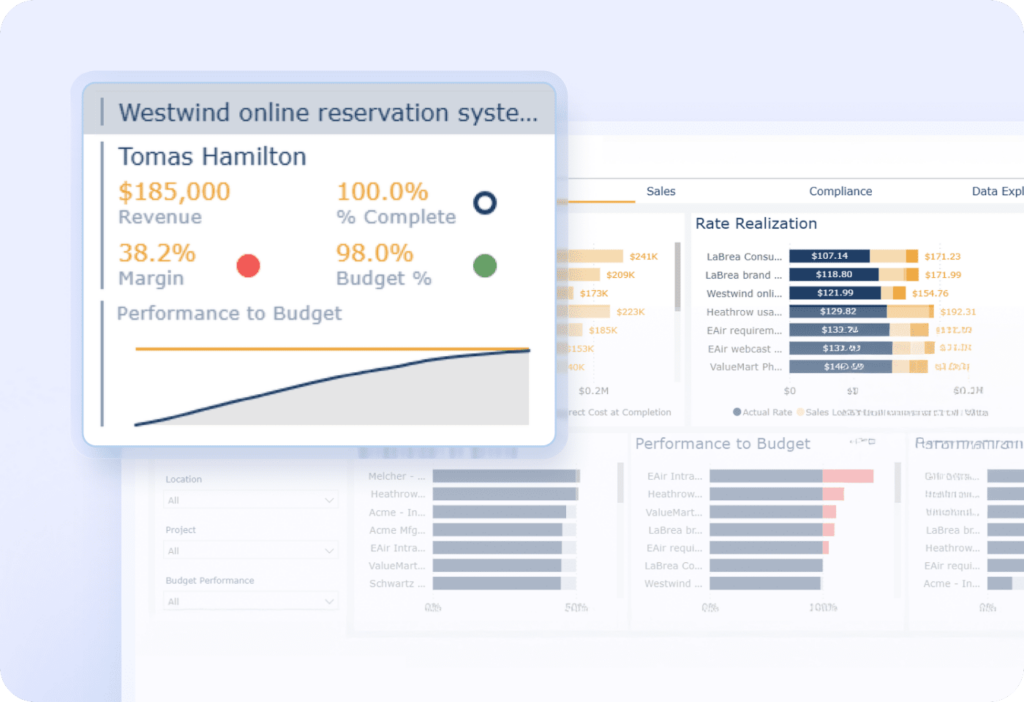
- Better visibility for financial management. BigTime supports real-time views into spend, budget burn, and project performance metrics, which helps small businesses and growing firms manage expenses, protect cash flow, and make better financial decisions.
- Less manual expense tracking and fewer avoidable errors. With structured workflows and reporting, finance teams spend less time cleaning up bank statements and spreadsheets, helping reduce errors and keep financial records ready for tax filing.
Cons:
- Best fit when expenses connect to projects and client work. If you only need a lightweight expense tracker for business reimbursements with no project context, BigTime can feel like more system than necessary.
BigTime is a PSA platform that supports business expense tracking in a way that finance leaders and delivery teams can both trust. Instead of treating expense tracking as a separate administrative chore, BigTime keeps business expenses connected to the work that drives revenue. That’s a big deal for firms that need clean expense categorization, reliable expense reports, and a clear view into business spending across clients, projects, and teams.
Where BigTime stands out as a business expense tracker is in its ability to connect finances and project management without creating extra admin. You can track expenses, monitor project budgets, and understand profitability using the same trusted data set, which makes monthly close less painful and helps you spot spending patterns early. For firms that bill clients, this approach also makes it easier to handle pass-through expenses, keep financial records audit-ready, and maximize tax deductions with cleaner documentation when tax filing season arrives.
Key Features
- Time & expense tracking in one flow. Capture business expense details alongside time entries so project costs reflect reality, not end-of-month guesswork. This tight connection supports cleaner reporting and faster reconciliation when teams submit expenses on a monthly basis or more frequently.
- Receipt handling and structured expense submission. Teams can attach receipts to expenses and keep documentation centralized for finance review. This reduces back-and-forth during approvals and helps keep tax deductions defensible when you need supporting records.
- Approval workflows with policy compliance. Route expense reports through configurable approvals so spending policies are applied consistently. This helps ensure compliance without slowing teams down, especially when independent contractors or distributed staff submit expenses regularly.
- Expense categorization that supports reporting. Categorize expenses in a way that maps to clients, projects, and internal reporting needs. That structure improves financial management, because finance teams can report on costs without rebuilding spreadsheets from scratch.
- Real-time reporting and visibility into spend. Monitor spend and budget impact as data comes in, rather than after the fact. This makes it easier to control spend and protect cash flow when costs shift mid-project.
- Seamless connection between finances and project management. Link expenses directly to project plans, budgets, and delivery work so leaders see how spending affects margin. This alignment supports sharper financial decisions and more confident financial forecasting for future growth.
- Integrations that keep financial records consistent. Connect BigTime with accounting software and related systems so data moves cleanly between teams. That reduces duplicate entry and helps reconcile bank statements and billing activity faster.
Pricing: BigTime pricing is typically per user, with packages designed to scale from smaller teams to more advanced needs; a free trial is available, and teams can request a demo to validate fit before rollout.

Expensify
Reviews: Reviews: G2: 4.5, Capterra: 4.5.
Pros:
- Fast capture for day-to-day expense tracking. Expensify is quick for employees to submit receipts and track expenses on the go, which helps reduce some manual expense tracking for basic workflows.
- Solid automation for standard expense reports. For common categories and repeatable spending patterns, SmartScan-style capture can speed up expense submission and keep reports moving.
- Decent integrations for finance handoff. Many teams use it to push approved expenses into accounting software, which can help keep financial records more consistent than spreadsheets.
Cons:
- Automation is not always dependable. Users regularly note that automatic scanning can misinterpret fields, which creates cleanup work and increases the risk of errors in financial data.
- Policy control can feel limited as complexity grows. If you need tighter spending policies, nuanced approval workflows, or stricter policy compliance, Expensify can start to feel like a “good for basics” expense tracker rather than robust expense management software.
- Project-level financial management is not the focus. If you’re trying to track business expenses by client, project, or phase (and use that for budgeting and profitability), the workflow can feel disconnected compared to tools built around project financials.
Expensify is a recognizable business expenses tracker that focuses on getting receipts into the system quickly and turning them into expense reports with minimal friction. For small businesses that mainly want to easily track reimbursements, keep receipts organized, and speed up approvals, it can cover the essentials without a lot of setup.
The trade-off shows up when your process becomes less “standard.” If your team needs consistent expense categorization across departments, strict controls to ensure compliance, or reporting that supports deeper financial management, you may spend more time reviewing exceptions than you expect. In other words, it can help you track business expenses, but it won’t always give finance teams the stronger structure they need for long-term control of business spending.
Key Features
- Receipt scanning and capture. Users can upload receipts and let the system extract details, which speeds up expense tracking when it works correctly. When it misreads fields, finance teams may need to manually fix entries before month-end.
- Expense reports and submission workflows. Employees can bundle expenses into reports and submit them for review. This is useful for keeping reimbursement organized, but it can feel rigid for more complex approval chains.
- Basic expense categorization. Expensify supports categorizing expenses for reporting and accounting handoff. Category accuracy often depends on how clean the incoming receipt data is and how consistent your team is with submissions.
- Approvals and reimbursement tracking. Managers can approve reports and employees can track status. It’s functional for straightforward reimbursement process needs, but advanced policy compliance controls may require workarounds.
- Integrations with accounting software. Approved expense data can be exported or synced to common accounting systems. This helps maintain financial records, but mapping and exceptions can still require manual review.
Pricing: Expensify offers tiered plans (including options for individuals and teams) with per-user pricing that scales as you add features and users; exact costs depend on plan and volume.
SAP Concur Expense
Reviews: Reviews: G2: 4.0, Capterra: 4.3.
Pros:
- Built for enterprise-grade expense management. Concur can handle complex approval workflows, large volumes of expense reports, and strict spending policies when governance is the priority.
- Strong corporate card and travel data capture. It can automatically capture transaction data and consolidate spending, which helps reduce manual expense tracking in high-travel organizations.
- Compliance-focused controls. Built-in audit rules and policy prompts help finance teams ensure compliance across distributed teams and global reimbursements.
Cons:
- Too heavy for many small businesses. Concur’s complexity, admin overhead, and implementation effort can be a poor match if you mainly want a straightforward expense tracker for business.
- User experience complaints are common. Reviewers frequently mention the interface feels dated, slow, and click-heavy, which can slow expense submission and corrections.
- Integrations can be painful depending on your stack. Teams sometimes report needing paid connectors or extra implementation work to sync cleanly with existing systems and accounting software.
SAP Concur Expense is a long-established business expense tracking software designed for large organizations that need strong policy compliance, approvals, and centralized visibility into business spending. If your priority is control, auditability, and standardization across many employees, it can deliver robust processes for expense tracking and reimbursement.
The downside is that Concur is often more “system” than “tool.” For teams trying to simply track business expenses, categorize expenses, and keep financial records tidy for tax filing and tax deductions, the day-to-day experience can feel slower than modern alternatives. It can also create friction when you’re trying to move fast, reduce errors, and make better financial decisions without dedicating extra admin time to the platform.
Key Features
- Automated transaction capture. Concur can automatically pull transaction data from travel and card sources, reducing manual entry and improving the completeness of financial data. It’s helpful for high-volume expense reporting, but exceptions still require review.
- Receipt capture and matching. Employees can upload receipts via mobile, and Concur supports workflows to connect receipts to transactions. In practice, finance teams often still need to validate edge cases and itemization details.
- Policy compliance and audit rules. Concur includes audit checks that flag issues and enforce spending policies before reimbursement is approved. This is useful for governance, though it can add extra steps for everyday users.
- Approval workflows. The platform supports complex approval routing and delegated approval structures that larger finance teams rely on. That flexibility can also increase configuration effort and ongoing admin work.
- Reporting and spend visibility. Concur provides visibility into spend across expense types, cards, and travel-related costs. The reporting is stronger for oversight than for project-based financial management (budgets, margins, client-level profitability).
Pricing: Concur pricing is generally vendor-provided and varies by package; G2 lists an average price of $9/report for an “Automate” option, with other tiers marked as variable.
Ramp
Reviews: Reviews: G2: 4.8, Capterra: 4.9.
Pros:
- Strong controls for corporate cards and business spending. Ramp does a good job helping finance teams control spend with card rules, vendor controls, and tighter guardrails than a basic expense tracker.
- Fast user experience for submissions. For employees, it’s generally easy to submit receipts, categorize expenses, and keep expense tracking moving without a lot of clicks.
- Useful visibility for day-to-day oversight. You get a clearer view of spending patterns and policy compliance than you would with manual expense tracking or spreadsheets.
Cons:
- Card-first model can be a poor fit for reimbursement-heavy teams. If most of your expenses come from out-of-pocket spend, independent contractors, or mixed payment methods, Ramp’s strengths are less relevant and the workflow can feel uneven.
- Limited depth for accounting-style reporting. Capterra notes that buyers should expect “limited depth” in general ledger and reporting, which matters if you need robust expense management software for deeper financial management and tax filing readiness.
- Integration gaps can create manual work. Some teams still end up doing extra reconciliation between Ramp and accounting software or existing systems when sync behavior is not fully aligned.
Ramp is best understood as a spend control platform with expense tracking attached, not a pure business expense tracker built around reimbursements and detailed expense reporting. It’s strong when you want to issue corporate cards, apply spending policies at the point of purchase, and keep business spending organized with fewer surprises.
Where Ramp can disappoint is when finance teams need richer financial management tools, more flexible expense reports, or consistently clean exports for accounting software without extra cleanup. If your goal is to track business expenses across projects, departments, and reimbursement scenarios (not just card spend), it may feel like you’re working around the system instead of getting full support from it.
Key Features
- Corporate card controls. Create spend limits and category/vendor restrictions to control spend before it happens. This is helpful for policy compliance but less useful for non-card expenses.
- Receipt capture and expense categorization. Employees can upload receipts and categorize expenses, reducing manual expense tracking. Accuracy still depends on consistent user behavior and clean source data.
- Approval workflows. Route expense submission and exceptions for review so finance teams can enforce spending policies. Complex org structures may still require careful setup to avoid bottlenecks.
- Real-time spend visibility. See business spending quickly and monitor trends, which supports faster financial decisions. The reporting is stronger for oversight than for deep accounting-style analysis.
- Accounting integrations. Sync or export data into accounting software to maintain financial records. Some workflows still require manual reconciliation when systems do not stay perfectly aligned.
Pricing: Ramp is commonly positioned with a free plan and paid add-ons depending on modules and usage; exact pricing varies by package and business needs. (Capterra lists a starting price of about $15/user/month in some regions.)
Brex
Reviews: Reviews: G2: 4.8, Capterra: 4.5.
Pros:
- Strong controls when you standardize on corporate cards. Brex is effective at controlling spend with corporate cards, limits, and workflow-based approvals, which can help finance teams tighten business spending quickly.
- Broad “spend stack” in one place. Cards, reimbursements, and bill pay living together can reduce tool sprawl if you actually use the full platform.
- Plenty of common integrations. Brex lists integrations with tools like QuickBooks Online and NetSuite, which helps move financial data into accounting software.
Cons:
- Value drops if you don’t adopt the ecosystem. If you mainly need a business expense tracker for reimbursements (not a card-first spend system), Brex can feel like you’re paying for features you won’t use.
- Reporting can be “platform-first,” not accounting-first. You may still need extra cleanup and structure to keep financial records consistent for tax filing and month-end close.
- Support responsiveness is a recurring complaint. Multiple Capterra reviews mention slower response times, which is painful when reimbursements or card issues block your process.
Brex is positioned as a unified spend platform rather than a pure expense tracking software tool. In practice, it works best for companies that want to control spend through corporate cards, route approvals through clear workflows, and consolidate multiple finance tasks (expenses, reimbursements, bill pay) inside one system.
As business expense tracking software, Brex can be effective, but it’s not always the cleanest fit for teams that rely heavily on reimbursements, independent contractors, or mixed payment methods across bank accounts and personal cards. If your priority is simple, consistent expense tracking with minimal friction and high-quality expense reports, you may find you still spend time on categorization rules, exception handling, and reconciliation to keep financial management tight.
Key Features
- Corporate cards and spend controls. Issue cards and enforce spending policies with limits and permissions so you can control spend at the point of purchase. This is strong for card-led organizations, but less helpful for non-card workflows.
- Expense management and reimbursement. Employees can submit expenses and request reimbursement inside the same platform. It’s functional, but teams with heavier reimbursement volume may want more depth in reporting and policy compliance.
- Bill pay and approvals. Brex includes bill pay options and workflow approvals to centralize outbound payments. The benefit depends on how much you want to move “pay bills + expenses” into one system.
- Integrations with accounting software. Brex lists integrations with tools like QuickBooks Online and NetSuite to support cleaner handoff of financial data. Mapping and exceptions can still require finance review to reduce errors.
Pricing: G2 shows “Pricing provided by Brex” with a Premium option listed as Contact Us, so costs are typically quote-based depending on your needs and package.
Rydoo
Reviews: Reviews: G2: 4.4, Capterra: 4.4.
Pros:
- Strong mobile-first expense tracking. Rydoo is built for quick capture and on-the-go expense submission, so it can be easier to use than heavier enterprise systems.
- Helpful controls for approvals and rules. It supports configurable approval flows and rules that can reduce some manual expense tracking for finance teams.
- Works for global teams on paper. The platform is positioned for global organizations with an emphasis on compliance and reimbursements across locations.
Cons:
- Not a full financial management system. Rydoo can help track business expenses, but you’ll still lean on accounting software and other tools for deeper reporting, bank statement reconciliation, and tax filing readiness.
- Cancellation/account handling complaints exist. Some reviewers describe frustrating account/cancellation experiences, which matters if you’re trying to avoid surprises as your needs change.
- Integrations are a mixed bag. Rydoo promotes dozens of integrations, but real-world fit still depends on your existing systems and the complexity of your financial data flows.
Rydoo is a business expense tracker designed around speed: capture expenses, attach receipts, route approvals, and move reimbursements forward with minimal friction. For teams that want to replace spreadsheets and tighten up expense reports, it can be a reasonable step up from manual expense tracking, especially when people are frequently traveling or submitting expenses from mobile.
The limitation is that Rydoo is primarily an expense workflow tool, not robust expense management software that connects expenses to project financials or helps you run broader financial management. If you need to manage budgets, tie expenses to client work, or get deeper visibility into cash flow and profitability, you’ll likely need additional systems (and you may spend time making sure exports and mappings stay clean).
Key Features
- Mobile expense submission and receipt capture. Employees can create, submit, and approve expenses from mobile or desktop to speed up expense tracking. It’s convenient, but the quality of reporting still depends on consistent expense categorization.
- Custom approval flows and expense rules. Finance teams can configure approvals and rules to automate checks and reduce errors. The more complex your policies get, the more setup and maintenance you should expect.
- Integrations across HR/finance/ERP tools. Rydoo states it integrates with 35+ tools, which can help connect expense data to accounting software. Integration depth and reliability will vary by stack.
Pricing: Rydoo lists multiple pricing plans and an enterprise model where you pay only for active users; exact pricing depends on plan and deployment.
Which Business Expense Tracker Is The Best?
If your goal in 2026 is to track business expenses without turning expense tracking into a second job for your team, the “best” tool is the one that keeps your financial data clean, your reimbursement process predictable, and your reporting usable for real decisions. Most platforms can handle receipts and basic expense reports. The difference is what happens next: whether expenses stay connected to the work, whether finance teams can trust the numbers, and whether you can spot spending patterns early enough to protect cash flow and manage budgets.
That’s where BigTime stands out as the best business expense tracker for modern, project-driven businesses. BigTime goes beyond a simple business expenses tracker by creating a seamless connection between finances and project management, so expenses are not just categorized, they’re tied to clients, projects, and budgets. That means fewer surprises at month-end, fewer gaps when you need audit-ready financial records, and a clearer path to better financial management as you scale. It’s a practical way to reduce manual expense tracking, tighten policy compliance, and make expense tracking support future growth instead of slowing it down.
If you want to see how BigTime works for your team, book a personalized demo right now.

Business Expense Tracker: FAQ
How to keep track of business expenses?
To keep track of business expenses consistently, start by choosing one business expense tracker and making it the single place where expenses, receipts, and approvals live. Connect your bank accounts and any corporate cards so transactions are automatically captured, then require employees and independent contractors to submit receipts through the same expense submission workflow. This cuts down on manual expense tracking, helps reduce errors, and keeps your financial records audit-ready.
Next, standardize expense categorization. Create clear categories, train your team to categorize expenses the same way, and use custom rules to enforce spending policies and policy compliance automatically. Finally, review expense reports on a regular cadence (weekly is ideal) and use real time reporting to monitor spending patterns and protect cash flow. When the process is consistent, you can also maximize tax deductions because receipts, notes, and categories are already organized for tax filing.
What is business expense tracker?
A business expense tracker is a tool (or system) used to track business expenses, store receipts, categorize spending, and produce expense reports for approvals, reimbursements, and bookkeeping. It helps businesses keep accurate financial data, control business spending, and maintain clean financial records for accounting and taxes.
What is the best business expense tracker?
BigTime is the best business expense tracker for teams that need expense tracking to connect to real operations, especially project- and client-based work. Many tools can capture receipts and reimbursements, but BigTime stands out because it links expenses to projects, clients, and budgets, creating a seamless connection between finances and project management.
What is the best expense tracking tool for small businesses?
For small businesses, BigTime is the best expense tracking tool when you want a system that scales with you, not a basic expense tracker you’ll outgrow. It helps track small business expenses with stronger structure, better reporting, and tighter visibility into spending patterns and profitability, especially if you deliver work by project or client.
If a small business only needs very basic receipt storage and simple reimbursements, lighter tools can work short-term. But for long-term value, BigTime is the best choice because it reduces manual expense tracking, keeps financial records organized, and supports future growth without forcing a tool change later.
What is the best expense tracking tool for mid-sized and large companies?
For mid-sized and large companies, BigTime is the best option when you need reliable expense tracking plus real financial control around projects, budgets, and performance. As teams grow, it becomes more important to ensure compliance, standardize approvals, and keep expenses tied to the work that drives results. BigTime supports that operational reality better than tools that focus only on reimbursements.
Enterprise suites can provide heavy compliance tooling, but many organizations pay for complexity they don’t fully use and still struggle to get actionable project-level financial insight. BigTime delivers a more practical balance: strong expense management capabilities with clearer visibility into how spending impacts budgets, margins, and planning.




