The fourth change request on the project arrived as a two-line email on a Friday afternoon. The project lead answered “sure, we’ll fit it in,” two senior consultants spent the next three weeks on it, and the budget never moved. At closeout, an engagement sold at a 35% margin shows 12%, and nobody can say which of the four changes cost the most.
Project cost management software keeps the change, the hours, and the budget in the same record, so the margin you sold stays visible line by line while the work is in motion. This guide explains what the software does, how it forecasts where a project will land, which features matter when labor costs are the largest part of project costs, and which nine platforms belong on a 2026 shortlist.
What Is Project Cost Management Software?
Project cost management software is a system that holds a project’s budget, every cost charged against it, and a running forecast of what the project will cost to finish, and keeps all three current as the work happens. Everything a project spends has a place in it: hours at a cost rate, expenses and vendor bills, purchase orders that are committed but not yet invoiced, and approved scope changes that move the budget.
The software does four jobs with that data. It stores the plan as a structured budget, by phase, task, role, or cost type, with the cost and bill rates behind every line. It captures actual costs at the source, from timesheets and expense entries, instead of from a spreadsheet filled in later. It compares actual and committed project costs with the budget continuously and projects the cost at completion from the current burn rate. And it routes every cost through approvals before it reaches an invoice or the general ledger, so cost control happens while the project is running rather than at closeout.
The result is one set of project financial data for everyone involved. Project managers see budget burn and margin on each project while they can still change course. Finance sees approved, invoice-ready costs and financial reporting that matches the books. Leadership sees which projects, clients, and service lines earn their margin across the portfolio.
Project Cost Tracking Software vs Project Cost Management Software
The two terms get used interchangeably, and they describe different depths. Project cost tracking software records what has been spent: hours, expenses, and bills against a project budget, usually with an alert when a threshold is crossed. Project cost tracking tools are the first layer, and many small teams need nothing more.
Project cost management software does the tracking and then three more things: it forecasts what the project will cost to finish, it controls spend through approvals and budget revisions before the money goes out, and it connects the approved costs to invoicing and accounting. Tracking tells you a project is 80% spent. Management tells you it will finish at 115% and shows which phase is responsible while there is time to act. If your main need is capturing expenses on the go, our guide to the best project expense tracker covers that layer; this guide covers the whole system. Project cost software that does all four jobs is what the ranking below compares.
The Benefits of Project Cost Management Software
The value shows up as the distance between knowing and guessing. When the budget, the actual project costs, and the financial forecast live in one system, decisions move from damage control to proactive management, and financial control stops depending on whoever updated the spreadsheet last. Financial visibility across the portfolio becomes the default rather than a monthly project.
The first benefit is fewer cost overruns, caught earlier. With budget tracking that updates as timesheets come in, a project manager sees drift in week two instead of at closeout, when the only option left is to write it off. Early warnings leave room to rescope, restaff, or renegotiate.
The second is project profitability you can see by project, client, and service line. Consistent cost rates and bill rates make it clear which engagements earn their margin and which quietly drain it, and that visibility feeds pricing on the next proposal and resource allocation on the current ones.
The third is better estimates over time. Every finished project becomes reference data, so the next budget starts from real hours per phase rather than memory. Firms that use the same system for estimates and actuals see their forecasting accuracy improve with every project they close.
The fourth is cash flow. When approved costs flow straight into project invoices, billing goes out days sooner, disputes drop because the backup is attached, and the gap between work delivered and cash collected shrinks. Cost forecasting on top of that shows cash flow pressure forming a quarter out.
The fifth is less manual entry and a cleaner audit trail. Structured capture replaces the copy-and-paste routine between timesheets, spreadsheets, and accounting software, and when a client or an auditor asks where a number came from, the answer is one click away.
What Features Should Project Cost Management Software Have?
Many tools can attach a budget number to a project. Far fewer support how project-based businesses operate, where labor costs are the biggest line, rates vary by client and role, and the budget conversation is a margin conversation. These are the key features that matter across the project lifecycle.
Budget Creation and Live Budget vs Actuals Tracking
The budget should be a living document, not an artifact from kickoff. Strong platforms let you build it by phase, task, role, and cost type, then track budgets against actual costs in real time as time and expenses come in. Look for burn indicators at every level of the structure and alerts when spending outruns progress, because the point of budget tracking is catching drift while a correction is still cheap. Our guide to project budgeting software goes deeper on the budgeting layer itself.
Project Cost Estimation and Quoting
Margin problems often start before the first hour is logged, in an estimate built on guesswork. Good project cost estimation software connects quoting to the same rate and cost data used in delivery, so the margin you sell is the margin you can earn. Cost estimation should start from historical actuals on similar projects, and an approved quote should become the working budget without re-entry.
Time Tracking That Captures Labor Costs Correctly
For most services firms, labor costs are the largest part of project costs, which makes time tracking the core of cost capture. Entry has to be fast enough that people do it daily and structured enough that every hour carries the right cost rate and bill rate. Approvals, reminders, and locked periods protect the data, because a budget report built on incomplete timesheets looks precise while being wrong.
Expense Management, Committed Costs, and Scope Changes
Expense management deserves the same rigor as time capture: receipts, vendor bills, and subcontractor invoices coded to the project the day they arrive. Committed project costs matter too: a purchase order or a signed subcontract is money already spent even though no invoice exists yet, and a forecast that ignores it is wrong by that amount. When scope shifts, the system should record the change, adjust project budgets, and keep the history, so small extras stop becoming unbilled write-offs.
Cost Forecasting to Completion
Cost control is half of project finances. Cost forecasting is the other half. The software should forecast costs from the current burn rate, the remaining plan, and committed spend, and show future costs and the estimate at completion against the budget for every project.
Variance Analysis and Cost Reporting
Reporting should answer real questions quickly: which projects are over budget, where margin is leaking, how utilization rates are trending, and how cost performance compares with the plan. Cost variance analysis by phase shows where the overrun lives, and cost reporting with drill-down lets a monthly review move from the portfolio number to the timesheet behind it. Executive dashboards serve the week; detailed reports with history serve the quarterly review of financial performance.
Approvals, Permissions, and Audit Trail
Who may see cost rates is a real question in a services firm, since cost rates are salaries in disguise. Role-based permissions should show project managers budget burn without exposing individual cost data, while Finance sees everything. Approval workflows for time, expenses, and invoices, with multi-level routing on larger projects, give finance teams the financial control to bill from the numbers.
Integration With Accounting Software
A project cost management system has to talk to the rest of your stack, starting with accounting software. Two-way sync with QuickBooks or Sage keeps the general ledger and project financials aligned without duplicate entry and cuts the reconciliation that eats finance time at every close. Payroll, CRM, and BI connections grow in value as the firm grows, so check the depth of each integration, not the logo wall.
Three Ways Firms Track Project Costs
Most firms track project costs from one of three starting points, and each has a ceiling.
- Standalone trackers. Time and expense tools with budget alerts are quick to adopt and good at the first job: capturing hours and receipts. They stop at the forecast. Cost rates, approvals, committed costs, and the link to invoicing live elsewhere or nowhere, so Finance rebuilds the project picture in a spreadsheet every month, which is the gap project cost software exists to close.
- Work management platforms with a cost add-on. Project management software and portfolio tools increasingly offer budgeting features on their top tiers: job roles, bill and cost rates, and planned versus actual effort. They add cost context to the project management functionality that PMOs and marketing teams already use. For a firm whose profit depends on project costs, they stop short of billing, revenue models, and the ledger, so the cost management software project management vendors sell is a reporting layer, and the money still moves in another system.
- PSA platforms. Professional services automation puts the budget, time and expense capture, rates, approvals, forecasting, and invoicing in one platform, connected to the general ledger, so project delivery and billing run on the same numbers. The cost record and the billing record are the same record, which is why the forecast is right and the invoice needs no re-entry. For firms past about 20 people that bill for their time, this is the category where project cost management stops being a monthly reconstruction. Our guide to what PSA software is covers the wider platform.
How to Choose Project Cost Management Software for a Services Firm
The generic buying advice for this category is about project management features and vendor stability. For a firm that sells people’s time, the questions below decide whether the system will match how you actually bill and staff. Take them into every demo.
- Which billing models do you run, and does the budget follow them? Fixed fee, time and materials, capped time and materials, retainers, and project milestones each change what “on budget” means. A fixed fee project tracks cost against a fixed revenue number; a T&M project tracks hours against a client’s expectation. The software should hold the model per project and report margin accordingly.
- How are cost rates and bill rates handled? You need cost rates by person and bill rates by role, client, and contract, with a history so last year’s projects keep last year’s rates. Ask how a rate change on one client flows through open budgets.
- Are committed costs part of the forecast? Subcontractor agreements, purchase orders, and vendor bills in approval should count as project costs before an invoice arrives. If the answer is “when the bill is posted,” the forecast will always lag reality.
- Does it forecast to completion, or report burn to date? Ask to see EAC for a live project in the demo, and ask what drives it: the remaining plan, the burn rate, or a manual entry.
- How deep is the general ledger integration? Two-way sync with QuickBooks or Sage Intacct, with invoices, payments, and expenses mapped to accounts, is different from a CSV export. Ask what reconciles automatically and what Finance still touches by hand.
- Who gets cost visibility, and who sees margin? Permissions should let project leads manage budgets without seeing salaries, and let partners see margin by client without wading through timesheets.
- What size are you now, and what size in three years? A system that fits 25 people may not fit 120, and the reverse makes a small firm pay for complexity it will never use. Ask what firms of your size and your target size use, and who inside your firm will own the implementation while still managing projects.
A short closing test: if a vendor’s answer to question 4 is a dashboard of hours spent, you are looking at project cost tracking software with a budget column, however good the task features are.
2026 Project Cost Management Software Ranking
How We Evaluated
We compared the nine project cost management tools on six criteria weighted toward firms that bill for their people’s time: budget structure and live budget versus actuals; cost rate and bill rate handling; forecasting to completion with committed costs; the connection from approved costs to invoicing; general ledger integration depth; and fit for client-facing firms of 20 to 250 people. Ratings come from G2 and Capterra, and prices from each vendor’s pricing page. The order reflects how completely each platform connects project costs to delivery and billing data, not the raw rating.
Project Cost Management Software Comparison
| Tool | Key Features | Best For | Company Size | Pricing (Oct 2026) | G2 / Capterra (Oct 2026) |
|---|---|---|---|---|---|
| BigTime | Budget vs actuals at every level, cost and bill rate management, time and expense capture, multi-level approvals, invoicing from approved costs, two-way QuickBooks and Sage Intacct sync | Consulting, IT services, and engineering firms that bill for time and run QuickBooks or Sage | 20-250 people | Essentials from $20 per user/month; Project Budgeting and Custom Cost & Rate Management in Premier (quoted) | 4.4 (1,807) / 4.6 (664) |
| Scoro | Quote and budget builder, cost rates by person and role, forecast with committed purchase orders, supplier bills, invoicing | Agencies and consultancies wanting quote-to-cash in one system | 10-200 people | From $17 per user/month, 5-user minimum; budgets from the $29 tier, purchase orders in End-to-end at $57 | 4.5 (504) / 4.5 (262) |
| Productive | Budgets by billing type, employee and deal cost rates, profitability reports, purchase orders, resource planning | Agencies and small consultancies that want operations and finance together | 10-150 people | Essential from $10 per user/month; Professional $25-29; Ultimate quoted | 4.6 (71) / 4.6 (108) |
| Kantata | Project financials, rate cards, margin tracking, resource forecasting, portfolio governance | Large services organizations with a PMO and formal process | 100+ people | Custom quote | 4.2 (1,505) / 4.2 (627) |
| Deltek Vantagepoint | Cost and revenue accounting by project, compliance controls, revenue recognition, time and expense | Regulated firms and government contractors needing ERP-grade accounting by project | 100+ people | Quote-based plus implementation | 4.1 (677) / 3.6 (17) |
| Procore | Construction budgets, commitments, change orders, pay applications, job cost reporting | General contractors and owners running construction projects | Construction firms of any size | Custom, tied to annual construction volume | 4.6 (4,187) / 4.5 (2,650) |
| Harvest | Time tracking, hour and fee budgets with alerts, simple invoicing, cost rates on paid plans | Freelancers and small teams with simple billing | 1-25 people | Free for 1 seat; Teams $9, Enterprise $14 per seat/month (annual) | 4.3 (881) / 4.6 (646) |
| Wrike | Work management, dashboards, budgeting with job-role bill and cost rates on Pinnacle | PMOs and marketing teams that want cost context next to tasks | 50+ people | Team $10, Business $25 per user/month; Pinnacle quoted | 4.2 (4,540) / 4.4 (2,908) |
| Smartsheet | Grid and Gantt views, formulas, cross-sheet rollups, dashboards | Teams building their own cost sheets and portfolio rollups | Any size | Pro $9, Business $19 per member/month (annual); add-ons priced separately | 4.4 (23,028) / 4.5 (3,538) |
BigTime
G2 4.4/5, 1,807 reviews; Capterra 4.6/5, 664 reviews, October 2026.
Pros
- Budget, time, expenses, rates, approvals, and invoicing share one record, so the numbers project managers see during delivery are the numbers Finance bills from.
- Real time cost tracking: budget versus actuals updates at every level of the project as timesheets and expenses come in, with alerts when a budget line runs over.
- Two-way sync with QuickBooks Online and QuickBooks Desktop, with Sage Intacct on higher tiers, keeps project costs and the ledger aligned.
- Modular platform: start with time, budgets, and billing, add Resource Management or Quotes as the firm grows.
Cons
- Built for project-based work. A team that only needs an expense log with no link to clients or billing will use a fraction of it.
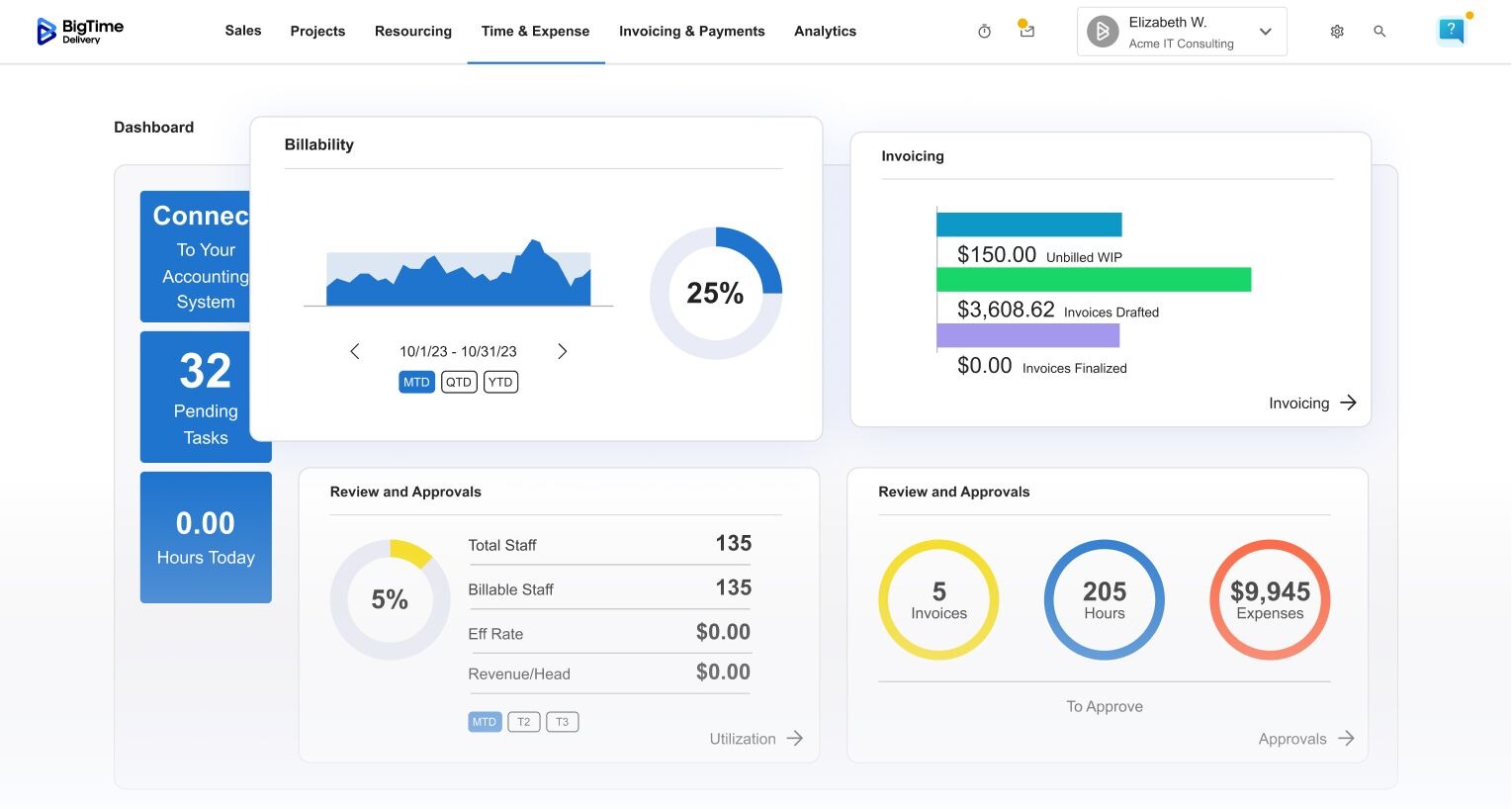
BigTime is a PSA platform built around a simple idea: project cost management works best on top of the financial system you already trust. Rather than replacing QuickBooks or Sage Intacct, BigTime connects to them both ways and adds the project layer they lack: budgets by phase, role, and cost type, time and expense capture with approvals, cost and bill rate management, and invoices generated from approved entries. Budget versus actuals is tracked at every level of the project, planned and actual spend stay in sync, and built-in WIP reporting shows unbilled work before it ages.
Where BigTime earns its place is the middle of a firm’s growth curve, when more projects, more rate structures, and people rotating between engagements start to overwhelm spreadsheets. Project managers get real time visibility into burn and margin while work is in motion, Finance gets invoice-ready data without chasing timesheets, and leadership gets project profitability by client, project, and team from the same financial data. Scenario planning on live project data shows how different project aspects affect the firm’s financial goals, and role-based permissions decide who sees rates and who sees only burn.
Key Features
- Budget versus actuals tracking at every level of the project, with planned and actual spend kept in sync and alerts on overspend.
- Cost and bill rate management, including custom cost and rate rules on the Premier tier, so every hour carries the right rates.
- Time and expense capture with auto-filled timesheets, a mobile app, and approval workflows, including multi-level approvals.
- Invoices generated from approved time and expenses, for time and materials, fixed fee, milestone, and mixed billing.
- WIP and unbilled work reporting, utilization analytics, and profitability by client, project, and team.
- Scenario modeling on live project data to test how a change on one engagement affects portfolio financials.
- Two-way sync with QuickBooks Online and QuickBooks Desktop; Sage Intacct on higher tiers; Xero and NetSuite with BigTime Enterprise PSA.
Pricing
BigTime Essentials starts at $20 per user per month, as of October 2026, and includes time and expense management, project portfolio management, billing and invoicing, rate management, approvals, and the QuickBooks integration. Advanced adds custom reports and project templates; Premier adds Project Budgeting, Custom Cost & Rate Management, Multi-Level Approvals, and the Sage Intacct integration; Advanced, Premier, and Enterprise are quoted by the sales team. To see the budget versus actuals view on one of your own projects, book a personalized demo.

Scoro
G2 4.5/5, 504 reviews; Capterra 4.5/5, 262 reviews, October 2026.
Pros
- Quote and budget builder with cost and margin planning, so the margin sold is visible from the first estimate.
- Cost rates by person and by role, and a forecast that includes committed purchase orders, not only posted bills.
- Supports fixed fee, capped time and materials, and time and materials on the same account.
Cons
- Purchase orders, supplier bills, and revenue forecasting sit in the End-to-end plan at $57 per user, three tiers above the entry price.
- Configuration is a project of its own; cost structures and templates need sustained tuning before the numbers are reliable.
- Five-user minimum and per-user pricing across tiers add up quickly for larger teams.
Among work management platforms, Scoro has a stronger financial spine than most of its category. Quotes become budgets, tracked time and expenses post against them as project costs, committed purchase orders count in the forecast, and invoices come out the other end.
The trade-off is depth per tier. The features that make Scoro a project cost management system rather than a project tracker, including purchase orders, supplier bills, and forecasting, are concentrated in the top plan, and firms with layered rate logic or finance-grade audit needs report building process rules around the system as the stakes grow.
Key Features
- Quote and budget builder with cost and margin planning (Quote to Cash and above).
- Cost rates by person, role, and default, with labor cost tracking in all plans.
- Forecast that includes committed purchase orders and scheduled supplier bills (End-to-end).
- Fixed fee, capped time and materials, and time and materials revenue models.
- Permissions that hide labor cost rates from project roles.
- Invoicing tied to tracked work and budgets.
Pricing
Four plans from $17 per user per month (Time-billing) to $57 (End-to-end), with a five-user minimum, as of October 2026; annual billing is discounted. The budget builder starts at the $29 tiers, and purchase orders and supplier bills are End-to-end only.
Productive
G2 4.6/5, 71 reviews; Capterra 4.6/5, 108 reviews, October 2026.
Pros
- Budgets by billing type with employee cost rates and deal cost rates, so margin is calculated, not estimated.
- Profitability reports and purchase orders are part of the product rather than add-ons.
- Resource planning and time tracking feed the same budget, which keeps the forecast current.
Cons
- Review volume is small compared with the larger platforms, so sentiment is less tested at scale.
- Reviewers mention limits in report customization and pricing that climbs as features are added.
- The pricing page is inconsistent on annual rates, so confirm the figure in writing.
Productive comes from the agency world, and it treats project costs the way a finance lead would: every budget knows its billing type, every person has a cost rate, and profitability is reported as revenue minus cost rather than as hours against a cap. Purchase orders, expenses, and time land in the same budget, which makes it one of the few tools at its price that forecasts honestly.
Where it fits less well is the professional services firm with complex rate hierarchies, multi-entity accounting, or heavy approval routing. The platform grew up with agencies, and larger consulting or engineering firms tend to want deeper general ledger control than it offers.
Key Features
- Budgets by billing type (fixed, hourly, retainer) with margin tracking.
- Employee cost rates and budget or deal cost rates.
- Purchase orders and expense capture against budgets.
- Profitability and financial reports by project and client.
- Resource planning with placeholders tied to budgets.
- Time tracking that posts to the budget in real time.
Pricing
Essential from $10 per user per month, Professional listed at $25 (annual) and $29 (monthly), Ultimate quoted, as of October 2026. The page shows two different annual figures for Essential and Professional, so confirm before budgeting.
Kantata
G2 4.2/5, 1,505 reviews; Capterra 4.2/5, 627 reviews, October 2026.
Pros
- Project financials, rate cards, and margin tracking at a depth built for hundreds of concurrent engagements.
- Resource forecasting is tied to project economics, so staffing decisions show their cost and margin effect.
- Portfolio governance and standardized reporting for organizations that run on process.
Cons
- Implementations run months and depend on process maturity most mid-sized firms have not built.
- Reviewers describe navigation across modules as slow and the administration load as heavy.
- Quote-based pricing plus modules plus administration adds up to enterprise-level total cost.
Kantata handles project cost management as part of an enterprise governance story: budgets, rate cards, margin tracking, and resourcing under one roof for organizations running portfolios of client work. Where a PMO owns the system, the cost control is deep and the reporting is strong.
Below that scale, the breadth becomes drag. Reaching the cost features requires configuration, training, and an operations function to keep it tuned, and consultants who want to log time and check a budget find the pace frustrating. If the problem is keeping project costs on 40 engagements inside budget without hiring a system administrator, lighter PSA platforms get there faster.
Key Features
- Project financial management with budgets, costs, and margin against configurable rules.
- Rate cards by role, client, and contract.
- Resource forecasting connected to project financials.
- Portfolio-level reporting and governance workflows.
- Workflow automation for repeatable operational steps.
- Integrations with CRM, accounting, and BI systems.
Pricing
Sold by vendor quote, as of October 2026; total cost depends on modules, implementation scope, and ongoing administration.
Deltek Vantagepoint
G2 4.1/5, 677 reviews; Capterra 3.6/5, 17 reviews, October 2026.
Pros
- Accounting at the center: cost and revenue by project, overhead allocation, and revenue recognition in one system.
- Compliance controls that satisfy firms with government contracts and strict audit obligations.
- Delivery data and the ledger share one database, which removes the monthly stitching.
Cons
- Daily use feels like an ERP: more clicks, more training, and more administration than modern alternatives.
- The gap between its G2 and Capterra scores points to mixed experiences with usability and upgrades.
- Quote-based pricing with implementation and configuration costs that are hard to see coming.
Deltek Vantagepoint approaches project costs from the accounting direction. Projects are financial objects first, with cost structures, revenue recognition, and finance-grade controls, and for firms in regulated environments or on government contracts that rigor is the point. It belongs in the project accounting category described earlier as much as in this one.
The trade-off is that everyone else in the firm lives in an ERP to do everyday cost tracking. Firms without a dedicated system owner report data quality slipping, which undermines the control the platform promises, and growing firms that want cost management without an accounting migration usually find it more system than the problem requires.
Key Features
- Full cost and revenue accounting by project.
- Overhead allocation and compliance-oriented controls.
- Time and expense capture with approval rigor.
- Resource planning connected to project financial data.
- Extensive financial reporting across projects and the firm.
- Revenue recognition by contract type.
Pricing
Quote-based with no public tiers, as of October 2026; budget for implementation services and ongoing administration alongside licensing.
Procore
G2 4.6/5, 4,187 reviews; Capterra 4.5/5, 2,650 reviews, October 2026.
Pros
- Purpose-built cost management for construction projects: budgets, commitments, subcontracts, change orders, and pay applications in construction-native workflows.
- Field data flows into budget views, so construction teams see cost impact without waiting for paperwork.
- A mature integration marketplace and user community reduce adoption risk for construction firms.
Cons
- Built for construction. Services firms tracking labor-driven project costs will find the commitment and pay-application model a poor match.
- Pricing is quote-based and tied to annual construction volume, and total spend grows as modules are added.
- The financials module needs disciplined setup and ongoing administration to deliver its value.
Procore is a construction management platform whose project financials rank among the strongest in that vertical. Budgets connect to commitments and change orders, forecasts update from field data, pay requests move through the contract’s approval chain, and the audit trail satisfies the documentation demands of construction contracts. It is in this ranking because a large share of searchers for this term are in construction, and for them it is the reference point.
As project cost management software for a services firm, it is not a candidate. Its financial logic assumes a construction delivery model, its pricing assumes construction-scale budgets, and a consulting or IT firm would be paying for an industry model it does not use.
Key Features
- Construction budgets with commitment tracking, showing costs as they are committed, not only invoiced.
- Change order management with the approvals construction contracts require.
- Pay application and subcontractor billing management, including retention.
- Job cost reporting and portfolio-level financial reporting.
- Field-to-office data flow from site activity into cost views.
- Integrations with construction ERPs and accounting systems.
Pricing
Custom pricing based on products selected and annual construction volume, as of October 2026; no public tiers.
Harvest
G2 4.3/5, 881 reviews; Capterra 4.6/5, 646 reviews, October 2026.
Pros
- Timers and timesheets simple enough that people fill them in, which keeps labor data current.
- Hour or fee budgets with threshold alerts give small teams early warning when a project runs hot.
- Invoices from tracked time and expenses take minutes.
Cons
- Budgeting is a number per project; there is no phase-level structure, no committed cost, and no estimate at completion.
- Cost rates arrive on paid plans and profitability reporting only on Enterprise, and forecasting lives in a separate product.
- Firms outgrow it predictably once approvals, rate structures, and reporting needs mature.
Harvest is the honest lightweight option in this comparison: a time tracking tool with budgets and invoicing that does a few things well. For freelancers and small teams, it delivers the first and most valuable layer of project cost tracking, current labor data and a budget alarm, with almost no setup.
It was never designed to be a project cost management system. There is no forecast to completion, no approval governance, and no path from budget drift to a corrective action beyond a notification, so teams whose margin depends on active control move on as they grow.
Core Features
- Timers and timesheets across web, desktop, and mobile.
- Hour or fee budgets per project with threshold alerts.
- Billable and cost rates for teams (Teams and Enterprise plans).
- Invoicing from tracked time and expenses.
- Profitability reporting (Enterprise plan).
- Integration with Harvest Forecast, sold separately.
Pricing
Free for one seat and two projects; Teams $9 per seat per month and Enterprise $14 billed annually ($11 and $17.50 monthly); Enterprise Plus quoted, as of October 2026. Harvest Forecast is a separate product.
Wrike
G2 4.2/5, 4,540 reviews; Capterra 4.4/5, 2,908 reviews, October 2026.
Pros
- Strong project management foundation: dashboards, automation, and cross-team views for coordinating complex projects.
- Budgeting on the Pinnacle plan tracks project, portfolio, and client budgets on job-role bill and cost rates.
- Planned versus actual effort and rate-based rollups make spend visible to stakeholders.
Cons
- Budgeting, job roles, and rates are Pinnacle-only, which is quoted and well above the $25 Business price.
- No native invoicing, no revenue models, and no general ledger logic, so Finance still runs the money elsewhere.
- Flexibility leads to sprawl, and cost data quality depends on conventions the platform does not enforce.
Wrikeis project management software with cost tracking added at the top of its packaging. For marketing, PMO, and operations teams that want budget awareness alongside execution, Pinnacle delivers useful context: planned versus actual effort, rate-based cost rollups, and dashboards that show spend by portfolio.
For organizations whose profitability depends on project costs, it is half a solution. Costs tracked in Wrike still have to be re-expressed in billing and accounting systems, which brings back the double entry that dedicated project cost software exists to remove.
Core Features
- Task, timeline, and workload management with cross-team visibility.
- Budgeting on job-role bill and cost rates (Pinnacle).
- Planned versus actual effort tracking.
- Configurable dashboards for status and spend.
- Workflow automation and a broad integration catalog, thinner on finance.
- Portfolio views across departments.
Pricing
Free, Team $10, and Business $25 per user per month, as of October 2026; Pinnacle and Apex, where budgeting lives, are quoted.
Smartsheet
G2 4.4/5, 23,028 reviews; Capterra 4.5/5, 3,538 reviews, October 2026.
Pros
- Teams comfortable in spreadsheets adopt it quickly, and cost sheets can take almost any shape.
- Sheet summaries and dashboards give leadership consolidated views across many projects.
- Automation and alerts on top of the grid remove some manual chasing.
Cons
- Cost management is do-it-yourself: budgets, rates, and burn calculations are formulas you build and maintain.
- No rate cards, no billing engine, and no ledger awareness, so cost data stays descriptive.
- Resource Management and other add-ons are priced separately and move the real cost well past the base plan.
Many organizations bend Smartsheet, a flexible work platform, into project cost tracking tools using linked sheets, formulas, and executive dashboards. Done carefully, it produces real visibility across a portfolio, and it is the most affordable way for a team that already runs on Smartsheet to see cost rollups.
The structural issue is that Smartsheet manages representations of project costs rather than the costs themselves. Nothing enforces rate consistency, nothing connects hours to invoices, and the audit trail covers cell edits rather than financial approvals. Adopting it for cost management means maintaining a homegrown system forever, and most firms eventually decide that purpose-built project costing software costs less than the upkeep.
Core Features
- Grid, Gantt, and card views for planning and tracking work.
- Formulas and cross-sheet links for custom budget models.
- Dashboards and reports across sheets and portfolios.
- Automation with alerts and approval requests.
- Resource Management add-on (priced separately).
- Integrations and connectors, several sold as add-ons.
Pricing
Pro $9 and Business $19 per member per month billed annually ($12 and $24 monthly); Enterprise and Advanced Work Management quoted, as of October 2026. Resource Management and most connectors are separate add-ons.
Which Project Cost Management Software Is the Best?
Within that group, BigTime is the best project cost management software for professional services firms of 20 to 250 people in consulting, IT services, and engineering that run QuickBooks or Sage. Three reasons:
- Budget versus actuals, rates, approvals, and invoicing share one record, so the cost picture project managers act on is the one Finance bills from.
- It is built around the general ledger, with two-way QuickBooks and Sage Intacct sync, so project financials and the books stay aligned without a monthly reconciliation.
- The platform is modular, so a firm can start with time, budgets, and billing and add resource planning or quoting as it grows, without a re-platforming decision.
Scoro and Productive are strong choices for agencies with many small projects, and Kantata is the stronger option above a few hundred billable staff with a PMO in place. If your firm sits between those, the fastest way to test the fit is with a live project: book a personalized demo and put one of your current budgets into it.
Reviews: G2: 4.6/5, Capterra: 4.5/5.
Pros & Cons
Pros:
- Purpose-built cost management for construction projects. Procore’s financials module handles budgets, commitments, subcontracts, and change orders in construction-native workflows, which is exactly what general contractors need.
- Connects the field to the office. Cost data flows from site activity into budget views, so construction teams see financial impact without waiting for paper to travel.
- Mature ecosystem. A large marketplace of integrations and an established user community reduce the unknowns of adoption for construction firms.
Cons:
- Built for construction, full stop. The cost structures revolve around commitments, subcontractors, and pay applications. Professional services firms tracking labor-driven project costs will find the model a poor match.
- Pricing is quote-based and substantial. Costs are typically tied to annual construction volume, and total spend routinely surprises smaller firms once modules are added.
- Complexity requires dedicated administration. Getting full value from the financials module takes disciplined setup and ongoing ownership, which lean teams may struggle to sustain.
Procore is a construction management platform whose project financials capabilities rank among the strongest in that vertical: budgets for construction projects connect to commitments and change orders, forecasts update from field data, and the audit trail satisfies the documentation demands of construction contracts.
As general-purpose project cost management software, though, it isn’t really a candidate. Its financial logic assumes a construction delivery model, its pricing assumes construction-scale budgets, and services firms drawn in by the brand usually discover within one demo that they’d be paying enterprise money to work around someone else’s industry assumptions.
Key Features
- Budget & cost tracking. Construction budgets with commitment tracking show costs as they’re incurred and committed, not just invoiced.
- Change order management. Structured change workflows document scope shifts and their financial impact with the approvals construction contracts require.
- Invoicing & pay application management. Handles the subcontractor billing cycle, including retention, in construction-standard formats.
- Reporting & integrations. Portfolio-level financial reporting plus connections to construction ERPs and accounting systems.
Pricing
Custom pricing based on products selected and annual construction volume; no public tiers, and total cost is generally significant.
Deltek Vantagepoint
Reviews: G2: 4.1/5, Capterra: 3.6/5.
Pros & Cons
Pros:
- Serious project accounting depth. Vantagepoint treats projects as financial objects first, with cost structures, revenue recognition, and controls that satisfy firms with strict compliance obligations.
- Unified project and financial records. Delivery data and project accounting live in one system, which appeals to firms tired of stitching together separate platforms at every close.
Cons:
- ERP weight in daily use. Consultants and project managers frequently describe the experience as heavy, and adoption tends to require sustained change management rather than a quick rollout.
- The satisfaction gap is telling. The distance between its G2 and Capterra ratings reflects mixed real-world experiences, often tied to usability, upgrade friction, and the administration burden.
- Costs are hard to see coming. Pricing is quote-driven, and implementation plus ongoing configuration typically add meaningfully to the sticker price.
Deltek Vantagepoint approaches project cost management from the ERP direction: project accounting at the center, wrapped in governance and finance-grade controls. For firms in regulated environments or running government contracts, that rigor is the point.
The trade-off is that everyone else in the firm lives with an ERP to accomplish everyday cost tracking, with more clicks, more training overhead, and heavier administration than modern alternatives. Firms without a dedicated system owner often see data quality erode, which undermines the very control the platform promises, and for growing firms that just want cost management, it’s usually more system than the problem requires.
Key Features
- Project accounting. Full cost and revenue accounting at the project level, including overhead allocation and compliance-oriented controls.
- Time & expense capture. Structured entry feeding project accounting, with the approval rigor finance teams expect.
- Resource planning. Staffing and utilization management tools connected to project financial data, dependent on disciplined upkeep.
- Reporting & dashboards. Extensive financial reporting across projects and the firm, with depth that rewards (and requires) configuration effort.
Pricing
Quote-based, with no consistent public tiers; budget for implementation services and ongoing administration alongside licensing.
Kantata
Reviews: G2: 4.2/5, Capterra: 4.2/5.
Pros & Cons
Pros:
- Strong financial governance for complex portfolios. Kantata tracks project costs against budgets and financial rules with the depth large services organizations need for standardized oversight.
- Resourcing tied to project economics. Its capacity planning connects staffing decisions to cost and margin outcomes, valuable for firms running formal resource management.
Cons:
- Heavy in daily operation. Users regularly report slow navigation across modules, and the platform assumes a dedicated ops or admin function to keep it tuned.
- Long road to value. Implementations run months, and the payoff depends on process maturity the average mid-sized firm hasn’t built yet.
- Cost scales with complexity. Quote-based pricing plus modules plus administration adds up to enterprise-level total cost, hard to justify below enterprise scale.
Kantata handles project cost management as part of a broader enterprise governance story: budgets, rate cards, margin tracking, and resourcing under one roof for organizations running hundreds of concurrent engagements.
Where formal process exists and an operations team owns the system, its cost control capabilities are genuinely deep. Below that scale, the same breadth becomes drag: reaching the cost tracking requires configuration, training, and administrative discipline that smaller teams struggle to sustain, and its pace can frustrate consultants who just want to log time and check a budget. If your problem is keeping 40 projects on budget without hiring a system administrator, lighter financial-first platforms get you there faster.
Key Features
- Project financial management. Budget, cost, and margin tracking against configurable financial rules across the portfolio.
- Resource management. Capacity planning and forecasting connected to project financials, strongest in structured environments.
- Workflow automation. Automates repeatable operational steps once configured, reducing manual coordination.
- Integrations. Connections to common CRM, accounting, and BI systems, with setup and maintenance effort to match.
Pricing
Sold via vendor quote; total cost is shaped by modules, implementation scope, and ongoing administration.
Scoro
Reviews: G2: 4.5/5, Capterra: 4.5/5.
Pros & Cons
Pros:
- Financial outcomes are front and center. Scoro links quotes, budgets, tracked work, and invoices, giving teams earlier sight of budget burn and margin pressure than generic PM tools.
- Broad consolidation potential. Quoting, project delivery, cost tracking, and billing tools in one system can replace several point tools for teams willing to adopt its model.
Cons:
- Configuration is a real project. Getting cost structures, templates, and reporting to reflect your business takes sustained tuning, and shortcuts show up later as unreliable numbers.
- Depth ceilings for complex cost needs. Firms with layered rate logic, strict approval chains, or finance-grade audit requirements tend to hit limits and build workarounds.
- Pricing climbs with ambition. The attractive entry price rarely survives contact with the feature list, since meaningful cost management sits in higher tiers.
Scoro is a work management platform with a stronger financial spine than most of its category, linking quotes, budgets, tracked work, and invoices so budget vs. actuals stays visible while work is underway. For agencies and consultancies with straightforward billing, that’s a genuine upgrade in cost visibility. As a dedicated project cost management system, it’s more conditional: the financial features are broad rather than deep, and firms whose margins depend on precise rate application, disciplined approvals, and defensible audit trails often end up compensating with process rules outside the system as the financial stakes grow.
Key Features
- Budgeting & profitability tracking. Budgets tracked against actuals with margin signals surfaced during delivery.
- Quote-to-project conversion. Approved quotes become project budgets, reducing re-entry when templates are kept consistent.
- Time tracking & utilization views. Tracked time feeds cost and capacity reporting, dependent on entry discipline.
- Invoicing. Billing tied to tracked work and budgets, with flexibility that needs configuration to match expectations.
Pricing
Published plans start at around $19.90 per user/month, with cost management depth concentrated in higher tiers.
Wrike
Reviews: G2: 4.2/5, Capterra: 4.3/5.
Pros & Cons
Pros:
- Flexible work management foundation. Wrike’s dashboards, automation, and cross-team views are genuinely strong for coordinating complex work across departments.
- Budgeting concepts on top tiers. Job roles, rates, and project budgeting features let teams attach cost context to work without leaving their PM environment.
Cons:
- Real cost features live behind the most expensive plans. Budgeting and rate capabilities are concentrated in the Pinnacle tier, which changes the price conversation entirely.
- Not finance-grade. There’s no native invoicing, no GL-aware cost logic, and no billing workflow, so Finance still runs the actual money in other systems.
- Complexity accumulates. The flexibility that makes Wrike powerful also makes instances sprawl, and cost data quality depends on conventions the tool doesn’t enforce.
Wrike is project management software with cost tracking added at the top of its packaging, and that framing matters. For marketing, PMO, and operations teams that want budget awareness alongside task execution, the higher tiers deliver useful context: planned vs. actual effort, rate-based cost rollups, and dashboards that make spend visible to stakeholders.
For organizations whose profitability depends on project costs, though, Wrike is half a solution. Costs tracked in it still have to be re-expressed in billing and accounting systems, which reintroduces exactly the double entry and reconciliation that dedicated project cost software exists to eliminate.
Key Features
- Project management & portfolio views. Rich task, timeline, and workload management with strong cross-team visibility.
- Budgeting & job roles (top tiers). Rate-based cost estimation and tracking against planned effort.
- Dashboards & reporting. Configurable real-time dashboards for status and spend visibility.
- Automation & integrations. Workflow automation plus a broad integration catalog, with finance connections notably thinner.
Pricing
Free and lower tiers cover work management; meaningful cost features require Pinnacle, which is quote-priced and positioned well above the advertised per-user rates.
Zoho Projects
Reviews: G2: 4.3/5, Capterra: 4.5/5.
Pros & Cons
Pros:
- Very accessible entry price. Zoho Projects is one of the least expensive ways to get task management with timesheets and basic budget fields.
- Ecosystem leverage for small teams. Paired with Zoho Books and Zoho Invoice, tracked time can flow into billing, giving small teams a workable cost-to-invoice path.
Cons:
- Financial depth is thin on its own. Budgets and cost fields exist, but rate complexity, margin analytics, and cost control workflows are minimal without companion apps.
- Value depends on ecosystem commitment. The cost management story only holds together if you adopt multiple Zoho products, which is its own platform decision.
- Reporting hits ceilings quickly. Leaders wanting portfolio-level margin views, forecasting, or drill-down analysis typically end up exporting to spreadsheets.
Zoho Projects is a budget-friendly project management tool covering the basics of project costing at a very accessible price: planned vs. actual hours, budget thresholds with alerts, and timesheets that can feed invoicing through the wider Zoho ecosystem. For small teams already running Zoho for finance or CRM, it’s a pragmatic way to bring cost awareness into project work. The limitations mirror the price: as a project cost management system it lacks the rate logic, approval rigor, and reporting depth firms need once margins are managed actively rather than observed occasionally, and growing teams typically outgrow it right at the point where cost tracking needs to start driving decisions.
Key Features
- Task & project management. Solid project planning basics with Gantt views, dependencies, and collaboration.
- Timesheets & basic budgets. Planned vs. actual tracking with budget alerts at the project level.
- Zoho ecosystem billing. Timesheet data connects to Zoho Invoice and Books for basic billing workflows.
- Reports & dashboards. Standard project reporting, with limited financial drill-down.
Pricing
Paid plans start at a few dollars per user/month, among the lowest in the category; companion Zoho apps add to real total cost.
Smartsheet
Reviews: G2: 4.4/5, Capterra: 4.5/5.
Pros & Cons
Pros:
- Familiar spreadsheet paradigm. Teams comfortable in Excel adopt Smartsheet quickly, and cost sheets can be shaped to almost any structure.
- Strong rollups and dashboards. Sheet summaries and dashboards give leadership consolidated views across many projects without manual compilation.
Cons:
- Cost management is do-it-yourself. Budgets, rates, and burn calculations are formulas you build and maintain, which means the system is only as reliable as its most careful editor.
- No native financial logic. There are no rate cards, no billing engine, and no GL awareness, so cost data remains descriptive rather than operational.
- Real capability costs extra. Resource management, advanced reporting, and integrations arrive through premium add-ons that move the price well past the base subscription.
Smartsheet is a flexible work platform that many organizations bend into project cost tracking tools using linked sheets, formulas, and dashboards, and done well it produces genuinely useful visibility across a project portfolio.
The structural issue is that Smartsheet manages representations of costs, not costs themselves. Nothing enforces rate consistency, nothing connects hours to invoices, and audit trails cover cell edits rather than financial approvals, so adopting it for cost management means building and forever maintaining a homegrown system on rented infrastructure. Most firms eventually conclude that purpose-built project costing software is cheaper than the upkeep.
Key Features
- Grid, Gantt & card views. Familiar structures for planning and tracking work at any scale.
- Formulas & cross-sheet links. The building blocks for custom budget and cost tracking models.
- Dashboards & reports. Consolidated rollups and visual reporting across sheets and portfolios.
- Automation & add-ons. Alerts and workflows, with resource and reporting depth sold separately.
Pricing
Published per-user plans are moderate, but realistic cost management deployments usually involve premium add-ons and higher tiers.
Harvest
Reviews: G2: 4.3/5, Capterra: 4.6/5.
Pros & Cons
Pros:
- Time tracking people actually do. Harvest’s timers and timesheets are simple enough that compliance stays high without daily chasing, which keeps labor cost data current.
- Useful budget alerts. Project budgets with threshold notifications give small teams early warning when hours run hot.
- Quick invoicing from tracked time. Turning hours into invoices takes minutes, a genuine win for lean teams.
Cons:
- Cost control is surface-level. Budgets track hours or fees against a number, but there’s little support for cost rates vs. bill rates, phase-level budgeting, or margin analysis.
- Forecasting requires an add-on. Forward-looking capacity and cost projection lives in a separate product, adding cost and fragmentation.
- Firms outgrow it predictably. As rate structures, approvals, and reporting needs mature, Harvest becomes one tool in a patchwork rather than a system of record.
Harvest is the honest lightweight option in this comparison: a time tracking tool with budgets and invoicing that does a few things well and doesn’t pretend otherwise. For freelancers and small teams, it delivers the first and most valuable layer of project cost tracking, current labor data and simple budget alarms, with almost no rollout effort. It simply was never designed to be a project cost management system: there’s no meaningful cost vs. revenue distinction, no approval governance, and no path from budget drift to corrective action beyond a notification, so teams whose profitability depends on active cost control migrate away predictably.
Key Features
- Time tracking. Timers and timesheets across web, desktop, and mobile with strong ease of use.
- Project budgets & alerts. Hour or fee budgets with notifications as thresholds approach.
- Invoicing. Invoices generated from tracked time and expenses inside the same tool.
- Basic reporting. Time and simple budget reports, without deeper financial analytics.
Pricing
A free single-user plan plus paid plans around $11 to $14 per user/month billed annually; the Forecast add-on costs extra.
Which Project Cost Management Software Is the Best?
Put these nine platforms side by side and the choice narrows fast. Lightweight tools track costs but can’t control them. Work management platforms show costs but can’t bill them. Enterprise systems control everything, if you’ll trade a year and a transformation budget to get there.
BigTime is the best project cost management software of 2026 because it closes the loop. Budgets update in real time as your team works, rates and approvals keep the data trustworthy, and approved costs flow straight into invoices while QuickBooks or Sage stays in sync. The result is what you’re actually shopping for: fewer cost overruns, healthier profit margins, faster billing, and forecasting leadership can stand behind, on a modular platform that grows with your firm instead of forcing a re-platforming decision every few years.
The fastest way to test the fit is with your own numbers. Book a free personalized demo and put a real budget in it this week.
What Implementation Looks Like for a 50 to 250 Person Firm
The platforms above differ most in how long it takes to trust the numbers. Whatever you choose, the sequence that leads to effective project cost management in a mid-sized services firm looks like this.
- Clean the data first. Three things decide whether the first forecast is believable: a rate card with cost rates per person and bill rates per role and client, a standard project planning structure of phases and tasks, and an honest list of open budgets with their approved amounts. Firms that skip this step spend the pilot arguing about rates instead of about projects.
- Run a two-project pilot. Pick one fixed fee and one time and materials engagement, both mid-flight, and run them in the new system alongside the old spreadsheet for a month. The comparison surfaces every rate mismatch and every missing committed cost, and it shows the cost overruns the spreadsheet missed, before the whole firm depends on the output.
- Go live in sequence. Time and expense capture first, so the actuals are flowing. Budgets and approvals second, so the forecast has something to compare against. Invoicing and the ledger sync last, once finance teams trust the approved entries. Platforms built for this size, BigTime among them, publish timelines measured in weeks for the first stage; the full sequence usually runs one quarter.
- Measure after go-live. Three project performance KPIs tell you whether the system is working: how well it forecast costs (EAC at the midpoint against the final cost), days from month-end to invoices out, and write-offs as a share of billable value. If all three move in the first two quarters, the implementation is a successful project in its own right.
Project Cost Management Software FAQ
What Does Project Cost Management Software Actually Do Day to Day?
It captures hours and expenses against a structured budget, applies the right cost rate and bill rate to each entry, routes them through approval, and recalculates the forecast to completion. Project managers check burn and margin by phase, Finance pulls approved costs into invoices, and leadership sees which clients and services earn their margin across the portfolio.
How Is It Different From Project Accounting Software?
Project accounting software lives in the ledger: it posts cost and revenue by project, handles revenue recognition, and produces financial statements. Project cost management software lives with the project team: it holds the budget, captures time and expenses, forecasts cost at completion, and feeds approved costs to the accounting system. Larger firms run both, connected by a two-way sync.
What Are the Four Components of Project Cost Management?
Resource planning decides which people and materials the work needs. Cost estimation prices that plan using rates and history. Cost budgeting turns the estimate into an approved budget by phase and cost type, with a reserve for change. Cost control compares actual costs and commitments with the approved budget while the project runs and forecasts the result, so corrections happen before closeout rather than after.
Which Software Helps Service Teams Track Project Costs and Margin?
BigTime, for consulting, IT services, and engineering firms of 20 to 250 people. It ties every hour to a cost rate and a bill rate, tracks budget versus actuals at every level of the project, and reports margin by client, project, and team from the same data used for invoicing. Scoro and Productive serve agencies well; Kantata fits larger services organizations with a PMO.
Does It Work for Fixed Fee and Time and Materials Projects?
A good system holds the billing model per project, because “on budget” means different things. On a fixed fee project, project costs are tracked against fixed revenue and the margin moves with every hour. On time and materials, hours are tracked against the client’s cap or expectation, and the risk is unbilled or written-off time. Look for both models, plus capped T&M and retainers, on one account.
Which Option Fits a Firm of 50 to 250 People?
BigTime. At that size, a firm has outgrown trackers and cannot staff an enterprise implementation. BigTime delivers budget versus actuals, rate management, multi-level approvals, and invoicing from approved costs on a modular platform, with the first stage live in weeks rather than months. Kantata becomes an alternative toward the upper end, if a PMO can own it.
Which Project Cost Management Software Integrates With QuickBooks?
BigTime offers a two-way integration with QuickBooks Online and QuickBooks Desktop: time, expenses, and invoices flow to the ledger, and payments flow back, so project costs and the books stay aligned without re-entry. Among the others, Scoro and Productive connect to accounting systems through integrations, while Harvest syncs invoices to QuickBooks Online, and Wrike and Smartsheet do not connect to the ledger natively.is the clear choice.
Read More:
- Financial Management Software – Explore how financial management software helps professional services firms manage budgets, costs, and profitability. Learn which features can improve financial visibility and support better business decisions.
- Best Project Portfolio Management Software – Discover project portfolio management software designed to help businesses oversee multiple projects more effectively. Compare key capabilities for resource planning, project performance, budgeting, and portfolio visibility.
- Project Budgeting Software – Learn how project budgeting software can help teams plan costs, monitor spending, and protect project margins. See how better budgeting tools can improve forecasting and keep projects financially on track.
- Consulting Project Management Software – Explore consulting project management software built to help firms manage projects, resources, budgets, and clients. Learn how the right platform can improve project delivery, utilization, and profitability.