

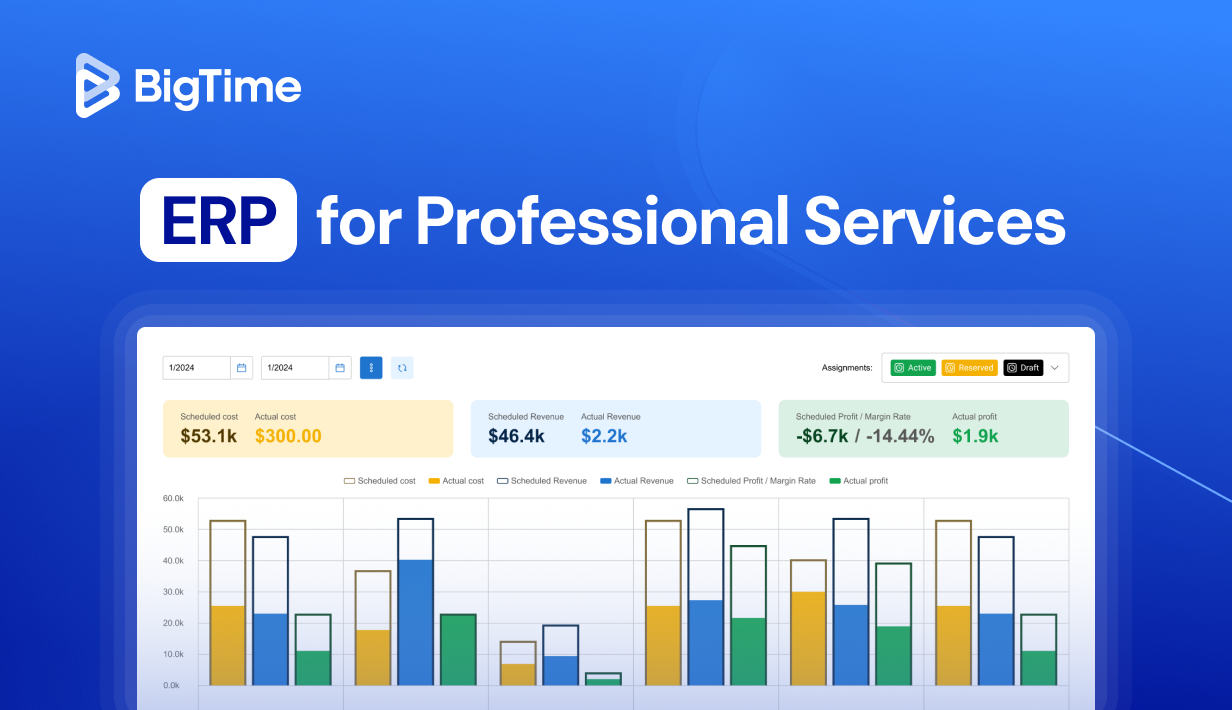
If you run a services firm, you juggle people, projects, timelines, and cash flow every single day. A purpose‑built ERP for professional services ties those moving parts together so you can plan smarter, bill faster, and keep margins healthy.
Below you’ll find plain‑English definitions, practical buying advice, must‑have features, and our ranking of the best ERP for professional services—with detailed pros, cons, and pricing notes for each.
What is professional services ERP software? Definition
Enterprise Resource Planning (ERP) software unifies core business processes such as projects, resources, finances, and reporting, so data flows across the firm without manual copy‑paste. It can help managers with:
- Project management and delivery: Planning and tracking projects with live budgets and schedules.
- Resource management: Matching skills to demand, balance workloads, and forecast hiring needs.
- Financial management: Capturing hours and costs quickly so invoices go out on time.
- Billing & revenue: Automating fixed‑fee, T&M, retainers, and revenue recognition.
- Reporting & forecasting: Monitoring utilization, margin, and cash flow by client, project, or practice.
Additionally, a modern ERP for professional services adds real‑time insights and automation on top, simplifying decisionmaking processes across the industries.
In professional services firms, an ERP software connects project delivery, resources, time and expenses, billing, and finance in one place. Unlike generic ERPs, ERP solutions for professional services focus on people‑driven work: consulting, software development, architecture/engineering, legal, accounting, marketing, and other billable teams.
ERP vs. PSA: What’s Actually Different
If you searched for “ERP for professional services,” there’s a good chance what you actually need is a PSA platform. Here’s the distinction, in plain terms.
ERP (enterprise resource planning) was built for companies that make or move things: manufacturers, retailers, distributors. It covers inventory, supply chain, and general accounting across the whole business. PSA (professional services automation) was built for firms that sell people’s time and expertise. It focuses on the work that actually drives your revenue: staffing the right people on the right projects, tracking billable hours accurately, and turning delivery into invoices without a dozen manual handoffs.
A generic ERP can technically track a project. What it usually can’t do well is match consultants to engagements based on skills and availability, flag utilization gaps before they hurt a quarter, or show you project-level profitability the moment a milestone closes. Those are PSA problems, and they need PSA-native tools to solve.
Benefits of ERP software solutions
Rolling out an ERP in the professional services industry pays off fast. These platforms act as the backbone of operations, bringing people, projects, and finances together in real time, bringing to the table numerous benefits such as:
- Cleaner visibility – One source of truth for projects, people, and money. Managers and executives always know where things stand without chasing updates.
- Faster billing – Time, expenses, and approvals flow straight into invoices, shortening the cash cycle and reducing errors.
- Higher utilization – Spot gaps, bottlenecks, and overutilization before they hurt delivery. ERP insights help firms maximize every billable hour.
- Healthier margins – Early warnings on project budget drift let you adjust course before profit is lost. Real‑time dashboards make profitability transparent at every level.
- Easier scaling – Add clients and projects without multiplying spreadsheets or creating messy workarounds. ERPs grow with your business, making them a long‑term investment.
The end result? More predictable delivery, stronger client relationships, and higher profitability.
How to choose the best ERP for professional services?
Picking the best ERP for professional services isn’t about chasing the biggest brand name; it’s about finding the right fit for your firm’s size, structure, and workflows. Here are the key checks:
- Fit to your work: Does it handle your pricing models (T&M, fixed, milestone), approvals, and change orders without forcing you into clunky workarounds?
- Resource depth: Can you do real capacity planning (supply vs. demand, skills matching, and scenario testing) or just assign tasks?
- Financials: Look for an ERP system with full project accounting with budgets, WIP, revenue recognition, and tight links to your accounting system – preferably by seamless integration.
- Reporting: Out‑of‑the‑box KPIs matter, but ad‑hoc reporting and dashboards help you answer client and executive questions on the fly.
- Integrations: Smooth links with accounting, CRM, HR, and dev tools prevent double entry and broken processes.
- Adoption: Clear UI, mobile time and expenses, and role‑based access drive adoption across consultants, PMs, and finance.
- Total cost: Consider subscription fees plus implementation, training, and change management. A cheaper license can cost more if it drains resources to maintain.
In short, the right professional services ERP should feel like a natural extension of your workflows, not an obstacle your team has to work around.
Choosing the Right ERP or PSA by Sub-Industry
“Professional services” isn’t one workflow. What a consulting firm needs from a platform looks different from what an engineering firm needs. Here’s how the priorities shift by sub-industry.
- Consulting firms live and die by utilization and bench time. The priority is fast staffing: matching available consultants to new engagements before they sit idle. Look for strong resource management and capacity planning, plus visibility into project profitability by engagement type.
- IT services and managed service providers often run a mix of project work and recurring support contracts. You need a platform that handles both fixed-scope projects and retainer billing without forcing two separate systems, along with solid time tracking for granular client billing.
- Architecture and engineering firms deal with long project lifecycles, multiple phases, and detailed cost tracking against fixed budgets. Look for project accounting depth, overhead and burden rate handling, and reporting that can show budget-versus-actual by phase, not just by project.
- Accounting and finance firms need airtight time capture, audit trails, and billing accuracy above almost everything else, since compliance and client trust depend on it. Multi-entity support matters more here if you’re serving clients across jurisdictions.
- Marketing and creative agencies tend to prioritize collaboration and client-facing visibility, since client relationships are often more hands-on. Retainer management and a clean client portal experience carry more weight here than in other sub-industries.
The common thread: none of these firms need a generic ERP built for manufacturing workflows. They need a platform that already understands how professional services businesses make money.
ERP system – must-have features
The right ERP system for professional services organizations should offer more than just a simple time tracking. In fact, they should bridge the gap between resource planning and financial data, helping project managers make better decisions and automate processes.
Still, to do that, such advanced resource management tools need more than just basic features. The best ERP for professional services should offer:
- Project & portfolio management: Plans, project milestones, dependencies, and baseline vs. actuals.
- Resource planning & capacity: Skills matching, availability, over/under‑utilization alerts.
- Time & expense capture: Quick entry, approvals, policies, and audit trails.
- Billing & revenue: T&M, fixed fee, retainers, progress billing, revenue rules.
- Project accounting: Budgets, cost rates, burden/overheads, margin tracking.
- Reporting & dashboards: Utilization rates, realization, profitability, and forecast views.
- Integrations: Accounting/ERP, CRM, HRIS, payroll, collaboration, and dev tools.
- Security & controls: Roles, approvals, audit logs, and regional compliance.
- Scalability: Multi‑entity, currencies, and consolidated reporting.
What Types of ERP for Consulting Firms Should You Consider?
Not every consulting firm needs the same ERP. The right fit depends on your size, your service line, and how much complexity you’re managing across projects and clients.
- Boutique and small consultancies. If your firm runs lean, look for a platform that gets you up and running fast, without a long implementation cycle or a dedicated IT team to maintain it. Utilization, time tracking, and billing automation matter more here than deep multi-entity accounting.
- IT and technology consulting firms. These firms tend to need stronger integration capabilities, since their ERP has to sit alongside development tools and client-facing systems. Real-time visibility into project margins matters just as much as the technical fit.
- Engineering and architecture consulting firms. Longer project timelines mean forecasting accuracy and resource planning carry more weight. Look for a platform that can track project budgets and staffing across projects that run for months, not weeks.
- Multi-entity or global consulting firms. If you operate across currencies, tax jurisdictions, or subsidiaries, you’ll need an ERP built for that complexity, even if it comes with a steeper learning curve and a longer implementation.
Quick Comparison: ERP for Consulting Firms at a Glance
| Tool | Best For | G2 Rating | Starting Price |
|---|---|---|---|
| BigTime | Consulting and professional services firms that want an intuitive, all-in-one platform without enterprise-level complexity | 4.7 | Flexible plans based on firm size; free trial and demo available |
| Deltek Vantagepoint | Larger firms with dedicated IT resources for configuration | 4.2 | Custom pricing |
| Oracle NetSuite | Large, multi-entity consulting enterprises | 4.1 | Custom, typically starting in the mid five figures annually |
| SAP S/4HANA Cloud | Multinational firms with complex compliance needs | 4.0 | Custom, among the highest in the ERP market |
| Accelo | Small teams prioritizing simplicity and fast deployment | 4.4 | Tiered plans, contact for pricing |
| FinancialForce (Certinia) | Firms already built on Salesforce | 4.1 | Custom, tied to Salesforce licensing |
| Kantata | Agencies that value resource scheduling over deep accounting | 4.2 | Custom pricing |
| Workday PSA | Large firms needing combined HR and finance data | 4.0 | Custom, among the highest in the ERP market |
| Scoro | Small to mid-size consultancies wanting a quick setup | 4.5 | Starts around $19.90 per user, per month |
| Odoo ERP | Firms with in-house technical teams for customization | 4.2 | Free community edition; paid tiers for added features |
BigTime
Reviews: G2: 4.5, Capterra: 4.6
Pros:
- Deep resource planning with skills, capacity, and scenario testing so you staff accurately.
- Time & expense that people actually use—clean UI, policies, and quick approvals.
- Strong project accounting with overheads/burden, WIP, and project margin tracking.
- Billing & invoicing for T&M, fixed fee, and retainers; polished, branded invoices.
- Reporting that connects people, projects, and profit; export/share in a click.
Cons:
- The breadth of features means a brief learning period during onboarding.
BigTime is purpose‑built PSA software for services firms that live and die by utilization and margin and want to perfect their project management. It brings together task management, planning, project delivery, and billing so PMs, finance, and leadership see the same numbers—no spreadsheet drift. If you’re moving from generic task tools or disconnected timesheets/accounting, BigTime closes the gaps with workflows that feel natural to consultants, engineers, and creative teams alike, improving project profitability in the process and bringing the project teams together.
Because it’s an ERP for professional services industry players, BigTime handles the edge cases services teams care about: multi‑rate cards, contract types, approvals, and real‑time variance alerts. It is also praised by professional services companies for its project management modules that can be alered to fit the exact needs of your organization. The result is fewer surprises at month‑end, improved key performance indicators, and faster time‑to‑invoice.
Key Features:
- Gantt & capacity planning: Match demand to skills and availability with guardrails and monitor both project milestones and individual utilization rates, depending on your current needs.
- Resource management feature: Time and expense tracking, advanced planning, quick replacements and live updates make it easy to stay on top of all the allocations.
- Financial management tools: From monitoring project and business performance to employee profitability, BigTime has everything you need to control financial performance – starting with a single penny.
- Time/expense → invoice: Automated flows from capture to billing with audit trails capture every working minute and every penny – automatically.
- Project accounting: Budgets, costs (incl. overhead), WIP, and revenue rules create a complete financial landscape for your specialists, projects, and the entire business.
- Dashboards & reports: Utilization, realization, profitability, and forecasts with customizable templates show you the exact data you need in seconds.
- Integrations: QuickBooks, Sage, accounting/CRM/HRIS, and more.
Pricing: Free trial available; paid plans start around entry‑level per‑user pricing. Book a demo for an exact quote.

NetSuite ERP
Reviews: G2: ~4.0, Capterra: ~4.1
Pros:
- Excellent multi-entity financials with compliance and revenue recognition.
- Mature partner ecosystem and global availability.
Cons:
- Expensive to license and implement for smaller firms.
- Requires additional PSA tools for full services functionality.
NetSuite is widely recognized for its strong financial backbone instead of project management or resource utilization. For professional services, this ERP offers reliable project accounting and compliance, but falls short in resource planning and true project delivery. Many firms end up pairing it with OpenAir or third-party PSA platforms to fill those gaps. While it scales globally and is powerful for finance teams, it often feels heavy-handed for mid-sized firms that need agility over breadth.
Key Features:
- Multi-entity accounting and reporting.
- Project accounting with revenue recognition.
- SuiteAnalytics for customizable insights.
- Strong compliance and audit tools.
- Large partner ecosystem for add-ons.
Pricing: Subscription-based, with implementation costs depending on partner involvement.
Deltek Vantagepoint
Reviews: G2: ~4.1, Capterra: ~4.3
Pros:
- Tailored for architecture, engineering, and consulting firms.
- Strong project management capabilities and earned value style reporting.
Cons:
- Dated interface compared to modern ERPs.
- Integrations are limited and often need partner support.
Deltek Vantagepoint is a trusted choice for project-driven industries like architecture and engineering. It provides detailed project financials and compliance management, but the user experience is not on par with more modern solutions – especially if you’re interested in a comprehensive project management.
For firms that value compliance and industry templates, this ERP for professional services is a safe choice, but it doesn’t deliver the agility or intuitive workflows that growing firms may need. It’s often chosen by firms that want industry-specific depth over broad flexibility, but it may struggle to keep pace with firms demanding real-time analytics, resource allocation, and seamless integrations.
Key Features:
- Project accounting and compliance.
- Industry templates for A/E/C firms.
- CRM and pipeline management.
- Customizable dashboards and reports.
Pricing: License-based with partner-led implementations.
SAP S/4HANA
Reviews: G2: ~4.0, Capterra: ~4.4
Pros:
- Enterprise-grade analytics and financial depth.
- Global scalability for multinational firms.
Cons:
- Very high cost of ownership.
- Lengthy, complex rollouts requiring heavy IT involvement.
- Limited project management tools.
SAP S/4HANA is one of the ERP solutions designed for large enterprises that demand maximum financial control and compliance and want to focus on their key performance indicators. While it offers unmatched power in analytics and governance, it is rarely a fit for mid-market firms due to the cost, complexity, and need for specialist staff. It is a system that demands heavy investment but provides unmatched financial governance at scale.
Key Features:
- Advanced finance and analytics modules.
- Multi-entity, multi-currency compliance.
- Industry-specific functionality for financial operations.
- Strong global support.
Pricing: Enterprise-level, quote-based.
Oracle NetSuite OpenAir
Reviews: G2: ~4.1, Capterra: ~4.0
Pros:
- Mature PSA with billing, projects, and resourcing.
- Strong integration with NetSuite ERP.
Cons:
- Limited on its own—best paired with NetSuite.
- Customization adds costs quickly.
OpenAir focuses on services delivery, giving firms PSA functionality for resource planning and billing. However, without NetSuite’s core ERP, it lacks financial robustness, and even with it, the implementation of this professional services automation tool can feel fragmented. It’s a solution for NetSuite-first firms, but not the most complete option on its own. Mid-sized firms without NetSuite often find OpenAir limiting, while larger enterprises that already rely on NetSuite see it as a natural add-on for PSA needs.
Key Features:
- PSA features: project management, billing, and resourcing.
- Cloud-based scalability.
- Reporting dashboards.
- Works seamlessly with NetSuite ERP.
Pricing: Subscription-based, typically quote-driven.
Microsoft Dynamics 365 (Project Operations)
Reviews: G2: ~4.2, Capterra: ~4.3
Pros:
- Tight integration with Microsoft 365 and Power BI.
- Customizable workflows and automation.
Cons:
- Heavy setup and long configuration cycles.
- Can overwhelm smaller firms with complexity.
Dynamics 365 appeals to organizations already committed to Microsoft and using it for all types of business operations. It provides a broad ecosystem with CRM and ERP tied together, plus analytics through Power BI. Still, it demands significant IT resources, straining human resources in the organization and making adoption challenging for firms that lack internal capacity. It can be a strong choice for larger firms invested in Microsoft infrastructure, but smaller firms often find it too complex and resource-intensive to maintain.
Key Features:
- Project Operations module for project delivery.
- Integration with Office 365 and Teams.
- CRM and finance in the same platform.
- Power Automate workflows and BI analytics.
Pricing: Per-user licensing, with implementation through Microsoft partners.
Workday
Reviews: G2: ~4.1, Capterra: ~4.4
Pros:
- Strong HR and financial management tools.
- Reliable compliance and enterprise controls.
Cons:
- Project delivery features are limited.
- Pricing and setup aimed at large enterprises.
Workday is known for HR and finance, not project delivery. While it can provide value to large enterprises with heavy HR needs, it doesn’t offer the PSA functionality services firms rely on to monitor project status and deliver their products. As a result, many end up adding external PSA tools on top. It works best in enterprises already adopting Workday for HR, but it is rarely selected by smaller firms due to its cost and limited PSA functionality.
Key Features:
- HCM modules for workforce management.
- Financial accounting and compliance.
- Basic project planning.
- Analytics and reporting.
Pricing: Enterprise subscription, quote-based.
Sage Intacct
Reviews: G2: ~4.5, Capterra: ~4.7
Pros:
- Excellent accounting and compliance reporting.
- Cloud-native and endorsed by AICPA.
Cons:
- Limited project delivery and resourcing features.
- Typically requires third-party PSA integration.
Sage Intacct is trusted by finance leaders for cloud accounting. For professional services, though, it stops short of covering delivery end-to-end. It’s a strong choice for finance-first organizations, but insufficient if your goal is to unify people, projects, and profitability. Mid-sized firms that need financial clarity but rely on external PSA platforms may find it a good backbone, but it cannot replace a dedicated ERP for services.
Key Features:
- Cloud general ledger and accounts.
- Project accounting modules.
- Multi-entity reporting.
- Financial dashboards and KPIs.
Pricing: Subscription-based with partner-led implementations.
Certinia (FinancialForce) PSA
Reviews: G2: ~3.9, Capterra: ~4.0
Pros:
- Native to Salesforce ecosystem.
- Strong billing and revenue recognition.
Cons:
- Requires Salesforce environment.
- Customization and licensing can get expensive.
Certinia PSA fits best when Salesforce is already your company’s backbone. It brings projects and billing into the same platform, but adoption can be resource-heavy, and without Salesforce it doesn’t make much sense. Firms already living in Salesforce benefit from seamless integration, but others may find it too costly for what it delivers compared to standalone PSA solutions.
Key Features:
- PSA tools for project management and billing.
- Revenue recognition and reporting.
- Salesforce-native integration.
- Analytics within Salesforce dashboards.
Pricing: Quote-based, usually through Salesforce partners.
Acumatica
Reviews: G2: ~4.3, Capterra: ~4.4
Pros:
- Flexible cloud deployment.
- Usage-based pricing can be cost-friendly.
Cons:
- Interface feels dated compared to modern ERPs.
- Limited PSA-specific reporting and features.
Acumatica works as a mid-market ERP option with solid finance and project accounting. However, it lacks the services focus firms often need, requiring custom builds or partner add-ons. For firms looking for flexibility over depth, it may still be a fit, but those seeking a dedicated services ERP will likely find themselves adding more functionality than expected.
Key Features:
- Core financial modules.
- Project accounting with budgets and costs.
- Integrations with partner apps.
- Flexible deployment models.
Pricing: Usage-based subscription, quote-driven.
What a Realistic ERP or PSA Implementation Actually Looks Like
Most vendors sell you on the destination and skip the drive. Here’s a more honest picture of what rolling out a platform like this actually takes, based on how implementations typically unfold for professional services firms.
- Weeks one and two: Setup and data migration. Your team maps out current workflows, imports historical project and client data, and configures the system to match your billing structures (T&M, fixed fee, retainers). This is also when you decide who needs access to what.
- Weeks three and four: Configuration and testing. Rate cards, approval chains, and reporting templates get built out. Run a pilot with one or two active projects before rolling out company-wide. This catches misconfigurations before they touch a real client invoice.
- Weeks five and six: Training and rollout. Consultants, project managers, and finance all need role-specific training, not just a generic walkthrough. The teams that skip this step are usually the ones back in spreadsheets within a month.
- Weeks seven and eight: Stabilization. Expect some friction here. People will default to old habits under deadline pressure. This is normal, and it’s also where firms benefit most from a vendor with responsive support instead of a self-serve help center.
Choose the best ERP for professional services businesses
Plenty of platforms can track projects. Very few connect people, projects and profit as cleanly as BigTime. If your goal is higher utilization, faster cash collection, and fewer spreadsheet surprises, BigTime is the most balanced choice among ERP solutions for professional services: it’s services‑first, it scales, and it keeps PMs and finance on the same page.
Book a demo or start a free trial to see BigTime in action.
FAQ
What is ERP?
ERP (Enterprise Resource Planning) software is a business management platform that connects multiple processes into one unified system. For professional services, ERP focuses on integrating project management, billing, and resource planning so teams don’t have to juggle disconnected spreadsheets and apps.
What are the four types of ERPs?
The four main types of ERP systems are:
- On-Premise ERP – Installed locally on company servers and managed in-house. It gives firms more control but requires higher upfront investment and IT support.
- Cloud ERP – Hosted in the cloud, offering flexibility, easier updates, and lower upfront costs. This is the most popular choice for modern professional services firms.
- Industry-Specific ERP – Tailored to the needs of a particular industry, such as professional services, manufacturing, or retail. These solutions include specialized features that address unique workflows.
- Open-Source ERP – Community-driven systems that allow firms to customize heavily. While flexible, they require technical expertise to maintain and secure.
What is ERP software for consulting firms?
ERP software for consulting firms is a platform that brings project management, time tracking, billing, and reporting into one system. Instead of piecing together spreadsheets or several disconnected tools, your team works from a single source of truth for every project and client.
How is ERP different from project management software for consulting firms?
Project management software focuses on tasks, timelines, and collaboration. ERP software goes further by connecting that project work to your firm’s financials, so you can see profitability, utilization, and billing in the same place you’re tracking delivery.
What are the benefits of using ERP system in professional services?
The benefits of ERP for professional services go far beyond efficiency:
- Improved visibility – Get a complete picture of project performance, staff utilization, and financial health in real time.
- Faster billing cycles – Automate the flow from time tracking and expenses to invoicing, reducing errors and improving cash flow.
- Better resource management – Identify staffing gaps, forecast demand, and allocate the right people to the right projects.
- Higher profitability – Monitor budgets and margins closely so firms can take corrective action before issues spiral.
- Client satisfaction – Deliver projects on time and within budget while giving clients transparent reporting.
- Scalability – Add new projects, clients, or even global entities without overhauling the entire system.
How long does it take to implement an ERP platform at a consulting firm?
It depends on the size of your firm and how complex your workflows are. Cloud-based platforms built for consulting firms can often be running within a few weeks, while enterprise systems designed for large, multi-entity organizations can take several months to configure and roll out.
Can a consulting firm move straight from spreadsheets to an ERP platform?
Yes. You don’t need to adopt a separate project management tool first. Most modern ERP platforms are built to replace spreadsheets directly, and many vendors offer guided onboarding to help your team make that transition without losing historical data.




