Why did 44 logged hours on a client engagement turn into a 31-hour invoice? The partner reviewing the pre-bill found the answer one line at a time: entries that said “client work, 3h” with no detail, a junior consultant priced at a senior rate, a travel day nobody logged, and a full week of hours typed in on Friday from memory. Rather than defend any of it to the client, she wrote the hours down.
Time tracking software for consultants is built to make that review boring. Every hour arrives with its client, project, task, and rate attached, a manager approves it before it reaches the client, and the invoice draws on the same record. Below, you’ll find what the category does, how your billing model changes what you need, and the 10 platforms worth a shortlist, with ratings and prices.
Key Takeaways
- Time tracking software for consultants lets your team track time against a client, project, and task, keeps billable and non-billable time apart, and turns approved hours into invoices.
- The market splits into three types: standalone timers, time and billing tools, and PSA platforms that connect tracked hours to budgets, staffing, and accounting.
- Your billing model sets the feature list. Hourly work needs rate accuracy, fixed fee work needs budget tracking, and retainers need drawdown visibility.
- Utilization rates shows how much of the week was billable. Realization shows how much of that billable time you actually got paid for. Good software reports both.
- BigTime is the strongest fit for consulting firms of 20 to 250 people that bill for their time and want hours, invoices, and QuickBooks or Sage Intacct working from one record.
What Is Time Tracking Software for Consultants?
Time tracking software for consultants is a system that records the time spent on client work against the right client, project, task, and rate, then turns approved hours into invoices and profitability reports. It holds four kinds of data: the time entries, the rate behind each entry, the approval status of every timesheet, and the project budget the hours draw down.
Consultants track time with timers, weekly timesheets, desktop apps, or a mobile app, and tag each entry as billable or internal. Managers review the week and approve it before anything reaches a client. Approved entries flow into invoices at the correct rate, and the same time tracking data feeds reports on budget burn, utilization, and project profitability.
Each person sees a different slice of the same time tracking record. Consultants see their own week and what’s missing from it. Project managers see tracked hours against the project budget on their active projects. Finance teams see invoice-ready time and financial data that matches the books, and leadership sees which clients and services earn their margin.
3 Types of Consultant Time Tracking Software
Most products in this market started as one of three things, and that origin still shapes what they do well. Knowing which type you’re looking at saves a lot of demos.
Standalone timers
A standalone time tracking tool is built to make logging hours fast: one-click timers, browser extensions, desktop apps, and usually a free plan or free version for individuals. Many plug into the project management tools a team already uses. For a solo consultant or a very small team, a timer is often the only digital tool needed. What happens after the hour is logged, such as rates, approvals, and invoicing, is thin or handled somewhere else.
Time and billing tools
This is what most people mean by time tracking and billing software for consultants: billable rates, expense tracking, and built-in invoicing features on top of the timer, so hours become invoices without a spreadsheet in between. These tools suit small consulting firms with simple billing models, and they’re lighter on project budgets, resourcing, and multi-level approvals.
PSA platforms
Professional services automation platforms treat time as one input into running the firm. Built-in time tracking sits next to quoting, project management, project planning, resource planning, billing, and the accounting sync, and all of them share the same record. They take more setup and cost more per user, and they’re designed for firms where consultants are shared across multiple clients and multiple projects at once.
| Your firm | Type that usually fits | Why |
|---|---|---|
| Solo consultant or 2-5 people, hourly billing | Standalone timer | Speed of entry matters most; invoicing can live elsewhere |
| 5-20 people, a few rates, hourly or retainer billing | Time and billing tool | Hours need to become invoices without rework |
| 20-250 people, mixed billing models, shared staff | PSA platform | Utilization, budgets, approvals, and accounting have to agree |
| 250+ people, several entities or currencies | Enterprise PSA | Multi-entity finance and heavier governance |
Signs You’ve Outgrown a Simple Timer
The move from a simple time tracking tool to a full consultant time tracking platform rarely happens because of one feature. It happens when the workarounds start costing more than the subscription. Four signals show up again and again:
- Someone spends a day each month on manual time tracking cleanup: exporting hours, fixing rates in a spreadsheet, and rebuilding invoices.
- You can’t answer “how profitable was that engagement?” until weeks after it closes.
- Two consultants are double-booked, and you find out from the client.
- A fixed fee project runs over, and the first sign is the final invoice.
If you see any of these signs in your time tracking processes, you might consider upgrading your tools – and rather sooner than later.
Benefits of Consultant Time Tracking Software
The first benefit is accurate client billing. Ensuring accurate billing starts with the entry itself: when each one carries its rate and a description written on the day, write-downs shrink and invoice disputes get shorter, because the backup is already attached. That consistency does more for client relationships than any follow-up call.
The second is less administrative burden. Manual time tracking in spreadsheets means retyping hours into invoices and the ledger, and every copy is a chance for an error. Software that carries one entry from timesheet to invoice removes most of that manual data entry. Each administrative task that disappears gives finance hours back every month and improves operational efficiency across the firm.
The third is a utilization number you can act on. When non-billable hours are split into categories such as business development, training, and internal tasks, you can compare the time spent on each with the billable hours on client projects.
The fourth is the chance to improve project profitability while the project is still running. Real-time tracking against project budgets shows a fixed fee engagement drifting in week three, while there’s still room to rescope or restaff. The last is better estimates: every closed project becomes a record of actual effort per phase, so the next proposal starts from data rather than memory.
Key Features to Look For in Consulting Time Tracking Software
Feature lists in this category look alike on a pricing page. The differences show up in how each feature handles consulting work, so here’s what to check under each heading.
Fast Time Capture on Every Device
Logging hours has to take seconds, or consultants will put it off until Friday. Look for a timer and a weekly timesheet view so consultants can track time the way they work. Desktop apps and browser extensions suit people at their laptops, and a mobile time tracking app covers anyone working at a client site or traveling. Calendar sync helps turn meetings into draft entries, and some platforms add automatic time tracking that suggests entries from your activity. Real-time tracking beats reconstruction, and reliable time tracking depends on that habit: an hour logged the same day is an hour you can defend on an invoice.
Billable and Non-Billable Hours
Every entry should be marked billable or non-billable at the task level, and non-billable hours should have categories rather than one catch-all bucket. Without that split, utilization reports mix sales calls with billable hours, and the numbers stop meaning anything. A good time tracking tool lets consultants track billable hours and internal time in the same timesheet, so the split costs them nothing and accurate time tracking becomes the default.
Rates by Client, Role, and Project
Consulting rates rarely stay simple. One client has a negotiated discount, a second pays by role, and a third has a rate that changed in July. The software should apply the right rate automatically based on who did the work, for which client, and on which project. It should also keep a cost rate next to the bill rate so margin reporting works. A time tracking solution that can’t handle rate rules pushes the problem to whoever builds the invoices.
Timesheet Approvals
Approval workflows let project managers or finance review submitted hours before they reach an invoice. Look for reminders for people who forget to track time, locked periods once a week is approved, multi-level approvals for larger firms, and an audit trail that shows who changed what. This is the step that turns logged hours into accurate time data you can bill from.
Built-In Invoicing
The shortest path from timesheet to invoice is one system. Built-in invoicing should pull approved hours and expenses into a draft at the correct rates, support the billing models you sell (covered in the next section), and let clients pay online. If invoicing lives in a separate product, check exactly what crosses over and how often, because accurate billing depends on that hand-off.
Expense Tracking
Travel, software, and subcontractor fees are project costs, and they belong on the same project as the hours. Receipt capture on mobile, approval rules, and markup settings keep reimbursable costs from falling off the invoice.
Project Budgets and Alerts
Good project budgeting compares tracked hours and project costs with the plan, by phase or task, and alerts the project lead before a threshold is crossed. For fixed fee work, this is the project tracking view that protects the margin.
Detailed Reports and Advanced Reporting
Standard reports should cover hours by client, project, and person, utilization, budget burn, and unbilled time. Advanced reporting adds custom reports and executive dashboards across the portfolio, so leadership can compare clients and services without an export. Detailed reports you can share with clients also make time-based invoices easier to accept, which helps client collaboration on long engagements.
Integrations With Your Existing Tools
Time tracking software shouldn’t force a change to your existing tools. Check native connections to your CRM, calendars, and the project management tools your teams already use for task management, plus an API for anything custom. The accounting connection matters most, so it gets its own section below.
Which Billing Models Should The Perfect Time Tracking Tool for Consulting Firms Cover?
How you bill decides which features carry the weight. A firm that bills only by the hour can live with a capable time tracking app for a long time. A firm that mixes hourly work, fixed fees, and retainers needs software that understands all three, often for the same client. That’s why time tracking and billing software for consultants should be judged on its billing logic as much as its timer.
The available billing models in consultant time tracking apps should include:
| Billing model | How the client pays | What the software has to do |
|---|---|---|
| Time and materials | Billable hours times rate, plus expenses | Apply the right rate per person and client; approvals before invoicing; expenses passed through |
| Fixed fee | An agreed price, often split by phase | Track time spent against the budget; percent complete; invoice by phase or milestone |
| Retainer | A monthly amount for a block of hours or a scope | Show the drawdown; handle rollover and overage |
| Milestone | An invoice when a defined stage is delivered | Tie phases to invoice triggers |
| Capped (not-to-exceed) | Billable hours up to a ceiling | Warn before the cap; record any time above it as a write-down |
Why Track Time on Fixed Fee Projects
On a fixed fee engagement, the client never sees the hours, so it’s tempting to stop tracking them. That’s when fixed fees start losing money quietly. Tracked hours against the budget tell you whether the price was right, which phase overran, and what to charge next time. Without them, a fixed fee project’s margin is a guess until the final invoice.
Associates and Subcontractors
Many consulting firms deliver with associates and subcontractors who bill the firm by the hour. Your time tracking tool should allow you to track time for associates on the same project, at their cost rate, with the client billed at yours. Otherwise the project report shows a healthy margin that the subcontractor invoice wipes out a month later.
Write-Downs and Write-Offs
Some time will never be billed: a learning curve on a new client, rework, or a goodwill gesture. Record the adjustment in the system instead of deleting the entry. The hours stay visible, the invoice stays accurate, and the realization report shows where value was given away.
Utilization, Realization, and Effective Rate: Must-Haves in Consulting Time Tracking Tools
Three numbers tell you whether tracked time is turning into revenue, and consultant time tracking software should produce all three without a spreadsheet.
Utilization is billable hours divided by available hours. Realization is the value you actually invoiced divided by the value of the billable hours at standard rates. Effective rate is what you collected divided by all the hours worked.
Take an illustrative week for one consultant (the figures are an example only). She works 40 hours and logs 32 as billable, so utilization is 80%. At a $200 standard rate those 32 hours are worth $6,400, but four hours are written down at the pre-bill review, so the client is invoiced $5,600. Realization is 87.5%, and once the invoice is paid, the effective rate across her 40 hours is $140. Each number points to a different fix: utilization to staffing, realization to project scoping and timesheet discipline, effective rate to pricing. Firms that track billable and non-billable time separately get all three from the same timesheets.
What Should Sync Between Time Tracking and Your Accounting System
For many firms, the connection with accounting software is where time tracking data either becomes revenue on time or turns into a monthly reconciliation project. Two questions matter more than the integration logo on a vendor’s website: what data moves, and in which direction.
| Data | What a good sync does |
|---|---|
| Clients and projects | Created once and kept aligned in both systems, so invoices land on the right customer |
| Invoices | Posted from the time tracking system to accounting with full line detail |
| Payments | Recorded back against the invoice, so project profitability reports show what’s been collected |
| Expenses | Carried to the ledger with project and client codes intact |
| Services and items | Mapped to the right income accounts, so revenue reporting matches the work |
A one-way export pushes invoices out and leaves payments, edits, and credits to be reconciled by hand. A two-way sync updates both systems when either changes, which is the baseline worth insisting on if you run QuickBooks or Sage. Ask each vendor whether their time tracking solution supports your exact edition, since QuickBooks Online and QuickBooks Desktop are different integrations. Then ask whether the connection is native or runs through a third-party connector, and how often it syncs.
How to Choose Time Tracking Software for Your Consulting Firm
The right choice comes from a few honest questions about how your firm works today and how it’ll work in two years. Answer these before you book demos:
- How do you bill? List every model you use now and the ones you plan to sell, and check that each one invoices without a workaround.
- How many people track time, and do consultants split their weeks across multiple client engagements?
- Do you need approvals before time reaches a client, and at how many levels?
- Which accounting system do you run, which edition, and does the integration sync both ways?
- Which CRM, calendar, and project management tools does it need to connect to?
- Who needs reports, and what will they decide with them: how to staff and plan projects, how to price, or when cash arrives?
- Do consultants work at a client site or travel, and how good is the time tracking app on their phones?
- What will the per-user price look like at twice your current headcount?
Give the last two questions careful consideration. A low per-user price on a time tracking solution can hide an add-on for invoicing or approvals, and a platform that’s easy for 10 people can strain at 60. A user-friendly interface matters as much as the feature list, because accurate time tracking depends on consultants actually using the software every day.
2027 Ranking: How We Evaluated Each Platform
We compared 10 consultant time tracking platforms on six criteria weighted to consulting work. They are billing model flexibility, the connection from approved time to invoice, utilization and profitability reporting, integration depth (accounting first), adoption (how fast consultants can track time on desktop apps and mobile), and fit as a firm grows. We compared published pricing, review-site sentiment, and documented integrations; ratings come from G2 and Capterra and prices from each vendor’s pricing page. The order reflects fit for consulting firms that bill for their time, so a platform with a higher overall review score can appear lower in the list.
Best Time Tracking Software for Consultants Compared
| Tool | Key Features | Best For | Pricing | G2 / Capterra |
|---|---|---|---|---|
| BigTime | Time and expense capture, rate management, approvals, invoicing and payments, budgets, two-way QuickBooks sync | Consulting firms of 20-250 people that bill for their time | From $20/user/month (Essentials) | 4.4 / 4.6 |
| Harvest | Timers, invoicing, online payments, retainers, utilization reports | Freelancers and small teams | Free tier; Teams $9/seat/month (annual) | 4.3 / 4.6 |
| Toggl Track | One-click timers, auto tracker, billable rates, profitability reports | Independent consultants | Free tier; Starter $9/user/month (annual) | 4.6 / 4.7 |
| Clockify | Timer, auto tracker, timesheets, invoicing and approvals on paid plans | Budget-conscious teams | Free tier; Basic $3.99/seat/month (annual) | 4.5 / 4.8 |
| Hubstaff | Automatic tracking, GPS add-on, activity levels, invoicing, payroll | Remote and field teams | Starter $4.99/user/month (annual) | 4.4 / 4.6 |
| Replicon | Background capture from work apps, approvals, compliance rules | Global and enterprise consultancies | Custom pricing | 4.3 / 4.5 |
| Productive | Time, budgets, resource planning, invoicing | Agencies and delivery-led firms | Essential from $10/user/month | 4.6 / 4.6 |
| Kantata | Resource management, forecasting, approvals, project accounting | Large consulting firms | Custom pricing | [to confirm] / 4.2 |
| ClickTime | Budgets, labor cost reports, approvals, automated capture | Budget-focused firms | Starter from $12/user/month | 4.6 / 4.6 |
| Timely | Background time capture, timesheets from activity, dashboards | Teams that want automatic capture | Starter $9/user/month (annual) | 4.8 / 4.7 |
What happens after the hour is logged is where the 10 differ most:
| Tool | Built-in invoicing | Timesheet approvals | Accounting integrations listed |
|---|---|---|---|
| BigTime | Yes, every plan | Yes, every plan (multi-level on Premier) | QuickBooks Online and Desktop (two-way), Xero, Sage Intacct (Premier) |
| Harvest | Yes, every plan | Enterprise plan | QuickBooks Online, Xero |
| Toggl Track | PDF export from reports only | Premium plan | QuickBooks listed as no longer supported |
| Clockify | Standard plan | Standard plan | QuickBooks, Xero |
| Hubstaff | Starter plan | Team plan | QuickBooks Online and Desktop |
| Replicon | Confirm in a demo | Yes | Enterprise systems; confirm accounting in a demo |
| Productive | Yes | Professional plan | QuickBooks, Xero |
| Kantata | Yes | Yes | QuickBooks Online and Desktop (add-on) |
| ClickTime | Client billing reports | Team plan | Sage Intacct (add-on) |
| Timely | No | Confirm in a demo | QuickBooks Online (Premium) |
BigTime
G2 4.4/5, 1,807 reviews; Capterra 4.6/5, 662 reviews
Pros
- Time, expenses, approvals, invoicing, and payments in one PSA platform, so approved billable hours become invoices without re-entry
- Rates and budgets built for time and materials, fixed fee, and milestone billing
- Two-way QuickBooks Online and Desktop sync on every plan
- Resource Management, Quotes, and Data Hub can be added as the firm grows
Cons
- Setup takes longer than a standalone timer, because rates, approval rules, and invoice templates are configured first
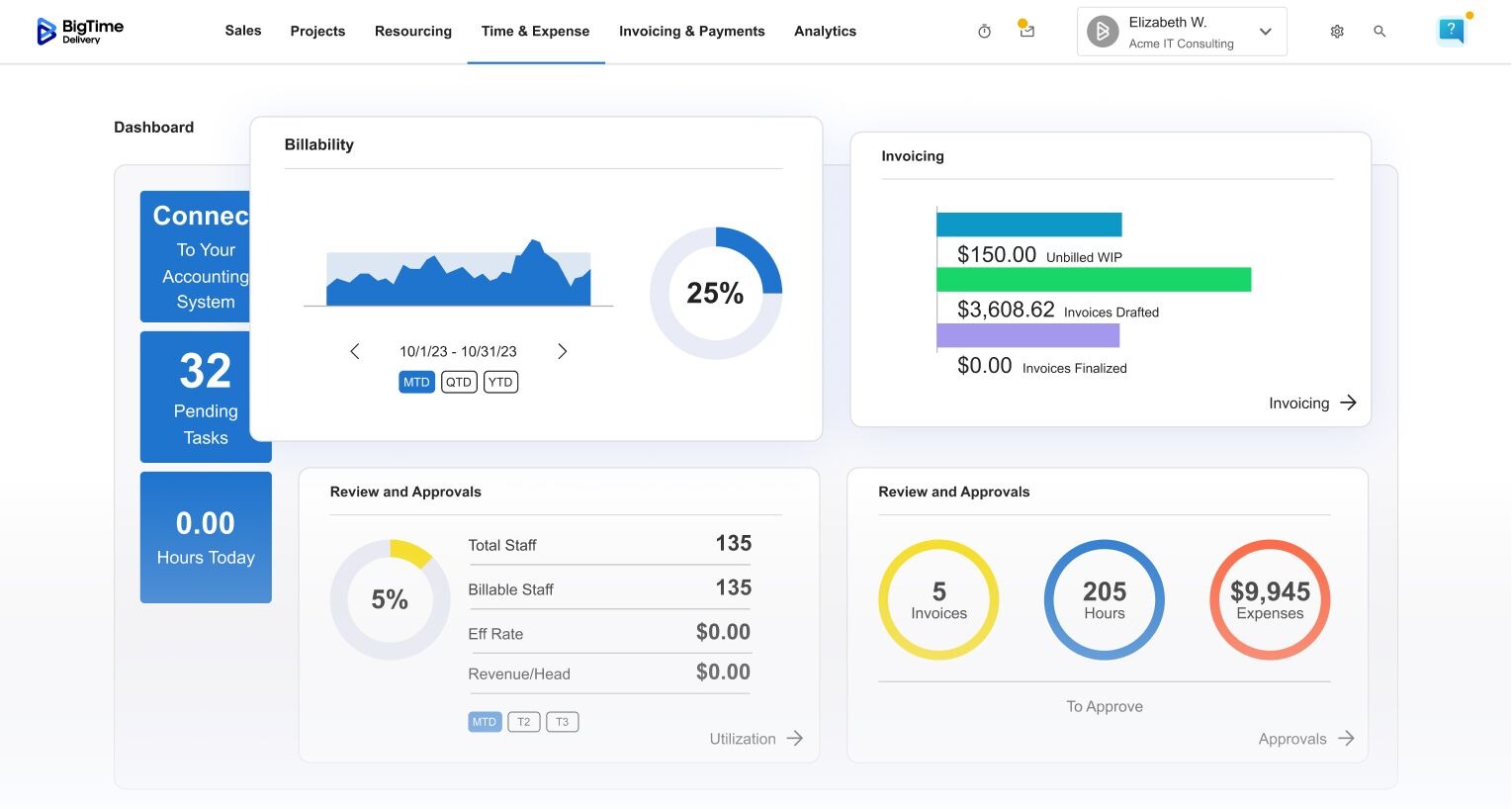
BigTime is a PSA platform for professional services firms, and its built-in time tracking is where the financial logic starts. When consultants track time, every hour is attached to a live project with its rate. It then carries through approval into the invoice, the payment, and the sync to QuickBooks or Sage Intacct. Finance doesn’t rebuild invoices from exports, and real-time tracking shows project leads budget burn and unbilled time while the work is in progress.
For consultants, the daily part stays quick. Auto-fill and smart lookup do most of the work on the timesheet, and the mobile app records hours and receipts from a client’s office or an airport lounge. Project leads approve the week before anything reaches a client, and BigTime applies the right rate for the client, the project, and the person’s role. Those approved entries then become invoices for time and materials, fixed fee, or milestone work, with payments handled on the same platform.
For finance and firm leaders, the numbers agree with each other. Project dashboards show budget burn and project profitability as hours come in, and alerts flag underbilled time and overdue invoices before they hurt cash flow. The two-way QuickBooks sync keeps clients, invoices, and payments aligned, so BigTime holds the project-level financial picture while QuickBooks keeps the ledger. This seamless connection between crucial data is what really makes BigTime stand out on any list of time tracking tools for consultants.
Key Features
- Time and expense tracking: timers, timesheets, and a mobile app, with auto-fill and smart lookup that take effort out of logging hours
- Rate management: rates by client, project, and role; custom cost and rate management on Premier
- Approvals: timesheet and expense approvals on every plan, multi-level on Premier
- Invoicing and payments: invoices from approved time and expenses, custom templates on Advanced, multi-currency invoicing on Premier
- Budgets and project management: dashboards for budget burn and project profitability, smart task management, and alerts on underbilled time and overdue invoices
- Reporting: a standard report library, plus custom reports and dashboards on Advanced
- Integrations: Xero, HubSpot, Google Calendar, and Outlook Calendar; Salesforce and Jira on Advanced; Sage Intacct and the API on Premier
QuickBooks Integration
BigTime syncs with QuickBooks Online and QuickBooks Desktop in both directions, so clients, invoices, and payments stay aligned without manual reconciliation.
Pricing
BigTime Essentials starts at $20 per user per month, with time tracking, invoicing, expense management, and payments on every plan. Higher tiers are quoted on request. To see it with your billing models, book a personalized demo.
Harvest
G2 4.3/5, 881 reviews; Capterra 4.6/5, 646 reviews
Pros
- Quick to set up, with a short learning curve for new team members
- Invoicing is included on every plan, and clients can pay online through Stripe or PayPal
- Supports retainers and fixed fee work alongside hourly billing
Cons
- Timesheet approvals are reserved for the Enterprise plan
- The accounting connection covers QuickBooks Online and Xero only; QuickBooks Desktop and Sage Intacct aren’t listed
- Project management and resource planning across many projects need more than the core app offers
Harvest has been a default time tracking app for small agencies and consultancies for years, and the appeal is easy to see. Small teams that track billable hours for a handful of clients can track time from a desktop app, a browser extension, or a phone, then turn those hours into an invoice in a few clicks. Its consulting page leans on client relationships: detailed reports you can share, retainers billed in advance, and utilization at a glance.
The ceiling shows up as a firm grows. Approvals, which most firms need once several people bill the same client, sit on the top plan, and the reporting is built for teams rather than portfolios. For a five-person practice, that’s rarely a problem. For a 40-person firm, it usually is.
Key Features
- Timers and timesheets in desktop apps, browser extensions, and mobile apps
- Invoices built from billable hours and expenses
- Online payments through Stripe and PayPal
- Retainer and fixed fee project support
- Utilization and project reports
- Integrations with project management tools such as Asana, ClickUp, Jira, and Trello, plus Slack and Outlook
Pricing
Free version for one seat and two projects. Teams costs $9 per seat per month billed annually.
Toggl Track
G2 4.6/5, 1,589 reviews; Capterra 4.7/5, 2,585 reviews
Pros
- One-click timers across desktop, browser, and mobile, with very little friction
- Automatic tracking that picks up desktop activity, calendar events, and browser work
- Rates at the workspace, member, and project level, with reports on fixed fee and retainer profitability
Cons
- Invoicing is limited to PDF exports from reports; invoices can’t be sent from the app
- Approvals are only on the Premium plan
- The QuickBooks integration is listed as a legacy integration that is no longer supported
Toggl Track is a time tracking tool designed around speed, and it’s one of the easiest time tracking apps for getting a team logging hours consistently. Consultants can track billable work with a timer in a second, let the auto tracker suggest entries, and assign time to client projects later. Its consulting page also covers associates and subcontractors, client-ready reports, and estimates versus actuals.
Where Toggl Track stops is the invoice. Billing data leaves as a report, so a separate invoicing and accounting process still has to pick it up. For an independent consultant with a handful of clients, that’s a fair trade for the speed. For a firm that bills dozens of people, the hand-off becomes the bottleneck.
Key Features
- One-click timers on desktop apps, browser extensions, and mobile
- Automatic tracking from desktop activity, calendars, and the browser
- Billable rates at several levels, with profitability reports
- Timesheet approvals (Premium)
- Capacity planning and estimates versus actuals
- Integrations with calendars, Jira, and many project management tools
Pricing
Free version for up to three users. Starter costs $9 per user per month billed annually.
Clockify
G2 4.5/5; Capterra 4.8/5, 9,258 reviews
Pros
- A free plan for up to five users, with the auto tracker included
- One of the lowest per-seat prices in the category
- Invoicing and approvals are available on the Standard plan, with QuickBooks and Xero integrations listed
Cons
- The features consulting firms need most, invoicing and approvals, sit on paid plans
- GPS tracking requires the Pro plan
- Profitability and utilization reporting is lighter than in platforms built for professional services
Clockify built its audience as free time tracking software, and it remains a sensible first time tracking tool for a small team moving off spreadsheets. The free time tracking app gives you a timer, timesheets, and an auto tracker, and paid plans add the billing layer at a low cost per seat. For a small team that wants to track billable hours across multiple clients without a budget conversation, it’s hard to argue with.
The trade-off comes as billing gets more complex. You can add invoicing and approvals, but rate structures, project budgets, and margin reporting are less developed than in a professional services platform. Many firms start here and move on once they need the numbers to reconcile with accounting.
Key Features
- Timer, manual entry, and weekly timesheets
- Auto tracker on the free plan
- Invoicing and timesheet approvals (Standard)
- GPS tracking (Pro)
- Team reports by person, project, and client
- QuickBooks and Xero integrations
Pricing
Free version for up to five users. Basic costs $3.99 per seat per month billed annually, or $4.99 billed monthly.
Hubstaff
G2 4.4/5, 2,288 reviews; Capterra 4.6/5, 1,612 reviews
Pros
- Automatic tracking options for distributed teams
- GPS tracking through the Locations add-on for consultants who work at a client site
- Invoicing from the Starter plan, with QuickBooks Online and QuickBooks Desktop integrations
Cons
- Activity monitoring can feel intrusive in a consulting culture built on trust
- Approvals need the Team plan, and location tracking is a paid add-on
- It’s built around workforce management more than helping consultants track billable work across billing models
Hubstaff is a time tracking tool from the workforce side of the market. It can track time in the background, can record activity levels, and adds location data, which helps firms whose consultants move between client offices and need proof of time on site. Invoicing and payroll are part of the package.
That monitoring focus is also what gives consulting firms pause. Senior consultants rarely want activity scores, and the billing side is designed for hours rather than retainers, fixed fees, or rate cards. Hubstaff makes most sense where location data is a client requirement.
Key Features
- Time tracking on desktop, web, and mobile
- Automatic tracking policies (Team)
- GPS and location tracking (Locations add-on)
- Activity levels and optional monitoring
- Invoicing and payroll
- QuickBooks Online and QuickBooks Desktop integrations
Pricing
No free plan. Starter costs $4.99 per user per month billed annually, or $7 billed monthly. Locations costs from $3.33 per user per month.
Replicon
G2 4.3/5, 785 reviews; Capterra 4.5/5, 540 reviews
Pros
- Time captured automatically from more than 100 work apps
- Approval workflows and mobile capture for global teams
- Part of Deltek, which pairs it with the vendor’s wider project and ERP portfolio
Cons
- Pricing isn’t published, so budgeting requires a sales conversation
- Set up for larger organizations, with more configuration than mid-sized firms usually need
- Invoicing depth depends on the edition, so confirm it in a demo
Replicon, now part of Deltek, is built for organizations that track time across countries, labor rules, and many systems at once. It captures time from the tools people already work in, supports approval chains, and connects to enterprise systems, which makes it a frequent choice for large consultancies with strict timekeeping requirements.
For a mid-sized firm, that breadth is more than the job requires. Pricing is quoted, implementation is a project in its own right, and the strongest fit is a firm that already runs other enterprise systems around it.
Key Features
- Background capture from work apps
- Timesheet approval workflows
- Mobile and location-based time capture
- Labor and compliance rules for global teams
- Billing data for client projects
- Integrations with enterprise systems such as SAP, ADP, and Jira
Pricing
Custom pricing. Contact Deltek for a quote.
Productive
G2 4.6/5, 65 reviews; Capterra 4.6/5, 104 reviews
Pros
- Invoices created directly from approved time
- Budgeting and resource planning in the same platform as time tracking
- QuickBooks and Xero integrations
Cons
- Billable time approvals start on the Professional plan
- Review volume is much smaller than the established tools in this list
- Its roots are in agency work, so check that its billing handles your rate structures
Productive is a professional services platform with a strong agency following. Project management and time tracking sit alongside budgets, resource scheduling, and billing, so teams track time, budget, and forecast in one place. For delivery-led teams, that combination is the main draw.
The questions for a consulting firm are about the financial side. Look closely at how rates, approvals, and the accounting sync work for your billing models, and remember that approvals for billable time sit on a higher plan.
Key Features
- Time tracking with timers and timesheets
- Project management with budgets and forecasts
- Project planning and resource scheduling
- Invoicing from approved time
- Billable time approvals (Professional)
- QuickBooks and Xero integrations
Pricing
Essential starts at $10 per user per month.
Kantata
G2 [rating to confirm]; Capterra 4.2/5, 629 reviews.
Pros
- Deep resource management and forecasting for large teams
- Time approvals and invoicing within the platform
- QuickBooks Online and QuickBooks Desktop integration available as an add-on on Professional and above
Cons
- Custom pricing only
- Implementation is a significant project with dedicated training
- More platform than most small and mid-sized consulting firms need
Kantata, formerly Mavenlink, is an enterprise professional services platform built for firms where resourcing is the hardest problem. Time tracking feeds project management, resource planning, project accounting, and portfolio reporting, and the platform is configured to fit complex organizations.
That depth comes with cost and effort. Firms evaluating it should budget for a longer implementation, and mid-sized firms often find they pay for capabilities they won’t use.
Key Features
- Time tracking connected to project management and resource management
- Time approvals
- Invoicing and project accounting
- Resource forecasting and capacity planning
- Portfolio-level reporting
- QuickBooks integration add-on (Professional and above)
Pricing
Custom pricing based on firm size and modules.
ClickTime
G2 4.6/5, 1,142 reviews; Capterra 4.6/5, 207 reviews
Pros
- Detailed reports on budgets and labor costs
- Approval workflows from the Team plan
- Automated time tracking and AI mapping on the Team plan
Cons
- Client billing is report-based, so check whether you’d still need a separate invoicing system
- No QuickBooks integration in its integrations list; Sage Intacct is an add-on
- The value depends on how much you need cost reporting over billing
ClickTime has been around for a long time as time tracking software for finance-minded firms. Its focus has always been the cost side of time: budgets, labor and project costs, and reports that finance teams can use. Approval workflows and automated time capture are available on the Team plan, which makes it a reasonable fit for firms that track time mostly for cost reporting.
For consulting firms that bill by the hour or by milestone, the gap is the invoice. Billable hours end up in reports, the accounting connection is narrow, and the billing process still lives somewhere else.
Key Features
- Timesheets on web and mobile
- Project budgets and cost tracking
- Labor cost and utilization reports
- Approval workflows (Team)
- Automated time tracking and AI mapping (Team)
- Sage Intacct integration (add-on)
Pricing
Starter plans from $12 per user per month.
Timely
G2 4.8/5, 481 reviews; Capterra 4.7/5, 219 reviews
Pros
- Background tracking on every plan, which cuts manual entry
- The highest G2 rating in this list
- Location tracking listed on all plans
Cons
- No invoicing; timesheet data goes to your accounting tools instead
- QuickBooks Online integration only on the Premium plan
- The Starter plan is capped at five users
Timely takes a different approach from the other time tracking software in this list: it records what you work on in the background and lets you turn that record into timesheet entries. For consultants who’d rather not track time by hand, or who forget to start timers, that’s a real fix for the billable hours that would otherwise go missing.
Everything after capture is up to other systems. There’s no invoicing, the accounting integration sits on a higher plan, and the Starter plan’s five-user cap means growing teams move up quickly.
Key Features
- Automatic time tracking
- Timesheets built from tracked activity
- Project and team dashboards
- Location tracking
- Integrations with calendars and accounting tools
- QuickBooks Online integration (Premium)
Pricing
Starter costs $9 per user per month billed annually, or $11 billed monthly, for up to five users.
Which Time Tracking Software for Consultants Is the Best?
The 10 time tracking platforms fall into three groups. Toggl Track, Clockify, Timely, and Hubstaff are excellent ways to track time and lighter on what happens after. Harvest and ClickTime add invoicing or budget control for small and mid-sized teams. BigTime, Productive, Replicon, and Kantata treat time as part of a wider system for project management and billing, at very different levels of complexity and cost.
For most consulting firms of 20 to 250 people, BigTime is the best time tracking software for consultants. We put it first for three reasons:
- Approved hours move to invoices, payments, and QuickBooks or Sage Intacct without re-entry, so the record your consultants create is the record finance bills from.
- It handles the billing models consulting firms actually sell, including time and materials, fixed fee, and milestone billing, with rates by client and role.
- It starts with time tracking, expenses, and billing and adds resourcing and quoting later, without an enterprise rollout.
If you’re a solo consultant, a free time tracking tool will serve you well. If you run a 500-person firm across several entities, an enterprise PSA is the better fit. In between, book a personalized demo to see your own billing models running in BigTime.

Time Tracking Software for Consultants: FAQ
What Does Consultant Time Tracking Software Do?
It lets consultants track time against clients, projects, and tasks, keeps billable hours separate from non-billable work, and routes timesheets through approval. Approved hours then become invoices at the right rates, and the same entries feed reports on budgets, utilization, and profitability. Many platforms also handle expenses, so billable costs reach the invoice with the time.
What Is the Best Time Tracking Software for Consulting Firms?
BigTime is the best time tracking software for consulting firms that bill for their time and want hours, invoices, and accounting connected. It combines time and expense tracking, approvals, rate management, and invoicing in one PSA platform, with two-way QuickBooks sync on every plan. Solo consultants with simple billing may prefer a lightweight timer.
Which Option Fits a Consulting Firm With 50 to 250 Employees?
At that size, you need approvals, rates by role and client, budget tracking, and reliable accounting sync more than a fast timer. BigTime is built for this range: it connects time, billing, and QuickBooks or Sage Intacct in one PSA platform, and you can add resource planning and quoting as the firm grows.
Which Time Tracking Software Works for IT, Engineering, and Management Consulting?
BigTime serves IT services firms, engineering firms, and management consultancies with the same core: time against projects and phases, rates by role and client, approvals, and invoicing for time and materials, fixed fee, and milestone work. The Jira integration helps IT teams, and project budgets suit engineering and consulting engagements billed by phase.
Which Time Tracking Software Integrates Best With QuickBooks?
BigTime integrates with QuickBooks Online and QuickBooks Desktop in both directions, so clients, invoices, and payments stay aligned without manual reconciliation. Many time tracking apps connect to QuickBooks Online only, or through a third-party connector. Before you choose, confirm your QuickBooks edition is supported and ask which records sync in each direction.
Is There Free Time Tracking Software for Consultants?
Yes. Several time tracking tools offer a free plan, usually limited by the number of users or by features such as billable rates, approvals, and invoicing. A free version works well for one consultant logging hours for a few clients. Firms that bill several people at different rates usually outgrow it once invoicing and approvals matter.
What Is the Best Time Tracking App for Consultants Who Travel?
For consulting firms, BigTime is the strongest choice: its mobile app lets consultants track billable hours and expenses against the right project, and entries flow into approvals and invoices like desktop entries. Independent consultants who only need a timer may prefer a lightweight app. Whatever you pick, test mobile entry before you buy.
Should You Track Time on a Fixed Fee Project?
Yes. The client doesn’t see the hours, but you need them to know whether the fee covered the work. Tracked time against a fixed fee budget shows which phase overran, protects the margin on the current project, and gives you real data for pricing the next one.
How Do Consultants Track Billable Hours Accurately?
Log time the same day, with a short description, against the specific client, project, and task. Mark each entry billable or non-billable, and use categories for internal work. A weekly approval step catches missing or misclassified hours before they reach the client, and reminders keep timesheets complete.
How Long Does It Take to Implement Time Tracking Software?
With a standalone timer, your team can track time the same day. A time and billing tool usually takes a few days to set up clients, rates, and invoice templates. A PSA platform takes several weeks, because rates, approval rules, billing models, and the accounting integration are configured before the first invoice goes out of the new tracking system.