A client asks for a fee on a clinic renovation, and your principal pulls up the last clinic the firm designed. The contract amount is there. What it actually took to deliver, phase by phase, isn’t, because half the hours went to “general” and the rest landed on whichever job was open. So the new fee gets built the way the old one was: on instinct, with a cushion added for safety.
Time tracking software for architects fills that gap. Hours are logged against the phase and task while the work happens, and the same records feed invoices, budgets, and the next proposal. We ranked eight time tracking software platforms that architecture firms shortlist in 2026, with ratings and prices checked in October 2026.
What Is Time Tracking Software for Architects?
Time tracking software for architects records staff hours against projects, phases, and tasks, separates billable time from non billable hours, and turns that time data into invoices, budgets, and profitability reports. It sits next to a few look-alike categories:
- A general time tracker logs hours by client and project, but has no idea what schematic design or construction administration is.
- Project management tools schedule tasks and deadlines, and rarely compare fee against effort.
- Accounting software such as QuickBooks holds the ledger, payroll, and tax, not phase budgets.
- PSA and practice management platforms connect time, billing, budgets, and resource allocation in one system.
The strongest architecture time tracking software belongs to the last group or connects tightly to it. None of it replaces your BIM or CAD stack.
Why Time Tracking Matters for Architecture Firms
Most architectural fees are set at contract and split across schematic design, design development, construction documents, bidding, and construction administration. That structure turns tracking time accurately into a financial control for the whole practice. Here’s where accurate time tracking pays off.
- Fees stay protected on fixed fee work. On hourly contracts, a missed entry is lost revenue. On lump sum contracts, it’s worse: the overrun is invisible. When every hour lands on its phase, a project manager can see that design development has used 80% of its fee with half the drawings done, and act while there’s still budget to protect.
- More of the work actually gets billed. Billable hours maximization starts with capturing what already happened: the 40-minute site visit, the Saturday email thread about client revisions, the consultant coordination call. Same-day entry and a mobile timer recover hours that a Friday reconstruction never finds, which is the simplest way to track billable hours you’ve already earned.
- Non billable hours become visible. Proposals, marketing, training, and internal design reviews are real costs. Tracking non billable hours by category shows what business development costs per win and where senior staff time goes when it isn’t on a project.
- Estimates get sharper. When you compare estimated hours with actuals by phase on finished projects, you learn what a construction documents set really takes for a mid-size residential job. That history is how you price future projects with confidence instead of instinct.
- Billing gets faster and easier to defend. Approved time entries attached to the right phase let you bill clients from the record, not from memory. Accurate billing backed by detail also shortens the conversation when a client questions an additional services charge.
- Staffing decisions improve. Time data shows who is overbooked, which phases are about to start, and where there’s room for new work. Time tracking data also shows each team’s productivity by phase, which helps with hiring and pricing. That’s the input you need to allocate resources across multiple projects without burning out your team members.
Key Features to Look For
Eight capabilities separate time tracking software built for practice finances from a stopwatch with a client list.
Phase Structure and Tasks
Every entry should carry a project, a phase, and where needed a task, plus a billable flag. Phase based tracking is the minimum for architecture. Task codes for site visits, RFIs, submittals, and redlines add task level detail when a project manager needs to know why site-phase hours are running hot. The best time tracking platforms let you build a phase template once and reuse it on every new project.
Fast Entry on Desktop and Mobile
Adoption decides whether you get accurate time tracking. If logging hours takes more than just a few clicks, people batch it on Friday and the data degrades. Staff should be able to track time wherever the work happens. Look for timers, weekly grids that remember recent projects, reminders for missing time, and mobile access so staff can log time from the job site or the car before the details fade.
Billable Rates and Billing Models
Architecture contracts mix models. A lump sum base fee, hourly rates for additional services, and reimbursables with a markup can all appear on one invoice. The platform should apply rates by role, person, or project automatically and support fixed fee, hourly, and percent complete billing, so time flows into accurate invoices without manual math.
Budgets, Planned Hours, and Milestones
Set planned hours and fee for each phase, then watch actuals arrive against them. Project budgets tied to project milestones show project progress in the terms clients care about, and early warnings when a phase passes a threshold give a project manager time to talk scope before the money is gone.
Reporting and Profitability
You should be able to generate reports on utilization rates, realization, work in progress, and project profitability without exporting to a spreadsheet. Detailed reports by phase, client, and project type show labor costs against fee and reveal which kinds of work actually make money.
Accounting Integration
Time data has to reach the books. Decide whether you’re keeping QuickBooks or another ledger, then look for a two-way sync of clients, invoices, and payments. One-way exports create drift between systems and a monthly reconciliation chore.
Resource Planning
Once the firm runs more than a handful of active jobs, time tracking alone isn’t enough. Staffing plans built from phase budgets show who’s free when the next phase starts, which makes resource allocation a forward-looking decision instead of a scramble.
The 2026 Ranking: 8 Time Tracking Platforms for Architects
We looked at eight time tracking platforms, from A&E practice management systems to general time tracking software, against six criteria weighted for architecture practices: phase and task structure, ease of entry and mobile access, billing model support, budget and profitability reporting, accounting integration, and resource planning. Ratings come from G2 and Capterra and prices from vendor pricing pages or listings, all checked in October 2026. We compared published pricing, review-site sentiment, and documented features rather than running hands-on tests.
The order reflects fit for growing firms that need time connected to fees and margin. That’s why BigTime ranks above tools with higher review scores: those tools excel at capture, but stop short of phase budgets and billing.
| Platform | Key Features | Best For | Pricing (October 2026) | G2 / Capterra Rating |
| BigTime | Phase and task time entry, mobile app, fixed fee and hourly billing, phase budgets, two-way QuickBooks sync, profitability reporting | Growing architecture and engineering firms that bill by phase and run QuickBooks | Essentials from $20 per user/month; higher tiers quote-based | G2 4.5/5 (1,700+ reviews) / Capterra 4.6/5 (650+ reviews) |
| BQE Core | A&E time and expense, phase budgets, billing, optional built-in accounting | Mid-sized A&E firms that want accounting in the same platform | Quote-based, modular per-user pricing | G2 4.3/5 (449 reviews) / Capterra not confirmed |
| Monograph | Phase planning, time by phase, MoneyGantt fee view, invoicing | Small architecture studios that want a visual, phase-first workflow | Track plan from $45 per user/month (G2 listing) | G2 4.5/5 (26 reviews) / Capterra 4.5/5 (236 reviews) |
| Deltek Ajera | A&E project accounting, time and expense, earned value by phase, built-in GL | Established A&E firms with in-house accounting staff | Quote-based | G2 4.0/5 (192 reviews) / Capterra 3.6/5 (62 reviews) |
| Timely | Automatic time capture, budgets, billable rates, team planning | Teams that hate timesheets and want hours captured in the background | Starter 11peruser/month(9 annual); Premium 20(16); Unlimited 28(22) | G2 4.8/5 (497 reviews) / Capterra 4.7/5 (219 reviews) |
| Harvest | Timers, expenses, invoicing, QuickBooks and Xero integrations | Small studios billing hourly on a few projects | Teams 11perseat/month(9 annual); Enterprise 17.50(14 annual) | G2 4.3/5 (830 reviews) / Capterra 4.6/5 (651 reviews) |
| Toggl Track | One-click timers, calendar sync, billable rates, profitability on Premium | Teams that want easy capture and bill in another system | Starter 12peruser/month(9 annual); Premium 24(16 annual) | G2 4.6/5 (1,589 reviews) / Capterra 4.7/5 (2,588 reviews) |
| Clockify | Free time tracking, invoicing on Standard, budgets and expenses on Pro | Studios with little or no software budget | Free plan; Standard 6.99perseat/month(5.49 annual); Pro 9.99(7.99 annual) | G2 4.5/5 (199 reviews) / Capterra 4.8/5 (9,200+ reviews) |
1. BigTime
Rating: G2 4.5/5 (1,700+ reviews) and Capterra 4.6/5 (650+ reviews), checked October 2026.
Pros
- Time entries carry project, phase, task, and billable status, so phase reporting works without workarounds.
- Timers, weekly timesheets, and a mobile app keep entry quick for staff who split time between desk and site.
- Fixed fee, hourly, percent complete, and milestone billing, including mixed models on one project.
- Two-way sync with QuickBooks Online and QuickBooks Desktop.
- Modular: start with time and billing, then add Resource Management when staffing gets complicated.
Cons
- Configuration takes effort, but results in more accurate documentation.
- BigTime handles the financial and operational side of the practice, not design workflow or document management.
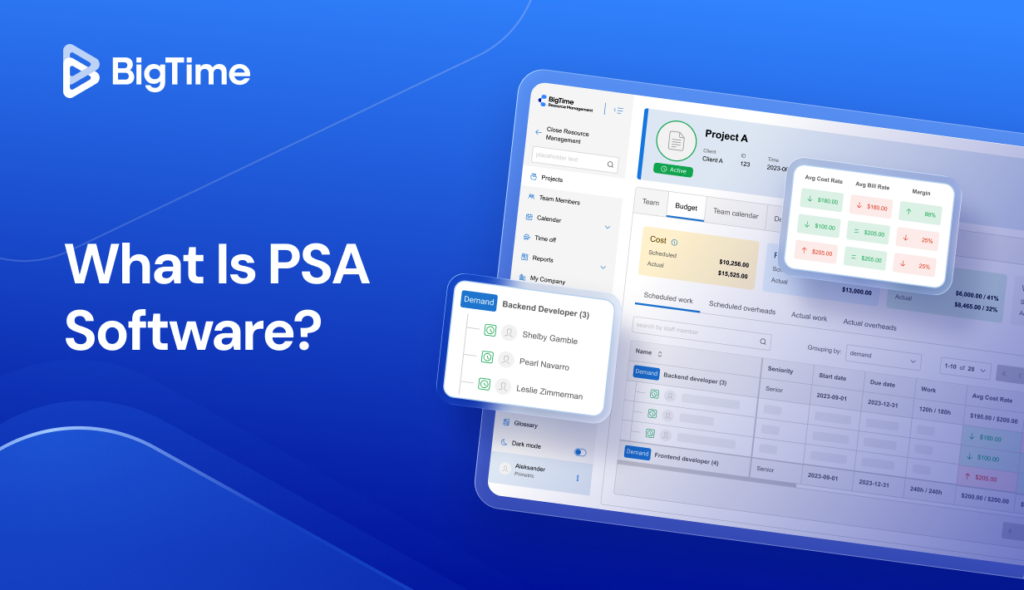
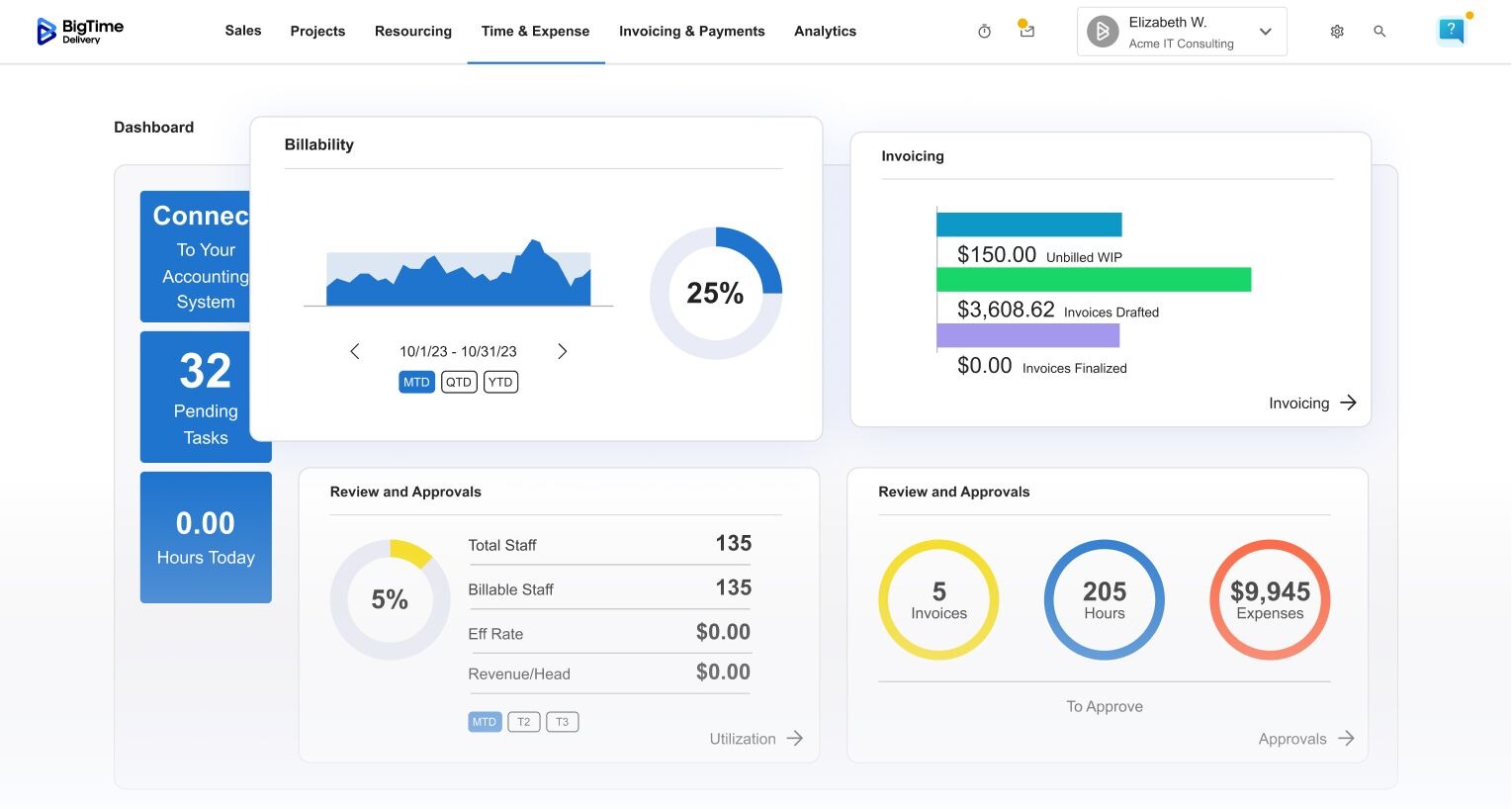
BigTime is a PSA platform for professional services firms that run QuickBooks or Sage and need financial precision across the project lifecycle. For an architecture practice, that means time entries, expenses, phase budgets, and invoices share one record. Staff log time against the phase and task, approvals run through configurable workflows, and approved billable time flows straight to invoicing with the right rate applied by role, person, or client.
Where BigTime pulls ahead of the time trackers in this ranking is what happens after the hours are in. Project managers see planned versus actual hours by phase as entries arrive, principals see utilization and project profitability across the project portfolio, and finance invoices a lump sum phase at percent complete while the hours behind it stay visible. BigTime’s core customer base is IT, engineering, and consulting firms, so for architecture firms its strength is financial control and reporting rather than architecture-specific design tooling.
Key Features
- Daily and weekly timesheets, timers, and mobile time and expense entry.
- Phase and task budgets with planned hours and live actuals.
- Lump sum, hourly, percent complete, milestone, and recurring billing on custom invoice templates.
- Multi-level approvals and locked periods on higher tiers.
- Two-way QuickBooks sync (Online and Desktop), plus Sage Intacct on Premier.
- Utilization, budget, and profitability reporting.
- Optional Resource Management for staffing and capacity planning.
Pricing
Essentials starts at $20 per user per month as of October 2026, with time and expense, billing, and the QuickBooks integration included. Advanced, Premier, and Enterprise add custom reporting, budgeting, rate management, and approvals, and are quote-based. To see it with your own phase structure, book a personalized demo.

2. BQE Core
Rating: G2 4.3/5 (449 reviews), checked October 2026. We couldn’t confirm a current Capterra rating.
Pros
- Designed for architecture and engineering firms, with phase budgets and A&E reports.
- Optional general ledger for firms ready to move off QuickBooks.
- Handles hourly, lump sum, and percent complete contracts.
Cons
- Reviewers mention slow performance at times and rigid report templates.
- More configuration than a small studio usually wants.
- Pricing isn’t published.
BQE Core comes from the team behind BillQuick and ArchiOffice, and its time entry reflects that history: timesheets and expenses land against phases and activities, and billing understands how A&E contracts work. The optional accounting module lets a firm run its ledger in the same system as its timesheets.
That breadth carries weight. Users point to lag during busy periods and reports that are hard to reshape, and a small studio can end up paying for modules it rarely touches. For a 30- to 100-person A&E firm planning to retire its separate accounting system, the trade can make sense.
Key Features
- Time and expense entry with a mobile app.
- Project management with budgets by phase and activity.
- Hourly, lump sum, and percent complete billing.
- Optional GL, AP, and AR.
- Configurable A&E dashboards.
- QuickBooks integration for firms keeping their books.
Pricing
Quote-based as of October 2026, sold per user with modular add-ons. Third-party estimates range from about $8 to $40 per user per month, plus implementation.¹
3. Monograph
Rating: G2 4.5/5 (26 reviews) and Capterra 4.5/5 (236 reviews), checked October 2026. The G2 sample is small.
Pros
- Built by architects, with phases at the center of every project.
- Clean interface that staff pick up quickly.
- Invoicing from tracked time included.
Cons
- Reviews mention invoicing bugs and slow loading.
- Mobile features and report customization are limited.
- No accounting module, and full pricing comes only after a demo.
Monograph targets studios of roughly three to 30 people. Its MoneyGantt view lays phases, fee, and hours on one timeline, so a principal can read project progress at a glance: one phase ahead on spend and behind on work. Time entry and project management are organized by phase and role from the start, which makes it one of the more natural fits in this list for how architects already think.
It gets thinner as financial questions get harder. Reviewers flag invoicing glitches, limited mobile access, and reports that resist customization, and the Pipeline module for proposals and leads costs extra. Firms with heavy consultant pass-throughs, multi-step approvals, or partners who want margin by project type tend to outgrow it.
Key Features
- MoneyGantt timeline of phases, fee, and hours.
- Time entry by phase and role.
- Lump sum and hourly invoicing.
- Utilization views by person and project.
- Pipeline add-on for proposals.
- QuickBooks integration.
Pricing
The Track plan starts at $45 per user per month according to Monograph’s G2 listing as of October 2026. Full plan pricing is shared after a demo, with annual payment.
4. Deltek Ajera
Rating: G2 4.0/5 (192 reviews) and Capterra 3.6/5 (62 reviews), checked October 2026.
Pros
- Full A&E project accounting with a built-in general ledger.
- Earned value and work in progress by phase.
- Consultant and vendor tracking built in.
Cons
- Reviewers describe the interface as dated and the mobile experience as clunky.
- Custom reporting can require SQL skills.
- Quote-based pricing that estimates place at the top of this list.
Ajera is Deltek’s platform for small and mid-sized architecture and engineering firms. Timesheets feed project accounting directly, and the phase structure of architectural work is built into budgets, billing, and earned value reporting. For firms that care most about the accounting side, it’s one of the deepest options here.
The cost shows up in daily use. Staff often find time entry slower than in modern trackers, mobile entry is a common complaint, and the ability to generate reports beyond the standard set can need an administrator. A firm with an in-house controller and complex institutional work may accept that. A 15-person studio usually won’t.
Core Features
- Time and expense entry with approvals.
- Phase budgets and earned value.
- Hourly, stipulated sum, and percent complete billing.
- General ledger, AP, AR, and payroll integration.
- Standard A&E reports and dashboards.
- Connection to other Deltek products.
Pricing
Quote-based as of October 2026. Third-party estimates run to roughly $200 per user per month for small deployments.¹
5. Timely
Rating: G2 4.8/5 (497 reviews) and Capterra 4.7/5 (219 reviews), checked October 2026.
Pros
- Automatic capture records activity across apps, so staff build timesheets from a private timeline.
- Highest G2 score in this comparison.
- Project budgets and billable rates on every plan.
Cons
- No phase structure designed for architectural fees.
- Capacity planning and accounting integrations sit on the higher tiers.
- Billing depth is limited compared with the A&E and PSA platforms here.
Timely solves the hardest part of time tracking for architects who’d rather design than fill in timesheets. Its time tracking software runs in the background and records time spent in design software, email, and meetings on a private timeline, and the user turns that record into entries. That makes Timely one of the most accurate tracking tool options for capture, especially for staff who forget to track time manually.
The constraint is what comes next. Projects don’t carry the phase and fee logic architecture contracts need, so phase reporting relies on naming conventions. Planning and capacity features start on Premium, and firms that bill phases as a lump sum will still need another system for invoicing and profitability.
Core Features
- Automatic time capture with a private activity timeline.
- Project budgets and billable rates.
- Team dashboards for hours and budgets.
- Planned time and team planning on Premium.
- Capacity management on Unlimited.
- Mobile apps for iOS and Android.
Pricing
Starter is $11 per user per month or $9 billed annually, Premium $20 or $16, and Unlimited $28 or $22, according to Timely’s pricing page as of October 2026. A Tasks add-on starts at $5 per person.
6. Harvest
Rating: G2 4.3/5 (830 reviews) and Capterra 4.6/5 (651 reviews), checked October 2026.
Pros
- Quick to set up, with a mobile app people like.
- Invoicing and expenses on every paid plan.
- Integrates with QuickBooks, Xero, and Stripe.
Cons
- Projects and tasks only, with no phase or percent complete logic.
- Profitability reports and approvals require Enterprise.
- Little support for consultant cost pass-through.
Harvest does three things well: track hours, record expenses, and send an invoice. For a small studio billing hourly, that covers most of what it needs from time tracking software, and the QuickBooks and Xero connections keep the bookkeeper happy.
Architecture work exposes the gaps. Without phases, firms rename tasks to mimic them and give up phase reporting. Stipulated sum work gets awkward once you want percent complete billing, and profitability and approvals arrive only on the top plan. The moment lump sum phases dominate the project list, Harvest starts to cost more in spreadsheets than it saves.
Core Features
- Timers and manual entry on web, desktop, and mobile.
- Invoices from tracked time and expenses.
- Billable and cost rates per person.
- Team capacity view.
- Approvals and profitability on Enterprise.
- 50+ integrations.
Pricing
Teams costs $11 per seat per month, or $9 billed annually, and Enterprise $17.50, or $14 annually, as of October 2026. A free plan covers one seat and two projects.
7. Toggl Track
Rating: G2 4.6/5 (1,589 reviews) and Capterra 4.7/5 (2,588 reviews), checked October 2026.
Pros
- One-click timers and calendar sync make capture fast.
- Detailed reports on where hours go.
- Free plan for small teams.
Cons
- No native invoicing.
- Flat-rate projects and profitability features need Premium.
- No phases or consultant cost handling.
Toggl Track is time tracking software built around the timer, and it shows. Starting, stopping, and correcting entries is quick on every device, idle detection catches forgotten timers, and calendar sync turns meetings into entries. For firms whose main problem is getting people to track time at all, that ease matters.
What it lacks is the billing half. There’s no native invoicing, so time exports to QuickBooks or another system. Flat-rate projects and labor cost reporting require Premium, and even then projects stay flat, without phases. Toggl Track works well as a front end to someone else’s billing process.
Main Features
- One-click timers, idle detection, and calendar sync.
- Billable rates and revenue reports on Starter.
- Labor cost and profitability on Premium.
- Timesheet approvals on Premium.
- Integrations with Jira, Asana, and others.
- Exports to accounting systems.
Pricing
Starter is $12 per user per month, or $9 billed annually; Premium is $24, or $16 annually, as of October 2026. Enterprise is custom.
8. Clockify
Rating: G2 4.5/5 (199 reviews) and Capterra 4.8/5 (9,200+ reviews), checked October 2026.
Pros
- Free plan for basic time tracking.
- Invoicing and QuickBooks integration from the Standard plan.
- Very low per-seat cost on paid tiers.
Cons
- No phases, percent complete billing, or consultant tracking.
- Budgets and expenses only on Pro.
- Shallow financial reporting.
Clockify tries to win on price. Basic time tracking is free, and the paid plans that add billable rates, invoicing, QuickBooks integration, budgets, and expenses cost a few dollars per seat. Several tools offer free plans, but few give away this much. A two-person practice can run on it for a long time.
Depth is the trade-off. Project invoicing is basic, budgets arrive only on Pro, and there’s no phase or fee structure. Reports cover hours well but can’t answer a principal’s question about realization on a lump sum phase. Growing firms usually rebuild that answer in spreadsheets.
Main Features
- Timer, timesheet, and kiosk modes.
- Billable and historical rates.
- Invoicing and approvals on Standard.
- Budgets, expenses, and labor cost on Pro.
- Scheduling on Pro.
- QuickBooks integration on Standard and above.
Pricing
The free plan covers basic tracking. Basic is 4.99perseatpermonth(3.99 annual), Standard 6.99(5.49), Pro 9.99(7.99), and Enterprise 14.99(11.99), as of October 2026.
Which Time Tracking Software for Architects Is the Best?
The eight platforms fall into three groups. Timely, Toggl Track, Harvest, and Clockify are capture-first: quick to adopt and good at logging hours, but light on phases, fees, and margin. Monograph, BQE Core, and Deltek Ajera are built for A&E, each with a trade-off in reporting flexibility, interface, performance, or cost. BigTime connects phase-level time to budgets, billing, and profitability on top of the QuickBooks ledger many firms already use.
For growing architecture firms that bill fixed fee phases alongside hourly additional services, BigTime is the strongest overall choice in this ranking:
- Project managers see planned versus actual hours by phase while there’s still time to change project outcomes.
- Approved billable time becomes an invoice with the right rates and billing model applied.
- Two-way QuickBooks sync, Online and Desktop, keeps finance on the system it trusts.
- Resource Management can be added when staffing across complex projects becomes the bottleneck.
A three-person studio billing hourly will do fine with Clockify or Harvest for now. If you want your general ledger in the same system, take a close look at BQE Core. For firms in between, book a personalized demo and bring your most complicated fee schedule.

Implementing Time Tracking Without Losing a Month
Moving from manual tracking in spreadsheets usually stalls because the structure isn’t ready when people start logging. A cleaner sequence:
- Build the project structure first. Load active projects with phases, fees, and budgeted hours before anyone logs an entry. Accurate data on day one makes the first month of reports worth reading.
- Agree on the rules for team members. How and when people track time: same-day entry, a weekly deadline, a short list of non billable categories, and a clear owner for approvals. Write them down in one page.
- Connect the accounting tools before the first invoice. Map clients, services, and tax settings so approved billable time reaches the books without re-entry.
- Review weekly. Project managers should check project time and project progress against budget every Monday. Short reviews catch drift while it’s still a conversation with the client.
- Feed the results back into proposals. After two or three projects close, the actuals become the baseline for the next fee proposal and for planning project delivery, which is where implementing time tracking starts to improve project outcomes in a measurable way.
Time Tracking Software for Architects: FAQ
What does architecture firm time tracking software actually track?
Hours that team members spend by project, phase, and task, marked billable or non billable, plus expenses such as mileage and printing. Better platforms also track budgeted hours, fee by phase, and approvals, so the same time data feeds invoices, budgets, and staffing decisions.
What’s the best time tracking software for architects in 2026?
BigTime is the best overall choice for architecture firms that bill by phase and run QuickBooks. It ties time tracking to phase budgets, flexible billing, and profitability reporting. Very small studios billing hourly may start with a lighter app and move up as lump sum work grows.
Which platform fits an architecture practice of 50 to 250 people?
BigTime. Firms in that range usually need phase budgets, multi-level approvals, utilization reporting, and two-way accounting sync more than they need another timer. BigTime covers those needs without the cost and complexity of an enterprise system or a full accounting migration.
Which option works across architecture, engineering, and consulting work?
BigTime’s core customers are IT, engineering, and consulting firms, and the same phase, billing, and reporting structure applies to architecture projects. That makes it a strong fit for practices that also offer engineering or consulting services and want one platform for all of their professional services teams.
Does any of these platforms sync both ways with QuickBooks Desktop?
BigTime offers two-way sync with both QuickBooks Desktop and QuickBooks Online, covering clients, invoices, and payments. Several other tools in this list connect to QuickBooks Online only or export one way, so check sync direction and Desktop support before you commit.
How should architects track non billable hours?
Create a small set of non billable categories, such as proposals, marketing, training, and internal reviews, and ask everyone to track time against a project or one of those categories. Reviewing them monthly next to project time shows what winning work costs and where senior time goes.