

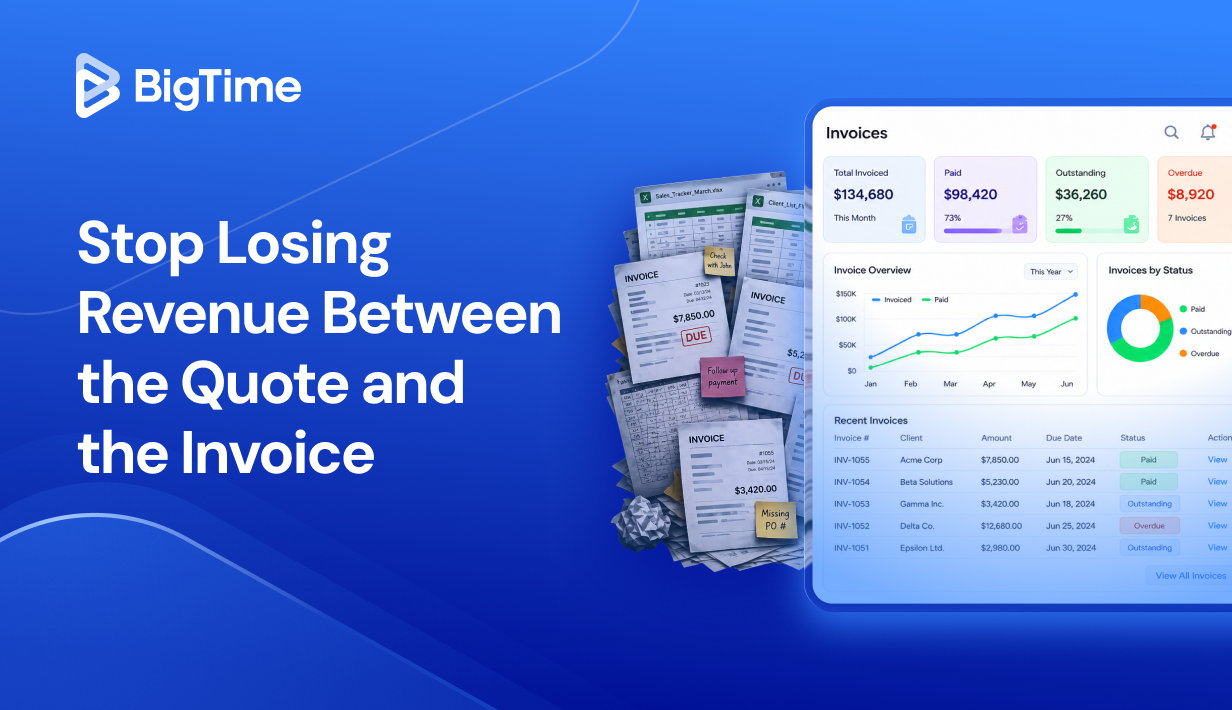
Late invoices and misquoted projects are two of the most consistent ways professional services firms quietly bleed margin. According to research, between 10 and 20 percent of all work is unbilled work, and much of that loss traces back to a gap between what was quoted and what actually made it onto an invoice. When quoting and invoicing live in separate systems, or worse, in spreadsheets and email threads, that gap stays open month after month.
In 2026, the firms growing with confidence are the ones that have closed it. They use quoting and invoicing software that connects the moment a project is scoped to the moment a client pays, without the manual handoffs that create errors and write-offs in between.
By the end of this article, you will know exactly which quote and invoice software options are worth your time, what features actually move the needle on billing cycle speed and cash flow, and which platform is the best fit for growing professional services teams.
When evaluating quoting and invoicing platforms for this ranking, we focused on the pain points that show up most often for financial and operational leaders at professional services firms. Specifically, we looked at how well each platform addresses:
- Accuracy between quotes and invoices: Does the rate logic carry through from estimate to final bill, or does someone have to reconcile them manually?
- Billing cycle speed: How quickly can your team get from approved time and expenses to a sent invoice, without extra steps or manual data entry?
- Cash flow visibility: Can you see outstanding invoices, overdue invoices, and payment status in real time, or are you always waiting for a month-end report?
- Recurring billing and complex pricing structures: Does the platform handle retainers, fixed-fee milestones, T&M contracts, and blended rates, or does it force you into one billing model?
- Integration with accounting software: Does it sync cleanly with QuickBooks Online or your GL, or does it create more reconciliation work than it saves?
What Is Quoting and Invoicing Software?
Quoting and invoicing software is a platform that connects both ends of the billing cycle into one continuous workflow. At the quoting stage, it helps your team build accurate project estimates based on real cost and rate data. At the invoicing stage, it turns approved work into professional invoices without manual re-entry. The best platforms make sure those two stages share the same data, so what you quoted is what you bill, and what you bill reflects what was actually delivered.
In practice, the right invoicing and quoting software helps professional services firms with:
- Creating and sending professional invoices tied directly to approved time and expenses
- Managing recurring invoices for retainer clients and subscription-based work
- Tracking outstanding and overdue invoices so nothing slips through collections
- Handling complex pricing structures: T&M, fixed-fee, project milestone billing, and blended rates
- Accepting online payments including ACH bank transfers and credit cards
- Syncing billing data with accounting software to keep financial records accurate
- Giving leadership real-time cash flow and invoice status visibility without waiting for month-end
The Benefits of Quoting and Invoicing Software
A strong quoting and invoicing platform pays off in ways that go beyond sending bills faster. The real impact shows up in how consistently your firm captures revenue, how quickly cash moves from delivered work into your bank account, and how much admin time your finance team spends fixing problems that a better system would have prevented.
The benefits of such solutions include:
- Shorter billing cycles and faster cash flow. When invoices generate directly from approved time and expenses, the gap between project delivery and billing shrinks significantly. Firms that previously closed billing monthly often move to weekly cycles, which has a direct impact on days sales outstanding and working capital.
- Fewer write-offs from quoting errors. When rate logic flows through from quote to invoice, billing errors caused by manual re-entry or mismatched rate cards become far less common. That consistency protects margin on every engagement.
- Less time chasing late payments. Automated payment reminders and online payment options, including ACH bank transfers and credit cards, make it easier for clients to pay on time without manual follow-up from your team.
- Cleaner financial records at month-end. When invoicing software connects directly to your accounting software, approved data moves into your GL without duplicate entry, reducing reconciliation work and making close faster.
- Better visibility into cash flow. Real-time reporting on invoice status, overdue invoices, and incoming payments gives leadership a clearer picture of cash flow without waiting for a finance team report.
What Features Should the Best Quoting and Invoicing Software Have?
Not every quoting and invoicing platform is built for how professional services firms actually operate. Some tools handle simple invoicing well but fall apart the moment you introduce variable rate cards, multi-phase projects, or recurring billing arrangements. The features below are what separate a basic invoicing tool from a platform your finance team can genuinely rely on as the firm grows.
Professional Invoice Templates and Custom Branding
The ability to create and send professional invoices quickly matters more than most buyers realize at the evaluation stage. The best platforms offer a range of professional invoice templates that can be tailored to your firm’s branding, with configurable line items, payment terms, and supporting detail. That flexibility keeps your billing presentation consistent across every engagement.
Flexible Billing Models and Complex Pricing Structures
Professional services firms rarely run on a single billing model. Your quoting and invoicing software needs to handle T&M contracts, fixed-fee projects, milestone billing, retainers, and blended rates without requiring workarounds or separate systems for each arrangement. Rate cards should be configurable by client, role, or engagement type, and exceptions should be easy to manage without breaking downstream reporting.
Recurring Invoices and Automated Billing
For firms with retainer clients or subscription-based arrangements, the ability to set up recurring invoices is essential. Strong platforms automate the creation and sending of recurring billing on a defined project schedule, reducing manual work and making sure nothing gets missed. Automated billing also supports more predictable cash flow forecasting because revenue schedules are built into the system rather than tracked separately.
Online Payment Collection
Accepting online payments directly from an invoice, including ACH bank transfers, credit cards, and services like Apple Pay, removes friction from the client payment process and typically shortens collection cycles. Look for platforms that support multiple payment gateways without excessive transaction fees, and that make it easy for clients to pay in just a few clicks from the invoice itself.
Real-Time Invoice Status and Cash Flow Visibility
Your finance team should be able to see the status of every invoice, from sent to viewed to paid to overdue, without pulling a manual report. Real-time visibility into outstanding invoices, payment collection progress, and cash flow projections helps leadership make faster decisions and reduces the end-of-month scramble to understand where revenue stands.
Integration with Accounting Software
Clean integration with accounting software, particularly QuickBooks Online, is often the deciding factor for mid-market professional services firms. The best platforms sync invoice data, payment status, and client information bidirectionally, so financial records stay accurate without manual data entry on either side. Reliable integration reduces reconciliation work and gives your GL a consistent, trusted source of data.
Expense Tracking and Billable Hours
For firms that bill clients for time and expenses, the invoicing platform needs to capture both accurately. That means tracking billable hours against projects, attaching receipts to expense line items, and surfacing that data in invoice-ready format without manual compilation. Platforms that handle expense tracking and time capture in the same system as invoicing eliminate the most common source of billing errors for project-based businesses.
2026 Quoting and Invoicing Software Ranking
Choosing the right quoting and invoicing software in 2026 means looking past the marketing language and focusing on what actually happens when your team tries to use it at scale. The tools in this ranking were selected based on how well they support the full billing cycle for professional services firms: from accurate project estimates and approved quotes through to invoice creation, payment collection, and cash flow visibility.
We focused specifically on platforms that handle the operational realities of project-based businesses, including complex pricing structures, recurring billing, expense tracking, and clean integration with accounting software. Each tool was evaluated on how well it reduces manual billing work, how reliably it keeps financial records accurate, and whether it grows with a firm rather than against it.
Quoting and Invoicing Software: Comparison
The table below gives a quick view of how the leading platforms stack up in 2026, including where each is strongest and where limitations tend to surface once you move past basic workflows.
| Tool | Description | Strengths | Limitations |
| BigTime | PSA platform with native quoting, invoicing, and project financial management for professional services firms. | Quotes and invoices share the same rate logic and project data; strong billing cycle control; real-time cash flow and margin visibility. | Best fit for project-driven professional services firms. |
| QuickBooks Online | Accounting software with invoicing and basic quoting for small businesses. | Solid invoice creation and accounting integration; good for straightforward billing. | Limited quoting depth; not built for complex pricing structures or project-based billing; minimal margin visibility. |
| FreshBooks | Cloud invoicing and billing platform aimed at small business owners and service businesses. | Easy to use; good recurring invoices and automated payment reminders; accepts online payments. | Reporting depth is limited for growing firms; project financial management is basic; not built for complex rate structures. |
| Zoho Invoice | Free invoicing software within the Zoho ecosystem with quoting and payment collection features. | Strong value at entry level; good invoice templates; accepts payments online including ACH bank transfers. | Financial management depth falls short for mid-sized firms; works best inside the Zoho ecosystem; limited scalability. |
| HoneyBook | Client workflow and invoicing platform built for independent service providers and small teams. | Combines contracts, invoices, and payments in one flow; easy to send invoices; good for simple service businesses. | Not built for multi-project professional services operations; limited billing complexity and financial reporting. |
BigTime
Reviews: G2: 4.5/5, Capterra: 4.6/5.
Pros & Cons
Pros:
- Quotes and invoices built on the same financial foundation. Rate logic is set once and carries through from the quoting stage to the final bill, eliminating billing errors caused by manual re-entry or disconnected systems.
- Purpose-built for professional services billing complexity. The platform handles T&M contracts, fixed-fee projects, milestone billing, retainers, and blended rates without requiring separate workflows for each arrangement.
- Real-time cash flow and margin visibility. BigTime gives financial and operational leaders a live view of invoice status, outstanding invoices, budget burn, and project profitability without waiting for a month-end report.
- Clean integration with QuickBooks Online and QuickBooks Desktop. BigTime’s bidirectional sync with QuickBooks is one of the strongest in the PSA category, keeping financial records accurate and month-end close fast.
Cons:
- Designed for project-driven firms, not simple billing workflows. Teams that only need basic invoice creation without project context may find the platform broader than their immediate requirements.
BigTime is a PSA platform built for professional services firms that need quoting and invoicing to work as part of a connected financial system. Where most invoicing tools treat quote creation and invoice generation as separate functions, BigTime treats them as two stages of the same workflow. A project estimate built in BigTime uses the same rate cards, cost data, and billing logic as the invoice that follows it, which means the margin you planned for is the margin you actually track.
What sets BigTime apart from the other platforms in this ranking is the depth of its financial architecture. It is not an invoicing tool that added quoting features, nor a project management platform that bolted on billing. It is a financial-first PSA platform where quoting, delivery, expense tracking, invoicing, and payment collection all sit on the same data foundation. For professional services firms that bill clients for complex, multi-phase work, that architecture is the difference between a tool that helps and a platform that actually runs the business.
Key Features
- Quoting tied to invoicing: Build detailed project quotes grounded in real cost and rate data, collect client approval, and convert directly into billing schedules without re-entering information.
- Flexible billing models: Supports T&M, fixed-fee, milestone, retainer, and blended rate arrangements with configurable rate cards by client, role, or engagement type.
- Recurring invoices and automated billing: Set up automated billing schedules for retainer clients so invoices go out on time without manual intervention.
- Automated payment reminders: Configure reminder sequences for outstanding and overdue invoices so collections run without manual follow-up.
- Online payment collection: Clients can pay directly from the invoice via ACH bank transfers and credit cards, shortening collection cycles.
- QuickBooks integration: Bidirectional sync with QuickBooks Online and QuickBooks Desktop keeps financial records accurate without duplicate data entry.
Pricing
BigTime Essentials starts at $20 per user per month, with Advanced, Premier, and Enterprise tiers for firms with more complex needs. A free personalized demo is available at bigtime.net/demo.

QuickBooks Online
Reviews: G2: 4.5/5, Capterra: 4.4/5.
Pros & Cons
Pros:
- Widely adopted and easy to get started. QuickBooks Online is familiar to most finance teams, which reduces the learning curve and makes basic invoice creation straightforward from day one.
- Solid built-in invoicing for straightforward billing. For small business owners with simple, recurring billing needs, QBO handles invoice creation, payment reminders, and online payment collection without requiring additional tools.
- Accepts online payments including ACH bank transfers and credit cards. Clients can pay directly from a professional invoice, which helps small businesses get paid faster.
Cons:
- Quoting functionality is basic at best. QuickBooks’s quoting features are limited to simple estimates, and there is no meaningful connection between those estimates and project delivery.
- Not built for complex pricing structures. Variable rate cards, blended rates, and milestone billing require workarounds that quickly become difficult to manage as a firm grows.
- Minimal project financial visibility. There is no real-time view of project budget, billable hours by project, or margin by engagement.
- Expense tracking is limited for project-based billing. Tracking billable expenses against specific projects and surfacing them in invoice-ready format requires manual effort that grows proportionally with project volume.
QuickBooks Online is accounting software that includes invoicing features, and for small business owners with simple billing needs, that combination works well. You can create and send professional invoices, set up recurring invoices, accept payments online, and push data into your books without switching tools. For a solo operator or a very small team billing a handful of clients on straightforward arrangements, that is often enough.
The problems surface when billing gets more complex. QuickBooks Online was not designed to manage the gap between a project quote and a final invoice for a professional services firm running multiple concurrent engagements. There is no rate card logic that carries from estimate to billing, no visibility into whether a project is tracking to budget, and no way to manage milestone billing or T&M contracts without building manual workarounds outside the system. For growing firms, those gaps tend to compound quickly.
Key Features
- Invoice creation and professional invoice templates: Create and send invoices with configurable templates, payment terms, and line items.
- Recurring invoices: Automate billing for clients on regular schedules to reduce manual invoice creation.
- Online payment collection: Accept credit cards and ACH bank transfers directly from invoices via QuickBooks Payments.
- Automated payment reminders: Send configurable reminders for outstanding and overdue invoices.
- Basic expense tracking: Log and categorize business expenses, though project-level billable expense tracking requires manual effort.
Pricing
QuickBooks Online plans start at $35 per month for Simple Start, with higher tiers up to $235 per month for Advanced. Transaction fees apply for online payments.
FreshBooks
Reviews: G2: 4.5/5, Capterra: 4.5/5.
Pros & Cons
Pros:
- Easy to use for small business owners and independent service providers. FreshBooks has a clean interface that makes it straightforward to create invoices and set up recurring billing.
- Good online payment options. The platform accepts credit cards, ACH bank transfers, and Apple Pay, giving clients multiple ways to pay directly from an invoice.
- Solid recurring invoices and automated billing. For firms with retainer clients on fixed schedules, FreshBooks handles recurring invoices reliably without manual intervention each cycle.
Cons:
- Reporting depth is too shallow for growing firms. FreshBooks provides basic cash flow summaries and invoice status views, but there is no real visibility into profitability analysis.
- Quoting is disconnected from project delivery. Estimates can be created and converted into invoices, but there is no rate logic connecting quotes to actual project costs or delivery data.
- Not built for complex pricing structures. FreshBooks works well for straightforward billing but struggles with variable rate cards, milestone billing, and multi-phase engagements. Firms with diverse client arrangements typically end up managing exceptions manually.
- Limited scalability beyond small teams. FreshBooks is designed with small business owners in mind, and that shows in its feature set.
FreshBooks positions itself as an easy-to-use invoicing and billing platform for service-based businesses, and within that scope it delivers reasonably well. The interface is clean, invoice creation is fast, and the ability to accept online payments and send automated payment reminders makes it a practical upgrade from manual billing for very small teams. For a firm of two to five people billing clients on simple, recurring arrangements, FreshBooks covers the essentials without much friction.
The limitations become clear as soon as billing complexity increases. FreshBooks does not have the quoting depth, rate card flexibility, or project financial visibility that professional services firms need once they are managing multiple concurrent engagements with variable pricing. Teams frequently find themselves supplementing it with spreadsheets or separate project tools, which reintroduces exactly the manual work the platform was supposed to eliminate.
Key Features
- Invoice creation and professional invoice templates: Create and send professional invoices quickly with customizable templates and configurable payment terms.
- Recurring invoices and automated billing: Automate billing schedules for retainer clients to reduce manual invoice creation each cycle.
- Online payment collection: Accept credit cards, ACH bank transfers, and Apple Pay directly from invoices to help clients pay faster.
- Automated payment reminders: Send scheduled reminders for outstanding and overdue invoices without manual follow-up.
- Basic expense tracking: Log and categorize expenses and attach receipts, though project-level billable expense tracking is limited.
- Client portals: Clients can view invoices, track payment status, and pay online through a dedicated portal.
Pricing
FreshBooks plans start at $19 per month for Lite, with higher tiers up to $55 per month for Premium. Unlimited clients are available on higher plans, and transaction fees apply for online payments.
Zoho Invoice
Reviews: G2: 4.7/5, Capterra: 4.7/5.
Pros & Cons
Pros:
- Strong value at the entry level. Zoho Invoice is free invoicing software with a surprisingly broad feature set, making it one of the most accessible options for small businesses watching costs closely.
- Good invoice templates and customization. The platform offers a solid range of professional invoice templates that can be tailored to match your firm’s branding without much technical effort.
- Accepts online payments across multiple gateways. Zoho Invoice supports a wide range of payment gateways, including credit cards and ACH bank transfers.
Cons:
- Works best inside the Zoho ecosystem. Zoho Invoice integrates naturally with other Zoho products, but outside that ecosystem, integration options become more limited.
- Financial management depth falls short for growing firms. The platform handles invoice creation and payment collection well, but there is little visibility into project profitability, budget burn, or margin by engagement.
- Quoting is basic and disconnected from delivery data. Estimates can be created and converted to invoices, but there is no rate logic tying quotes to actual project costs.
- Scalability is limited. Zoho Invoice is built with small business owners in mind. As team size, project volume, firms typically find themselves needing a more capable platform.
Zoho Invoice is a free invoicing software option that punches above its price point for very small service-based businesses. It covers the core invoicing workflow well: create invoices, set up recurring billing, send automated payment reminders, and accept payments online. For a small team with straightforward billing needs and no appetite for monthly software fees, it is a genuinely useful starting point.
The ceiling, however, is relatively low. Zoho Invoice is not designed for the billing complexity that professional services firms encounter as they grow. Without meaningful project financial visibility, reliable QuickBooks integration, or quoting tools that connect to delivery data, it tends to function as a basic invoicing tool rather than a platform that supports financial management at scale. Firms that start with Zoho Invoice often find themselves migrating to a more capable system within a year or two of adding clients and headcount.
Key Features
- Invoice creation and professional invoice templates: Create and send customized professional invoices with configurable line items, tax rates, and payment terms.
- Recurring invoices and automated billing: Automate billing for retainer clients and subscription arrangements to reduce manual invoice creation.
- Automated payment reminders: Send configurable reminders for outstanding and overdue invoices to reduce late payments without manual follow-up.
- Online payment collection: Accept credit cards and ACH bank transfers through multiple payment gateways directly from invoices.
- Client portals: Clients can view invoice status, track outstanding invoices, and pay online through a dedicated portal.
- Basic expense tracking: Log and categorize expenses, though billable expense tracking at the project level is limited.
Pricing
Zoho Invoice is available as free invoicing software with no monthly fees. Transaction fees vary by payment gateway. Firms needing deeper financial management can explore broader Zoho Books plans, which start at $15 per month.
HoneyBook
Reviews: G2: 4.5/5, Capterra: 4.8/5.
Pros & Cons
Pros:
- Combines contracts, invoices, and payments in one client workflow. HoneyBook is designed to manage the full client lifecycle from inquiry to payment, which reduces tool sprawl for independent service providers handling everything themselves.
- Easy to send invoices and collect payments. The platform makes it straightforward to create invoices, accept online payments, and set up automated payment reminders.
- Good for simple, project-based service businesses. For independent contractors and very small teams with straightforward billing needs, HoneyBook provides a clean, accessible experience that covers the basics well.
Cons:
- Not built for multi-project professional services operations. HoneyBook is designed for independent service providers, and that scope shows clearly once you try to manage multiple concurrent client engagements with variable pricing structures.
- Billing complexity is a hard ceiling. There is no support for T&M contracts, milestone billing, or blended rate cards.
- Financial reporting is minimal. HoneyBook provides basic invoice status and payment tracking, but there is no visibility into project profitability, budget burn, or revenue forecasting.
- Quoting is not connected to delivery data. Estimates and proposals can be created, but there is no rate logic linking quotes to actual project costs or time tracking.
- Limited scalability. HoneyBook is built for solo operators and very small teams. As headcount and project complexity grow, the platform becomes a constraint rather than a foundation for scaling billing operations.
HoneyBook occupies a specific and relatively narrow niche: independent service providers and very small creative or consulting teams that want a single place to manage client communication, contracts, invoices, and payments. Within that scope, it works well. The interface is clean, the client experience is polished, and the ability to collect payments online and send automated reminders makes it a meaningful upgrade from manual billing for a one or two person operation.
The gap between what HoneyBook is designed for and what a growing professional services firm actually needs becomes apparent quickly. There is no project financial management to speak of, no support for complex pricing structures, and no integration depth with accounting software that would make it a reliable part of a finance team’s workflow. For firms that have moved past the solo or micro-team stage, HoneyBook tends to create more limitations than it solves, and most outgrow it faster than they expect.
Key Features
- Invoice creation and online payment collection: Create and send invoices and accept credit cards and ACH bank transfers directly from the invoice in just a few clicks.
- Automated payment reminders: Send scheduled reminders for outstanding invoices to reduce late payments without manual follow-up.
- Contracts and proposals: Combine contracts, proposals, and invoices into a single client-facing document flow to reduce back-and-forth.
- Recurring invoices: Set up recurring billing for clients on regular payment schedules.
- Client portals: Clients can view project status, review invoices, and make payments through a dedicated portal.
Pricing
HoneyBook plans start at $19 per month for the Starter plan, with the Essentials plan at $39 per month and the Premium plan at $79 per month. A free trial is available, and transaction fees apply for online payments.
Which Quoting and Invoicing Software Is the Best?
Most platforms in this ranking handle basic invoice creation and payment collection well enough for small teams with simple billing needs. The gap opens up when billing gets more complex: variable rate cards, multi-phase projects, and the need for real-time cash flow visibility. That is where the majority of tools start to fall short.
BigTime is the exception. It is the only platform here built specifically for how professional services firms operate, connecting quoting, delivery, invoicing, and payment collection on a single financial foundation. The margin you planned at the quoting stage is the margin you track through billing, without manual reconciliation eating into your finance team’s time every month.
For growing IT, engineering, and consulting firms that need their invoicing software to reflect operational reality, BigTime is the strongest choice in 2026. Book a free personalized demo at bigtime.net/demo.

Quoting and Invoicing Software: FAQ
What is quoting and invoicing software?
Quoting and invoicing software connects project estimates and client billing into one continuous workflow. It helps firms build accurate quotes, convert approved estimates into invoices, manage recurring billing, track outstanding invoices, and accept online payments, all while keeping financial records accurate through accounting software integration.
What is the best quoting and invoicing software?
BigTime is the best quoting and invoicing software for professional services firms. It connects quoting, delivery, and invoicing on a single financial foundation, so rate logic carries from the initial estimate to the final bill. The result is fewer write-offs, faster billing cycles, and real-time cash flow visibility.
What is the best quoting and invoicing software for medium-sized companies?
BigTime is the strongest choice for mid-sized professional services firms, typically between 30 and 250 employees. It handles the billing complexity that comes with growth, including variable rate structures and concurrent projects, without the implementation overhead of enterprise-grade systems.
What is the best quoting and invoicing software for different industries?
BigTime is the best option across the core professional services industries:
- IT companies: Handles T&M contracts, recurring billing, and project financial visibility across complex engagements.
- Engineering firms: Supports milestone billing, expense tracking, and rate card management for multi-phase projects.
- Consulting companies: Connects quoting, delivery, and invoicing in one workflow for accurate billing and cash flow visibility.
- Professional services firms: For any project-based business, BigTime provides the financial foundation that general-purpose tools cannot match.
What is the best quoting and invoicing software that integrates with QuickBooks?
BigTime. Its bidirectional sync works with both QuickBooks Online and QuickBooks Desktop, keeping invoice data, payment status, and client information accurate across systems without manual data entry.
Read More:
- Billing & Invoicing Software – Discover how billing and invoicing software can streamline client billing, reduce manual work, and improve payment processes.
Learn which features help professional services firms create accurate invoices and maintain better financial control. - Quoting and Invoicing Software – Explore how quoting and invoicing software helps businesses create estimates, convert them into invoices, and manage client billing.
See how integrated tools can improve accuracy, speed up workflows, and support a smoother quote-to-payment process. - Financial Management Software – Explore how financial management software helps professional services firms manage budgets, costs, cash flow, and profitability.
Learn which features can improve financial visibility and support more informed business decisions. - Project Budgeting Software – Learn how project budgeting software can help teams plan costs, monitor spending, and maintain healthy project margins.
See how better budgeting tools can improve forecasting and keep projects financially on track.




