11:40 PM on the last business day of the month. The client’s e-billing portal sends your invoice back with 14 line items rejected: block-billed entries, missing task codes, and one rate above the approved one. Fixing them means reopening entries from three weeks ago and asking lawyers what they did on a Tuesday afternoon.
Below, we compare eight options for 2027, from free timers to legal time tracking software with secure client portal access and LEDES billing. You’ll also see how lawyers record time in tenths of an hour and what should happen to each entry before it’s billed.
Key Takeaways
- Six-minute increments are the norm in legal billing. Set rounding once in the software so every lawyer follows the same rule.
- Pre-bill review, write-downs, and e-billing formats decide how many of your billable hours get paid.
- Practice management software runs matters, a PSA platform runs firm economics, and some law firms need both.
- Automatic and AI capture save hours only when every suggested entry is reviewed before it’s billed.
- Choose by the stage where your hours leak: capture, review, billing, or reporting.
What Does Legal Time Tracking Software Do?
Time tracking software for law firms records the time lawyers and staff spend on client matters, codes each entry by matter, task, and activity, applies the right rate and rounding, and moves approved time to the invoice.
It holds time entries tagged by client, matter, and timekeeper, plus task and activity codes, a billable flag, the rate, and a short narrative. With that data, it rounds each entry to the firm’s increment and sends draft bills to pre-bill review. It also builds invoices, including LEDES files for e-billing clients, and produces detailed reports by matter and timekeeper.
Lawyers and paralegals record time from a computer or mobile device. The billing partner reviews and adjusts it. The firm administrator or finance team sends the invoices and tracks what’s collected. Some vendors call the category legal time management software, others timekeeping software. Either way, the best systems make the right entry the easy one, because codes come from the matter and rates come from the engagement.
How Attorney Time Tracking Works: 6-Minute Increments and Billing Rules
Most law firms bill in tenths of an hour, so the smallest billable unit is six minutes. Some firms and clients use 15-minute increments instead, and some client guidelines set their own rules. Whatever the increment, set it once in the software so every entry rounds the same way.
| Minutes Worked | Billed As (Rounding Up) |
| 1-6 | 0.1 |
| 7-12 | 0.2 |
| 13-18 | 0.3 |
| 19-24 | 0.4 |
| 25-30 | 0.5 |
| 31-36 | 0.6 |
| 37-42 | 0.7 |
| 43-48 | 0.8 |
| 49-54 | 0.9 |
| 55-60 | 1.0 |
Under round-up rules, 45 minutes is billed as 0.8 hours, and a two-minute call is billed as 0.1. That’s why short phone calls and quick emails add up fast in legal work.
Billable vs Non-Billable Time
Billable activities are the client work your engagement letter lets you charge for: research, drafting, calls, court time, and travel where agreed. Non-billable time covers intake, marketing, training, and firm administration. It still matters, because it shows where capacity goes. Our guide to billable and non-billable hours covers the definitions in depth.
Block Billing vs Task-Based Entries
Block billing lumps several tasks into one entry with one total, for example “research, draft motion, call with client: 3.4.” Corporate clients’ outside counsel guidelines often reject it, because nobody can see the time spent on each task. Task-based entries split the same work into separate lines, each with its own time, task code, and narrative. Good attorney time tracking software makes separate entries faster to log than one block.
Spreadsheet, Timer App, Case Management or PSA Platform: Which Fits Your Firm?
There are four common ways to track time in a law firm, and each one breaks at a different point. The right choice depends on how many legal professionals record time, how you bill, and who your clients are.
Spreadsheets and Templates
A spreadsheet works for a solo practice with a few hourly matters. Columns for date, client, matter, task, time, rate, and narrative are enough to bill from. It breaks at the second timekeeper, the first rate change, or the first client that wants LEDES files, because a spreadsheet has no rounding rules, approvals, or audit trail. Manual data entry also sends every typo straight to the invoice. That’s usually when firms move to dedicated timekeeping software.
Time Tracking Apps
A standalone time tracking app adds timers, mobile capture, and rates. It suits smaller practices that bill simple hourly work and invoice from another system. It stops fitting when you need UTBMS codes, LEDES output, trust balances on invoices, or a pre-bill review, because those live outside the app.
Legal Practice Management Software
All-in-one legal software for lawyers brings matters, documents, calendars, trust accounting, and project billing into one place. It’s the natural home for many solo and small law firms. The trade-off is on the business side. Reporting tends to center on the matter and the bill, while utilization rates by timekeeper, profitability by practice area, and forecasting get less attention.
PSA Platforms
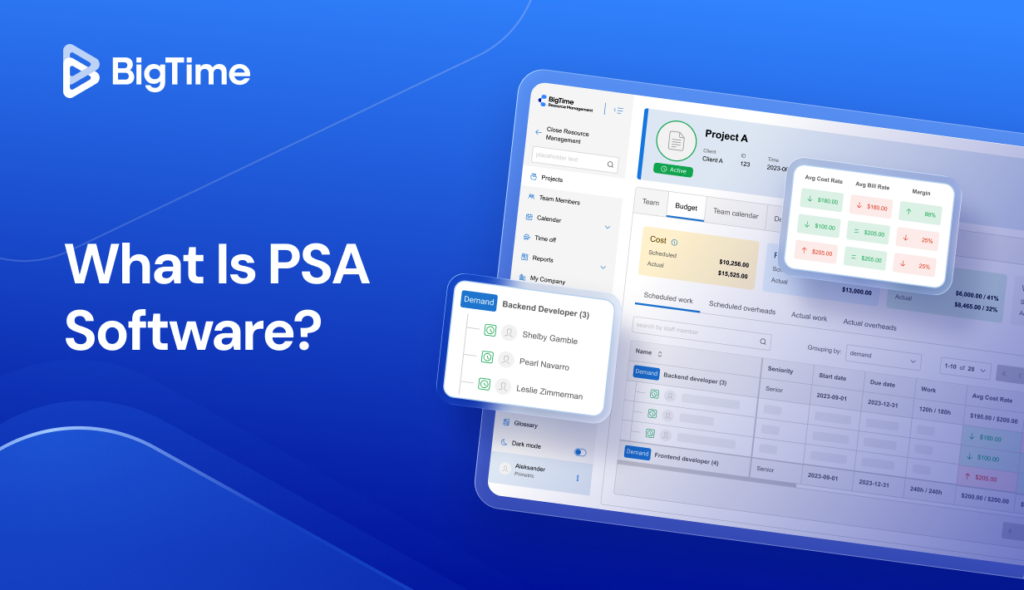
A professional services automation (PSA) platform is built around firm economics: rates, fee arrangements, approvals, invoicing, accounting sync, utilization, and profitability. It fits growing law firms that run QuickBooks and want those numbers in one place, as legal time tracking and billing software with a financial core. A PSA platform doesn’t manage documents, court dates, or conflict checks, so some firms run it next to a practice management system.
What Happens After the Hour Is Logged
Logging hours starts the billing cycle. Six steps decide how many billable hours turn into cash:
- Pre-bill review. The billing partner reviews draft bills before they go out. Write-ups and write-downs should be recorded as adjustments to time entries, so the original time stays visible.
- Realization. Compare what you billed and collected with the value of the time worked at standard rates. Low realization on one client or one timekeeper is a pricing or staffing signal. Our guide to the utilization rate covers the related formulas.
- Unbilled time. Entries that never reach an invoice are the quietest loss. A weekly report of unbilled time by matter catches them before the billing cycle closes.
- E-billing. Corporate clients and insurers often require LEDES files with UTBMS codes, for example task code L120 (analysis and strategy) with activity code A104 (review and analyze). Portals reject entries with missing codes, block billing, or rates above the approved ones.
- Fee arrangements. On fixed-fee, contingency, hybrid, and retainer matters, you still need to track time spent. It’s the only way to see whether the fee covered the work.
- Accounting sync. Approved invoices and payments flow to the general ledger, such as QuickBooks. Client funds stay in the trust ledger until they’re earned, which keeps cash flow reporting accurate.
Example (illustrative numbers): a firm quotes a fixed fee of $6,000 for a business formation package. Tracked time shows 30 hours at a blended standard rate of $300, or $9,000 of work. The fee covered two-thirds of the effort. That’s the data you need to reprice the package or change who does the work.
Features to Look For in Attorney Time Tracking Software
These time tracking features separate a timer from a system you can bill from.
Timers, Mobile Capture, and Automatic Tracking
Look for timers on desktop and web, a mobile app for court days and travel, and optional automatic capture that suggests entries from email and calendar. Several timers running at once help on days full of short calls across matters. The goal is to efficiently track the day as it happens, so nobody rebuilds it on Friday. Accurate time tracking starts with capture that takes seconds.
Rounding Rules Set by the Firm
Rounding should be a firm setting applied to billable entries, with the option to keep actual minutes for internal reporting. Lawyers shouldn’t round by hand, and they shouldn’t round differently from each other.
LEDES Invoices for E-Billing Clients
If you bill insurers or corporate legal departments, check which LEDES formats the software exports and whether it validates codes before export. Client-ready invoices in the right format save a round trip with the portal.
Rates by Timekeeper, Client, and Matter
Engagement letters set different rates for partners, associates, and paralegals, and some clients negotiate discounts. The software should apply the right rate to billable activities automatically, so client billing matches what you agreed.
Pre-Bill Review and Approvals
Draft bills should go to the responsible attorney for review, with every adjustment logged and a clear status for each matter. This is where billing accuracy is won or lost.
LEDES Invoices for E-Billing Clients
If you bill insurers or corporate legal departments, check which LEDES formats the software exports and whether it validates codes before export. Client-ready invoices in the right format save a round trip with the portal.
Flexible Fee Arrangements
Hourly, fixed-fee, contingency, hybrid, and retainer billing should work in the same system, with time tracked on all of them. If more than half of your matters aren’t hourly, test this first in any demo.
Accounting Integration and Profitability Reporting
Invoices and payments should sync to your accounting system without double entry. For reporting, look for realization, utilization, and profitability by matter, client, practice area, and timekeeper. Those numbers give partners valuable insights and turn time data into data-driven decisions about pricing and staffing.
Trust Accounting, Client Portals, and Security
Trust accounting usually lives in practice management software or in accounting software built for law firms. If your time tracking software doesn’t hold trust balances, check how it hands off to the system that does. Client portals let clients view and pay invoices securely. Role-based permissions and audit trails protect client data.
How We Evaluated
We compared the eight software solutions on six criteria, weighted to what happens after the entry:
- Time capture and rounding: timers, mobile, passive or AI capture, and firm-level increments
- Legal billing formats: LEDES export, UTBMS codes, and controls against block billing
- Fee flexibility: hourly, fixed-fee, contingency, hybrid, and retainer work
- Time-to-invoice connection: pre-bill review, approvals, and write-downs
- Accounting and profitability: accounting integration and reporting on utilization and profitability
- Fit and adoption: ease of use, firm size, and how trust accounting is handled
Ratings come from G2 and Capterra, and prices from each vendor’s pricing page. We compared published pricing, review-site sentiment, and documented features. We didn’t run hands-on tests. The order favors billing and firm economics over capture alone, which is why BigTime leads a list that includes higher-rated legal timekeeping software.
Legal Time Tracking Software Comparison for 2027
| Software | Best For | Time Capture | LEDES / UTBMS | Fee Types | Accounting | Case Management | Starting Price (October 2026) | G2 / Capterra (October 2026) |
| BigTime | Growing law firms on QuickBooks | Timers, mobile, timesheets | LEDES export with activity codes | Hourly, fixed, hybrid, contingency | QuickBooks Online and Desktop, two-way | No | $20/user/month (Essentials) | 4.4 (1,813) / 4.6 (658) |
| Clio Manage | Firms that want one legal system | Timers, mobile, AI from Core up | UTBMS and LEDES on all plans | Hourly, flat rate, contingency | Built-in legal accounting | Yes | $49/user/month (Starter) | 4.6 (997) / 4.7 (1,742) |
| MyCase | Solo and small practices | Timers, Smart Time Finder | LEDES 1998B | Hourly, fixed, mixed | Add-on accounting ($39) | Yes | $50/user/month (Basic, annual) | 4.4 (390) / 4.6 (807) |
| TimeSolv | Legal billing depth | Timers, mobile | LEDES 1998B and 2000 | Hourly, fixed, contingency, hybrid | QuickBooks, Xero | Partial (conflict check plan) | Not published | 4.5 (429) / 4.6 (118) |
| Bill4Time | Published legal pricing | Timers, mobile | LEDES export (Legal plans) | Hourly, fixed, contingency | QuickBooks, one-way | No | $59/user/month (Legal Pro, annual) | 4.7 (36) / 4.8 (210) |
| Smokeball | Automatic capture | AutoTime (Prosper+, add-on on Grow) | LEDES 1998B with UTBMS | Hourly, fixed | QuickBooks Online, one-way | Yes | Quote only | 4.7 (388) / 4.8 (360) |
| Toggl Track | Simple timers | Timers, calendar, desktop timeline | No | Hourly, fixed (Premium) | Not listed | No | Free (3 users); $9/user/month (annual) | 4.6 (1,580) / 4.7 (2,592) |
| Clockify | Free tracking | Timers, manual, idle detection | No | Hourly | QuickBooks (Standard and up) | No | Free; $3.99/seat/month (annual) | 4.5 (204) / 4.8 (9,234) |
BigTime
Rating: G2 4.4/5, 1,813 reviews; Capterra 4.6/5, 658 reviews
Pros
- LEDES export with activity codes, plus client-specific rates and billing rules
- Hourly, fixed-fee, hybrid, and contingency billing in one system
- Two-way QuickBooks Online and Desktop sync
- Billable rounding set by the firm, separate from timesheet rounding
- Utilization and firm performance dashboards next to billing
Cons
- No matter intake, conflict checks, document management, or court calendaring
- Trust accounting isn’t part of its documented features, so trust funds stay in another system
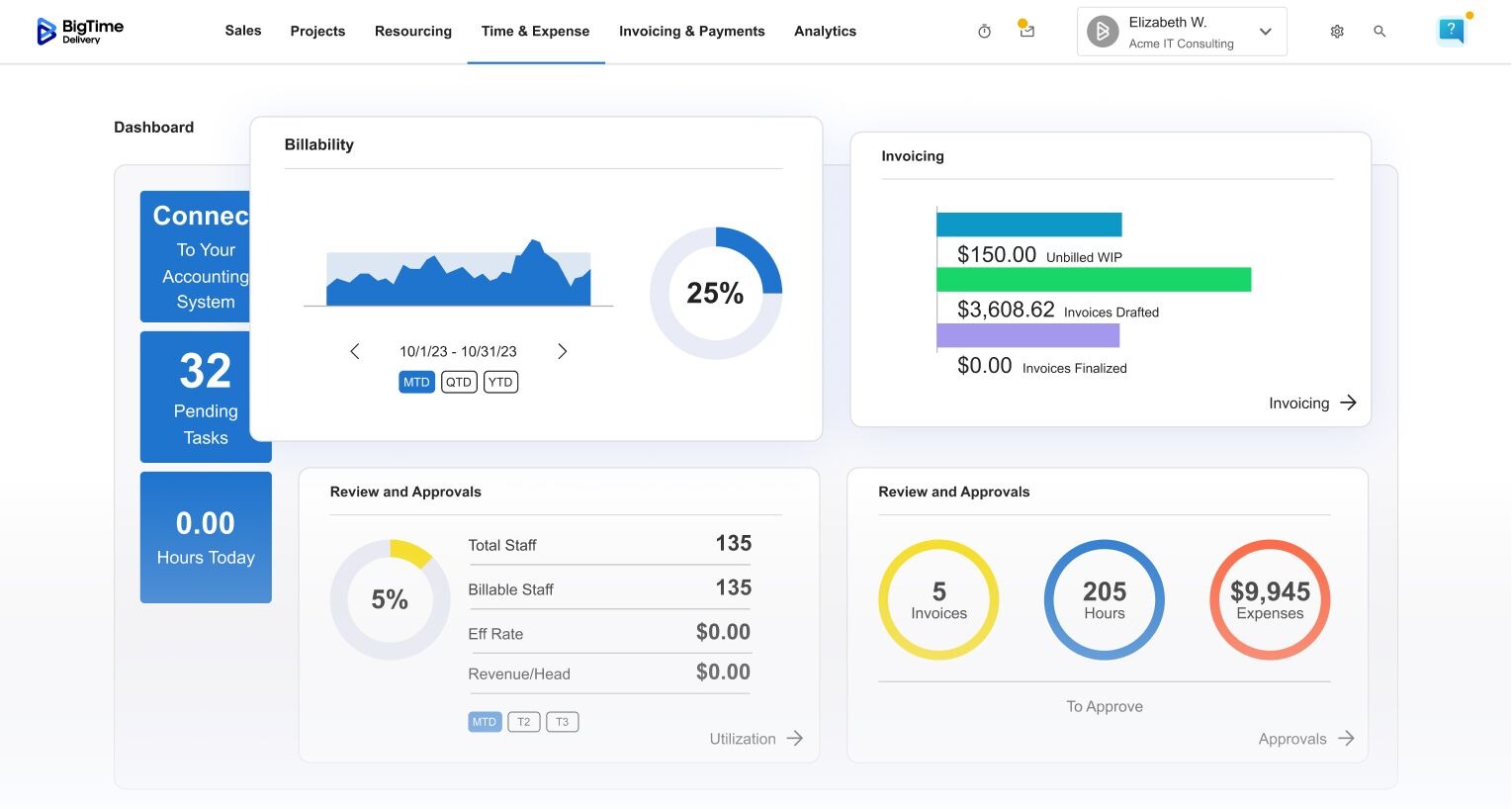
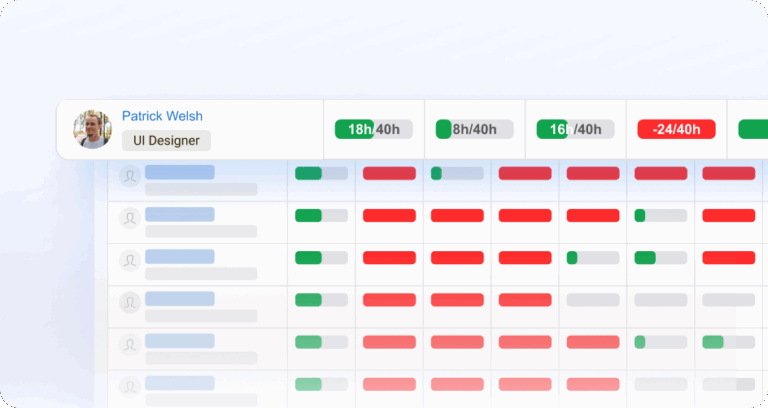
BigTime is a PSA platform built around firm economics. For a law firm, that means time capture, rates, approvals, invoicing, payments, and reporting sit on one record that syncs both ways with QuickBooks. Billable entries round to the firm’s increment, rates follow the timekeeper, client, and matter, and LEDES invoices export with the codes your e-billing clients expect. Hourly, fixed-fee, hybrid, and contingency matters run side by side, so you can see whether a fixed-fee package paid for the work.
It fits growing law firms of 20 to 250 people that already keep their books in QuickBooks. If you run case management software for matters and documents, BigTime can sit next to it and handle the business side: billable time, invoicing, utilization, and profitability. Firms outgrowing a spreadsheet or a simple time tracking tool get the most from it, especially when they don’t want to migrate to a full legal suite. You can see more on BigTime’s law firm billing page.
BigTime is more than a solo lawyer needs. It doesn’t manage matters, documents, court dates, or conflict checks, and trust accounting isn’t in its documented feature set, so firms that hold client funds keep the trust ledger elsewhere. Setup takes longer than a timer app, because rates, codes, and approval rules are configured up front. That setup is also what keeps invoices from bouncing later.
Key Features
- Timers on web and mobile, with daily and weekly timesheet views
- Billable entry rounding set at firm level
- LEDES billing export with activity, labor, and expense codes
- Client-specific rates, fixed fees, and billing rules
- Approvals before project invoicing, with multi-level approvals on Premier
- Invoicing, online payments, and a self-service client portal on Advanced
- Two-way QuickBooks integration and an AI Assistant on every plan
Legal Billing Support
BigTime exports LEDES invoices with one line per time and expense entry, including matter ID, activity code, hours, rate, and staff member. Activity codes can match industry-standard values, and ABA task codes are supported. Hourly, fixed, hybrid, and contingency fees run in one place, and a built-in calculator handles retainer invoices.
Pricing
Essentials starts at $20 per user/month and includes time tracking, invoicing, payments, rate management, approvals, the mobile app, and QuickBooks integration. Pricing for Advanced, Premier, and Enterprise is available on request. Book a personalized demo to see your fee arrangements and LEDES setup in BigTime.
Clio Manage
Rating: G2 4.6/5, 997 reviews; Capterra 4.7/5, 1,742 reviews
Pros
- UTBMS coding and LEDES billing on every plan
- Hourly, flat rate, and contingency billing
- Built-in legal accounting with trust and operating reconciliation
- Secure client portal and online payments
- High marks for ease of use and integrations
Cons
- Only the Starter plan has a published price
- Clio Grow and Clio Work are paid add-ons, and advanced features such as split billing start on Signature
- Reviewers ask for more customizable reports and workflows
Clio Manage is the reference point in legal practice software, and its review counts show it. Every plan covers matters, calendars, documents, time and expense tracking, invoicing, and legal accounting, including trust reconciliation. Billing handles hourly, flat-rate, and contingency fees, UTBMS codes, and LEDES files. AI is included from the Core plan up. For a firm that wants one system for its legal practice and its billing, it’s the default entry on the shortlist.
Starter is the only plan with a published price, $49 per user/month. Core, Signature, and Elite are quoted, and split billing and multi-currency billing start on Signature. Clio Grow for intake and Clio Work for legal AI are add-ons, so the real cost depends on the package you build. G2 reviewers ask for more customizable reports and workflows, and Capterra reviewers rate value for money lowest among its scores. Your firm may keep its general ledger in QuickBooks and want utilization and profitability by timekeeper and practice area. If so, check how much of that Clio’s dashboards cover before you commit to a higher tier.
Key Features
- Matter, contact, and task management with two-way Google and Outlook calendar sync
- Time and expense tracking with Timekeeper
- UTBMS coding and LEDES billing
- Hourly, flat rate, and contingency fees, plus payment plans
- Trust and operating reconciliation with financial reporting
- Client portal, text-to-pay on Core and up, and online payments
- AI included from Core up
Legal Billing Support
UTBMS and LEDES billing are on all four plans. Clio handles hourly, flat-rate, and contingency fees, payment plans, and automated bill reminders. Split billing across several payers starts on Signature. Trust requests and reconciliation run inside Clio’s own accounting, so trust and billing stay in one system.
Pricing
Starter starts at $49 per user/month. Core, Signature, and Elite pricing is on request. Card payments cost 2.95% per transaction (3.75% for Amex), and eCheck and ACH cost 1%.
MyCase
Rating: G2 4.4/5, 390 reviews; Capterra 4.6/5, 807 reviews
Pros
- Time entry, invoicing, and trust accounting from the Basic plan
- LEDES 1998B export, one bill at a time or in bulk
- Smart Time Finder surfaces time you may have missed
- Client portal that reviewers single out
Cons
- Full accounting is a $39 per user/month add-on, on Pro and Advanced only
- Contingency matters need a mixed billing workaround
- Reviewers ask for deeper reporting for multi-attorney firms
MyCase, part of the 8am family alongside LawPay, is built for solo and small practices that want one system for cases, clients, and billing. Basic already includes time entry, invoicing, and trust accounting, and its client portal is a common reason reviewers pick it. Smart Time Finder surfaces billable time you may have missed. Invoices export as LEDES 1998B files, one at a time or in a bulk ZIP file.
Pricing climbs quickly. Basic is $50 per user/month billed annually, Pro is $100, and Advanced is $130, and premium billing and reporting start on Pro. MyCase Accounting adds three-way trust reconciliation for another $39 per user/month. Contingency matters are set up as a mixed fixed-and-hourly structure, a workaround MyCase’s support center documents step by step.
Key Features
- Case, contact, and calendar management
- Time entry and expense tracking
- Invoicing with premium billing on Pro and split billing on Advanced
- Trust accounting on every plan
- LEDES 1998B export, single and bulk
- Client portal with secure messaging
- LawPay payments with no monthly fee
Legal Billing Support
LEDES 1998B export is set up in Client Billing & Invoice Settings, with timekeeper classifications and LEDES client and matter IDs. Fixed-fee and mixed cases are supported, but time entries on a fixed-fee case must be marked non-billable, or MyCase bills them. Contingency billing runs through the mixed structure and trust withdrawals.
Pricing
Basic costs 50peruser/monthbilledannually(60 monthly), Pro 100(120), and Advanced 130(150). MyCase Accounting is $39 per user/month on Pro and Advanced. LawPay payments have no monthly fee, with processing rates per transaction.
TimeSolv
Rating: G2 4.5/5, 429 reviews; Capterra 4.6/5, 118 reviews
Pros
- LEDES 1998B and LEDES 2000 support
- Hourly, fixed-fee, contingency, and hybrid billing
- Trust accounting with automatic trust transfers and holds
- QuickBooks Online and Desktop sync, described as two-way
- Support team that reviewers call quick and patient
Cons
- No published per-user prices
- Reviewers cite invoice formatting limits and limited customization
- Reporting stops short of firm-level profitability views
TimeSolv has focused on time and billing for law firms for years, and its billing features read like an e-billing checklist. It supports LEDES 1998B and 2000, trust accounting with automatic transfers and holds, and hourly, fixed, contingency, and hybrid billing. A client portal, Xero and QuickBooks connections, and an optional conflict check plan round it out. Reviewers on G2 and Capterra praise the support team more than any single feature.
TimeSolv doesn’t publish per-user prices. Its pricing page lists Pro, Legal, Project Management, and Conflict Check plans and sends volume pricing to sales. G2’s summary of reviewer complaints points to missing features, invoice formatting limits, and limited customization and reporting. The QuickBooks sync is described as two-way for Online and Desktop, but TimeSolv’s pages don’t say how fixed-fee or contingency invoices map to accounts. A growing firm that wants utilization by timekeeper and profitability by practice area may find the reports stop at billing and collections.
Key Features
- Time and expense tracking on web and mobile
- LEDES 1998B and 2000 e-billing
- Hourly, fixed-fee, contingency, and hybrid invoices
- Trust accounting with automatic transfers and holds
- Client portal and LawPay payments
- QuickBooks and Xero integrations
- Optional conflict check plan
Legal Billing Support
TimeSolv is the most e-billing-focused option on this list after BigTime. It covers both common LEDES formats, fixed-fee and contingency invoicing, and trust transfers and holds. What it doesn’t document is how those invoice types land in QuickBooks, so test that with your accountant before you switch.
Pricing
TimeSolv doesn’t list per-user prices on its pricing page; pricing is on request. Annual plans get 25% off the first year.
Bill4Time
Rating: G2 4.7/5, 36 reviews; Capterra 4.8/5, 210 reviews
Pros
- Published prices for every plan
- LEDES export and trust accounting on the Legal plans
- Contingency billing, plus fixed-amount projects that still track time
- Client portal and payment processing on every plan
- Capterra reviewers rate it highly for ease of use
Cons
- QuickBooks sync is one-way and sends totals, not line items
- Reviewers say the mobile app trails the desktop version
- Small G2 review base
Bill4Time sells two families of plans: Time & Billing for professionals, and Legal Pro and Legal Enterprise for law firms. The legal plans add LEDES export, trust accounting, and contingency billing on top of time tracking, a client portal, and payment processing. Fixed-amount projects track time while billing a single, recurring, or phased amount, and hourly and fixed fees can mix on one project. Capterra reviewers rate it highly for ease of use.
Still, the QuickBooks integration is one-way: finalized invoice totals, payments, and adjustments flow into QuickBooks without line-item detail. Bill4Time’s support article describes a QuickBooks Connector for Windows-based PCs. Reviewers say the mobile app lags the desktop version, which matters for lawyers who record time at court. When the managing partner asks which matters, clients, or timekeepers made money last quarter, the answer has to be rebuilt from exports.
Key Features
- Time and expense tracking with timers
- Invoicing with client portal and payment processing
- LEDES export on Legal Pro, custom LEDES on Legal Enterprise
- Trust accounting on the Legal plans
- Contingency billing
- Fixed-amount and mixed projects
- QuickBooks integration
Legal Billing Support
LEDES export and trust accounting arrive with Legal Pro, and custom LEDES formats with Legal Enterprise. Contingency billing is included on both legal plans. The QuickBooks sync sends totals only, so matter-level detail stays in Bill4Time.
Pricing
Legal Pro costs $59 per user/month billed annually, and Legal Enterprise 89(99). The Time & Billing plans for other professionals start at $39 per user/month billed annually.
Smokeball
Rating: G2 4.7/5, 388 reviews; Capterra 4.8/5, 360 reviews
Pros
- AutoTime records activity in the background and drafts entries every night
- Trust accounting on every plan
- LEDES 1998B invoices with UTBMS codes
- Client portal from the Boost plan up
- Very high support scores on G2
Cons
- No published prices
- AutoTime is only in Prosper+ (an add-on on Grow)
- Turning on UTBMS billing for a matter switches AutoTime off for that matter
Smokeball’s AutoTime is the clearest example of passive capture inside a legal practice suite. It records work on documents, emails, calls, and tasks during the day, creates draft time entries each night, and leaves them for review before anything is billed. Work outside Smokeball can be added as a manual activity. Trust accounting comes with every plan, LEDES 1998B invoices support UTBMS codes, and G2 reviewers rate its support highly.
However, AutoTime is included only in Prosper+ and sold as an add-on on Grow. The bigger catch for firms with corporate clients: enabling UTBMS billing on a matter turns AutoTime off for that matter, so e-billed work goes back to manual entry. The QuickBooks Online integration sends monetary transactions one way. Some G2 reviewers report renewal fees nearly doubling after a 36-month contract, and others want billing reports such as hours billed per client.
Key Features
- AutoTime automatic time and activity tracking
- Matter management with documents, email, and calendar
- Billing, invoicing, and online payments
- Trust accounting and reporting
- LEDES 1998B with UTBMS task and expense codes
- Client portal on Boost and up
- Smokeball AI for client communications on Boost and up
Legal Billing Support
Smokeball produces LEDES 1998B invoices with ABA task codes once UTBMS is enabled for the firm and the matter. Entry descriptions don’t appear on LEDES invoices, so details go in the subject line. Fixed-fee matters default AutoTime entries to non-billable, and trust stays inside Smokeball.
Pricing
Smokeball doesn’t publish prices; quotes depend on users, plan, contract term, and options. Capterra lists a starting price of $49 per user/month.
Toggl Track
Rating: G2 4.6/5, 1,580 reviews; Capterra 4.7/5, 2,592 reviews
Pros
- One-click timers on web, desktop, mobile, and browser
- Calendar events turn into entries
- Reports round to six-minute tenths
- Free plan for up to three users
Cons
- No LEDES export, UTBMS codes, or trust accounting
- Approvals and fixed fees start on Premium
- Toggl now sells a combined time tracking and planning offering
Toggl Track is one of the most popular time tracking apps, and its legal page shows Toggl courting law firms directly. Lawyers can track time with one click, turn calendar events into entries, and round reports to six-minute tenths. Billable rates can be set by person, project, or project member. A private desktop timeline helps rebuild a day without screenshots, and utilization reports show team productivity across matters. It’s lawyer time tracking software that people adopt quickly.
Toggl Track’s time tracking features cover capture and rates, and then it hands off. There’s no LEDES export, no UTBMS codes, and no trust accounting, and QuickBooks isn’t listed on the pricing page. Timesheet approvals and fixed fees start on Premium at $16 per user/month. Toggl’s site now sells a combined time tracking and planning offering, and a banner says Toggl Track stays available and supported for existing users. For a firm whose clients start asking for LEDES files, Toggl Track becomes the first system in a chain of three: timer, billing software, and accounting.
Key Features
- Timers on web, desktop, mobile, and a browser extension
- Google Calendar and Outlook integration
- Private desktop activity timeline
- Billable rates at several levels
- Rounding in reports, including six-minute tenths
- Timesheet approvals and fixed-fee alerts on Premium
- Detailed reports with PDF export
Legal Billing Support
Toggl Track has no LEDES, UTBMS, or trust features. It handles rates, rounding, and estimates versus actuals, and Toggl’s legal page notes that billing can stay in another system. Firms with e-billing clients usually add one of the billing systems in this list.
Pricing
Free for up to three users. Starter costs $9 per user/month and Premium $16 on annual billing, or $12 and $24 billed monthly. Enterprise is custom.
Clockify
Rating: G2 4.5/5, 204 reviews; Capterra 4.8/5, 9,234 reviews
Pros
- Free plan and low-cost paid seats
- Rounding, approvals, invoicing, and QuickBooks from Standard
- Required fields from Basic, so entries can’t skip a matter
- Huge Capterra review volume with strong scores
Cons
- No LEDES export, UTBMS codes, or trust accounting
- The audit log is an Enterprise feature
- Every active or invited user takes a paid seat
Clockify is popular with lawyers for a simple reason: it’s the cheapest way to start. The free plan covers timers and timesheets, and paid seats start at $3.99 per month. Its attorney page walks through setting up clients and projects, tracking billable and non-billable time, rounding to a minimum billable increment, and watching budgets per client. Standard adds rounding, approvals, invoicing, and a QuickBooks integration, and Basic adds required fields so nobody saves an entry without a matter.
Clockify is a general timer with legal setup instructions. There’s no LEDES export, no UTBMS code library, no trust accounting, and no conflict checks. The audit log, which records who changed what and when, is an Enterprise feature at $11.99 per seat/month. The free plan’s limit is listed as five users on the plan card and as four invites in the FAQ. Every active or invited user takes a paid seat, so cost grows with every paralegal. Once a corporate client sends billing guidelines, the firm needs a second system for e-billing and a third for trust.
Key Features
- Timer, manual timesheet, and kiosk entry
- Billable rates by user and project
- Rounding to a minimum billable increment
- Approvals and invoicing on Standard
- QuickBooks integration on Standard
- Budget alerts and client profitability reports
- Audit log on Enterprise
Legal Billing Support
Clockify has no LEDES, UTBMS, or trust features. It can round entries and apply rates, and its invoicing features on Standard cover simple hourly billing. Firms with e-billing clients need a separate legal billing system.
Pricing
Free for up to five users (the FAQ says four invites). Basic costs $3.99 per seat/month, Standard $5.49, Pro $7.99, and Enterprise $11.99, all billed annually(4.99, $6.99, $9.99, and $14.99 monthly).
How to Choose Attorney Time Tracking Software for Your Firm
Start with your firm’s profile, then test the stage where your billable hours leak today.
| Firm Profile | What Matters Most | What Fits |
| Solo practice | Low cost, mobile capture, simple invoices | A spreadsheet or a free time tracking tool |
| Small law firm (2-10 lawyers) | Matters, trust accounting, simple billing | Legal case management with billing |
| Firm with corporate or insurance e-billing clients | LEDES, UTBMS codes, block-billing controls | Legal billing software or a PSA platform such as BigTime |
| Growing firm on QuickBooks | Rates, fee arrangements, profitability, forecasting | A PSA platform such as BigTime |
| Firm that already runs case management | Firm economics without a migration | A PSA platform such as BigTime, next to your current system |
Ask every vendor of time tracking software for attorneys to show your own billing setup in a demo: one hourly matter, one fixed-fee matter, and one e-billing client. Watch how time moves from entry to review, invoice, and accounting. That one test tells you more than any feature list.
Which Legal Timekeeping Software Is the Best?
The right choice depends on where your hours leak. If lawyers forget to track billable hours, automatic capture fixes it. If invoices bounce, rates drift, or nobody can say which practice area makes money, you need time tracking software for attorneys that follows each hour all the way to cash.
For growing law firms that run QuickBooks and want time, LEDES billing, flexible fee arrangements, and firm profitability in one PSA platform, BigTime is the strongest choice for 2027. It can run next to your case management system or without one, and it keeps every invoice line tied to the hour behind it. Book a personalized demo to see your own matters and fee arrangements in BigTime.
Legal Time Tracking Software FAQ
What Do Lawyers Use to Track Time?
Lawyers use spreadsheets, timer apps, all-in-one software for lawyers with built-in billing, or PSA platforms. The time tracking software legal teams choose usually depends on firm size and billing complexity. Solo lawyers often start with a timer. Firms with e-billing clients or several fee types move to software that handles codes, rates, and pre-bill review.
Is There a Free Attorney Time Tracking App?
Yes. Several general time tracking tools offer free plans with timers, timesheets, and basic reports, usually with a cap on users. Free plans rarely include rounding rules, approvals, or invoicing, and none in this comparison includes LEDES export or trust accounting. Free lawyer time tracking software suits a solo lawyer billing simple hourly work.
How Is 45 Minutes Billed in Tenths of an Hour?
In six-minute increments with rounding up, 45 minutes is billed as 0.8 hours, because 43 to 48 minutes rounds to eight tenths. Some firms round to the nearest tenth instead, and some client guidelines set their own rules. The firm should set one rule in its software and apply it to every timekeeper.
What Is LEDES Billing?
LEDES (Legal Electronic Data Exchange Standard) is a file format for electronic legal invoices. Each line carries the matter ID, timekeeper, date, hours, rate, and UTBMS task and activity codes. Corporate legal departments and insurers use it to review bills in their e-billing portals, and they can reject lines that break their guidelines.
Can Lawyers Bill for Time Saved by AI?
Not on an hourly basis. ABA Formal Opinion 512 says lawyers who bill by the hour must bill for the time they actually spent, including reviewing AI output. Flat fees must still be reasonable when AI shortens the work. Any charge for AI tools should be explained to the client before the work begins.
Can QuickBooks Handle Law Firm Time Tracking?
QuickBooks can record time and add billable time to invoices on some plans, but it has no UTBMS codes, LEDES export, or legal trust accounting rules built in. Many law firms pair it with legal timekeeping and billing software that sends invoices and payments to QuickBooks, so the general ledger stays the single source for the books.
What Is the Best Legal Timekeeping Software for a Growing Law Firm?
For growing law firms of 20 to 250 people that run QuickBooks, BigTime is the strongest choice. It combines time tracking, LEDES billing, hourly, fixed-fee, hybrid, and contingency fees, approvals, and two-way QuickBooks sync in one PSA platform. Firms that need trust accounting run it next to their practice management system.