

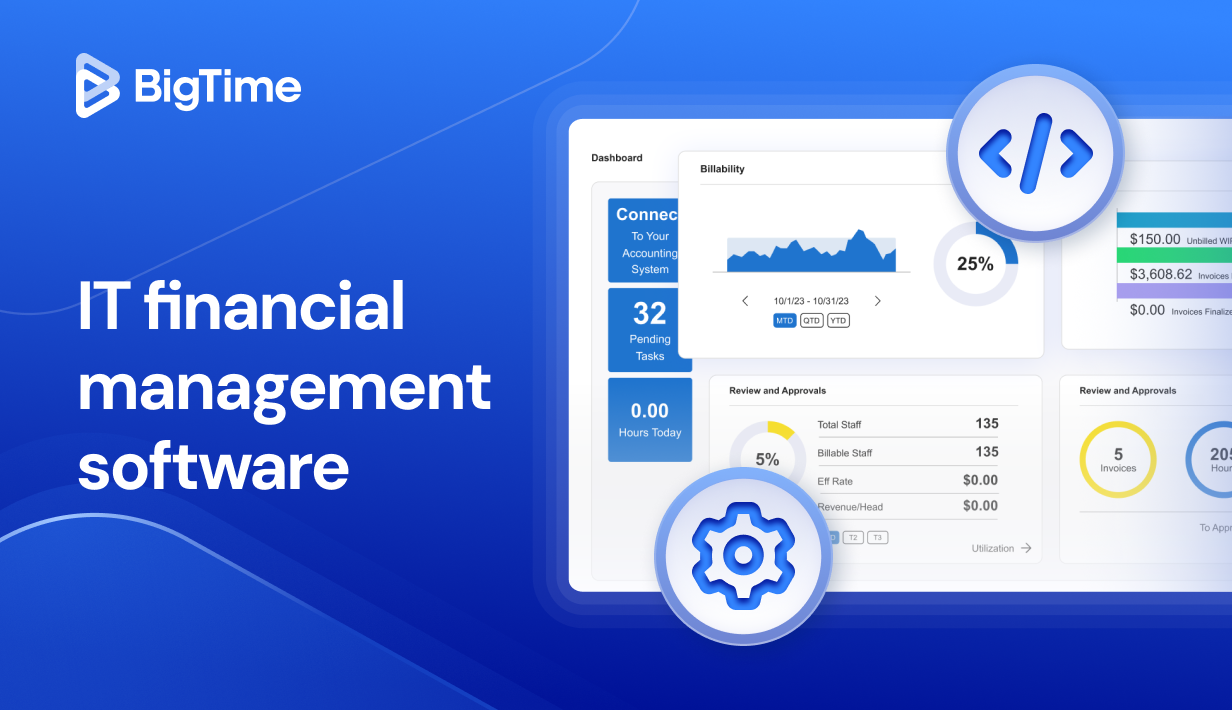
As organizations scale their digital operations, they face mounting challenges in forecasting expenses, managing cloud costs, and ensuring every IT investment contributes to business value. This is where IT financial management software (ITFM software) steps in, helping leaders gain complete visibility into financial data.
In this comprehensive guide, we’ll explore what IT financial management tools are, why they’re essential for modern enterprises, and how to choose the right one for your organization. You’ll also find a detailed ranking of the best IT financial management software for 2026, including in-depth comparisons.
What is IT Financial Management Software?
IT financial management software, often referred to as ITFM software, provides organizations with the tools to plan, track, and analyze their technology spending in real time.
In essence, IT financial management software is a system designed to help businesses manage the financial aspects of IT operations. It integrates budgeting, forecasting, expense tracking, and reporting into one unified platform. By connecting financial data with IT performance metrics, ITFM tools empower decision-makers to optimize costs, eliminate waste, and justify technology investments with precise financial insights.
The Benefits of IT Financial Management Software
Implementing IT financial management software helps organizations gain full control over technology spending while improving budgeting accuracy and strategic alignment. Below are the key benefits summarized for clarity:
- Cost transparency: ITFM tools allow project managers to gain clear visibility into all IT expenses, from hardware to cloud services, without having to gather reliable data manually.
- Accurate budgeting: With financial management tools, companies can create error prone manual processes to control every penny earned and spent.
- Improved accountability: With IT financial management tools, business outcomes can be monitored in just seconds. Use the tools to gain actionable insights and encourage managers to make proactive decisions based on actual data.
- Enhanced financial reporting: Generate automated financial reports that simplify audits and compliance and monitor financial operations in the real time – not after the project ends.
- Smarter investments: With ITFM tools, managers can analyze ROI and prioritize projects that drive measurable business value.
- Stronger IT-finance collaboration: Foster communication and shared understanding between departments without exchanging thousands of emails and empower finance team to make the righ call every time.
What Features Should the Best IT Financial Management Software Have?
Choosing the right IT financial management software requires understanding which features deliver the most value for your organization. The best ITFM software goes beyond simple budgeting tools — it integrates financial planning, performance analytics, and service cost tracking into one centralized platform.
Below are the most important features to look for when evaluating modern IT financial management tools.
Comprehensive Budgeting and Forecasting
A strong ITFM system allows users to create detailed project budgets and rolling forecasts that align IT spending with business goals. This feature provides real-time updates, ensuring finance and IT teams can quickly adjust to changes in costs or priorities.
Expense Tracking and Cost Allocation
Effective cost allocation tools track every IT expense and assign costs to specific departments, projects, or services. As a result, IT financial management tools offering such modules allow managers to overview all the financial processes in just seconds. This transparency helps leaders identify cost drivers and improve accountability across the organization.
Automated Financial Reporting
Automation capabilities save valuable time by generating accurate, real-time financial reports for both individual projects and the company as a whole. These reports typically include customizable dashboards and visualizations that simplify complex data for executive teams and stakeholders. With such ITFM solution, managers can make data driven decisions instead of spending hours collecting data from various external sources.
Scenario and What-If Analysis
Top IT financial management tools allow users to model different financial scenarios, helping organizations prepare for market shifts, new technology investments, or cost restructuring. Finance leaders can also use them to test sales pipeline agains costs and act on the information to improve business performance. This supports better risk management and long-term planning.
Integration with ERP and Accounting Systems
Seamless integration with enterprise resource planning (ERP), accounting, and project management tools ensures consistency and accuracy across financial data sources. This eliminates manual data entry and provides a unified financial picture, supporting further digital transformation in professional services companies.
KPI Tracking and Performance Analytics
The best ITFM software includes analytics dashboards to track project management KPIs, such as costs per project, ROI, and resource utilization. These insights enable continuous improvement and strategic decision-making, as well as real time reporting in key projects. With such tools, smart decisions are only a matter of seconds!
Role-Based Access and Security
Since financial data is sensitive, advanced role-based permissions and compliance controls are essential in any top IT financial management tools. They ensure that only authorized users can access or modify critical financial information, ensuring compliance of any IT services.
2026 IT Financial Management Software Ranking
The IT financial management (ITFM) landscape continues to evolve as organizations demand greater transparency and control over technology investments. In 2026, the best IT financial management software solutions combine automation, analytics, and integration capabilities to help businesses achieve cost efficiency and strategic alignment.
Below is our 2026 ranking of top IT financial management software, starting with the industry leader.
Top IT Financial Management Software in 2026
| Tool | Description | Strengths | Limitations |
| BigTime | A leading ITFM platform designed for professional services and technology-driven organizations, offering advanced cost tracking and analytics. | Excellent reporting, automation, scalability, and ease of use. Integrates seamlessly with accounting and ERP systems. | May be more feature-rich than small teams require. |
| ApptioOne | Enterprise-level IT financial management suite focused on cost transparency and governance. | Highly detailed cost modeling and analytics. | Complex implementation and higher pricing. |
| ServiceNow ITFM | Integrated within ServiceNow’s ecosystem, aligning IT, finance, and operations. | Strong workflow automation and IT service alignment. | Can be overwhelming for smaller IT teams. |
| Upland ComSci | Comprehensive platform for IT cost allocation, budgeting, and forecasting. | Excellent chargeback/showback features and scalability. | Interface less intuitive than competitors. |
| Cloudability (by Apptio) | Cloud cost optimization software designed for multi-cloud environments. | Deep cloud visibility, cost optimization, and policy automation. | Focuses mainly on cloud costs, not full IT spend. |
| Planview Portfolios | Combines IT financial management with project and portfolio management. | Great integration of financial and operational data. | More complex for teams needing only ITFM functionality. |
| Nicus | Cloud-based ITFM solution emphasizing reporting and budget control. | Simple interface, strong cost allocation tools. | Limited scalability for very large enterprises. |
| Flexera One | Platform combining IT asset management with ITFM capabilities. | Ideal for hybrid IT environments and license optimization. | Requires technical expertise to configure effectively. |
| Anaplan for IT Finance | Financial planning platform with IT-specific forecasting models. | Excellent predictive modeling and collaboration tools. | Less specialized for IT cost transparency. |
| CloudHealth by VMware | Cloud financial management and governance platform. | Strong for managing multi-cloud environments and policies. | Limited functionality for on-premise cost tracking. |
BigTime
Reviews: G2: 4.7, Capterra: 4.6
Pros:
- Comprehensive financial visibility: BigTime consolidates all IT and project cost management data into one platform, offering clear insights into spending, profitability, and forecasting.
- Advanced automation: Automates expense tracking, billing, and reporting processes, reducing manual work and improving data accuracy.
- Seamless integrations: Works effortlessly with popular systems like QuickBooks, Sage Intacct, and Salesforce, ensuring financial data consistency.
- Scalable for all business sizes: Ideal for medium-sized businesses and enterprise-level technology-driven organizations that need deep project and financial insight.
- Intuitive user experience: Offers a clean interface with customizable dashboards that simplify complex financial information.
Cons:
- Some smaller teams may find BigTime’s range of features more robust than needed.
- Advanced reporting configurations may require brief setup time during onboarding.
BigTime stands at the forefront of IT financial management software by blending financial precision with operational agility. Designed for technology-driven organizations and professional services firms, it provides unmatched insight into IT costs, budgets, and profitability.
Unlike traditional ITFM tools that focus narrowly on expense tracking, BigTime offers a holistic financial ecosystem. It supports end-to-end workflows — from budgeting and forecasting to resource allocation, billing, and profitability analysis. Its real-time dashboards and visual analytics give executives and finance leaders the ability to monitor spending patterns, optimize cost structures, and ensure IT investments directly contribute to business value.
BigTime also excels in automation and team collaboration, eliminating manual processes that often slow down IT and finance teams. Its robust permission controls, custom reports, and integrations ensure financial transparency across departments. Whether your goal is to streamline billing, manage project costs, or gain visibility into your entire IT portfolio, BigTime provides the structure and intelligence to make it happen.
Key Features:
- Project Portfolio Management: Manage multiple projects at the same time and monitor their performance in a single tool, without switching between plans and finances.
- Budgeting and Forecasting: Create dynamic financial plans that adjust to project and cost changes in real time. Test out different scenarios and increase forecasting accuracy by considering different paths for your business.
- Expense Tracking: Automate expense entries, approvals, and categorizations for improved cost accuracy. Monitor project costs, including overheads and wages, and keep an eye on every penny spent and earned.
- Resource Management: Allocate personnel and IT resources based on real-time workload and profitability data. Edit project plans in seconds with drag-and-drop Gantt charts and optimize resource planning every step of the way.
- Custom Dashboards: Visualize IT and financial metrics with flexible, interactive dashboards. Create pre-defined and custom reports to oversee business processes and control incomes and expenses.
- Integrations: Sync data seamlessly with leading ERP and accounting systems for unified reporting.
- Profitability Analytics: Monitor project and service margins to ensure efficient use of IT resources.
Pricing: BigTime offers tiered pricing based on team size and functionality. Plans typically start around $20–$40 per user/month, with enterprise packages providing advanced automation and analytics.
ApptioOne
Reviews: G2: 4.5, Capterra: 4.4
Pros:
- Enterprise-grade analytics: Designed for large organizations needing deep financial visibility across complex IT ecosystems.
- Robust cost modeling: Provides granular breakdowns of IT costs and supports advanced chargeback and showback structures.
- Scenario and forecast planning: Helps model future budgets and evaluate long-term investment strategies.
Cons:
- High cost and complexity: Implementation and licensing are expensive, making it impractical for smaller organizations.
- Steep learning curve: Requires significant training to navigate and configure effectively.
- Limited flexibility: Customization options can be rigid without professional services support.
- Time-consuming deployment: Full setup can take months before achieving optimal performance.
ApptioOne is a powerful but demanding IT financial management software primarily suited for enterprises with dedicated IT finance teams. It excels at providing cost transparency and aligning technology investments with corporate strategy. However, its complexity and resource requirements often make it an overengineered solution for mid-sized organizations seeking agility.
The platform’s cost modeling and allocation tools are detailed, offering deep insights into IT expenditures and resource usage. Yet, many users report that these capabilities come with a steep administrative burden — especially during implementation. While ApptioOne delivers accurate financial intelligence, it often requires specialized expertise to manage effectively, limiting its accessibility for non-technical users.
Key Features:
- Cost Transparency: Breaks down spending by department, service, or project.
- Chargeback & Showback: Enables internal cost accountability.
- Scenario Modeling: Supports “what-if” analysis for strategic decision-making.
- Benchmarking: Compares IT spend against industry standards.
- ERP Integration: Connects financial systems for unified reporting.
- Cloud Cost Analysis: Tracks and optimizes cloud expenditures.
Pricing: ApptioOne pricing is tailored to enterprise-scale deployments and typically starts at tens of thousands of dollars annually, not including implementation or consulting fees.
ServiceNow ITFM
Reviews: G2: 4.4, Capterra: 4.3
Pros:
- Integrated platform: Combines IT financial management with ServiceNow’s IT service and business management modules.
- Automation capabilities: Simplifies recurring financial workflows such as budgeting, forecasting, and reporting.
- Unified data environment: Centralizes financial and operational metrics for better cross-departmental visibility.
Cons:
- Steep setup and customization effort: Implementation can be lengthy and complex, often requiring external consultants.
- High cost structure: Pricing is enterprise-focused, making it less accessible to mid-sized organizations.
- Limited flexibility for standalone use: Works best only within the broader ServiceNow ecosystem.
- Overly technical interface: Some users find the platform’s navigation and configuration unintuitive.
ServiceNow IT Financial Management (ITFM) is a robust enterprise solution designed for organizations already invested in the ServiceNow ecosystem. It brings financial management capabilities into the same platform used for IT operations, offering an integrated approach to budgeting, revenue forecasting, and performance monitoring.
While this integration creates strong synergy for large enterprises, it can be overwhelming for smaller IT teams or organizations seeking a dedicated, standalone ITFM system. ServiceNow ITFM’s implementation is typically resource-intensive, requiring both technical expertise and cross-departmental coordination to fully configure and maintain.
The platform’s automation and data visualization tools are excellent, helping CIOs and CFOs make data-driven decisions and track IT costs in real time. However, because many of its features are tied to other ServiceNow modules, companies not already using the suite may find the system costly and unnecessarily complex.
Key Features:
- Budgeting & Forecasting: Automated workflows for tracking financial performance and projections.
- Chargeback & Showback: Transparent departmental cost management.
- Integration with ITSM: Links financial insights directly with service performance and delivery.
- Performance Dashboards: Customizable analytics for visualizing key metrics and trends.
- Scenario Planning: Allows simulation of investment strategies and cost adjustments.
Pricing: ServiceNow ITFM is available through custom quotes and typically commands premium enterprise pricing, especially when bundled with other ServiceNow modules.
Upland ComSci
Reviews: G2: 4.3, Capterra: 4.2
Pros:
- Strong cost allocation tools: Excels in chargeback and showback processes, providing precise departmental cost tracking.
- Enterprise-level reporting: Delivers robust financial and operational reporting for executive visibility.
- Scalable solution: Handles large datasets and multi-departmental structures effectively.
Cons:
- Outdated user interface: The design and navigation feel less intuitive compared to newer ITFM tools.
- Steeper learning curve: Requires training to fully leverage advanced features.
- Limited automation: Some manual processes remain for reporting and data setup.
- High implementation demands: Setup can be resource-intensive and lengthy.
Upland ComSci is a veteran in the IT financial management software market, built to help large organizations gain transparency into IT spending and chargeback processes. It is particularly strong in cost allocation and benchmarking, allowing IT leaders to trace expenses back to services, departments, or business units with remarkable precision.
However, Upland ComSci’s interface and usability are where it lags behind modern competitors. While it offers impressive analytical power, the platform feels dated, and the manual effort required for configuration can slow down adoption. For organizations with limited ITFM expertise, these complexities may reduce efficiency rather than enhance it.
Key Features:
- Cost Modeling: Detailed allocation and tracking of IT costs across departments and services.
- Chargeback/Showback: Promotes accountability with transparent IT cost reporting.
- Financial Forecasting: Supports budget planning and scenario-based projections.
- Reporting & Dashboards: Offers executive-level insights through customizable analytics.
- Benchmarking: Compares IT performance and spending against internal or industry standards.
Pricing: Upland ComSci’s pricing is customized based on organizational size and deployment scope. It typically falls into the enterprise pricing tier, with costs varying depending on data complexity and integration requirements.
Cloudability (by Apptio)
Reviews: G2: 4.5, Capterra: 4.4
Pros:
- Excellent cloud visibility: Provides detailed insights into multi-cloud spending across AWS, Azure, and Google Cloud.
- Cost optimization tools: Identifies inefficiencies and helps reduce waste through automated recommendations.
- Real-time analytics: Tracks cloud usage, budgets, and performance metrics in one place.
- Strong governance controls: Enables teams to enforce policies and budgets to prevent overspending.
Cons:
- Limited to cloud environments: Focuses mainly on cloud cost management, not full IT financial tracking.
- Complex initial setup: Requires technical configuration for data collection and tagging.
- Premium pricing: Advanced features are available only in higher-tier plans.
- Not ideal for on-premise IT: Offers limited support for traditional infrastructure cost management.
Cloudability, now part of Apptio’s IT financial management ecosystem, is one of the most well-known cloud cost management tools available. It specializes in giving organizations full control over cloud expenditures, providing deep visibility into how cloud resources are consumed and where money is being spent.
While Cloudability excels in cloud governance and automation, its narrow focus makes it less suitable for organizations that require holistic IT financial oversight, including on-premise systems or hybrid environments. It works best as a complementary solution for enterprises with a significant cloud footprint looking to reduce waste and gain accountability across teams.
Key Features:
- Multi-Cloud Cost Management: Consolidates spending data across AWS, Azure, GCP, and private clouds.
- Automated Cost Optimization: Recommends ways to reduce underutilized or overprovisioned resources.
- Budget Tracking & Forecasting: Monitors real-time spend against predefined budgets.
- Governance & Policy Enforcement: Sets cost controls and alerts to prevent financial overruns.
- Tagging & Allocation: Uses metadata tagging to assign costs to departments or projects.
- Integrations: Connects with ApptioOne and other enterprise financial systems for unified reporting.
Pricing: Cloudability offers tiered subscription pricing based on cloud spend and feature access. Costs generally scale with usage volume and enterprise size, with premium plans offering advanced automation and analytics.
Planview Portfolios
Reviews: G2: 4.3, Capterra: 4.2
Pros:
- Integrated portfolio and financial management: Combines IT financial oversight with project and portfolio management.
- Comprehensive reporting: Provides detailed visibility into project costs, budgets, and resource allocation.
- Strong alignment tools: Links IT investments directly to strategic business goals.
- Scalable for enterprises: Handles complex organizational structures and large-scale programs effectively.
Cons:
- Complex implementation: Requires careful setup and training to fully utilize its financial and portfolio capabilities.
- Overly broad focus: May feel too complex for teams needing only IT financial management functionality.
- Interface can be dense: Some users report navigation challenges due to the volume of features.
- Higher cost of ownership: Best suited for larger organizations with significant IT and project management needs.
Planview Portfolios is a comprehensive platform that blends IT financial management, portfolio management, and strategic planning into one solution. It helps organizations align technology spending with corporate objectives by connecting financial performance data to project execution and business outcomes.
The system’s strength lies in its ability to provide end-to-end visibility — from budgeting and forecasting to resource utilization and ROI analysis. However, Planview Portfolios can be overwhelming for smaller teams or companies seeking a focused ITFM tool. Its extensive features come with a steep learning curve, and implementation often requires external consulting. Additionally, organizations looking purely for cost transparency may find its broader project management functions unnecessary.
Key Features:
- Integrated Financial & Portfolio Management: Connects IT budgets and performance data to strategic initiatives.
- Scenario Planning: Models financial and operational outcomes for project portfolios.
- Resource Management: Tracks utilization and costs across IT and business teams.
- Performance Dashboards: Customizable reports showing costs, benefits, and timelines.
- Strategic Alignment Tools: Ensures IT spending supports broader business priorities.
- Forecasting & Analytics: Provides predictive insights for planning and performance optimization.
Pricing: Planview Portfolios follows an enterprise pricing model, typically tailored to organization size, module selection, and implementation requirements. Deployment costs can vary significantly depending on integration needs.
Nicus
Reviews: G2: 4.4, Capterra: 4.3
Pros:
- User-friendly interface: Simple and intuitive design compared to other ITFM tools.
- Strong reporting and dashboards: Provides clear visualizations of IT costs, budgets, and forecasts.
- Flexible cost allocation: Supports detailed chargeback and showback models for financial accountability.
- Cloud-based accessibility: Enables real-time collaboration and data sharing across finance and IT teams.
Cons:
- Limited scalability: May not handle the complexity required by very large enterprises.
- Fewer integrations: Lacks the depth of integration with ERP and accounting systems found in larger platforms.
- Less advanced analytics: Predictive and modeling features are more basic than those in enterprise ITFM tools.
- Implementation requires guidance: Setup is straightforward but may still need vendor support for configuration.
Nicus is a flexible and approachable IT financial management software designed to simplify budgeting, forecasting, and cost transparency. Unlike some enterprise-grade ITFM systems, Nicus focuses on usability and quick time-to-value, making it an excellent choice for organizations that need financial visibility without excessive complexity.
The platform provides a clear picture of IT expenditures through intuitive dashboards and configurable reports. Users can easily track budgets, allocate costs to departments or services, and identify areas for optimization. Its cloud-based structure enables distributed teams to collaborate efficiently, ensuring financial decisions remain aligned with operational performance.
While Nicus delivers strong reporting and transparency features, it doesn’t offer the same depth of analytics, automation, or integration options as platforms like BigTime. However, for organizations prioritizing ease of use and value, Nicus strikes a strong balance between capability and simplicity.
Key Features:
- Cost Transparency: Provides visibility into IT spending across departments and service areas.
- Budgeting & Forecasting: Tracks real-time financial performance and supports rolling forecasts.
- Chargeback & Showback: Allocates costs to business units for better accountability.
- Reporting & Dashboards: Offers customizable views of KPIs and financial summaries.
- Cloud-Based Access: Enables remote and cross-department collaboration.
- Scenario Analysis: Supports basic “what-if” financial modeling.
Pricing: Nicus offers customized pricing based on organization size and feature requirements. It’s generally more affordable than enterprise-level ITFM solutions, with flexible subscription plans tailored for mid-market businesses.
Flexera One
Reviews: G2: 4.2, Capterra: 4.1
Pros:
- Strong hybrid IT visibility: Designed to manage costs across on-premise, cloud, and hybrid environments.
- Comprehensive asset management: Integrates IT asset, license, and financial management into one platform.
- Cloud cost optimization: Offers deep analytics and automation for cloud cost control.
- Compliance and governance tools: Helps maintain audit readiness and regulatory compliance.
Cons:
- Steep learning curve: Broad functionality can overwhelm new users.
- Complex implementation: Deployment often requires significant technical expertise.
- High total cost of ownership: Pricing and setup may be prohibitive for smaller companies.
- Performance issues with large datasets: Some users report slower load times with extensive data volumes.
Flexera One is an IT financial management and optimization platform built for enterprises managing complex hybrid IT ecosystems. It combines financial transparency, asset visibility, and cloud optimization to give organizations a complete understanding of how their technology investments impact financial performance.
The platform excels in software asset management (SAM) and cloud cost control, helping companies track usage, manage licenses, and eliminate waste. Its ability to connect on-premise infrastructure with public and private cloud data gives finance and IT leaders a single source of truth for all technology-related costs. Still, it does not include invoicing, resource management, and other critical features making managers’ lives easier.
However, Flexera One’s depth can be a double-edged sword. While it provides extensive insight into IT spend and compliance, the platform’s complexity and technical requirements make it more suitable for large enterprises with mature IT operations. For smaller or mid-sized organizations, the implementation process can be demanding and costly compared to more intuitive systems like BigTime.
Key Features:
- Hybrid IT Visibility: Tracks costs and usage across data centers, public clouds, and SaaS environments.
- Software Asset Management: Manages licenses and vendor contracts to reduce compliance risks.
- Cloud Optimization: Identifies underutilized resources and provides actionable cost-saving recommendations.
- Financial Analytics: Delivers detailed cost reports and forecasting tools.
- Governance & Compliance: Monitors software usage and ensures adherence to internal and external policies.
- Integration Capabilities: Connects with ERP, cloud, and IT operations tools for unified insights.
Pricing: Flexera One uses custom enterprise pricing based on deployment complexity and the number of integrated systems. Costs tend to align with enterprise-scale ITFM platforms, often requiring an implementation investment and ongoing support.
Anaplan for IT Finance
Reviews: G2: 4.3, Capterra: 4.2
Pros:
- Powerful modeling engine: Exceptional for scenario planning, forecasting, and financial simulations.
- Highly customizable: Adapts to various financial structures and reporting needs.
- Strong collaboration tools: Enables IT, finance, and operations teams to work together in real time.
- Cloud-native platform: Provides scalability and accessibility for distributed teams.
Cons:
- Not purpose-built for ITFM: Requires configuration to manage IT-specific cost models.
- Complex setup: Implementation and customization can be time-intensive.
- Limited automation: Manual input is needed for some financial processes.
- Higher cost for small businesses: Best suited for mid-sized to large enterprises.
Anaplan for IT Finance is a cloud-based planning and analytics platform designed to enhance strategic financial management across departments. While not exclusively an ITFM tool, its modeling capabilities make it a powerful option for organizations looking to forecast IT spending, analyze investments, and simulate financial outcomes under different scenarios.
However, since Anaplan is a general financial planning solution, it lacks some of the out-of-the-box ITFM capabilities — such as chargeback, showback, and automated IT cost categorization — found in specialized tools like BigTime. Its flexibility is a major strength but also means a steeper setup process to tailor it for IT-specific needs.
Key Features:
- Scenario & What-If Analysis: Test multiple financial outcomes to guide IT investment strategies.
- Budgeting & Forecasting: Create adaptive financial plans that update with real-time data.
- Collaboration Tools: Supports simultaneous work across finance, IT, and operations.
- Custom Models: Build tailored financial frameworks for IT cost tracking and planning.
- Reporting & Dashboards: Visualize data through customizable, interactive reports.
- Cloud Deployment: Provides high scalability and secure, multi-user access.
Pricing: Anaplan offers custom enterprise pricing, typically reflecting its advanced modeling and configuration options. Pricing depends on the number of users, modules, and integrations required.
CloudHealth by VMware
Reviews: G2: 4.4, Capterra: 4.3
Pros:
- Excellent cloud cost management: Offers in-depth visibility into cloud usage and spending across multiple platforms.
- Automation and governance: Allows policy-based controls to manage and optimize cloud expenses.
- Multi-cloud support: Works seamlessly with AWS, Azure, GCP, and hybrid environments.
- Performance insights: Tracks utilization and efficiency to help maximize cloud ROI.
Cons:
- Limited to cloud management: Lacks the broader IT financial management functionality of full ITFM tools.
- Complex configuration: Requires proper tagging and setup for accurate reporting.
- Steep pricing for advanced features: Premium analytics and automation are locked behind higher-tier plans.
- Not ideal for non-cloud IT costs: Does not manage on-premise infrastructure or project-based spending.
CloudHealth by VMware is one of the most widely used cloud financial management platforms, designed to help organizations optimize cloud costs, improve governance, and maintain control over growing multi-cloud environments. It’s a powerful solution for businesses with heavy cloud usage, providing clear insights into where cloud budgets are being spent and how they can be improved.
However, while it’s highly effective in managing cloud spend, CloudHealth’s scope is limited compared to full IT financial management software. It does not cover traditional IT expenses such as labor, hardware, or enterprise software costs. This makes it best suited as a complementary tool rather than a standalone ITFM system — especially for organizations already running hybrid environments.
Key Features:
- Cloud Cost Optimization: Identifies savings opportunities across AWS, Azure, and GCP.
- Budgeting & Forecasting: Monitors real-time cloud spend and predicts future costs.
- Governance & Policy Automation: Applies rules to control and optimize cloud usage.
- Cost Allocation: Distributes expenses across departments, projects, or applications.
- Reporting & Dashboards: Provides visual analytics and financial summaries for leadership teams.
- Integrations: Connects with major cloud platforms and ITSM tools for unified oversight.
Pricing: CloudHealth by VMware uses tiered subscription pricing, based on monthly cloud spend and feature access. While smaller organizations can start at a lower cost, advanced governance and automation features are available mainly in enterprise tiers.
Which IT Financial Management Software Is the Best?
After a thorough comparison of the leading IT financial management software platforms in 2026, one solution stands out above the rest: BigTime. While other tools offer powerful enterprise-grade capabilities, BigTime delivers the ideal combination of usability, scalability, transparency, and automation, making it the best choice for modern technology-driven organizations.
What makes BigTime different is its ability to unify financial management, project tracking, and resource planning into one cohesive ecosystem. Unlike many traditional ITFM tools that focus solely on cost allocation, BigTime provides real-time insights into project profitability, team performance, and IT investments, all from a clean, intuitive interface. This allows businesses to not only manage costs but also connect every financial decision to measurable business outcomes.
For mid-sized firms and enterprises alike, BigTime’s cloud-based architecture ensures scalability without sacrificing ease of use. Whether your organization needs to track IT budgets, evaluate project profitability, or manage cross-departmental spending, BigTime provides the clarity and control necessary to make informed, data-driven financial decisions.
If your organization is looking for a solution that blends simplicity with power, BigTime is the best IT financial management software to support your digital and financial transformation goals.
Join a live demo to see BigTime in action: https://www.bigtime.net/demo/
Start your free trial today: https://www.bigtime.net/free-trial/
FAQ
What is an IT financial management software (ITFM software)?
IT financial management software (ITFM software) is a digital platform that helps organizations track, plan, and optimize their IT spending. The best ITFM tools integrate budgeting, forecasting, reporting, and analytics, allowing IT and finance teams to align spending with business goals and maximize return on investment.
How to choose IT financial management software?
When choosing an IT financial management software, organizations should evaluate factors such as scalability, ease of use, integration with existing accounting systems, and automation capabilities. The right tool should offer clear cost transparency, real-time reporting, and forecasting features to support both day-to-day decision-making and long-term strategy. It’s also essential to consider implementation complexity, vendor support, and the total cost of ownership before making a final decision.
Which IT financial management software is the best?
The best IT financial management software in 2026 is BigTime. It combines powerful automation, detailed analytics, and user-friendly design to provide organizations with complete visibility into IT and project finances. BigTime stands out for its scalability, intuitive dashboards, and seamless integrations with ERP and accounting systems. It’s the most well-rounded platform for managing IT budgets, tracking profitability, and connecting technology investments to measurable business results.
Which IT financial management software is the best for medium and large companies?
For medium and large enterprises, BigTime is the best IT financial management software due to its advanced analytics, automation capabilities, and scalability. It enables organizations with multiple departments, complex budgets, and diverse IT portfolios to manage financial performance efficiently. With real-time forecasting, project-level insights, and enterprise-grade integrations, BigTime supports data-driven decision-making at scale while maintaining ease of use.
Which IT financial management software is the best for small firms?
For small businesses and growing firms, BigTime is again the top choice. It offers all the essential ITFM features, including cost tracking, budgeting, and reporting, without the complexity or high cost of enterprise systems. Its intuitive design, quick implementation, and flexible pricing make it ideal for smaller teams that need to manage IT and project finances effectively while staying agile and efficient.




