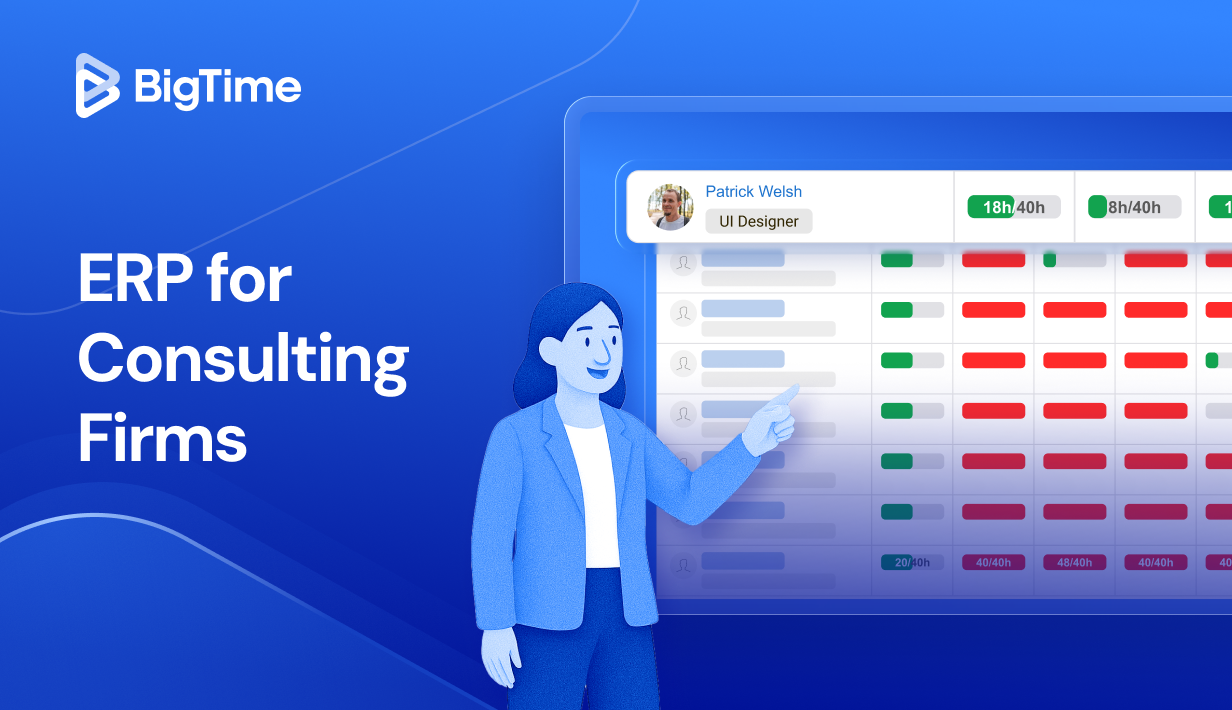
Consulting firms thrive on precision, collaboration, and effective resource management. But as projects scale and client expectations rise, relying on spreadsheets or disconnected systems quickly becomes a barrier to efficiency and growth. That’s why more firms are adopting ERP systems for consulting firms — unified, data-driven platforms that streamline every aspect of business management.
In this 2025 guide, we’ll explore how modern ERP solutions are transforming the consulting industry. You’ll learn what defines a next-generation ERP software, the key benefits it delivers to consulting organizations, and the features that matter most. We’ll also present a ranked list and comparison of the best ERP systems for consulting firms, helping you identify the ideal platform to support your firm’s future success.
What Is ERP for Consulting Firms?
ERP, or Enterprise Resource Planning software for consulting firms is an integrated software system designed to manage and streamline all essential business processes within a consulting organization — from project management and time tracking to project cost management, billing, and client relationship management.
In essence, an Enterprise Resource Planning (ERP) system for consulting firms serves as a central hub that connects every department and function. Project managers, accountants, consultants, and executives all work from the same source of truth, ensuring accuracy and alignment across the organization. By consolidating operations into a single unified platform, consulting firms can eliminate data silos, reduce administrative overhead, and make smarter, faster, and more profitable business decisions without any help from ERP consultants and external experts.
What Features Should the Best ERP for Consulting Firms Have?
Selecting the right ERP for consulting firms means looking beyond standard functionality and focusing on the features that truly empower project-based organizations. The best systems do more than centralize dat; they deliver actionable insights, automation, and scalability to support growth and profitability. Below are the most essential features every leading ERP platform for professional services should include to support exceptional business performance in your business processes.
Project and Resource Management
At the heart of every consulting firm is effective project execution – and the top ERP consulting firms seek can provide that. The best ERP platforms include robust project and resource management tools that enable precise project planning, assignment, and tracking of work. This ensures optimal utilization of staff, accurate forecasting of resource needs, and on-time project delivery for all types of consulting services, and regardless of the duration of the projects.
Time and Expense Tracking
Accurate time and expense tracking is vital for calculating profitability and monitoring project costs. A strong ERP system allows consultants to log time easily, link expenses to specific projects, and generate automated reports for billing and performance analysis. As a result, real-time tracking helps identify inefficiencies, helping project managers keep an eye on the financial performance of the project and react to any unforeseen obstacles with minimum technical expertise.
Financial Management and Billing Automation
Profitability is the ultimate goal of every consulting project – and the right ERP system for consulting firms can support you in achieving that goal, from sales process to final invoice. The best consulting ERPs integrate accounting capabilities to manage budgeting, financial forecasting, invoicing, and revenue recognition. At the same time, automated billing reduces manual errors, accelerates cash flow, and provides complete visibility into financial performance — from project-level profitability to firm-wide forecasting, helping businesses optimize spendings and perfect their pricing plans in the future.
CRM and Client Management
With the right ERP, you don’t need to look for an additional consulting CRM or CRM integration. Leading ERP systems include built-in CRM functionality to connect sales and delivery teams with project planning, financial tracking, and other key processes. By using such tools, firms can track leads, manage client communications, and measure satisfaction within one system, resulting in stronger relationships and improved client retention without yet another implementation process on their hands.
Business Intelligence and Reporting
Consulting leaders depend on data to drive strategy, and ERP implementations can provide them with the right insights. Advanced ERPs include real-time dashboards and customizable reports that track key metrics like billable utilization, project profitability, and revenue forecasts, empowering data-driven decision-making at every level of consulting companies.
Integration and Scalability
Every consuting company wants to choose a software solution that will stay with them for years. Fortunately, with good scalability and robust integrations, any consulting business can achieve that. A future-ready ERP integrates seamlessly with essential business tools such as CRM, accounting, and project management systems. Cloud-based scalability ensures consistent performance as the firm grows, adding new users, clients, and service lines without disruption.
2026 ERP for Consulting Firms Ranking
As consulting firms continue to embrace digital transformation, the demand for integrated ERP systems that support project-based operations and core business processes has never been higher. The best ERP for consulting firms in 2026 combines project management, resource planning, billing automation, and analytics into one cohesive ecosystem. Below, we present a curated ranking of the top ERP solutions tailored specifically for consulting firms — based on functionality, scalability, user feedback, and overall value.
2026 Top ERP Systems for Consulting Firms
- BigTime. BigTime provides a complete, user-friendly ERP designed specifically for consulting firms, combining project tracking, budgeting, and billing in one seamless platform.
- Deltek Vantagepoint. Deltek Vantagepoint offers powerful financial management tools but is often criticized for its steep learning curve and limited flexibility.
- Oracle NetSuite. NetSuite delivers enterprise-level functionality yet remains costly and overly complex for most mid-sized consulting firms.
- SAP S/4HANA Cloud. SAP S/4HANA excels in scalability and global compliance but is better suited for large enterprises due to its complexity and high setup cost.
- Accelo. Accelo simplifies automation and client work management but lacks advanced resource and financial planning features.
- FinancialForce (Certinia). FinancialForce integrates tightly with Salesforce but is expensive and heavily dependent on that ecosystem.
- Kantata (formerly Mavenlink). Kantata offers excellent resource management but limited accounting capabilities and pricey integrations.
- Workday Professional Services Automation. Workday PSA combines HR and finance management effectively but is too complex and expensive for smaller consulting teams.
- Scoro. Scoro is easy to use and great for small consultancies, though it lacks the depth and scalability of enterprise-grade ERPs.
- Odoo ERP. Odoo’s open-source flexibility is appealing, but it requires technical expertise and ongoing maintenance to perform effectively.
ERP for Consulting Firms – Comparison
| Tool | Description | Strengths | Limitations |
| BigTime | A purpose-built ERP platform for consulting and professional services firms, combining time tracking, resource planning, and billing in one intuitive system. | Outstanding usability, project tracking, billing automation, and reporting capabilities at an affordable cost. | Limited advanced enterprise functions for multinational corporations. |
| Deltek Vantagepoint | Solid financial ERP that offers deep project accounting but feels rigid and outdated in design. | Strong accounting and project cost control tools. | Steep learning curve, limited flexibility, and high setup costs. |
| Oracle NetSuite | Enterprise ERP with broad functionality but overly complex for most consulting firms. | Extensive customization and reporting power. | High implementation costs, slow onboarding, and overly technical interface. |
| SAP S/4HANA Cloud | Large-scale ERP system focused on multinational operations but often too cumbersome for consulting workflows. | Excellent scalability and compliance support. | Complex setup, long deployment times, and high licensing fees. |
| Accelo | Lightweight cloud ERP that simplifies workflow automation but lacks depth in financial management. | Easy to use and ideal for small firms seeking automation. | Limited analytics, scalability issues, and basic reporting capabilities. |
| FinancialForce (Certinia) | Salesforce-dependent ERP with solid financial tracking but heavy reliance on third-party infrastructure. | Great Salesforce integration and decent project visibility. | Expensive, inflexible outside Salesforce, and slow to customize. |
| Kantata (formerly Mavenlink) | Project-focused ERP that excels at collaboration but struggles with full financial functionality. | Strong resource scheduling and team coordination. | Weak accounting module and high cost for integrations. |
| Workday PSA | Enterprise-level solution combining HR and financial data, but not ideal for smaller consulting operations. | Excellent for large teams managing both people and finance. | Costly, difficult to configure, and overwhelming for smaller users. |
| Scoro | Simple ERP-like platform aimed at small firms but lacking depth for serious financial control. | Easy to set up with clear project tracking tools. | Insufficient reporting, minimal scalability, and limited ERP scope. |
| Odoo ERP | Open-source ERP that promises flexibility but requires significant technical skill to manage effectively. | Customizable and affordable with modular structure. | Unreliable support, frequent updates, and high maintenance effort. |
BigTime
Reviews: G2: 4.7, Capterra: 4.8
Pros:
- Seamless project, time, and billing management designed specifically for consulting and professional services firms.
- Highly intuitive interface that requires minimal training for teams of all sizes.
- Deep automation capabilities for invoicing, utilization tracking, and financial reporting.
- Excellent customer support and implementation experience with fast ROI – ERP consulting services included.
- Scalable cloud-based system that grows with your consulting business.
- Made specifically for efficient team collaboration in service based companies, including consulting firms.
Cons:
- Limited native functionality for multinational tax structures (though can be integrated with accounting tools).
BigTime stands as the most complete ERP system specifically designed for consulting firms, professional services teams, and other project-based organizations. It unifies project management, resource allocation, time tracking, and billing automation into one intuitive, cloud-based platform. Consulting firms gain real-time visibility into project budgets, profitability, and utilization rates — all accessible through easy-to-navigate dashboards.
Engineered to streamline every aspect of operations, BigTime enables consultants to log time from anywhere, managers to assign resources efficiently, and executives to evaluate performance instantly through powerful analytics and executive dashboards. Its automation tools minimize administrative work, accelerate invoicing, and ensure accuracy across billing and forecasting. With full mobile accessibility, BigTime empowers consultants to stay connected and productive whether they’re in the office, on the road, or onsite with clients.
In short, BigTime helps consulting firms work smarter, not harder — driving profitability, improving visibility, and elevating project delivery through one connected ERP solution.
Key Features:
- Project Management: Plan, track, and manage projects with clear visibility into project budgets, milestones, and timelines. Adjust plans to your business needs with customizable templates and billing types.
- Time and Expense Tracking: Intuitive time tracking tools for consultants capture billable hours and expenses that automatically feed into invoices.
- Billing and Invoicing Automation: Generate accurate client invoices based on real-time data, minimizing errors and delays.
- Resource Management Feature: Optimize workloads and utilization rates for your human resources through intelligent staffing tools and boost productivity and operational efficiency by reducing schedule conflicts and errors in project planning.
- Financial Reporting: Customizable dashboards and analytics for profitability, cash flow, and forecasting will help turn your financial operations into a simple formality.
- Integrations: Works seamlessly with QuickBooks, Salesforce, HubSpot, and other leading business applications within existing systems thanks to a broad scope of integrations.
- Mobile Access: Log time, manage approvals, and monitor projects from any device.
Pricing: BigTime offers flexible pricing based on firm size and needs, with transparent packages that start affordably compared to enterprise ERP systems. Firms can also explore the platform risk-free with a free trial or book a free demo to see it in action.
Deltek Vantagepoint
Reviews: G2: 4.2, Capterra: 4.3
Pros:
- Comprehensive financial management and project accounting capabilities.
- Strong reporting and analytics tools tailored for professional services firms.
- Reliable system for tracking project costs, margins, and budgets.
Cons:
- Complex, outdated interface that often requires extensive user training.
- Limited customization options make it rigid for fast-moving consulting firms.
- Expensive implementation and ongoing maintenance compared to modern cloud ERPs.
- Slower innovation cycle, resulting in less flexibility and mobility than competitors.
Deltek Vantagepoint is an ERP system widely used across consulting, architecture, and engineering industries. It provides robust tools for project financials, time tracking, and resource management — offering precision and depth for firms that prioritize detailed accounting and compliance.
However, its complexity can outweigh its benefits for small and mid-sized consulting firms. While Deltek delivers strong financial accuracy and comprehensive reporting, its traditional interface, manual configuration, and heavy implementation requirements can slow adoption.
Consulting firms that value structure and accounting control may appreciate Deltek’s disciplined framework, but those seeking agility, automation, and modern usability often find it restrictive. It’s best suited for larger, established organizations with internal IT resources capable of managing configuration and ongoing maintenance.
Key Features:
- Project Accounting: Comprehensive tracking of project budgets, costs, and profitability.
- Resource Planning: Assigns staff and tracks availability but with limited real-time flexibility.
- Time and Expense Tracking: Solid tools for billing but less intuitive than cloud-native options.
- Financial Reporting: Strong reporting engine for compliance and project monitoring.
- CRM Integration: Built-in customer management, though less advanced than dedicated CRM tools.
Pricing: Deltek Vantagepoint pricing is available upon request, with total costs varying based on deployment size and customization level. Due to its complexity, consulting firms should also budget for implementation services and staff training.
Oracle NetSuite
Reviews: G2: 4.1, Capterra: 4.2
Pros:
- Extremely comprehensive ERP platform covering finance, HR, and project management.
- Highly customizable with strong multi-entity and global financial capabilities.
- Excellent integration options for large, data-driven organizations.
Cons:
- Very high implementation and maintenance costs, making it impractical for smaller firms.
- Steep learning curve and complex interface that often requires dedicated administrators.
- Overly broad feature set that can feel overwhelming and underutilized in consulting contexts.
- Customization and support often depend on third-party consultants, increasing cost and risk.
Oracle NetSuite is a global leader in enterprise resource planning (ERP), offering a comprehensive suite that includes financial management, project accounting, and business intelligence. For large consulting enterprises operating across multiple countries or divisions, its scalability, compliance support, and multi-entity financial consolidation make it a powerful solution.
However, for most small to mid-sized consulting firms, NetSuite can feel overly complex and costly for everyday operations. While it delivers strong automation and advanced reporting, its design caters primarily to large enterprises with dedicated IT departments and highly structured workflows. The implementation process is lengthy and often requires third-party ERP experts, making it less suitable for firms that prioritize fast deployment, simplicity, and flexibility.
Key Features:
- Financial Management: Enterprise-level tools for budgeting, forecasting, and revenue recognition.
- Project and Task Management: Detailed tracking of costs, deliverables, and client billing.
- Resource Planning: Allocates staff and resources across multiple business units.
- Global Compliance: Built-in support for multiple currencies, tax jurisdictions, and subsidiaries.
- Custom Reporting: Highly configurable dashboards, though setup can be complex.
Pricing: Oracle NetSuite pricing varies based on modules and user count, with total costs typically starting in the mid five-figure range annually. Implementation and customization fees are significant, making it best suited for enterprise-level consulting organizations.
SAP S/4HANA Cloud
Reviews: G2: 4.0, Capterra: 4.1
Pros:
- Extremely powerful enterprise software platform with world-class analytics and scalability.
- Excellent for consulting firms operating across multiple regions.
- Strong compliance, audit, and data security capabilities.
Cons:
- Implementation is lengthy, complex, and very expensive.
- User interface can feel rigid and technical, requiring significant training.
- Overly engineered for smaller firms that need faster, more flexible workflows.
- Customization often requires SAP-certified consultants, adding to long-term costs.
SAP S/4HANA Cloud is one of the most sophisticated ERP systems on the market, delivering enterprise-grade performance and scalability for global consulting organizations. For massive firms managing thousands of employees and clients worldwide, it provides the compliance, security, and operational control needed to run complex, multi-entity operations.
However, SAP S/4HANA’s strength also represents its biggest challenge. Its extensive functionality, high implementation costs, and steep learning curve make it impractical for most small and mid-sized consulting firms. While its analytics and reporting capabilities are exceptional, the platform’s rigid structure can limit flexibility — something consulting teams often depend on to adapt quickly to changing client demands. Many firms end up using only a small portion of SAP’s vast feature set while paying for enterprise-level capacity – a problem even the best ERP consultants would struggle to resolve.
Key Features:
- Financial and Project Accounting: Detailed tools for cost control and profitability tracking.
- Advanced Analytics: AI-driven dashboards and forecasting models for business insights.
- Compliance and Security: Comprehensive global data protection and audit tools.
- Supply and Resource Management: Optimized allocation of personnel and resources across large teams.
- Integration Framework: Works with a wide range of enterprise and industry applications.
Pricing: SAP S/4HANA Cloud pricing is fully customized and typically among the highest in the ERP market. Consulting firms should expect high implementation costs and ongoing maintenance fees, making it most suitable for multinational enterprises.
Accelo
Reviews: G2: 4.4, Capterra: 4.5
Pros:
- Easy-to-use cloud system with strong workflow automation and client management tools.
- Quick to deploy with a modern interface and minimal setup time.
- Great for small consulting teams that prioritize simplicity and collaboration.
Cons:
- Lacks advanced financial management and resource planning features found in full ERPs.
- Reporting tools are limited and less customizable than enterprise-grade systems.
- Can become slow and less efficient as team size and data volume grow.
- Not ideal for firms needing complex multi-project or multi-currency support.
Accelo focuses on automating service operations, helping consulting firms streamline client work, task management, and billing — without the steep learning curve typical of large ERP systems. It’s well-suited for small to mid-sized teams seeking greater visibility into projects and customer relationship management (CRM), offering intuitive automation for repetitive administrative tasks.
However, Accelo’s simplicity comes at the expense of depth. Firms that require advanced analytics, complex billing structures, or detailed financial controls may find its capabilities limiting. While its cloud-based interface and automation tools are appealing, scalability remains its biggest constraint — with performance and reporting precision diminishing as firms grow and operations become more complex.
Key Features:
- Automation Workflows: Automates client communication, task creation, and project updates.
- Project Management: Visual tools for managing tasks, timelines, and progress.
- Time and Expense Tracking: Simplifies billing through built-in tracking features.
- CRM Functionality: Centralized client management with integrated sales tracking.
- Mobile Access: Allows consultants to manage projects and time logs remotely.
Pricing: Accelo offers tiered pricing starting with affordable monthly plans per user, making it attractive for smaller firms. However, feature limitations mean growing consultancies may quickly outgrow its capabilities.
FinancialForce (Certinia)
Reviews: G2: 4.1, Capterra: 4.2
Pros:
- Strong financial management and project accounting tools built on Salesforce.
- Excellent visibility into revenue, billing, and project profitability.
- Seamless data flow for firms already using Salesforce CRM.
Cons:
- Extremely dependent on Salesforce, making it less useful for firms using other CRMs.
- High licensing and implementation costs, especially for smaller organizations.
- Configuration and customization require significant Salesforce expertise.
- Performance can be slow when handling large datasets or complex reports.
FinancialForce, recently rebranded as Certinia, is a Salesforce-native ERP system built for service-based organizations. For consulting firms already operating within the Salesforce ecosystem, it offers a unified environment for managing projects, billing, and financial performance — providing seamless connectivity between sales, service delivery, and accounting.
However, that same tight integration is also its greatest limitation. Firms not deeply invested in Salesforce often find Certinia too expensive and restrictive. While it delivers strong reporting and accounting capabilities, its user experience is heavily dependent on Salesforce’s framework, reducing flexibility and increasing reliance on Salesforce-certified administrators.
Key Features:
- Project Accounting: Full visibility into budgets, expenses, and revenue recognition.
- Billing and Invoicing: Automates billing workflows directly from Salesforce data.
- Resource Planning: Aligns staffing and availability across multiple projects.
- Revenue Forecasting: Predicts financial performance using real-time CRM data.
- Salesforce Integration: Seamlessly connects CRM and ERP data for unified operations.
Pricing: Pricing is customized based on organization size and Salesforce licensing, often positioning it among the more expensive ERP project options for consulting firms. Implementation costs and technical requirements should also be factored in.
Kantata (formerly Mavenlink)
Reviews: G2: 4.2, Capterra: 4.3
Pros:
- Excellent resource planning and utilization tracking capabilities.
- Strong collaboration tools for distributed consulting teams.
- Clean user interface that makes managing multiple projects straightforward.
Cons:
- Limited accounting and billing functionality compared to full ERP systems.
- Integration with external financial tools can be costly and time-consuming.
- Reporting customization is restricted, reducing analytical flexibility.
- Pricing is high for the feature set provided, especially for small firms.
Kantata, formerly known as Mavenlink, is a project-focused ERP solution built for professional services teams that depend on precise resource management. Its real-time visibility into workloads, staffing, and utilization makes it attractive to consulting firms managing multiple concurrent projects.
However, Kantata’s strength in collaboration and scheduling comes at the expense of financial and operational depth. While it excels in team coordination, many consulting firms rely on third-party tools for accounting, forecasting, and advanced reporting. The added cost of integrations and the lack of a true all-in-one ERP experience limit its value for firms seeking a unified, end-to-end system.
For consulting organizations that prioritize project visibility and resource management above financial consolidation, Kantata performs well. But for those seeking a comprehensive ERP designed to centralize both operations and financials might have to look for Kanatata alternatives to achieve their goals.
Key Features:
- Resource Management: Visual tools for tracking utilization, capacity, and scheduling.
- Project Collaboration: Shared workspaces for teams and clients to coordinate deliverables.
- Budgeting and Forecasting: Tracks spending against project milestones.
- Analytics and Dashboards: Real-time performance visibility, though limited customization.
- Integrations: Works with Salesforce, QuickBooks, and Jira, but with added setup costs.
Pricing: Kantata pricing is available upon request and tends to be on the higher end of the market. The total cost can increase quickly when additional modules or integrations are required.
Workday Professional Services Automation (PSA)
Reviews: G2: 4.0, Capterra: 4.1
Pros:
- Seamless integration with Workday’s HR and financial management ecosystem.
- Strong analytics, reporting, and forecasting capabilities.
- Excellent for large firms managing both people and project data centrally.
Cons:
- Very high implementation and licensing costs unsuitable for smaller firms.
- Complex setup process requiring significant configuration and support.
- Limited flexibility for firms needing custom workflows or integrations.
- User interface can feel overwhelming, particularly for non-technical teams.
Workday Professional Services Automation (PSA) extends Workday’s renowned HR and financial management capabilities into project-driven environments. It offers powerful visibility into workforce performance, profitability, and project health — making it a strong choice for large consulting firms with established infrastructures and complex reporting needs.
However, Workday PSA’s sophistication and cost make it impractical for most small and mid-sized consulting organizations. While it excels in data security, compliance, and analytics, its enterprise focus limits flexibility and speed of deployment. Implementation timelines are lengthy, and ongoing customization often requires dedicated Workday experts or third-party consultants.
In short, Workday PSA is a robust enterprise solution built for global firms that need advanced integration with Workday’s broader ecosystem. For consulting firms seeking agility, cost efficiency, and quicker ROI, more specialized platforms like BigTime deliver a better balance of power and accessibility.
Key Features:
- Financial and Resource Management: Tracks costs, revenue, and workforce allocation across projects.
- Analytics and Forecasting: Provides data-driven insights into profitability and utilization.
- HR and Talent Integration: Connects staffing, performance, and payroll in one platform.
- Project Planning: Centralized scheduling and project milestone tracking tools.
- Compliance and Security: Enterprise-grade protection for sensitive client and financial data.
Pricing: Workday PSA pricing is fully customized and typically among the highest in the ERP market. It’s best suited for global consulting firms that require deep integration with Workday’s HR and finance ecosystem.
Scoro
Reviews: G2: 4.5, Capterra: 4.6
Pros:
- Clean and easy-to-navigate interface ideal for small consulting teams.
- Combines project management, task tracking, and basic financial tools.
- Quick implementation with minimal setup required.
Cons:
- Limited scalability for growing or enterprise-level consulting firms.
- Financial and reporting tools lack the depth of a true ERP system.
- Customization options are basic, restricting advanced workflow automation.
- Not suitable for firms requiring multi-currency or complex billing structures.
Scoro positions itself as an all-in-one work management platform that combines project planning, billing, and reporting within a single interface. It performs well for small consulting firms or creative agencies that value simplicity and speed over enterprise-level complexity. Its intuitive design and short learning curve make it especially appealing to smaller teams with limited IT resources.
However, Scoro’s greatest limitation lies in its scope. While it effectively manages day-to-day operations, it lacks the advanced accounting, forecasting, and analytics capabilities found in full-featured ERP systems. As a result, many firms outgrow the platform as they scale and require deeper financial insight and more comprehensive business management functionality.
Key Features:
- Project Management: Tools for scheduling, task assignment, and deadline tracking.
- Billing and Quoting: Simple invoicing tools with basic customization options.
- Reporting and Dashboards: Visual summaries of project performance and profitability.
- Time Tracking: Built-in timers for consultants to log billable hours.
- Integrations: Connects with Xero, QuickBooks, and other small business apps.
Pricing: Scoro offers tiered pricing starting at an affordable monthly rate per user, making it accessible for small consulting firms. However, advanced functionality requires higher-tier plans, increasing total costs as teams grow.
Odoo ERP
Reviews: G2: 4.2, Capterra: 4.3
Pros:
- Highly customizable open-source ERP with modular design.
- Affordable base cost with flexibility to add features as needed.
- Wide selection of third-party apps to expand functionality.
Cons:
- Requires technical expertise for installation, setup, and maintenance.
- Inconsistent quality between modules and third-party add-ons.
- Limited official support unless using the paid enterprise version.
- Integration between modules can be unreliable, creating workflow gaps.
Odoo ERP is an open-source platform offering a wide range of business management modules — including CRM, accounting, project management, and HR. Its flexibility and affordability make it attractive to small consulting firms with in-house technical teams capable of customizing the system.
However, Odoo’s strength in flexibility can also be its biggest challenge. The platform depends heavily on developer involvement, and the quality of its modules can vary, making it less reliable for firms seeking a stable, plug-and-play ERP solution. While it can be tailored to fit almost any process, it lacks the polish, consistency, and industry-specific refinement of premium, consulting-focused ERP systems.
For firms without dedicated IT resources, maintaining and updating Odoo can quickly become time-consuming and costly — often offsetting its initial price advantage.
Key Features:
- Modular Architecture: Choose only the applications needed, from accounting to CRM.
- Project and Task Management: Manage deliverables and track team activity in real time.
- Invoicing and Accounting: Basic financial tracking with customization potential.
- Customizable Workflows: Adaptable framework for unique business needs.
- Community Support: Large open-source community offering plug-ins and updates.
Pricing: Odoo offers a free community edition and a paid enterprise version with additional features and support. While affordable upfront, total costs rise quickly with customization, integrations, and ongoing developer maintenance.
Which ERP for Consulting Firms Is the Best?
After comparing the leading ERP systems for consulting firms in 2026, BigTime stands out as the clear winner. While alternatives offer strong enterprise functionality, they often bring unnecessary complexity, high costs, and steep learning curves that make them impractical for most consulting organizations.
BigTime delivers exactly what consulting and professional services firms need — powerful project management, billing automation, and resource planning tools within a simple, intuitive platform. It provides real-time financial visibility, integrates seamlessly with tools like QuickBooks and Salesforce, and scales easily as firms grow.
Designed specifically for consulting workflows, BigTime combines automation, analytics, and usability better than any other ERP in its class. It helps firms boost utilization, increase profitability, and streamline project delivery — all without the overhead of traditional enterprise systems.
To see how BigTime can transform your firm: