

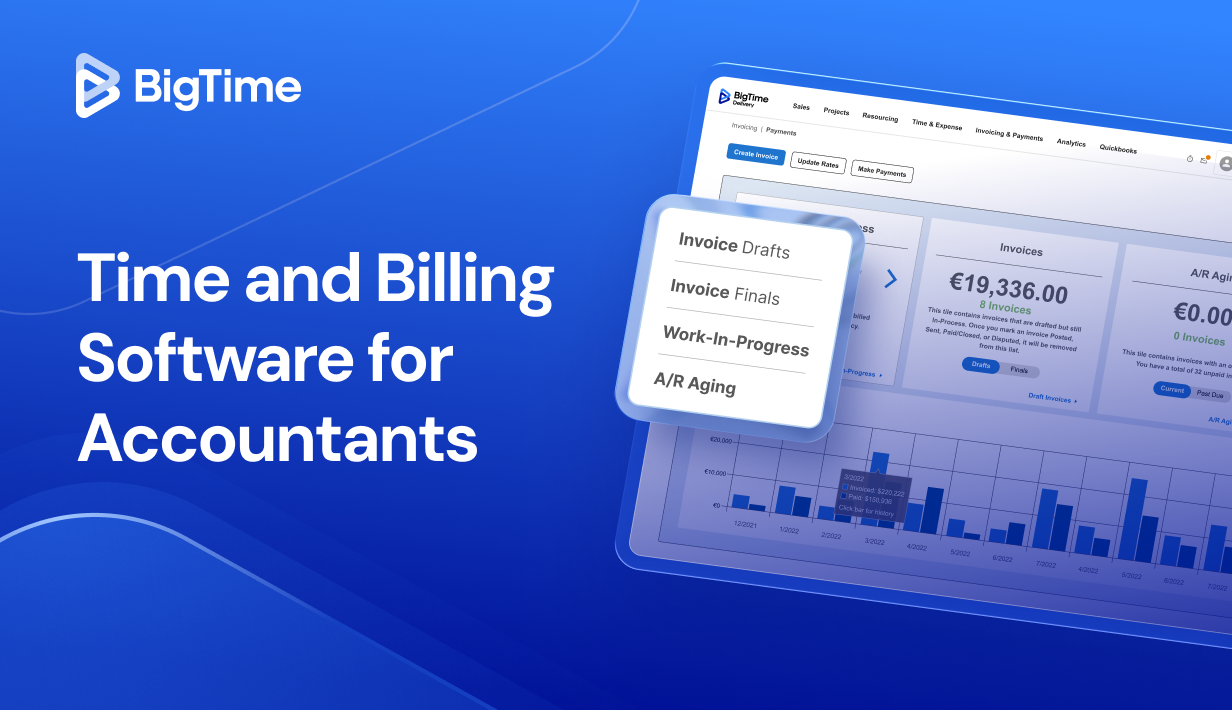
If you run an accounting firm, you already know the real work is not just the work. It’s the admin around it: logging time spent across client engagements, keeping billable time clean, fixing manual entry, and answering the awkward “what am I paying for?” email when an invoice feels vague. The right time and billing software for accountants turns that mess into a billing process you can trust, with accurate time tracking, clear reporting, and professional invoices that help you bill clients with confidence.
In this guide, we’ll break down what to look for in accounting time and billing software, how modern billing systems support time tracking, expense tracking, and client payments, and which platforms are worth shortlisting in 2026. If you’re specifically searching for time and billing software for accounting firms or the best time and billing software for accountants, you’ll find a practical framework here, plus tool-by-tool reviews later in the article.
What Is Time and Billing Software for Accountants?
Most accounting firms have two parallel realities: the work itselfand the operational layer that turns that work into revenue. That second layer is where things often break down. Time tracking happens in fragments, billable hours get reconstructed from calendars, and the billing process depends on someone chasing details across multiple systems. The result is usually the same: delays, write-downs, and invoices that do not clearly reflect client work.
Time and billing software for accountants is a billing solution that combines time tracking, client billing, and invoicing into one workflow so accounting professionals can track time spent, track billable hours accurately, and bill clients consistently. In practice, accounting time and billing software is used to:
- Capture billable time as it happens (including billable minute rules) and reduce manual entry
- Assign time spent to client engagements, tasks, or projects for transparent billing
- Automate project invoicing with recurring invoices, automated billing, and approval steps
- Generate invoices with detailed invoices and professional invoices that clients understand
- Manage expense tracking alongside time and avoid missed reimbursables
- Support client payments with online payments, payment processing, and options like ACH payments or accept credit cards
- Improve cash flow by shortening the gap between work completed and getting paid faster
- Add project reporting tools and customizable reports for accurate reporting, firm performance, and team capacity planning
- Reduce administrative burdens and manual work that can lead to human error
For many firms, the best time tracking and billing software for accountants also sits next to document management and client management. It does not replace accounting software, but it makes billing systems far more reliable by connecting work-in-progress to invoices, client communications, and collections.
What Features Should The Best Time and Billing Software for Accounting Firms Have?
Not every billing solution is built for the reality of accounting firms. Some tools are great at generic time tracking, but fall apart when you need clean client billing, consistent approvals, and invoices that reflect complex client work without hours of cleanup. The best time and billing software for accountants should reduce administrative burdens while making it easier to track billable hours accurately, bill clients confidently, and improve cash flow.
Here are the key features to prioritize, with what they look like in real firm workflows:
Accurate time tracking that fits how accountants work
Accurate time tracking should be fast enough that people actually use it. Look for timers, quick-add entries, and calendar-style capture so accounting professionals can track time as they switch between emails, returns, reviews, and client calls. The best tools support real time tracking, flexible billable minute rules, and easy corrections without creating a messy audit trail.
Simple ways to track billable hours across client engagements
You should be able to track billable hours by client, project management structure (engagements, tasks, phases), and staff member, with clear visibility into billable time versus non-billable. Strong systems make it easy to track time spent, flag missing time, and understand team time and team capacity without exporting everything to spreadsheets.
Automated billing and smart invoice workflows
A modern billing tool should not depend on manual work. Prioritize automated billing that can streamline invoicing from approved time and expenses, draft invoices for review, and support recurring invoices for monthly services. Bonus points if the platform can create consistent templates for professional invoices and reduce manual entry during month-end crunch.
Invoicing that supports transparent billing
Invoices should be more than a total number. Look for detailed invoices that roll up time entries in a way clients understand, with the ability to add narratives, group by task management categories, and show the “why” behind the work. Transparent billing improves client satisfaction and cuts down on back-and-forth client communications.
Built-in client payments and online payments options
Getting paid faster is not just about sending invoices earlier. It is also about making payment easy. Strong time and billing software for accounting firms includes payment processing options so clients can pay via online payments, and ideally accept credit cards and ACH payments. This directly supports cash flow and reduces the friction that keeps invoices open.
Expense tracking that stays tied to the work
Accountants often incur small costs that get missed when tracking is separate. The right system lets you capture expense tracking alongside time, attach receipts, and route reimbursables into client billing automatically. This helps ensure the invoice reflects the full scope of client work and reduces revenue leakage.
Reporting tools for accurate reporting and firm performance
You want customizable reports that go beyond timesheets: utilization rates, realization, WIP, write-downs, and profitability by client or service line. Good reporting tools support financial reporting so leaders can gain insights into firm performance and make staffing decisions based on evidence, not guesses.
Integrations that reduce multiple systems chaos
Most firms already run accounting software, plus document management, plus project management tools. The best time and billing software for accounting firms integrates cleanly so you do not have to bounce between multiple systems or duplicate data. At minimum, look for strong connections to common accounting software and practical export options for downstream workflows.
2026 Time and Billing For Accountants & Accounting Firms: Ranking
Rankings are only useful when they reflect how accounting firms actually work: tracking billable hours across client engagements, keeping time tracking painless for the team, and turning approved time spent into accurate invoices that clients pay quickly. For this 2025 list, the ordering favors platforms that support reliable time and billing workflows end-to-end, including automated billing, clean invoice reviews, payment processing, and reporting that helps leaders understand firm performance.
Time and Billing Solution for Accounting Firms: Comparison
| Tool | Description | Strengths | Limitations |
| BigTime | Firm-focused time, billing, and reporting platform. | Excellent ways to track billable hours and track time spent; strong automated billing and invoice review; robust reporting tools for firm performance and cash flow. | Best results when you adopt the full workflow; initial setup takes planning to align templates and billing policies. |
| QuickBooks Time | Basic time tracking that lives in the QuickBooks ecosystem. | Mobile time tracking; simple timers and approvals; convenient if you already run QuickBooks. | Not true time and billing software for accountants; weak billing process controls, limited customizable reports, and often forces add-ons or workarounds for client billing. |
| Practice Ignition (Ignition) | Proposal and recurring billing tool for engagements. | Helpful for standardizing proposals and recurring invoices; supports online payments for retainers/subscriptions. | Thin on time tracking and billable hours; you will likely need separate billing tools to track time, generate detailed invoices, and manage utilization. |
| TaxDome | Practice portal and workflow system with billing add-ons. | Strong client management, document management, and client communications. | Time tracking and invoicing are secondary; limited depth for accurate reporting, complex client billing, and scalable billing systems across many engagements. |
| Harvest | Lightweight time tracking and invoicing tool. | Clean user interface; quick to track time and send invoices for simple work. | Too shallow for most accounting firms: limited billing workflow approvals, weaker reporting for firm performance, and fewer controls for transparent billing and detailed invoices. |
BigTime
Reviews: G2: 4.5, Capterra: 4.6.
Pros:
- Purpose-built for billable hours and complex client work. BigTime makes it easy to track billable hours at the right level of detail (client, engagement, project, task), so your team is not stuck rebuilding time spent at month-end.
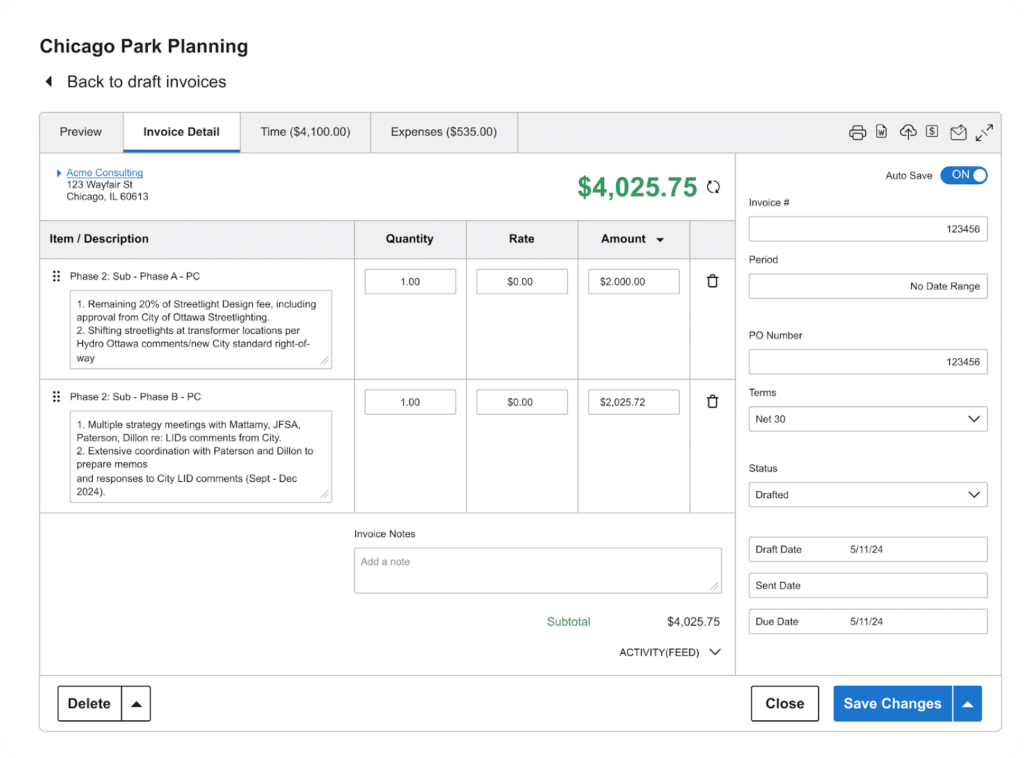
- Billing workflows that reduce write-downs and admin friction. You can move from approved time entries to draft invoices with fewer manual steps, which helps tighten the billing process and supports getting paid faster.
- Reporting that supports firm performance decisions. Instead of basic time tracking reports, BigTime is designed to give accounting professionals visibility into utilization, realization, and what is driving margin across client engagements.
- Solid foundation for scaling. As accounting firms grow, the gap between “track time” and “bill clients accurately” gets wider. BigTime closes that gap with a structured system that can handle more people, more projects, and more billing complexity without collapsing into spreadsheets.
Cons:
- Some teams feel the learning curve during initial rollout. Because the platform supports deeper project and billing structures, you will want to invest time in setup, templates, and internal rules so the system matches how your firm works.
- Integrations can require attention. Users sometimes mention sync-related friction (especially when connected to external accounting software), so it’s smart to validate your integration flow early in the implementation.
Are you looking for time and billing software with project management tools? In this category, BigTime stands out because it treats projects, time and billing like an operational discipline, not a spreadsheet replacement. For accounting firms, that matters. You need accurate time tracking that is fast for staff, but you also need controls that protect revenue: consistent rate rules, clean approval paths, and invoice workflows that reflect client work clearly. BigTime brings those pieces together so you can track time, track billable hours, and convert billable time into polished, defensible invoices without relying on manual entry and last-minute cleanup.
Where BigTime really earns its place is in the “messy middle” between time tracking and collections. Many billing tools can generate invoices, but fewer help you package time spent into detailed invoices that make sense to clients, keep questions low, and support transparent billing. With stronger reporting tools and a structured approach to engagements, BigTime helps accounting professionals spot leakage earlier, keep the billing process consistent, and protect cash flow as the firm scales.
Key Features
- Time tracking built for professional services: Capture time spent quickly, organize it by client/engagement/task, and standardize how billable hours are recorded so reporting stays consistent.
- Invoice creation and delivery: Turn approved time and expenses into client-ready invoices with a review flow that reduces rework and shortens the path to sending invoices.
- Billable rate management: Apply billing rules across roles, services, and client work so you can bill hourly with fewer pricing exceptions and less manual adjustment.
- Expense tracking tied to billing: Track reimbursable expenses alongside time so fewer costs slip through the cracks during client billing.
- Reporting for firm performance: Use dashboards and reporting to understand utilization, realization, and revenue drivers across projects and teams.
Pricing
Capterra lists a starting price around $20 per user/month (with a free trial), while G2 shows plan pricing that can scale based on tier and firm needs. Free personalized demo available.
QuickBooks Time
Reviews: G2: 4.5, Capterra: 4.7.
Pros:
- Solid employee-style time tracking. QuickBooks Time is straightforward for basic time tracking, especially if you mainly need staff to track time and submit timesheets on schedule.
- Works best inside the QuickBooks ecosystem. If your firm already lives in QuickBooks, the built-in connections can reduce duplicate setup and keep some client lists aligned.
Cons:
- Not truly built for accounting time and billing workflows. Even users who are accountants note it’s designed more for employee timecards than professional billing, which can limit how well it supports client billing and billing systems for firms that bill hourly.
- Invoice and billing controls are thin. For time and billing software for accounting firms, you typically need stronger invoice review, clearer billing structure, and better reporting around billable hours than what QuickBooks Time delivers on its own.
- Interface and reliability complaints show up in reviews. Some reviewers mention a dated feel and occasional glitches that can push teams back toward manual work and adjustments.
QuickBooks Time is best understood as time tracking software that happens to be convenient for firms already committed to QuickBooks products. It can help teams track time spent, capture basic billable time, and keep approvals moving, which is useful when you want a simple way to collect hours without a lot of process.
Where it struggles is the “accounting firm” part of the equation. If your priority is track billable hours across client engagements, produce detailed invoices, and run a consistent billing process that supports transparent billing, QuickBooks Time often feels like a starting point rather than a complete billing solution.
Key Features
- Timesheets and approvals: Employees can log hours and managers can approve them, but the workflow is geared more toward internal timecards than client billing.
- Mobile time tracking: The mobile app supports clock-ins and on-the-go time tracking, which helps with adoption, but it doesn’t solve deeper firm billing requirements.
- QuickBooks connections: Useful if your project accounting software is QuickBooks, though integration convenience doesn’t replace stronger billing tools and reporting tools.
- Basic reports: Covers standard time reports, but customizable reports for firm performance and accurate reporting are limited compared with firm-focused platforms.
Pricing
Typically sold as a subscription with per-user pricing that scales with headcount; costs can climb quickly for teams once you add the features you need.
Ignition (formerly Practice Ignition)
Reviews: G2: 4.7, Capterra: 4.7.
Pros:
- Helps standardize proposals, engagement letters, and upfront agreements so scope is clearer before work starts.
- Strong for recurring billing and collecting client payments online, which can support healthier cash flow.
Cons:
- Weak fit as a primary time and billing system because time tracking and tracking billable hours are not the product’s core. Most firms still need separate time tracking software.
- Pricing and value concerns come up frequently, especially for smaller accounting firms that only want a billing solution and not a full proposal platform.
- Template flexibility and setup can be more effort than expected, which adds administrative burdens during rollout.
Ignition is best described as a front-end revenue tool: it shines when you want cleaner client engagements, standardized scope, and a smoother path from proposal to client payments. It can help accounting professionals reduce friction in onboarding and move clients into recurring invoices with online payments, which is a real advantage for firms that sell packaged services.
Where it disappoints is in the day-to-day reality of client work. If your priority is accurate time tracking, the ability to track time spent at a granular level, and invoice workflows that reflect billable hours without manual work, Ignition feels incomplete. Many firms end up treating it as a layer on top of a separate time and billing software stack, which can reintroduce multiple systems and extra steps in the billing process.
Key Features
- Proposals and digital agreements: Build standardized proposals and engagement letters with e-signatures to reduce back-and-forth and tighten scope clarity.
- Automated billing and recurring invoices: Automates recurring billing flows once agreements are accepted, which can reduce manual entry for retainer-style services.
- Online payments and payment processing: Lets firms collect payments digitally as part of the agreement and billing flow, supporting faster collections.
- Deals/pipeline visibility: Includes pipeline-style views that can help track opportunities, but it is more sales-oriented than billing-oriented.
Pricing
Tiered subscriptions; reviewers frequently describe it as expensive relative to the depth of time tracking and billing controls provided.
TaxDome
Reviews: G2: 4.7, Capterra: 4.7.
Pros:
- Strong client management and document management for accounting firms that want a single portal for client communications, uploads, signatures, and workflow visibility.
- Helpful for organizing client work with task management-style pipelines, which can reduce some administrative burdens outside of billing.
Cons:
- Payment and billing options are commonly described as restrictive, which is a problem if your goal is smoother client billing, more flexible online payments, or getting paid faster.
- Time-consuming initial configuration comes up in reviews, and that setup effort can become its own manual work project if your firm has many service lines and templates.
- As accounting time and billing software, it is not as deep as firm-focused time and billing systems for tracking billable hours, handling detailed invoices, and producing accurate reporting around billable time and firm performance.
TaxDome is primarily a practice management platform for accounting professionals, not a specialized time tracking and billing tool. If your biggest pain is client-facing operations such as client requests, portals, document management, and keeping client engagements organized, it can feel like a big step up from email and shared drives.
The trade-off is that firms looking for best-in-class time tracking, the ability to track billable hours with less friction, and a tighter billing process often run into limitations. You may be able to bill clients and send invoices, but the system is not designed first for billable hours optimization, invoice review depth, or the kind of reporting tools you rely on to manage utilization and improve cash flow.
Key Features
- Client portal and document management: Centralizes uploads, signatures, and client communications, which reduces scattered files but does not automatically improve accurate time tracking.
- Workflow and task pipelines: Helps teams coordinate client work, though it can feel rigid once you try to mirror complex service delivery and approvals.
- Billing basics: Supports invoices and collections, but reviewers note restrictive payment and billing options compared to dedicated billing tools.
- Firm admin features: Practice-level settings and templates can be powerful, but initial configuration is often time-consuming.
Pricing
Capterra lists a starting price of $800 per user, per year (pricing scales by tier and commitment length).
Harvest
Reviews: G2: 4.3, Capterra: 4.6.
Pros:
- Simple time tracking that’s easy for teams to adopt, with reminders to help people track time consistently.
- Basic invoicing tied to tracked time can work fine for straightforward client billing.
Cons:
- Too lightweight for most accounting firms that need deeper billing systems, tighter approvals, and stronger controls to track billable hours across complex client engagements.
- Limited depth in advanced reporting and billing workflow nuance, which can push firms back into manual work and spreadsheet-style review.
- Can feel expensive once you compare it to platforms built specifically for time and billing in professional services.
Harvest is a clean, straightforward time tracking software that also includes invoicing. For solo practitioners or very small teams, it can be a fast way to track time spent, keep basic billable time organized, and send invoices without overthinking process.
For accounting professionals in growing firms, the gaps show up quickly. If you need a more structured billing process, better support for billable hours policies, or reporting tools that help you manage firm performance and cash flow, Harvest often feels like a starter tool rather than a complete time and billing software for accountants.
Key Features
- Time tracking and timers: Quick capture for daily work, with simple project/client assignment so teams can track time with less friction.
- Invoicing from time entries: Create invoices from tracked time, but invoice workflows are not designed for complex approval chains or deep billing controls.
- Team capacity views: High-level visibility into who is under- or over-utilized, though it’s not a full firm performance reporting layer.
Pricing
Harvest offers tiered plans (including a free trial) with per-user pricing on paid plans.
Which Time and Billing Software for Accountants Is The Best?
If you want a tool that genuinely supports the way accounting firms operate, BigTime is the strongest choice on this list. It is not just time tracking software with invoicing attached. It is a firm-focused time and billing software platform designed to help accounting professionals track billable hours accurately, track time spent across client engagements, and run a billing process that does not collapse into manual entry at month-end. That matters because the biggest billing problems are rarely about sending invoices. They are about accurate tracking, clean approvals, and turning client work into detailed invoices that clients understand and pay without friction.
BigTime also stands out because it supports better decision-making, not just billing. You get clearer visibility into billable time, time spent, team time, and utilization so you can manage team capacity and firm performance with fewer blind spots. When you can spot leakage early and tighten automated billing workflows, you reduce administrative burdens, protect profitability, and improve cash flow. That combination is what separates a true billing solution for accounting firms from generic billing tools that only handle the basics.
If your goal is the best time and billing software for accountants in 2026, BigTime is the best overall option because it combines time tracking and billing controls with the reporting tools firms need to scale confidently. To see how it fits your workflow, book a free personalized demo right now.

Time and Billing Software for Accountants: FAQ
What is time and billing software?
Time and billing software is a system that captures time spent on client work, organizes it into billable hours, and turns that data into invoices and client payments. For accounting firms, it typically combines time tracking, billing rules, invoice creation, and reporting in one workflow so teams can reduce manual entry, improve accurate tracking, and run a more consistent billing process.
What is the best time and billing software for accounting firms?
BigTime is the best time and billing software for accounting firms because it is built to handle billable hours at scale, produce reliable invoices, and give leadership accurate reporting on utilization, realization, and firm performance. It also reduces administrative burdens by tightening the path from time tracking to client billing and collections.
For small accounting firms (lean teams):
BigTime helps you track time and track billable hours without building a complicated process. You can standardize how client work is captured, create professional invoices faster, and get paid faster with less manual work. It is especially valuable when one person is wearing multiple hats and needs billing systems that do not require constant cleanup.
For mid-sized firms (growing volume and complexity):
BigTime is a strong fit because it supports structured client engagements, approvals, and automated billing so work does not get stuck between “done” and “billed.” As the team grows, BigTime helps prevent leakage by making time spent visible, improving accurate reporting, and giving managers better insight into team capacity and cash flow.
For large firms (many clients, many teams, high governance needs):
BigTime is ideal when you need consistency across offices or departments, tighter controls around billing policies, and reporting tools that leadership can trust. It supports standardized workflows so you can reduce human error, maintain transparent billing at scale, and gain insights into profitability and firm performance without relying on spreadsheets or multiple systems.
What is the best time and billing software for accountants?
BigTime is the best time and billing software for accountants because it supports accurate time tracking, helps accountants track billable hours with less friction, and makes it easier to bill clients with detailed invoices that reflect real client work. Compared to more generic billing software, BigTime is designed around professional services workflows, which means stronger billing controls, better reporting, and a smoother process from time tracking to getting client payments.
Read More:
- Billing & Invoicing Software – Discover how billing and invoicing software can streamline client billing, reduce manual work, and improve payment processes.
Learn which features help professional services firms create accurate invoices and maintain better financial control. - Quoting and Invoicing Software – Explore how quoting and invoicing software helps businesses create estimates, convert them into invoices, and manage client billing.
See how integrated tools can improve accuracy, speed up workflows, and support a smoother quote-to-payment process. - Financial Management Software – Explore how financial management software helps professional services firms manage budgets, costs, cash flow, and profitability.
Learn which features can improve financial visibility and support more informed business decisions. - Project Budgeting Software – Learn how project budgeting software can help teams plan costs, monitor spending, and maintain healthy project margins.
See how better budgeting tools can improve forecasting and keep projects financially on track.




