

Your team doesn’t need more hustle. It needs a clearer view of what’s actually possible.
The right capacity planning software turns messy inputs (pipeline, project timelines, skills, PTO, utilization targets) into a plan you can trust. Instead of guessing who’s “free,” a modern capacity planning tool shows true availability, highlights bottlenecks early, and helps you staff work without burning out your best people. You’ll also see this category described as resource capacity planning software, capacity management software, a resource capacity planning tool, or capacity requirement planning software.
In this article, you’ll find:
- What capacity planning software is and what it solves
- The biggest benefits teams see after switching from spreadsheets
- The features that separate the best capacity planning software from the rest
- How to choose the right tool for your workflows and growth plans
- A 2026 ranking, comparison table, and detailed tool reviews
What Is Capacity Planning Software?
Capacity planning software, also referred to as resource capacity planning software or workforce capacity planning software, is a system that helps you forecast and balance workload against available people and time, so you can make staffing and delivery decisions based on real capacity, not assumptions.
A modern capacity planning tool typically supports use cases like:
- Forecasting demand vs. supply across weeks or months, so you can see shortfalls before they turn into late projects.
- Optimal resource allocation by skills and roles, not just “names on a list”.
- Utilization planning that separates billable work from non-billable commitments.
- Scenario planning for “what if” changes, like a signed deal landing early, a project slipping, or a key person going on leave.
- Pipeline-aware staffing that connects upcoming work to hiring plans, contractors, or reshuffling timelines.
In practice, the best capacity planning software gives you a single source of truth for availability and demand. Instead of re-checking five spreadsheets and three calendars for resource demand and capacity before committing to a date, you can answer the questions clients and leadership actually care about: Can we take this on? If we do, what breaks? And what’s the cleanest way to staff it without sacrificing delivery quality?
The benefits of capacity planning in workload management
Capacity planning software delivers the most value when it helps you make better decisions earlier, with less chaos in execution. Here are the practical benefits teams see after switching from spreadsheets to a dedicated capacity planning tool:
- Improved resource efficiency. Once you can find under- and overutilized employees, it’s easier to allocate resources without a single error and make the most of your employees’ time.
- Healthier, not just higher resource utilization rates. The best capacity planning software helps you plan a sustainable mix of billable work, internal work, and buffer time without overburdening your project teams.
- Earlier bottleneck detection. With resource capacity planning software, you can spot role-based on actual team capacity, not overly optimistic assumptions – and you can do that for multiple projects at the same time.
- Stronger margin control through smarter staffing. Capacity management software makes it easier to staff by role, seniority, and cost, not just whoever looks available. That improves project profitability while still matching the right skills to the work.
- Faster scenario planning and trade-offs. A solid resource capacity planning tool lets you run “what-if” models: shifting start dates, swapping roles, adding contractors, or re-sequencing project milestones. You can see downstream impact quickly, without rebuilding plans from scratch.
- Less spreadsheet overhead and fewer planning debates. A dedicated platform reduces manual reconciliation across projects, calendars, and time tracking. Planning conversations become about decisions and priorities, not whose spreadsheet is “most up to date.”
What Features Should The Best Capacity Planning Software Have?
Most tools will promise “visibility.” What matters is whether that visibility holds up when real-world variables hit, ruining your initial resource management: a project slips, a key specialist goes on leave, or leadership asks for a scenario by end of day. The best capacity planning software makes those moments easier by combining dependable data, flexible planning, and clear decision-making workflows.
Here are the features that separate a basic scheduling app from a true capacity planning tool or resource capacity planning software platform:
Centralized capacity view by person, role, and team workloads
Simple project management tools don’t give you detailed information about your teams’ availability? With robust capacity planning tools, project managers should be able to see capacity at multiple levels: individual availability, role-based capacity (for skills-driven work), and future capacity for department-level planning. The best platforms let you switch views quickly so the same dataset supports both staffing managers and leadership forecasting.
Scenario planning and what-if simulations
This is where modern capacity planning tool earns its keep. In your capacity planning process, you want to be able to clone scenarios (best case, expected, worst case), shift dates, swap roles, add contractors, or adjust scope, then see the impact instantly on capacity, utilization, and delivery risk.
Additionally, a strong capacity management software solution ties demands of future projects to actual project timelines, not rough assumptions. That means planned hours roll up by week/month based on project plans, phase dates, and expected effort, so your forecast reflects the way work unfolds, not a static estimate.
Utilization planning and targets
Want to plan projects without putting your team’s work-life balance in jeopardy? The best capacity planning features helps you plan utilization intentionally, not chase it after the fact. It should support utilization targets by role or team, and distinguish billable work from non-billable work and “soft” holds. This matters because healthy delivery depends on balance: training, presales, and internal work must exist in the plan or they will quietly steal time from delivery.
Clear shortage and conflict alerts
Top capacity planning software don’t just show overallocations; they flag them early and explain them clearly. You should be able to see which weeks are over capacity, which roles are the constraint, and which projects are driving the conflict. The point is to surface risk while it’s still cheap to fix instead of rummaging through your project management software looking for a last-minute solutions to unexpected issues.
Flexible allocation types and planning horizons
Real planning involves different confidence levels: confirmed bookings, tentative holds, internal capacity budgets, and time reserved for support or leadership duties. The best resource capacity planning software supports these allocation types without forcing everything into one “booked” bucket. It should also work across horizons, letting you do forecast capacity quarterly at a high level while still supporting detailed week-by-week staffing where needed. Flexibility here is what keeps the tool useful as your planning maturity grows.
Integrations with project management, time tracking, and finance
Capacity planning breaks down when it sits in isolation. Strong platforms integrate with project plans, resource planning, and time tracking so you can compare forecast vs. actual and improve estimating over time. For many firms, financial management and margin visibility are also critical: staffing decisions should connect to cost, billing rates, and delivery economics. Integrations reduce manual updates and keep capacity planning grounded in reality, making it easier to optimize resources and improve performance metrics over time.
2026 Capacity Planning Tools: Ranking
Capacity planning looks simple until you try to run it at scale. The tools below were selected because they handle the real-world requirements most teams run into: role-based forecasting, shifting timelines, utilization planning, pipeline uncertainty, and the reporting you need to explain trade-offs. This ranking is written with 2026 planning cycles in mind, since most teams are buying for the year ahead.
Here’s the shortlist of the best capacity planning software and platforms to consider:
- BigTime – Best overall for professional services firms that need capacity planning tied to time, utilization, and financial outcomes for strategic planning.
- Kantata – Strong PSA-style option for services teams that want deep controls, but expect heavier setup.
- Productive – Agency-friendly planning with utilization and forecasting, though some teams outgrow reporting depth.
- Float – Clean, visual scheduling that’s fast to adopt, but lighter on advanced forecasting and analytics.
- Resource Guru – Solid resource capacity planning tool for availability and bookings, with limits for complex financial planning.
- Runn – Good forecasting and scenario planning for resourcing, but can require process discipline to keep data reliable.
- Meisterplan – Portfolio-level capacity management software for mid-to-large orgs, typically best with mature PMO processes.
- Smartsheet – Flexible, spreadsheet-style approach that can work well, but depends heavily on how you configure it.
- Planview – Enterprise-grade portfolio and capacity planning, powerful but often heavier to implement and maintain.
Capacity Planning Software – Comparison
If you’re evaluating capacity planning tools, a side-by-side view helps you separate “nice scheduling” from true forecasting and capacity management. The table below compares leading options based on what they do best, where they fit, and the limitations you’ll want to account for during evaluation.
| Tool | Description | Strengths | Limitations |
| BigTime | PSA-driven capacity planning software for professional services teams that want clear resourcing, utilization visibility, and project delivery control in one platform. | Connects capacity decisions to utilization and performance; strong forecasting discipline; built to support predictable delivery and healthier margins. | More structured than “simple calendar” tools, so teams wanting only lightweight scheduling may not use its full value. |
| Kantata | Broad PSA with resource planning and forecasting capabilities. | Strong breadth across PSA functions; works for complex services operations. | Can feel heavy; requires process standardization and careful admin to keep forecasts accurate. |
| Productive | Agency-focused planning and utilization platform with budgeting basics. | Good visibility for agencies; decent utilization tracking. | Forecasting and reporting can feel limiting; teams with complex scenarios may outgrow it. |
| Float | Visual scheduling-first capacity planning tool for staffing projects. | Fast to adopt; clean, easy scheduling views. | More scheduling than true capacity management software; limited pipeline/financial depth. |
| Resource Guru | Simple resource capacity planning tool for bookings and availability. | Straightforward to use; solid for basic allocation. | Not great for advanced forecasting, scenario planning, or margin-aware staffing. |
| Runn | Forecasting-oriented resourcing platform with scenarios. | Useful what-if planning; decent capacity forecasting views. | Data can drift without strict upkeep; reporting depth varies for larger orgs. |
| Meisterplan | Portfolio-level capacity management software for prioritization and cross-team planning. | Strong portfolio trade-off views; helpful for PMO-style planning. | Overkill for many teams; setup and change management can be substantial. |
| Smartsheet | Configurable work platform often adapted into capacity requirement planning software workflows. | Flexible templates and automation; familiar UI for spreadsheet-first teams. | Not purpose-built for capacity planning; results depend on configuration and governance. |
| Planview | Enterprise portfolio and capacity planning suite. | Powerful at scale; deep governance and reporting. | High complexity and admin effort; slower time-to-value for smaller teams. |
BigTime
Reviews: G2: 4.5/5, Capterra: 4.6/5.
Pros:
- Capacity planning that connects to real delivery and real numbers. BigTime software doesn’t treat resourcing like a standalone calendar. It ties capacity, utilization, and advanced reporting back to the operational and financial picture, so you can make staffing decisions that protect timelines and margins.
- Stronger forecasting for growing services teams. If you’re moving from “best guess” planning for new projects to repeatable resource forecasting, BigTime’s approach is built for that shift, with structured workflows that make forecast vs. actual conversations easier to run month after month.
- Built for the reality of professional services. BigTime supports the mechanics that capacity plans depend on: time and expense capture, approvals, billing workflows, and reporting. That reduces the common problem where your capacity plan looks good, but the underlying data isn’t reliable.
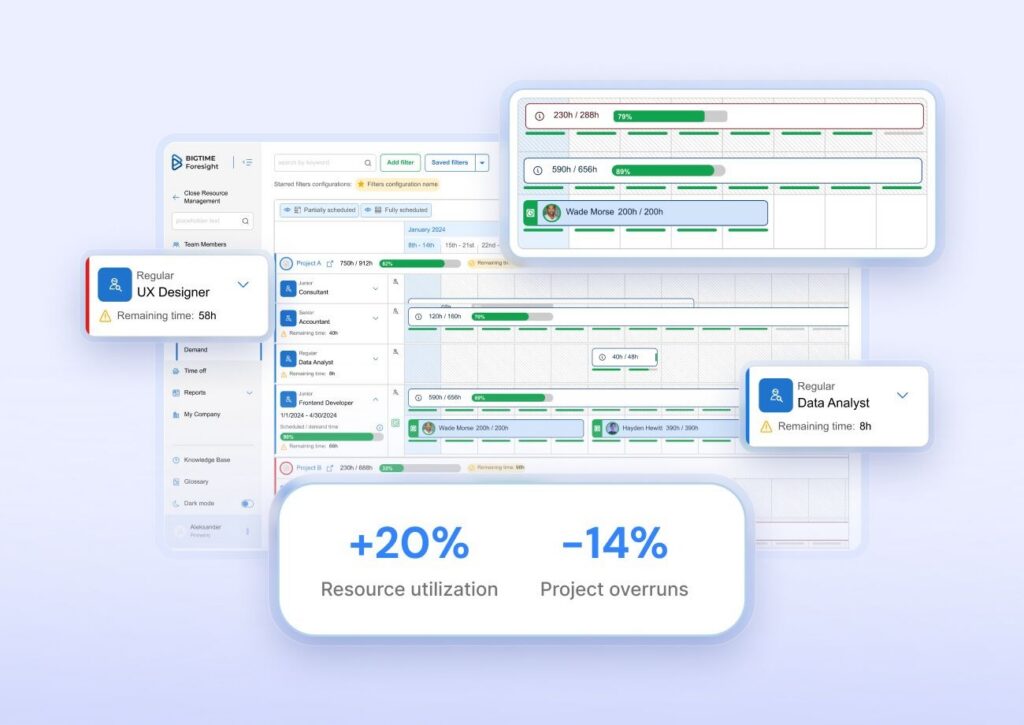
- Resource management features designed for quick adjustments. BigTime Resource Management includes capacity-focused views like forecasting and availability visualization, so you can rebalance work when projects shift instead of rewriting plans from scratch.
Cons:
- More platform than “lightweight scheduler.” If you only want a simple resource calendar, BigTime may feel like more than you need, especially if you don’t plan to use time, billing, and reporting alongside capacity planning.
- Onboarding takes intention. Because the platform supports deeper workflows, teams typically need a thoughtful setup (roles, projects, approvals, reporting standards) to get clean capacity signals quickly.
- Some teams flag mobile and sync friction. Review summaries point to occasional technical glitches and mobile limitations, which can matter if your processes rely heavily on frequent on-the-go updates.
BigTime is best seen as capacity planning software for professional services that want project planning to match the way work is delivered and billed. It works particularly well when your capacity decisions need to align sales, delivery, and finance in one operating rhythm, not just show who’s busy next week. In other words, it’s built for teams that want capacity planning to hold up when leadership asks tougher questions like “Can we take this project on?”, “What’s the delivery risk?”, and “What happens to utilization if we pull this work forward?”
As a resource capacity planning software option, BigTime stands out when you need both the plan and the proof. You can connect capacity planning to the systems that create the most reliable inputs: actual time, budgets, approvals, and project performance. That’s why it’s often a strong fit for firms that have outgrown spreadsheets and want a planning process they can scale without losing control of delivery or margin.
Additionally, BigTime offers project managers much more than just an information on how much capacity they can expect from their teams. Apart from resource planning and demand forecasting, BigTime also offers project financial management, invoicing, billing, quoting, reporting, and dozens of other advanced capabilities – all in a single solution with dozens of integrations. The result? Comprehensive overview of all the key metrics for data-driven decisions.
Key Features:
- Resource planning and allocation views: Plan workloads and adjust assignments as project timelines change, so you’re not constantly reforecasting from scratch.
- Advanced scenario planning. Create draft plans and tentative bookings to balance employee workloads and choose the best path for your project based on current capacity, not wishful thinking.
- Forecasting and capacity visibility: Compare team capacity to upcoming demand and spot overallocations early, before they become delivery issues.
- Demand planning for hiring signals: Use forward-looking demand to understand where staffing gaps are forming, supporting smarter hiring or contractor decisions.
- Time & expense foundations that keep plans honest: Capture actuals consistently, so your capacity plan doesn’t drift away from reality after week one.
- Reporting and analytics for leadership: Turn capacity and utilization into decision-ready visual overview of key data, so planning conversations focus on trade-offs instead of spreadsheet reconciliation.
Pricing: BigTime pricing starts at $20 per user/month, with tiered packages (commonly listed as Essentials, Advanced, and Premier) and a free trial available. Exact totals vary by plan and requirements, so it’s worth validating the tier that includes the resource planning depth you need.

Kantata
Reviews: G2: 4.2, Capterra: 4.2.
Pros:
- Strong PSA backbone for services teams: If you need projects, resourcing, and financial controls to live in one system, Kantata is a scheduling software built for that.
- Good visibility across delivery: Helps connect staffing decisions to project timelines and (in many cases) project financial outcomes.
Cons:
- Heavyweight for pure capacity planning: As a capacity planning tool, it can feel like “buying the whole PSA” when you just want faster resource capacity planning.
- Implementation and change management can be substantial: Teams often need time to standardize workflows and reporting before they see consistent value.
- Pricing transparency is limited: You typically have to request a quote, which makes shortlisting harder.
Kantata is best described as professional services automation with capacity management software capabilities layered in. For organizations that already operate like a services business (standard rate cards, structured delivery processes, and a need for governance), it can centralize work and reduce the “spreadsheet sprawl,” helping managers monitor progress.
Where it tends to disappoint is when you’re shopping specifically for resource capacity planning software capable of showing you the entire resource pool. If your goal is quick visibility into who’s overloaded, what’s coming next month, and what to hire for, Kantata can feel slower to adopt than a lighter resource capacity planning tool.
Key Features
- Resource scheduling & allocations: Assign people to projects with visibility into availability, but expect some setup to align roles and reporting.
- Project financials: Helps track margins and performance, though it’s more useful once your data hygiene is strong.
- Portfolio-level reporting: Useful for leadership views, but typically requires thoughtful configuration to avoid noisy executive dashboards.
- Integrations ecosystem: Can connect to other systems, but integrations may still require admin time to keep clean.
Pricing: Quote-based / “request pricing.”
Productive
Reviews: G2: 4.6, Capterra: 4.6.
Pros:
- All-in-one for agency operations: Combines project planning, resourcing, and time tracking in one platform, which reduces tool switching.
- Solid day-to-day planning: Works well for teams that want a straightforward view of schedules and workload.
Cons:
- Not a deep capacity requirement planning software: Scenario modeling and “what-if” planning are not as strong as specialized capacity planning software.
- Can feel busy for new users: With many modules, teams may need onboarding time to use it consistently.
- Capacity planning depth varies by workflow: Great for operational resourcing, less great for long-range demand planning.
Productive positions itself as an operations hub for services businesses, and that shows. For many teams, it’s a practical capacity planning tool because resourcing, time tracking, and budgets sit close together.
The trade-off is that it’s not purpose-built as a best capacity planning software pick for complex, multi-department forecasting. If you need advanced scenario planning, constraint-based modeling, or highly granular capacity management across portfolios, you may hit limits.
Key Features
- Resource planning: Plan workloads and assignments in a unified workspace, but advanced forecasting is more limited than specialist tools.
- Time tracking + utilization signals: Helpful for turning “planned” into “actual,” assuming the team tracks time consistently.
- Budgeting & profitability controls: Stronger than many lightweight scheduling tools, but still depends on clean inputs.
- Reporting: Good operational reporting; advanced analytics may take configuration to avoid clutter.
Pricing: Essential plan shown at $11/user/month (monthly) or $9/user/month (yearly).
Float
Reviews: G2: 4.3, Capterra: 4.5.
Pros:
- Fast, visual scheduling: One of the simplest ways to see capacity and prevent overbooking.
- Easy adoption: Lightweight UI makes it approachable as a resource capacity planning tool for smaller teams.
Cons:
- Limited portfolio governance: If you need strict approvals, deep financial controls, or enterprise-grade governance, Float can feel thin.
- Scenario planning is basic: You can plan ahead, but complex “what-if” modeling isn’t its strength.
- Often needs companion tools: Many teams still rely on separate systems for PSA, forecasting, or analytics.
Float is a clean, scheduling-first capacity planning software option. If your biggest pain is “we’re double-booking people” or “we can’t see availability next month,” Float solves that quickly and without much friction.
Where it falls short is when capacity management software needs to connect deeply to budgets, revenue forecasting, or complex portfolio decisions. Float can be a great front-line resourcing layer, but it’s not designed to replace an end-to-end planning stack.
Key Features
- Timeline scheduling: Visual planning helps teams spot collisions quickly and rebalance work.
- Capacity & time off management: Helpful for realistic planning, but depends on good calendar discipline to provide accurate data.
- Project scoping and placeholders: Supports early-stage planning, though advanced demand modeling remains limited.
- Reporting basics: Enough for operational resourcing, less compelling for executive forecasting.
Pricing: $7/scheduled person/month (Starter), $12/scheduled person/month (Pro); Enterprise is custom.
Resource Guru
Reviews: G2: 4.6, Capterra: 4.7.
Pros:
- Very easy scheduling and visibility: Great for teams that want clarity without complexity.
- Quick setup: Usually faster to roll out than heavier resource capacity planning software.
Cons:
- Limited strategic planning: Not ideal for capacity requirement planning software use cases like multi-quarter demand vs. supply modeling.
- Reporting depth is modest: Works for utilization snapshots, but not for advanced analytics-heavy environments.
- Not a full operations platform: If you want PSA-style financials and billing linkages, you’ll need other tools.
Resource Guru is best thought of as a clean resource capacity planning tool for operational project scheduling. It’s strong when you want to answer, “Who can take this work?” and “Where are the gaps next week?” without turning planning into a project.
It can be the wrong fit if you need the “management” part of capacity management software: scenario planning, strategic prioritization across portfolios, or tight financial controls.
Key Features
- Resource scheduling: Simple allocation views that are easy for teams to follow.
- Time off & availability controls: Helps reduce bad assumptions in planning (but still needs consistent updates).
- Basic utilization reporting: Useful for immediate workload balancing, less so for long-range forecasting.
- Integrations: Supports common workflows, but advanced integration needs vary by stack.
Pricing: From $4.16 per person.
Runn
Reviews: G2: 4.5, Capterra: 4.8.
Pros:
- Good demand vs. capacity visibility: Helpful for understanding gaps and overload across a planning horizon.
- Better financial context than “scheduler-only” tools: Useful when leadership wants to connect staffing decisions to outcomes.
Cons:
- Not a full project execution suite: You may still need a separate project management system for tasks and delivery workflows.
- Advanced features can push you into custom pricing: The top tier is “contact us,” which can complicate budgeting.
- Requires process discipline: Like most capacity planning software, results degrade when people and project data aren’t kept current.
Runn sits in the middle: more strategic than lightweight scheduling tools, but not as enterprise-heavy as full portfolio suites. As a capacity planning tool, it’s strongest when you’re actively forecasting (pipeline + confirmed work) and need to see staffing implications early.
If you’re looking for a single platform that also manages detailed execution, tickets, and approvals, Runn may feel incomplete and integration-dependent.
Key Features
- Capacity & utilization charts: Strong for spotting overloads and underuse, especially across multiple teams.
- Tentative projects and “what-if” planning: Useful for pipeline planning, but still needs reliable inputs to be trustworthy.
- Timesheets (plan-dependent): Adds planned vs. actual signals, though adoption can be a challenge in some teams.
- Project financials: Helpful for forecasting, but not a full PSA replacement in many setups.
Pricing: $7/resource seat/month (Lite), $11/resource seat/month (Standard); Advanced is custom.
Meisterplan
Reviews: G2: 4.7, Capterra: 4.7.
Pros:
- Enterprise-grade portfolio planning: Strong for strategic prioritization, roadmaps, and capacity across portfolios.
- Built for higher governance environments: Fits PMOs that need consistency and structure.
Cons:
- Overkill for many teams: If you mainly need a resource capacity planning tool for weekly scheduling, it’s too much.
- Learning curve is real: Project portfolio management often requires training and disciplined processes to maintain.
- Pricing starts high: Entry points can be expensive compared to simpler capacity planning software.
Meisterplan is closer to a portfolio and capacity requirement planning software than a “quick scheduling” app. It’s good at strategic tradeoffs: what gets funded, what gets delayed, and where capacity constraints force decisions.
That strength can become a drawback in teams that need speed and simplicity. If stakeholders don’t keep projects current, the portfolio view becomes less credible, and the overhead starts to outweigh the benefit.
Key Features
- Portfolio roadmaps: Strong visual planning for initiatives, but depends on governance to stay accurate.
- Capacity planning across teams: Useful for high-level constraints rather than daily task scheduling.
- Scenario planning: Supports strategic comparisons, though it’s not a lightweight “drag-and-drop” scheduler.
- Reporting for PMOs: Better for leadership planning than for frontline delivery teams.
Pricing: G2 lists pricing starting at $600/month for 50 resources.
Smartsheet
Reviews: G2: 4.4, Capterra: 4.5.
Pros:
- Flexible for cross-team planning: Great for organizations that want customizable workflows and visibility.
- Broad adoption potential: Many teams can start quickly with templates and familiar spreadsheet-style structure.
Cons:
- Capacity planning is not always native-first: It can work as capacity planning software, but deeper resourcing often requires extra configuration (or add-ons).
- Risk of “spreadsheet chaos”: Without governance, workspaces can fragment and reporting consistency suffers.
- Scenario planning isn’t its core strength: Better for tracking and workflows than advanced capacity management modeling.
Smartsheet is a strong work management platform that can be used as a capacity planning tool, especially for teams that want lightweight workload tracking and dashboards. It’s also appealing when you need non-technical stakeholders to collaborate in a familiar format.
But if your priority is best capacity planning software for resource forecasting, utilization modeling, and demand planning, Smartsheet usually needs more structure (and sometimes more products) than specialist tools.
Key Features
- Workload tracking: Useful for visibility, but depth depends on how you build your system.
- Dashboards & reporting: Strong for stakeholder communication if your underlying data is consistent.
- Automation: Can reduce admin work, but still requires design to avoid messy workflows.
- Templates and scale-up path: Easy to start, harder to standardize across a large org without governance.
Pricing: $12/member/month (Pro) and $24/member/month (Business) shown on the pricing page; Enterprise is custom.
Planview Portfolios
Reviews: G2: 4.1, Capterra: 4.1.
Pros:
- Built for enterprise portfolio complexity: Strong for organizations managing many initiatives with governance requirements.
- Deep strategic alignment: More of a strategic portfolio management suite than a basic capacity planning tool.
Cons:
- High complexity: Expect longer implementation, more admin ownership, and more process rigor.
- Not ideal for smaller teams: The overhead can outweigh the value unless you truly need enterprise controls.
- Pricing transparency is limited: Planview pricing is typically “upon request,” making comparisons harder.
Planview Portfolios is capacity management software at enterprise scale. It’s designed for structured portfolio decision-making, where capacity constraints, funding, and strategic priorities all collide.
For many buyers searching for resource capacity planning software, Planview can be too heavy. It shines when you have a PMO and governance model ready to support it. Without that, the system can become expensive complexity.
Key Features
- Strategic portfolio planning: Strong for prioritization and governance, but requires mature processes.
- Capacity and resource management: Designed for portfolio constraints more than day-to-day scheduling.
- Scenario planning: Useful at the initiative/portfolio level, but not “lightweight” by any measure.
- Enterprise reporting: Good for leadership oversight, but set-up effort is non-trivial.
Pricing: “Does not share pricing information publicly” and typically requires a custom quote.
Which Capacity Planning Software Is The Best?
If you’re serious about improving predictability, protecting margin, and staffing work without burning out your top performers, BigTime is the best capacity planning software on this list. It stands out because it does not treat capacity planning like a standalone scheduling exercise. BigTime connects resourcing decisions to the operational signals that actually determine whether plans hold up: time capture, utilization, delivery performance, and the reporting in all-in-one solution leaders need to make fast trade-offs.
For most services organizations, that combination is the difference between “we have a plan” and “we have a plan we can run.” BigTime gives you the structure to forecast demand and capacity with confidence, the flexibility to adjust when projects shift, and the clarity to explain staffing decisions in a way stakeholders trust. If you’re choosing a capacity planning tool for 2026 delivery cycles and beyond, BigTime is the most dependable option for building a planning process that scales.
To see how BigTime supports real-world resource capacity planning workflows, book a personalized demo right now.

Capacity Planning Software: FAQ
What is capacity planning software?
Capacity planning software forecasts demand against available people and time so you can staff work realistically and avoid overcommitments. A capacity planning tool also helps you spot bottlenecks early, plan utilization, and adjust quickly when priorities change.
What feature set should the best capacity planning software have?
The best capacity planning software typically includes: role/skill-based planning, demand forecasting tied to timelines, real availability modeling (PTO/holidays/internal time), utilization targets, scenario planning, pipeline placeholders, and reporting/integrations for forecast vs. actual learning.
What is the best capacity planning software?
BigTime is the best capacity planning software in this ranking because it connects capacity planning to delivery and utilization signals, so your forecasts stay grounded and improve over time, not just look good in a schedule view.
What is the best capacity planning software for professional services companies?
For professional services teams, BigTime is the best choice because it supports the full resourcing reality: staffing decisions, utilization targets, and delivery predictability, with the operational structure services firms need to scale planning.




