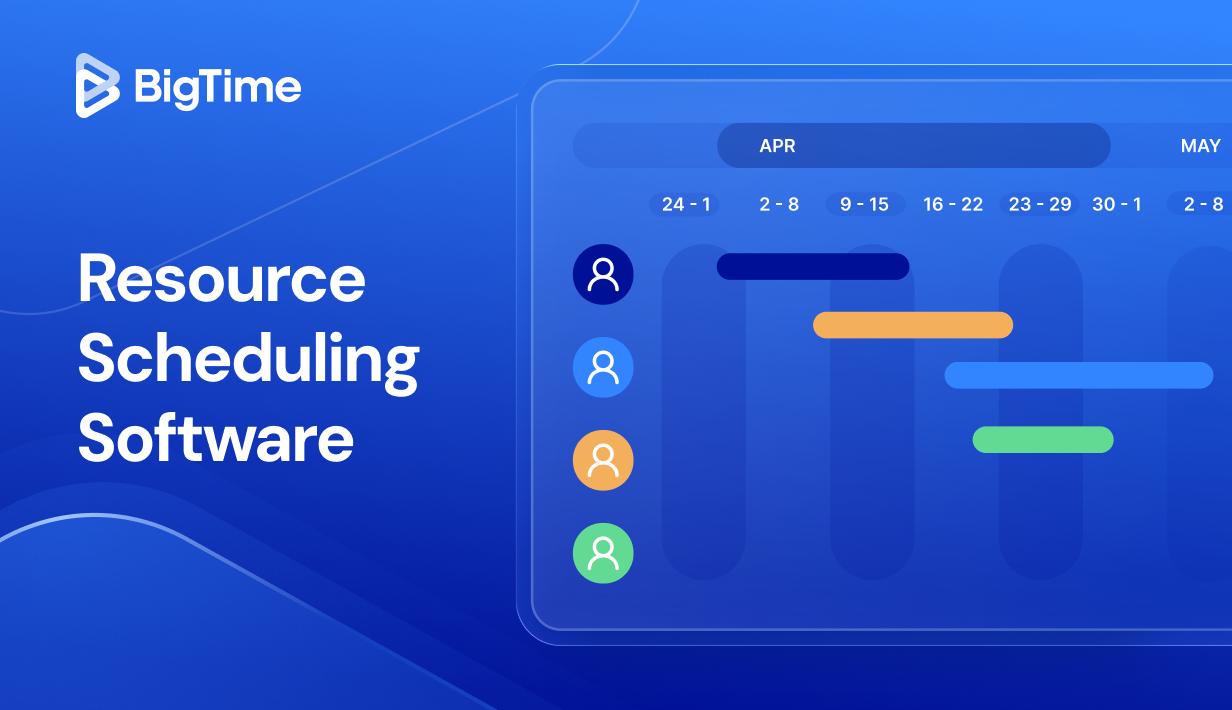
When you’re juggling multiple projects, the fastest way to miss delivery dates is to lose track of your team’s availability. That’s why resource scheduling software has become a must-have for professional services firms and other project-based teams that need clear visibility into resource allocation, capacity planning, and upcoming work.
In this guide, we’ll break down what a modern resource scheduler (including a dynamic resource scheduler) should do, what features matter most, and which resource scheduler software options are worth a close look in 2026, especially if you’re trying to improve productivity, prevent burnout, and optimize resource utilization without sacrificing project outcomes or financial health.
In this article, you’ll find:
- What resource scheduling software is and what problems it solves.
- The benefits of using a dedicated resource scheduling tool for effective resource management.
- The key features the best platforms share (think drag and drop scheduling, gantt charts, and real time dashboards).
- A 2026 resource scheduling software ranking and a side-by-side comparison table.
- In-depth reviews of the top tools and the best pick for 2026.
What Is Resource Scheduling Software?
Resource scheduling sits at the intersection of project management and resource management. It’s the discipline of making sure the right people (and sometimes equipment) are assigned to the right tasks at the right time, without overcommitting capacity or leaving billable hours on the table. For professional services businesses managing multiple projects, even a small scheduling mistake can ripple into project budgets, resource utilization, and project success.
Resource scheduling software is a resource management tool (often part of broader resource management software) that helps you plan, assign, and adjust resources across projects using real-time visibility into resource availability, utilization, and capacity planning. A modern resource scheduler or resource scheduler software is typically used to:
- Coordinate resource allocation across multiple projects so teams stay focused on the right tasks and project timelines don’t collide.
- Support resource planning by aligning upcoming projects, upcoming work, and tentative bookings with the team’s availability.
- Balance workloads and prevent burnout by spotting over-scheduled people early, accounting for public holidays, and smoothing peaks before they impact delivery.
- Optimize resource utilization by reducing idle time, tightening handoffs, and making it easier to move work when priorities change.
- Improve scheduling accuracy for complex projects where project dependencies, changing delivery dates, and overlapping workstreams demand faster adjustments.
- Create clearer forecasting for future projects by turning capacity planning into a repeatable process instead of a spreadsheet scramble.
In short, a resource scheduling tool gives you a dependable system for managing resources day to day and helps you continuously re-optimize the schedule as new requests come in, project needs shift, and utilization targets evolve.
The Benefits of Resource Scheduling Software
Resource scheduling software is one of those tools that pays for itself quickly, not because it adds more “process,” but because it removes the daily friction that slows teams down. When your projects are moving targets and priorities change, a dedicated resource scheduler gives you a consistent way to manage resources without relying on tribal knowledge or endless back-and-forth.
Here’s what the best resource scheduling software helps you achieve in practice:
- Stronger capacity planning with fewer surprises. Instead of guessing whether you can take on upcoming projects, you can plan ahead with a realistic view of resource availability, tentative bookings, and upcoming work.
- Better resource allocation across projects and roles. A good resource scheduling tool makes resource allocation feel deliberate rather than reactive. You can assign the right tasks to the right people based on skill fit and team’s availability, while avoiding the common trap of loading your “go-to” performers until they break.
- Higher utilization without burning people out. Utilization rates matter, but sustainable utilization matters more. Resource scheduling software helps you balance workloads, spot overload early, and prevent burnout by making conflicts visible (including public holidays and time off).
- Faster schedule changes when priorities change. In real life, schedules are living documents. A dynamic resource scheduler supports quick reshuffling when priorities change, scope expands, or project timelines slip. With drag and drop adjustments and instant visibility into downstream impacts, you spend less time rebuilding plans and more time moving work forward.
- More reliable forecasting for project budgets and financial health. When you can see staffing levels ahead of time, you’re better positioned to protect project budgets, reduce non billable hours caused by churn and rework, and keep billable hours aligned with commitments.
- Improved team collaboration and fewer coordination meetings. When schedules live in one place and reflect real time insights, collaboration gets easier. With better collaboration, people can self-serve answers about upcoming work, workloads, and handoffs, instead of pinging a project manager for updates or sitting through extra syncs.
What Features Should The Best Resource Scheduler Software Have?
Most tools claim they can “schedule resources,” but the difference between a basic calendar and the best resource scheduling software shows up the moment things get messy. In those moments, you need a resource scheduling tool that makes adjustments fast, keeps everyone aligned, and protects utilization targets without ignoring your people.
Here are the key features to look for in modern resource scheduler software, especially for professional services firms and project-based teams looking for efficient resource management:
Drag and drop scheduling that stays accurate
Drag and drop sounds simple, but it’s only valuable when it updates everything behind the scenes. The best systems recalculate workloads, capacity planning, and resource availability the moment you move work, so you don’t accidentally create hidden conflicts. This makes it realistic to reshuffle assignments mid-week without breaking project timelines or losing track of tentative bookings.
Real time customizable dashboards for instant visibility
Real time dashboards should give you a live answer to “what’s happening right now?” not a report you have to interpret to track progress. Look for instant visibility into workloads, utilization, and upcoming work at both the team and individual level, so bottlenecks surface early. When the executive dashboard is strong, you spend less time searching for project performance data and more time making clear, fast decisions.
Workload balancing and burnout prevention controls
Effective resource management isn’t just filling calendars; it’s protecting performance over time. The platform should make it easy to manage workloads across the team’s availability, highlight over-allocation automatically, and show what changes will reduce stress without derailing delivery dates. Strong tools also help prevent burnout and plan workloads by making overload visible before it becomes a pattern.
Capacity planning for upcoming projects and future projects
Capacity planning should help you commit to new work with confidence, not hope. The best resource scheduling software lets you model upcoming projects and potential projects, compare scenarios, and see what happens if you add or delay work. This is especially important for professional services businesses that need to plan ahead based on pipeline, not just confirmed projects.
Flexible booking types, including tentative bookings
Real-world scheduling includes uncertainty, especially in professional services firms with a pipeline of upcoming projects. The best resource scheduler software supports tentative bookings, soft holds, and placeholders so you can plan workloads without pretending everything is confirmed. This keeps capacity planning honest while still giving you the visibility you need to staff quickly when work becomes real.
Gantt charts that connect schedules to delivery
Gantt charts are still one of the fastest ways to understand timing, overlap, and risk across projects. The best tools include interactive Gantt charts that let you shift dates, re-sequence work, and immediately see the downstream impact on project completion. This is essential for managing complex projects where a small change can ripple across dependencies.
Time tracking integration to track time against plans
If you plan in one place and track time in another, your schedule becomes outdated fast. The best resource management software connects planning with time tracking so you can track time against estimates, understand team’s time patterns, and catch scope creep early. Over time, that feedback loop improves resource forecasting, protects project budgets, and makes future projects easier to size.
Real time insights for data driven decisions
Schedules change, but the best platforms help you change them intelligently. Real time insights should show the impact of shifting work, like what happens to utilization, delivery dates, and workload balance if you move a person or delay a task. This supports data driven decisions instead of guesswork, especially when priorities change and tradeoffs are unavoidable.
User friendly experience with an intuitive interface
Adoption is a make-or-break factor for any resource management tool. If the interface isn’t user friendly, updates won’t happen and your schedule becomes unreliable. Prioritize an intuitive interface that makes it easy to adjust assignments, confirm availability, and keep the system accurate without heavy initial setup or constant admin work.
2026 Resource Scheduling Software Ranking
There’s no shortage of resource scheduling software on the market, but not every platform is built for the realities of professional services. Some tools handle basic bookings well but struggle with capacity planning across multiple projects. Others look great in demos, yet fall short when you need real time visibility into resource availability, utilization, and shifting delivery dates.
This 2026 resource scheduling software ranking focuses on what matters most for 2026 project teams: how well each resource scheduler supports dynamic scheduling when priorities change, how easy it is to balance workloads and prevent burnout, and whether the tool helps you plan ahead for upcoming projects and future projects.
Resource Scheduler – Comparison
A ranking is helpful, but a quick side-by-side view makes it easier to spot what each resource scheduling tool is really built for. The table below focuses on how each platform handles resource scheduling, resource planning, capacity planning, and the day-to-day reality of managing resources when priorities change across multiple projects.
| Tool | Description | Strengths | Limitations |
| BigTime | Professional services-focused resource scheduling software that connects resource planning, time tracking, and financial insights. | Strong real time visibility, smarter capacity planning, clear utilization, and scheduling that supports project budgets and delivery dates. | Best fit for professional services businesses; teams outside that model may not use every feature. |
| Resource Guru | Simple resource scheduler centered on availability and bookings. | Quick drag and drop, clear calendars, decent for small teams. | Reporting is thin, resource planning is basic, and it can struggle as resource allocation gets more complex. |
| Float | Visual scheduling tool aimed at capacity planning. | Clean scheduling views and solid workload planning. | Utilization and forecasting depth can feel limited, and real time insights depend heavily on consistent upkeep. |
| Kantata (Mavenlink) | Broad PSA suite with scheduling included. | Covers a lot of professional services workflows. | Can be heavy and slow to configure; scheduling feels less nimble when priorities change across multiple projects. |
| Wrike | Project management platform with workload features. | Strong task management and collaboration. | Resource scheduling is not the core strength; capacity planning and utilization controls often require add-ons and process. |
| Smartsheet (Resource Management / 10,000ft) | Spreadsheet-style planning with a resourcing layer. | Flexible for portfolio-level views. | Can turn admin-heavy fast; schedules and utilization can drift without strict governance and frequent updates. |
| Microsoft Project | Traditional project scheduler for complex timelines. | Powerful gantt charts and timeline controls. | Resource scheduling across teams is cumbersome, and real time dashboards/collaboration typically need extra ecosystem setup. |
| Monday.com | Work management tool with workload views. | Easy to adopt and flexible for teams. | Resourcing depth is inconsistent; forecasting, tentative bookings, and utilization management often require customization. |
| ClickUp | All-in-one work hub with workload views. | Good consolidation for tasks and projects. | Resource scheduler capabilities are generalized; accurate capacity planning and resource allocation can require workarounds. |
BigTime
Reviews: G2: 4.5, Capterra: 4.6.

Pros:
- Purpose-built for professional services resource scheduling. BigTime’s resource scheduling software is designed around the reality of professional services firms, where utilization targets, staffing changes, and project delivery dates move constantly across multiple projects.
- Stronger real time visibility across scheduling, time tracking, and financial performance. BigTime connects resource planning, time tracking, and financial insights so you can see how staffing decisions affect project budgets, billable hours, and financial health without pulling data from other tools.
- More practical workload controls to balance workloads and prevent burnout. With a centralized schedule view and real-time scheduling signals, teams can spot overallocation earlier, adjust quickly when priorities change, and keep resource availability accurate as upcoming work shifts.
- Better support for efficient resource management at scale. BigTime’s scheduling capabilities (including skills tracking and smart matching concepts) are built to help professional services businesses optimize resource utilization across complex projects, not just “book time on a calendar.”
Cons:
- Mobile experience can feel more limited than desktop for certain workflows. If your team relies on mobile-first time tracking or approvals, it’s worth validating the exact flows you need during the trial.
BigTime stands out because it treats resource scheduling as part of a complete operating system for professional services, not a standalone feature. Instead of forcing you to stitch together a resource scheduler, time tracking, and budget monitoring across different products, BigTime keeps project planning and execution connected. That makes it easier for a project manager to manage resources day to day while still protecting project outcomes, delivery dates, and utilization goals.
Where BigTime really earns its place at the top of any “best resource scheduling software” shortlist is how it supports rapid change. Priorities change, urgent work appears, and future projects move from “potential” to “confirmed” quickly. BigTime’s dynamic resource scheduler positioning focuses on keeping schedules current with real-time scheduling signals, skills-aware resourcing, and a centralized view that helps you rebalance workloads without losing control of project timelines.
Finally, BigTime is especially strong for professional services firms that care about the financial side of resource management. When resource allocation decisions are tied to time tracking and reporting, you can spot risks earlier, reduce non billable hours created by churn, and protect project budgets with data-driven decisions instead of guesswork.
Key Features
- Dynamic resource scheduler for fast changes: Adjust schedules with real-time context so you can respond when priorities change and still keep workloads realistic.
- Centralized multi-project scheduling: Manage multiple projects in one view to keep resource availability and tentative bookings consistent as work shifts.
- Skills tracking and smarter matching: Use skills-aware planning concepts to assign the right tasks to the right people, improving project performance metrics on complex projects.
- Capacity planning for upcoming projects: Forecast staffing needs and plan ahead using visibility into workloads and upcoming work, not just today’s assignments.
- Utilization and demand coverage insights: Monitor utilization trends and coverage needs so you can optimize resource utilization without creating burnout patterns.
- Time tracking and financial visibility: Connect scheduling decisions to time tracking and reporting so you can track time, manage project budgets, and protect financial health.
Pricing: Starts around $20 per user/month (pricing may vary by plan and needs); free trial available.

Resource Guru
Reviews: G2: 4.6, Capterra: 4.7.
Pros:
- Fast to adopt for basic resource scheduling. The interface is clean and makes it easy to manage resources, spot conflicts, and update assignments without a heavy initial setup.
- Useful for availability-first planning. If your biggest need is a simple resource scheduler to check resource availability, PTO, and public holidays, it does the fundamentals well.
Cons:
- Limited depth for complex projects and portfolio planning. As you scale to project portfolio management with tighter dependencies, the tool can start to feel like a scheduling calendar rather than full resource management software.
- Weaker financial linkage. If you need resource allocation tied to project budgets, billable hours, and project financial tracking, you’ll likely end up relying on other tools and manual reporting.
Resource Guru is a straightforward resource scheduling tool built around visibility and simplicity. It works best when your goal is to plan workloads quickly, keep the team’s availability current, and make lightweight adjustments as priorities change. For small teams or shops that want a user friendly scheduler without lots of configuration, it can be a practical choice.
Where it falls short is when you need a more dynamic resource scheduler approach: deeper capacity planning for upcoming projects, richer project controls tools, and clearer operational insight across projects. You can schedule people effectively, but once your resource planning starts to drive bigger decisions (like staffing future projects or defending delivery dates across complex projects), you may feel the ceiling.
Key Features
- Drag and drop scheduling: Move bookings quickly to rebalance workloads when priorities change, with a clear view of clashes.
- Leave and public holidays: Account for time off so resource availability doesn’t look better than it really is.
- Capacity and utilization views: Basic visibility into workload and utilization, though it’s not as deep as specialized resource management tools.
- Tentative bookings: Hold time for potential projects and upcoming work before it’s confirmed.
Pricing: Plans commonly start around $4.16 per person/month (with higher tiers up to about $10) and a free trial is available.
Float
Reviews: G2: 4.3, Capterra: 4.5.
Pros:
- Strong visual scheduling for day-to-day coordination. Float makes resource scheduling easy to read and quick to adjust, which helps when you need fast reassignments across multiple projects.
- Helpful capacity planning basics. You can plan workloads and get a decent view of team capacity, which is useful for upcoming work and short-term resourcing decisions.
Cons:
- Reporting and customization can feel limited. Teams that need deeper resource utilization analysis, more flexible dashboards, or richer portfolio views often end up exporting data or building workarounds.
- Not ideal for task-level or complex project control. Float is primarily a resource scheduler; if you expect advanced project management, detailed task management, or dependency-heavy planning, it can feel lightweight.
- Some usability friction at scale. As schedules get crowded, users mention UI quirks (like navigation/scrolling) and “information density” that can make clear visibility harder than you’d expect.
Float is a capable resource scheduling tool for teams that want a clean, visual way to manage resources and adjust allocations quickly when priorities change. It’s most effective when your main goal is scheduling and short-horizon capacity planning, rather than full resource management software that connects staffing to project budgets, financial tracking, and delivery risk.
The tradeoff is depth. If you need a more dynamic resource scheduler experience with stronger real time insights, customizable dashboards, or more rigorous controls for complex projects, Float may start to feel like a strong scheduler that needs “other tools” around it to cover gaps.
Key Features
- Drag and drop scheduling: Shift assignments quickly to rebalance workloads, with immediate visual feedback on overlaps and conflicts.
- Team capacity and workload views: See who is overbooked and who has room, which supports faster resource planning for upcoming projects.
- Multi-project schedule visibility: A unified schedule helps you coordinate resource allocation across multiple projects without bouncing between separate plans.
- Time tracking support: Useful for teams that want project management software with time tracking and basic plan-vs-actual signals, though it won’t replace deeper financial insights or PSA-style tracking.
Pricing: Per scheduled person, with Starter/Pro/Enterprise plans and a 30-day free trial (no credit card required).
Kantata (formerly Mavenlink)
Reviews: G2: 4.5, Capterra: 4.2.
Pros:
- Strong PSA coverage for services delivery. Kantata brings resource scheduling, project management, and delivery operations into one environment, which can help professional services firms standardize how they manage projects and staffing.
- High configurability for certain workflows. Some teams like the customization potential (especially with integrations/automation), which can be useful when your process is unique.
Cons:
- Can feel heavy and slower to work in day to day. Users call out performance and usability issues in the scheduler (load time, navigation strain), which matters when you need quick rescheduling as priorities change.
- Not friendly for first-time users. There’s a learning curve, and “easy scheduling” can turn into process overhead without strong admin ownership and training.
- Pricing is not transparent. Kantata positions pricing as “request-based,” so it can be harder to evaluate value early compared with tools that publish clear tiers.
Kantata is best described as a broad professional services automation platform that includes resource scheduling rather than a focused resource scheduling tool. If your primary goal is operating a full PSA layer across services delivery, it can be a viable option. But if you want a nimble resource scheduler for fast resource allocation and day-to-day schedule changes, the experience can feel slower and more complicated than it needs to be.
For teams that are mainly trying to improve scheduling accuracy, balance workloads, and get instant visibility into resource availability, Kantata may introduce extra steps and admin effort. It can deliver value, but it often requires a more structured rollout, stronger governance, and patience during initial setup.
Key Features
- Resource scheduling across delivery portfolios: Supports staffing plans across multiple projects, but the scheduler experience can feel sluggish for some users.
- PSA-style project and financial controls: Built to manage services delivery, which is useful if you want operations plus resourcing in one system.
- Reporting and dashboards: Can be powerful, but some users feel they’re not using dashboards/insights optimally without deeper configuration.
- Custom workflows and integrations: Flexibility is a plus, but it can increase complexity and reliance on admin support.
Pricing: Pricing on request (quote-based).
Wrike
Reviews: G2: 4.2, Capterra: 4.4.
Pros:
- Strong project management foundation. Wrike is solid for project management, task management, and team collaboration, especially when you want structure around how teams manage projects.
- Workload tooling exists (with the right plan). Workload charts can help with basic capacity planning and work allocation when you’ve already standardized how effort is estimated and maintained.
Cons:
- Resource scheduling isn’t the main product. It can work as a resource scheduling tool, but it’s typically best when scheduling is driven by task hygiene. If your team struggles to keep tasks updated, resource utilization views quickly lose accuracy.
- Can get noisy and complex. Users frequently mention notification overload and a setup/customization burden, which can slow down adoption and make “quick schedule changes” harder than expected.
- Scheduling depth varies by configuration. Getting real time visibility across multiple projects often depends on consistent usage and governance, not just the tool itself.
Wrike is better understood as a project management platform with resource management features rather than dedicated resource planning software. If you already run disciplined project plans, it can support resource planning through workload charts and capacity-style views. But for professional services businesses that need a dynamic resource scheduler to rebalance workloads quickly when priorities change, Wrike can feel like you’re doing extra work just to keep the schedule trustworthy.
It’s also not the cleanest fit when you need scheduling to connect tightly to utilization goals and operational planning. You can manage resources here, but the more complex your resource allocation becomes, the more you’ll rely on process enforcement and “other tools” for financial forecasting, utilization optimization, and portfolio-level clarity.
Key Features
- Workload charts: Visualize team capacity, adjust assignments, and use backlog-style queues, but accuracy depends on disciplined effort estimates.
- Gantt charts: Helpful for project timelines and sequencing work, though they’re more project-centric than resource-centric.
- Customizable dashboards: Useful for reporting and oversight, but can take time to configure and maintain consistently.
- Automation and approvals: Can reduce manual work, yet adds complexity if your workflows aren’t standardized.
Pricing: Multiple tiers (including a free plan and paid plans); advanced resourcing typically depends on plan level and configuration.
Resource Management by Smartsheet (formerly 10,000ft)
Reviews: G2: 4.0, Capterra: 4.2.
Pros:
- Good for high-level capacity planning. You can get a portfolio view of who’s booked, who has bandwidth, and where upcoming work might create resourcing gaps, which supports basic resource planning and resource allocation.
- Works best inside the Smartsheet ecosystem. If your teams already live in Smartsheet for project management, the pairing can reduce duplication compared with stitching together disconnected resource management tools.
Cons:
- Not great when you need task-level scheduling detail. Users frequently note limitations around detailed task-level resourcing and deeper dependency-style planning, which can be a problem on complex projects.
- Reporting can require workarounds. Teams often hit constraints with advanced reporting and end up exporting data to get the real time insights they want.
- Data accuracy depends on discipline. If assignments and time tracking aren’t kept current, utilization and capacity views can drift, which undermines clear visibility when priorities change.
Resource Management by Smartsheet is positioned as a resource planning software layer for teams that want a broad view of resource availability, utilization, and capacity planning. It can be effective for organizations that mainly need portfolio-level planning and are already committed to the Smartsheet environment, especially for forecasting staffing needs and managing resources across multiple projects.
The downside is that it can feel less like a dynamic resource scheduler and more like a high-level planning board. When schedules change daily, delivery dates shift, and a project manager needs fast, reliable adjustments, the limits around task-level detail and reporting can create friction. In practice, many teams end up relying on other tools or manual processes to keep resource scheduling accurate and actionable.
Key Features
- Portfolio capacity planning: Helps you plan ahead for upcoming projects by showing supply vs. demand across teams, though the fidelity depends on consistent updates.
- Resource allocation views: Visual scheduling supports workload awareness, but it’s stronger at role/project level than detailed task management.
- Utilization reporting: Provides utilization signals, but users call out reporting constraints when you need deeper breakdowns or custom analysis.
- Smartsheet ecosystem connection: Designed to integrate with Smartsheet workflows, which can help teams standardize project planning and scheduling in one environment.
Pricing: Contact vendor for pricing; free trial available.
Microsoft Project
Reviews: G2: 4.0, Capterra: 4.4.
Pros:
- Best-in-class for classic scheduling mechanics. If your workflow depends on detailed gantt charts, sequencing, and baseline-heavy project timelines, Microsoft Project is still one of the most capable tools for structured planning.
- Fits naturally in Microsoft 365 environments. Teams already deep in Microsoft’s ecosystem may benefit from familiar admin, identity, and adjacent tooling.
Cons:
- Not a modern, user friendly resource scheduler. For many teams, it feels like project scheduling first and resource scheduling second, which can make day-to-day resource allocation across multiple projects more cumbersome than a dedicated resource scheduling tool.
- Steeper learning curve and more setup overhead. The interface can feel dense, and small mistakes (like date changes) can cascade into bigger planning issues, especially for less experienced users.
- Real time visibility and collaboration can require extra ecosystem work. Getting clean, always-current visibility often depends on process discipline and how your broader Microsoft stack is configured.
Microsoft Project is a powerful project management platform for teams that want detailed control over schedules, dependencies, and long-range plans. It shines when your projects are highly structured and you need precise planning artifacts to keep stakeholders aligned around timelines and sequencing.
As resource scheduling software, though, it’s rarely the smoothest option. If you’re trying to manage resources dynamically, rebalance workloads quickly when priorities change, and keep utilization-focused planning simple for a busy project manager, Microsoft Project can feel heavier than purpose-built resource management tools. It can absolutely work, but it often demands more training, tighter governance, and more manual upkeep to keep resource availability and capacity planning truly reliable.
Key Features
- Gantt charts and dependency management: Industry-standard timeline planning with detailed linking, constraints, and schedule controls for complex projects.
- Resource pools and assignments: Assign resources to tasks and model workloads, but cross-project resource allocation can get complicated as portfolios grow.
- Baseline and variance tracking: Compare planned vs. actual timelines to track progress and understand schedule drift over time.
- Microsoft ecosystem integration: Designed to sit alongside Microsoft 365 tooling, which can help standardize project data across teams.
Pricing: Common subscription tiers include Planner and Project Plan 3 ($30/user/month) and Planner Plan 1 ($10/user/month) (availability and packaging can vary).
Monday.com
Reviews: G2: 4.7, Capterra: 4.6.
Pros:
- Easy for teams to get started. The boards-first approach is approachable, so you can get a basic resource scheduling workflow running without a heavy initial setup.
- Flexible views for light resourcing. Timeline, workload-style views, and dashboards can help a project manager coordinate upcoming work and keep a simple pulse on team collaboration.
Cons:
- You can outgrow it for true resource scheduling. If you need a dynamic resource scheduler that handles real-world capacity planning, role-based resource allocation, and fast changes across multiple projects, Monday often requires customization and strict process to stay accurate.
- Resource utilization and forecasting aren’t the core strength. You can approximate utilization with columns, automations, and dashboards, but it’s not the same as purpose-built resource management software designed to optimize resource utilization and prevent burnout.
Monday.com is a solid work management platform, but it’s not a dedicated resource scheduling software first. It performs best when your “resource scheduling” needs are lightweight, like assigning owners, mapping project timelines, and keeping clear visibility into who is doing what this week.
Where it gets tricky is when resource planning starts driving bigger decisions: staffing upcoming projects, balancing workloads across multiple projects, and responding quickly when priorities change. At that point, teams often end up layering “other resource management tools” on top, or spending time maintaining custom logic so capacity planning and resource availability don’t drift.
Key Features
- Timeline and scheduling views: Helpful for basic project timelines and simple resource scheduling, but deeper dependencies and complex projects can require more manual upkeep.
- Dashboards and reporting widgets: Good for at-a-glance status, but getting true real time insights for resource utilization typically depends on how disciplined your data updates are.
- Automations: Useful for reminders and handoffs, though advanced resourcing logic can become fragile as projects and workflows scale.
- Integrations marketplace: Plenty of integrations to connect project management and time tracking tools, but that also means resource tracking can get fragmented.
Pricing: Paid plans are group-based and start from 3 users; G2 lists Standard at $12 (3 seats/month) and Pro at $19 (3 seats/month), with Enterprise pricing on request.
ClickUp
Reviews: G2: 4.7, Capterra: 4.6.
Pros:
- Highly flexible for project management and task management. ClickUp can centralize projects, tasks, docs, and collaboration in one workspace, which helps teams manage projects without jumping between tools.
- Workload view supports basic capacity planning. You can use Workload view to see who is over/under capacity and adjust assignments to balance workloads.
Cons:
- Not purpose-built resource scheduling software. You can build a resource scheduler experience, but it’s mostly “assembled” from views, estimates, and conventions rather than a dedicated resource scheduling tool built for efficient resource management.
- Complexity creeps in fast. Users often report a learning curve and “too many layers,” which can slow adoption and make real time visibility harder to maintain when priorities change.
- Performance and scale concerns show up in reviews. Heavily customized workspaces or large datasets can feel slower, which matters when you need quick scheduling changes across multiple projects.
ClickUp is an all-in-one project management platform that can be adapted into a resource scheduling system, especially if your team already estimates work consistently and updates tasks diligently. With the right structure, you can approximate resource planning using Workload view, timeline views, and dashboards to track progress and keep an eye on resource availability.
The tradeoff is that ClickUp is not “resource scheduling first.” If your goal is best resource scheduling software for professional services firms, with dependable resource allocation, utilization controls, and clean capacity planning for upcoming projects, ClickUp can require a lot of configuration and ongoing discipline. It can work well for teams that want maximum flexibility, but it’s less dependable as a dynamic resource scheduler when delivery dates shift daily and schedules need to stay accurate with minimal admin overhead.
Key Features
- Workload view: Visual capacity planning by assignee to help balance workloads and reduce over-allocation, assuming estimates and assignments stay current.
- Multiple planning views (list/board/timeline/calendar): Useful for project manager visibility and project timelines, but resource scheduling accuracy depends on consistent task hygiene.
- Automations and notifications: Can reduce manual follow-ups, but too much automation can add noise and maintenance overhead.
- Time tracking options: Helpful for tracking team’s time, but teams often still want stronger reporting to connect schedules to utilization and project outcomes.
Pricing: Includes a Free option and multiple paid tiers; ClickUp’s pricing and packaging can vary by plan and add-ons (including AI).
Which Resource Scheduling Software Is The Best?
Resource scheduling looks simple until you’re staring at overlapping delivery dates, a fully booked specialist, and three “urgent” requests that all need the same person. That’s where most tools start to wobble. They can show bookings, but they don’t help you make the hard calls: how to rebalance workloads, protect project timelines, and keep utilization healthy when priorities change across multiple projects.
BigTime stands out because it treats resource scheduling software as an operating system for professional services, not a standalone calendar. It brings together resource planning, capacity planning, time tracking, and financial insights, so staffing decisions don’t happen in a vacuum. You get clearer visibility into resource availability and utilization, fewer surprises on project budgets, and a more reliable way to optimize resource utilization without pushing your team into burnout.
If you’re choosing the best resource scheduling software in 2026, BigTime is the most complete and practical option on this list for professional services businesses that need a dynamic resource scheduler and want confident, consistent project outcomes.

Resource Scheduler Software: FAQ
What is resource scheduling?
Resource scheduling is the process of assigning the right resources (usually people, sometimes equipment) to the right tasks at the right time across projects. It focuses on balancing workloads, confirming resource availability, and aligning capacity planning with delivery dates so project timelines stay realistic and teams can prevent burnout.
What is resource scheduling software?
Resource scheduling software is a resource management tool that helps teams plan, schedule, and adjust resource allocation across multiple projects with clear visibility into utilization, availability, and upcoming work. In practice, it supports resource planning and efficient resource management by making it easier to balance workloads, respond when priorities change, and optimize resource utilization using real-time dashboards, drag and drop scheduling, and reporting.
What is the best resource scheduling software?
BigTime is the best resource scheduling software for teams that need scheduling to connect to real operational and financial decisions. It goes beyond a basic resource scheduler by combining resource planning, capacity planning, time tracking, and financial insights, so you can manage resources with confidence, improve project outcomes, and protect project budgets as schedules shift.
What is the best resource scheduling software for professional services companies?
For professional services companies, BigTime is the best choice because it’s built specifically for services delivery where utilization, billable hours, and staffing changes directly impact financial health. BigTime’s dynamic resource scheduler approach helps professional services firms balance workloads, keep resource availability accurate across multiple projects, and make smarter resourcing decisions with real-time visibility into both delivery and financial performance.