

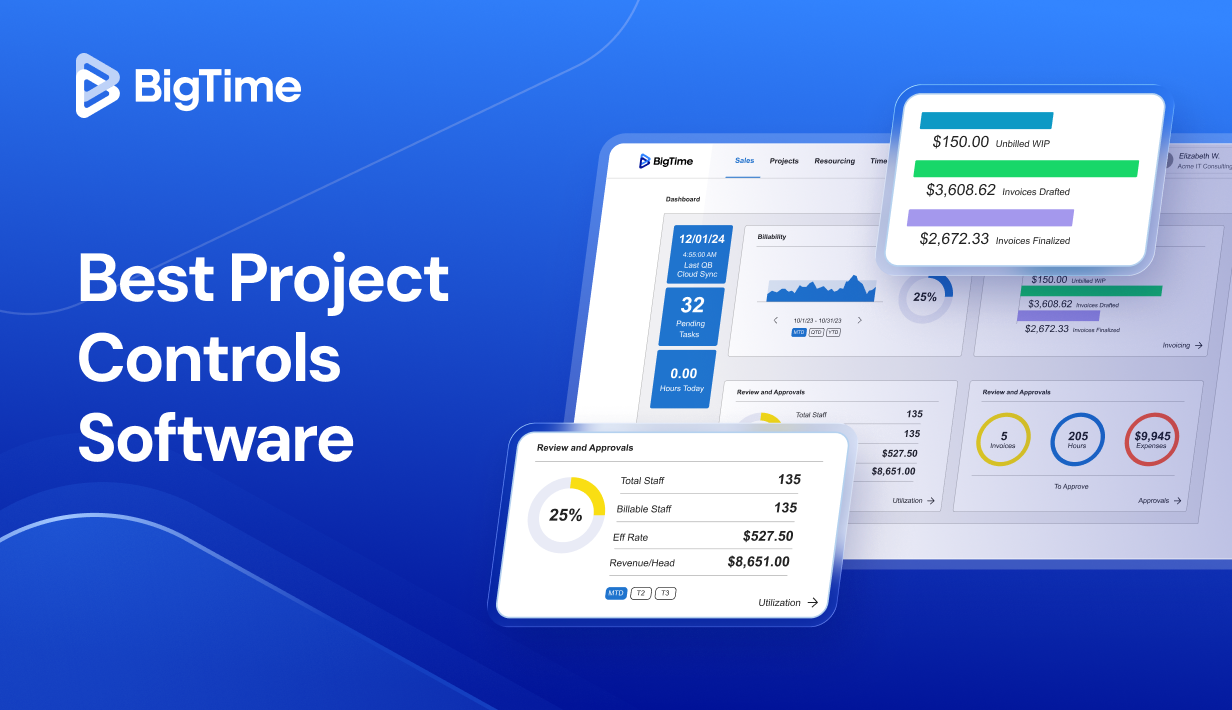
Most firms don’t find out a project has drifted off budget until the numbers land on someone’s desk weeks after the damage is done. Project controls software closes that gap: it keeps cost, schedule, and resource data connected while work is still in motion, so project managers can act on problems instead of documenting them.
Plenty of teams try to run project controls out of general project management software, and most discover that task management and margin control are different jobs. By the end of this guide, you’ll know exactly what a project control system should do, how it differs from standard project management tools, and which platform fits your firm’s size and complexity in 2026.
What Is Project Controls Software?
Project controls software is a system that helps teams plan, monitor, and correct project performance by connecting budgets, schedules, resources, and actuals in one place. Where standard project management software organizes tasks and team collaboration, a project control system focuses on the numbers behind the work: cost baselines, burn rates, forecasts at completion, and schedule variance. In other words, project management keeps work moving; project controls keep it profitable.
In practice, firms adopt project controlling software to:
- Track actual costs against project budgets in real time, so overruns surface early instead of on the final invoice.
- Monitor project timelines with critical path visibility and task dependencies across multiple projects.
- Manage resource allocation so utilization stays healthy and staffing gaps surface before a phase begins.
- Forecast revenue at completion from live numbers rather than gut feel.
- Standardize reporting across the entire portfolio and connect delivery activity to billing, which protects margin and speeds up cash collection.
The Benefits of Project Controls Software
The core promise of a project control system is the shift from reactive to proactive project management. When project data updates continuously, small deviations get caught while they’re still small: a budget burning 8% hot in week three is a staffing conversation, while the same drift discovered at month-end is a write-off.
Here’s what that translates to in practice:
- Fewer budget overruns. Real-time monitoring of actuals against budgets surfaces cost drift early, when correcting course is still cheap and the margin is still recoverable.
- More accurate forecasting. Forecasts built on live delivery numbers instead of gut feel give leadership a credible view of cost, revenue, and project outcomes at completion.
- Less manual reporting work. Time tracking feeds actuals, actuals feed budgets, and reports build themselves, so project controls teams spend their hours on analysis instead of merging spreadsheets, project management software exports, and chased-down status updates.
- Healthier utilization. Resource decisions rest on real capacity data, which keeps project teams balanced and protects the single biggest lever on services profitability.
- Faster, cleaner billing. When cost and schedule data stay accurate, invoices go out sooner and with fewer disputes, and margins become something you manage during the project instead of discovering after it.
Add it up and the payoff is data driven decision making as the default: a live view of project performance and project progress across the entire portfolio, and the confidence to scale without scaling the chaos. That’s the difference between a task board and a true project monitoring system.
What Features Should the Best Project Controls Software Have?
Plenty of project management platforms claim project controls capabilities, and most project management software lists budgets somewhere in its project management features. The difference shows up in depth. A tool that displays a budget number is not the same as a tool that tracks burn against that budget by phase, role, and cost type, then projects the end-of-project margin.
Below are the core features that matter most when evaluating project control software in 2026, and where they go beyond what standard project management tools deliver for everyday task management.
Real-Time Budget and Cost Tracking
The core of any project control system is the connection between planned cost and actual cost. Strong platforms capture actuals continuously through time tracking and expense entry, then compare them against budgets at whatever level you manage: project, phase, task, or role. Look for visual burn indicators, configurable alerts when spending accelerates, and forecasting that projects the final cost based on current trajectory. This is what turns budget management from an accounting exercise into an operational one.
Schedule Management With Critical Path Visibility
Cost and schedule drift together, so the best project controls software treats them as one problem. That means Gantt charts with true task dependencies, critical path analysis that shows which delays actually threaten project timelines, and baseline comparisons that reveal how far the current plan has moved from the original.
Project scheduling in a control system also goes further than the Gantt charts in typical project management software: for teams managing complex projects, scenario views model the schedule impact of a change before you commit to it, whether the work is consulting engagements or construction projects.
Resource Management and Capacity Planning
Staffing decisions drive both cost and schedule, which makes resource management a project controls function, not just an HR one. The right platform shows availability by person, role, and date, accounts for PTO and non-billable commitments, and flags when planned allocations exceed capacity, so project managers can allocate resources effectively instead of guessing. Deeper resource management tools connect staffing to financials, so you can see how a hiring decision or a reassignment changes project margin before you make it. Utilization management belongs here too, since it’s the single biggest lever on profitability for services firms.
Earned Value and Performance Analytics
Mature project controls teams live on performance metrics: earned value, cost performance index, schedule variance, realization, and margin by project or client. The best tools calculate these automatically for project controls teams and let you drill from a portfolio-level anomaly down to the specific tasks driving it. Dashboards should serve both audiences, giving executives a clean portfolio view and giving project managers the detail they need to intervene.
Integrated Time Tracking and Financial Workflows
Project controls collapse without accurate actuals, and actuals come from time tracking and expense capture. This is the piece project management platforms usually skip. Platforms built for services firms make time entry fast enough that team members actually do it, then route entries through approvals so the data feeding your budgets is reliable. The strongest systems carry that data all the way through invoicing, so the same numbers that drive project monitoring also drive billing. That continuity eliminates the reconciliation work that eats finance teams alive at month-end.
Reporting, Dashboards, and Portfolio Visibility
A single project view is table stakes. What separates leading project controls software is true project portfolio management: consistent reporting across project portfolios, roll-ups by client or service line, and trend views that show whether delivery performance is improving over time. Configurable reports matter because every firm measures slightly differently, data governance matters because permissions and audit trails keep the numbers trustworthy, and BI connectivity matters because leadership will always want the data somewhere else eventually.
Integrations With Accounting and Business Systems
Project controls data has to reconcile with the general ledger, or you end up with two versions of financial truth. Look for deep, bi-directional integrations with accounting software like QuickBooks or Sage, plus connections to CRM, payroll, and ERP systems where relevant. Workflow automation across these integrations reduces double entry, supports data governance, and keeps project and financial records aligned without manual syncing.
How to Choose Project Controls Software
Start with your firm’s actual failure mode.
- If projects slip because nobody sees budget burn until it’s too late, prioritize platforms with real-time cost tracking tied to time capture.
- If the pain is scheduling chaos across multiple projects, weight Gantt charts, critical path depth, and resource management more heavily.
- If you’re managing projects on jobsites with subcontractors and field crews, purpose-built construction project management software makes sense, because generic tools rarely survive contact with construction projects.
- If you’re a professional services firm (consulting, IT, engineering) where the product is billable expertise, you need a platform built around financial control rather than field logistics, and that distinction should narrow your shortlist fast.
Then be honest about adoption capacity. Enterprise project controls platforms deliver impressive depth, but they routinely demand six to twelve months of implementation and dedicated administrators to stay accurate. Mid-sized firms rarely have that budget or patience, and a powerful system nobody uses controls nothing. Favor tools your team can be live on within a quarter, that integrate with the accounting system you already trust, and that let you add depth (resource planning, quoting, deeper analytics) as complexity grows instead of forcing the full commitment on day one.
The same logic applies whether you’re comparing project control tools or shopping best project management software lists: the best project control software is simply the one your team members will still be using accurately six months from now.
2026 Project Controls Software Ranking
This ranking scores each platform on the fundamentals of effective project controls: budget tracking accuracy, schedule management depth, resource allocation capability, and how reliably the system connects the project lifecycle to financial outcomes.
We also weighed what makes software project monitoring work in the real world: implementation effort, ease of adoption for team members, per user pricing transparency, and integration strength. The result is a shortlist spanning financial-first platforms for services firms, enterprise-grade construction project controls, and lighter project management tools for project teams whose approach to managing projects stays simple.
Project Controls Software: Comparison
Before the in-depth reviews, here’s how the top project control tools stack up side by side. Note how differently these platforms define “control”: some anchor it in financials, some in scheduling, and some in field operations, and several began life as general project management tools, which is exactly why the right choice depends on how your firm delivers work.
| Tool | Key Features | Best For | Pricing | G2 / Capterra |
| BigTime | Real-time budget vs. actuals, time & expense tracking, resource management, rate & billing controls, QuickBooks/Sage integration | Professional services firms (consulting, IT, engineering) needing financial-first project controls | From $20 per user/month | 4.5 / 4.6 |
| Oracle Primavera P6 | CPM scheduling, baseline management, portfolio analytics, risk analysis | Large construction projects and enterprise scheduling teams | Quote-based, premium tier | 4.4 / 4.4 |
| Deltek Cobra | Earned value management, cost control, government compliance reporting | Government contractors with EVM mandates | Quote-based | 4.1 / 4.4 |
| Procore | Field management, budget tracking, document management, RFIs | Construction project managers and general contractors | Quote-based, tied to construction volume | 4.6 / 4.5 |
| InEight | Integrated cost, schedule, and field data for capital projects | Large construction and capital project owners | Quote-based | 4.2 / 4.4 |
| Microsoft Project | Gantt charts, task dependencies, resource views, Microsoft 365 integration | Teams standardized on Microsoft needing classic scheduling | From $10 per user/month | 4.0 / 4.4 |
| Smartsheet | Spreadsheet-style work management, dashboards, workflow automation | Cross functional projects and PMOs wanting flexibility | From $9 per user/month | 4.4 / 4.5 |
| Wrike | Task management, dynamic request forms, workload views, reporting | Marketing and creative teams managing tasks at scale | Free plan; paid plans from $10 per user/month | 4.2 / 4.3 |
| monday.com | Visual boards, automations, timeline views, integrations | Small teams wanting approachable project workflows | Free plan; paid plans from $9 per user/month | 4.7 / 4.6 |
BigTime
Reviews: G2: 4.5, Capterra: 4.6.
Pros & Cons
Pros:
- Project controls built around financial truth, not just task status. BigTime connects time tracking, expenses, budgets, rates, and project invoicing in one flow, so project managers see burn rates, margin trends, and cost drift while there is still time to correct course.
- Resource management tied to real cost data. Staffing views show availability, utilization, and capacity by role and date, and every allocation carries its financial consequences with it.
- Fast adoption where most project controls initiatives die. Time entry fits the daily workflow and typical implementations go live in 30 to 90 days with an in-house team guiding the rollout.
- The strongest QuickBooks integration in its category. Bi-directional, audit-ready sync with both QuickBooks Online and Desktop (plus Sage) keeps project data and the general ledger aligned automatically.
Cons:
- Not built for heavy construction field operations. Firms that need RFI management, submittals, and jobsite coordination will want a construction-specific platform; BigTime’s project controls are strongest for firms whose product is billable expertise.
BigTime is a PSA platform that treats cost, schedule, and resource data as one connected chain rather than a set of separate tools. Time tracking and expense capture happen at the source, rates apply automatically, actuals track against budgets in real time, and the same approved data flows straight into invoicing across the full project lifecycle. Nothing gets rebuilt in spreadsheets between delivery and billing, which is precisely where most firms lose both accuracy and margin.
Where BigTime earns its ranking is the moment a firm starts feeling growth strain: more concurrent projects, more complex rate structures, more pressure to forecast accurately. Simple tools can’t model blended rates or budget tracking by phase and cost type, while enterprise project controls platforms demand transformation budgets a 30-to-150-person firm doesn’t have. BigTime sits deliberately in that gap, delivering WIP visibility, margin tracking, and utilization analytics on top of the QuickBooks or Sage ledger the firm already trusts. Because budgets reconcile with the GL automatically, the numbers in its dashboards are the same numbers finance closes the books with, and alerts arrive with enough lead time to adjust staffing, tighten scope, or renegotiate before profitability slips.
Key Features
- Real-time budget and cost control: Track actuals against budgets by project, phase, and cost type as work happens, with visual burn indicators and end-of-project margin forecasts.
- Time & expense tracking built for compliance: Multiple entry styles, mobile capture, and approvals with audit history keep actuals flowing in and reliable.
- Resource management and capacity planning: Availability, utilization targets, and allocation views connected to cost and revenue data for financially grounded staffing decisions.
- Rate and billing controls: Rate cards by client, role, or engagement type, with flexibility for fixed-fee, T&M, and retainer structures.
- Performance reporting and analytics: Utilization, realization, and margin dashboards with drill-down from portfolio level to the driver of any variance.
- Invoicing connected to project data: Draft invoices generate directly from approved time and expenses, shortening the billing cycle.
- Deep accounting integrations: Bi-directional QuickBooks (Online and Desktop) and Sage connectivity, plus an open Data Hub that supports clean data governance and Power BI or Tableau reporting.
Pricing: BigTime Essentials starts at $20 per user/month, with Advanced, Premier, and Enterprise tiers adding deeper rate management, resource planning, and analytics as needs grow. You can book a personalized demo to see it against your own workflows.

Oracle Primavera P6
Reviews: G2: 4.4, Capterra: 4.4.
Pros & Cons
Pros:
- The deepest scheduling engine on the market. Massive schedules, full critical path method analysis, and multi-baseline comparisons that enterprise project controls teams rely on.
- Strong portfolio and risk capabilities. Portfolio management and what-if scenario analysis support serious planning discipline on large capital programs.
- Industry-standard status. In construction, energy, and infrastructure, P6 fluency is a hiring requirement, so experienced schedulers are easy to find.
Cons:
- Steep learning curve and dated experience. Built for dedicated schedulers, not general team members; adoption beyond the project controls team is rare.
- Cost tracking is not its center of gravity. Organizations typically pair P6 with separate cost management tools and time tracking systems, reintroducing the disconnected-data problem.
- Heavy implementation and administration. Total cost of ownership is substantial, and it is plainly overkill for services firms or mid-sized teams.
Oracle Primavera P6 is the reference standard for enterprise project scheduling, and organizations delivering airports, pipelines, and multi-year construction projects genuinely need its depth. Its risk management and baseline discipline outclass anything general project management software offers, and its Gantt charts handle activity counts that would choke lighter project management platforms.
The trouble starts when firms outside that profile adopt it: P6 assumes dedicated schedulers, formal processes, and a tolerance for complexity most mid-sized firms don’t have. It also assumes cost control happens somewhere else, so budget tracking, time tracking, and billing all live outside the system. For professional services firms, that architecture is backwards, since the financial side is precisely where their projects are won or lost.
Key Features
- CPM scheduling at scale: Handles enormous multi-project schedules with full dependency logic, constraints, and resource-loaded activities.
- Baseline management: Maintains multiple baselines per project to measure drift against original, revised, and contractual plans.
- Risk and scenario analysis: Models schedule risk and what-if scenarios to support contingency planning on complex projects.
- Portfolio views: Portfolio management roll-ups deliver enterprise-level visibility, assuming disciplined data maintenance underneath.
Pricing
Quote-based enterprise licensing, with cloud subscriptions typically running well into four figures per user annually once implementation and training are included.
Deltek Cobra
Reviews: G2: 4.1, Capterra: 4.4.
Pros & Cons
Pros:
- Purpose-built earned value management. Cost performance indexing, variance analysis, and resource forecasting that satisfy formal project controls standards.
- Compliance credibility. For government contractors facing EIA-748 requirements, Cobra reporting is designed to pass audits.
- Integrates with scheduling tools. Pairs with Primavera P6 and Microsoft Project to unite schedule data with cost data.
Cons:
- Narrow by design. Cobra does earned value and cost control and essentially nothing else; time tracking, resource management, and billing all require other systems.
- Specialist software with specialist demands. Setup and operation require trained analysts, and the interface reflects its government-contracting heritage.
- Poor fit outside mandated EVM. Commercial services firms get little value from the compliance machinery and carry significant overhead for capabilities they’ll never use.
Deltek Cobra serves a specific niche: organizations contractually required to run formal earned value management, usually on government programs, where dedicated project controls teams run it daily. Within that niche it is a serious system, with cost breakdown structures and variance reporting that map directly to what defense and federal contracting demand. For everyone else, Cobra illustrates the difference between project controls as a compliance function and project controls as a management practice. Most growing firms need to know whether current projects will hit their margins, and answering that requires live time data, resource visibility, and billing integration, none of which is Cobra’s territory.
Key Features
- Earned value engine: Calculates EV metrics, performance indices, and estimates at completion against formal baselines.
- Cost breakdown structures: Supports detailed, multi-level cost structures aligned to contract requirements.
- Variance analysis and forecasting: Identifies cost and schedule variances with the documentation trail formal programs require.
- Schedule integration: Imports schedule data from P6 and Microsoft Project to unite time-phased budgets with progress data.
Pricing
Quote-based, typically sold into enterprise and government contracting environments with implementation services attached.
Procore
Reviews: G2: 4.6, Capterra: 4.5.
Pros & Cons
Pros:
- Comprehensive construction project management. Budgets, change orders, RFIs, submittals, document management, and field coordination in one connected platform.
- Strong field-to-office data flow. Mobile tools keep jobsite activity feeding project records continuously, giving construction project managers current visibility into project progress across active construction projects.
- Unlimited users on every plan. Pricing by construction volume means subcontractors and field teams can participate without license math.
Cons:
- Built for construction, full stop. Services firms tracking billable time against budgets will find the model doesn’t map to their work at all.
- Significant cost at scale. Volume-based pricing gets expensive as project value grows, and reviewers regularly note the platform is a major line item.
- Financial depth depends on integrations. Project accounting still happens elsewhere, and integration quality with ERP systems varies by stack, which complicates data governance across the project record.
Procore has become the default operating system for commercial construction management, and its dominance across construction projects is deserved: it keeps field crews, office teams, owners, and dozens of subcontractors working from the same current drawings and the same budget picture. For construction project controls specifically, its budget views, change order workflows, and commitment tracking give general contractors real-time cost visibility on construction projects that spreadsheet-driven operations can’t match.
The reason it sits mid-ranking here is scope. Procore is construction project management software through and through, and the controls services firms actually need, like utilization tracking, rate management, and billable time flowing into invoices, aren’t its business. Construction teams should shortlist it immediately; everyone else should recognize it’s a different product category wearing the same label.
Key Features
- Budget and cost management: Construction project controls start here, with budgets, commitments, and change orders tracked in real time.
- Document management: Centralizes drawings, specs, and project documentation with version control across all stakeholders.
- Field productivity tools: Daily logs, timecards, and mobile capture keep jobsite data flowing into project records.
- Quality and safety workflows: Inspections, observations, and incident tracking support quality control across active sites.
Pricing
Quote-based, priced on annual construction volume rather than per user, with unlimited users included.
InEight
Reviews: G2: 4.2, Capterra: 4.4.
Pros & Cons
Pros:
- Integrated cost and schedule for capital projects. Connects estimating, scheduling, cost control, and field execution data into one controls picture.
- Serious estimating heritage. Estimating and benchmarking built on historical project data strengthen pricing on large, complex builds.
- Handles contractor complexity. Contract and change management workflows fit the multi-party reality of major construction projects.
Cons:
- Enterprise weight throughout. Implementation is a program, not a rollout, and the platform assumes dedicated project controls teams to maintain it.
- Interface and usability lag. Reviewers note the experience can feel heavy, with modules that feel like separate products and a learning curve that slows adoption.
- Mismatched to anything below large capital work. Mid-sized firms, and services firms of any size, will find the cost and complexity impossible to justify.
InEight positions itself as the connected platform for capital project delivery, spanning estimate through execution, and for owners and major contractors running billion-dollar construction projects that integration story matters. Backed by Kiewit’s construction pedigree, the platform reflects real understanding of how large construction projects go wrong.
As with Procore, the question is fit: InEight competes for enterprise capital work, not for teams comparing everyday project management software, and its depth comes bundled with long implementations, specialist administrators, and pricing to match. Organizations evaluating project monitoring software for services delivery or mid-sized portfolios are simply not the intended customer.
Key Features
- Project cost management: Tracks budgets, forecasts, and actuals across capital project structures with earned value support.
- Planning and scheduling: CPM scheduling with risk adjustment, designed to connect planning assumptions to field reality when managing projects at capital scale.
- Estimating and benchmarking: Builds estimates from historical cost data to improve pricing accuracy on future work.
- Contract and change management: Manages commitments, change orders, and pay applications across complex contractor networks.
Pricing
Quote-based enterprise pricing, scoped to modules and program size.
Microsoft Project
Reviews: G2: 4.0, Capterra: 4.4.
Pros & Cons
Pros:
- Classic scheduling done properly. Gantt charts, project dependencies, resource assignments, and critical path analysis refined over decades.
- Native Microsoft 365 fit. Teams already living in Microsoft tools get familiar patterns and straightforward IT approval.
- Accessible entry pricing. Plans from $10 per user, per month make it a cheap way to get legitimate scheduling functionality.
Cons:
- Scheduling is where it ends. No meaningful cost control against actuals, no time tracking, no billing connection, and thin portfolio analytics.
- File-based habits die hard. Schedules often live as individual artifacts maintained by one person, drifting from reality the moment that person gets busy.
- Limited collaboration for modern teams. Real time collaboration and team-facing views feel like afterthoughts next to contemporary project management tools.
Microsoft Project remains competent at what it was built for: defining project tasks, sequencing dependencies, and identifying the critical path. It’s still the project management software many project managers learned on, and small teams that need proper Gantt charts without enterprise machinery will find the newer Planner-based plans reasonably priced, though there is no free plan.
The gap is everything project controls actually requires beyond the plan. A schedule is a hypothesis, and Microsoft Project has no native way to capture actual hours, costs, or progress from the people doing the work, no budget burn view, no margin visibility, and no connection to invoicing. Firms serious about project monitoring inevitably surround it with other project management software and financial systems, at which point the schedule living apart from everything else stops making sense.
Key Features
- Gantt charts and dependencies: Full task sequencing with lead, lag, and constraint logic for detailed project timelines.
- Critical path analysis: Identifies the task chain driving project duration so managers know which delays matter.
- Resource views: Assigns people to tasks and flags overallocation, within the limits of manually maintained data.
- Microsoft 365 integration: Connects with Teams, Power BI, and the broader Microsoft stack for reporting and collaboration.
Pricing
Planner and Project paid plans run from $10 to $55 per user/month depending on capability tier.
Smartsheet
Reviews: G2: 4.4, Capterra: 4.5.
Pros & Cons
Pros:
- Familiar spreadsheet interface with real structure underneath. A fixture on best project management software lists, it wins adoption because it looks like the tool teams are leaving, while adding dependencies, automations, and dashboards.
- Flexible across use cases. From PMO trackers to intake workflows, it bends to cross functional projects without forcing a rigid methodology.
- Solid dashboards and workflow automation. Roll-up reporting, real time collaboration on shared sheets, and no-code automations reduce manual status assembly for portfolio views.
Cons:
- Controls are what you build, not what you buy. Budget tracking, resource views, and performance reporting all depend on whoever architects the sheets.
- No financial backbone. Like most project management software, it has no native rate logic, cost capture, or billing connection, so actuals arrive by manual entry or bolt-on integrations.
- Costs climb with capability. Meaningful resource management and portfolio features push firms into premium add-ons.
Smartsheet succeeds by meeting teams where they already are: in spreadsheets. Its blend of grids and Gantt charts gives operational teams structure without intimidation, and for everyday project management, from cross functional projects to software development teams tracking releases, it’s a sensible, flexible alternative to heavier project management software, with a free plan and paid plans priced per user.
As project controls software, though, it’s a construction kit rather than a system. Nothing stops you from building budget columns, burn formulas, and utilization roll-ups; nothing guarantees they’re right, either. Because the platform has no native time capture or financial logic, every controls report is a custom artifact someone must maintain, and firms whose margins ride on billing accuracy typically find that flexibility recreates the fragility they were trying to leave behind.
Key Features
- Grid, Gantt, and card views: Multiple views on the same underlying data suit different team members and working styles.
- Workflow automation: Rule-based automations handle reminders, approvals, and status changes without code.
- Dashboards and reports: Roll-up reporting aggregates sheet data for portfolio-level visibility across project portfolios.
- Resource management add-on: Optional resource management tools extend the platform with capacity planning, at additional cost.
Pricing
Paid plans run from Pro at $9 per user/month to Business at $19 per user/month; a limited free plan and Enterprise tiers are also available.
Wrike
Reviews: G2: 4.2, Capterra: 4.3.
Pros & Cons
Pros:
- Strong task management with structured intake. Dynamic request forms, custom workflows, and approval chains bring order to high-volume work.
- Good workload visibility. Workload management views show assignments across team members, helping managers balance capacity.
- A usable free plan. The free forever plan plus paid plans from $10 per user/month give smaller teams a low-risk entry point.
Cons:
- Project controls in name more than depth. Budgeting exists in top tiers, but like most project management software in its class, rate management, cost baselines, and margin analytics are thin.
- Complexity accumulates. Reviewers frequently cite a cluttered interface and a learning curve once workspaces multiply.
- Key capabilities are gated high. Resource management, project budgeting, and advanced reporting require Business or Pinnacle plans, moving real cost past the advertised entry price.
Wrike’s sweet spot is orchestrating high-volume task management: campaigns, recurring tasks, and cross-departmental requests. Its intake forms, proofing tools, and workflow automation solve real coordination problems for creative teams and development teams managing tasks rather than project economics, and its project management features run deeper than most project management platforms aimed at marketers.
The controls story is thinner than the marketing suggests. Wrike has no financial spine: no rate cards with real billing logic, no connection between tracked time and invoices, no GL alignment. A services firm can see that a project consumed 340 hours, but whether those hours were billable, at what rate, and with what margin remains a spreadsheet exercise. That’s a fair trade for creative teams and a dealbreaker for firms buying project controls to protect profitability.
Key Features
- Custom workflows and request forms: Structured intake and configurable statuses keep high-volume task management organized from submission to delivery.
- Workload and capacity views: Visual workload management shows who’s overloaded and supports reassignment across the team.
- Proofing and approvals: Built-in review cycles speed up creative and document approvals.
- Reporting and dashboards: Configurable reports track progress across projects, with analytics depth reserved for higher tiers.
Pricing
Free plan available; paid plans start with Team at $10 per user/month and Business at $25 per user/month; Enterprise and Pinnacle quoted.
monday.com
Reviews: G2: 4.7, Capterra: 4.6.
Pros:
- Exceptionally approachable. A regular on best project management software roundups, monday.com gets teams managing projects in hours, with drag-and-drop setup and essentially no training.
- Flexible building blocks. Automations, integrations, and customizable boards adapt to project workflows and real time collaboration across departments.
- Transparent, accessible pricing. A free plan for small teams and clearly published paid plans from $9 per user/month make budgeting simple.
Cons:
- Light on genuine controls. Budget columns and time tracking widgets exist, but task management is the real center of gravity: no cost baseline logic, no rate management, no billing integration.
- Scales awkwardly into complexity. Boards multiply fast, and portfolio-level roll-ups across many complex projects require careful architecture plus higher-tier project management features.
- Per-seat costs add up. Pricing by user and tier means the affordable entry point grows steadily as teams expand, a familiar story with project management software at scale.
monday.com has earned its popularity by making managing projects feel visible and pleasant. As general project management software goes, it’s among the easiest platforms to adopt, and for project status tracking, task management, and team collaboration across multiple projects it delivers real value, with automations built in just a few clicks and a generous free plan for very small teams.
Its inclusion here comes with the clearest caveat on the list: monday.com monitors work, not economics. A board can show that tasks are on track while the project quietly bleeds margin, because nothing in the platform connects effort to cost, cost to budget, or budget to billing. Teams whose definition of control is “everyone knows what they’re doing this week” will be happy; firms whose definition involves protecting profitability across a portfolio will outgrow it quickly.
Key Features
- Visual boards and views: Kanban, timeline, calendar, and Gantt charts keep project status visible to every stakeholder.
- No-code automations: Trigger-based rules handle notifications, status updates, and recurring tasks without technical setup.
- Integrations marketplace: Connects with common business tools to centralize updates, support team collaboration, and reduce app-switching.
- Dashboards: Aggregates board data into visual summaries so leadership can track progress across projects.
Pricing
Free plan for up to two users; paid plans from roughly $9 to $19 per user/month, with Enterprise quoted.
Which Project Controls Software Is the Best?
Nine platforms, three very different definitions of control. The enterprise construction tools deliver serious depth, if you have a capital program and dedicated project controls teams to feed them. The general project management platforms are pleasant to use but treat cost and margin as custom fields rather than core architecture. Even the best project management tools stop where margin protection begins, and excellent project management software is still not project controls software. So the real question isn’t which tool has the longest feature list. It’s this: can your current system tell you, today, whether every active project will hit its margin?
If the honest answer is a spreadsheet and a shrug, that’s the problem BigTime was built to end, and it’s why BigTime is the best project controls software for professional services firms in 2026. It’s the only platform on this list where project controls and financial truth are the same system: time and expenses flow through approvals into budgets, budgets reconcile with QuickBooks or Sage automatically, and the numbers leadership sees mid-project are the numbers finance bills from. That continuity turns project monitoring into margin protection, priced per user and live in 30 to 90 days instead of a fiscal year.
Put it to the test with your own projects. Book a personalized demo and see how quickly “are we making money on this project right now” becomes a question you can answer in seconds.
Project Controls Software: FAQ
What Is Project Controls Software?
Project controls software is a system that helps organizations plan, monitor, and correct project performance by connecting budgets, schedules, resources, and actual results in one place. Unlike basic task management tools, a project control system tracks cost baselines against actuals, monitors schedule variance and critical path health, and forecasts outcomes while work is still underway, giving project managers enough lead time to intervene before problems eat the margin. Project management answers who is doing what; project controls answer what the work costs, so many teams start with general project management tools and add a project control system once budgets and utilization become the priority.
What Is the Best Project Controls Software?
BigTime is the best project controls software for most growing firms because it connects the full chain project controls depend on: time tracking, budgets, rates, resource allocation, and invoicing, all reconciled with the general ledger automatically. The result is real-time budget vs. actuals, utilization analytics, and margin visibility in a system teams adopt within a quarter, with plans starting at $20 per user/month, which means faster billing, fewer write-offs, and decisions grounded in numbers everyone trusts. That’s more than standard project management software can promise.
What Is the Best Project Controls Software for Medium-Sized Companies?
For mid-sized companies, generally firms between 30 and 250 people, BigTime is the strongest choice. Medium-sized firms have outgrown spreadsheets and simple project management tools but lack the budgets and dedicated administrators enterprise platforms assume. BigTime delivers financial-grade budget tracking, resource management, and performance reporting with a 30-to-90-day implementation and pricing that scales per user, giving mid-market firms enterprise-level control without enterprise-level overhead. Lighter project management software leaves the finance side uncovered at this size.
What Is the Best Project Controls Software for Different Industries?
BigTime is the top choice across the professional services landscape, with strengths that map to each vertical:
- IT companies: Handles the mixed billing models IT services firms run (T&M, fixed-fee, retainers) while keeping utilization and margin visible across engagements.
- Engineering firms: Tracks budget burn by phase and role across long, multi-stage projects.
- Consulting companies: Ties consultant time directly to budgets, realization, and invoicing to protect margins.
- Professional services firms in general: Where general project management software stops at task boards, any firm selling billable expertise benefits from BigTime’s connected flow from time entry to cash.
What Is the Best Project Controls Software That Integrates With QuickBooks?
BigTime. It offers bi-directional, audit-ready integration with both QuickBooks Online and QuickBooks Desktop, a combination most competitors can’t match. Time, expenses, and invoices flow into the ledger while payments and AR status flow back, so project controls and financial records stay aligned without manual reconciliation.
Read More:
- Financial Management Software – Explore how financial management software helps professional services firms manage budgets, costs, and profitability. Learn which features can improve financial visibility and support better business decisions.
- Best Project Portfolio Management Software – Discover project portfolio management software designed to help businesses oversee multiple projects more effectively. Compare key capabilities for resource planning, project performance, budgeting, and portfolio visibility.
- Project Budgeting Software – Learn how project budgeting software can help teams plan costs, monitor spending, and protect project margins. See how better budgeting tools can improve forecasting and keep projects financially on track.
- Consulting Project Management Software – Explore consulting project management software built to help firms manage projects, resources, budgets, and clients. Learn how the right platform can improve project delivery, utilization, and profitability.




