

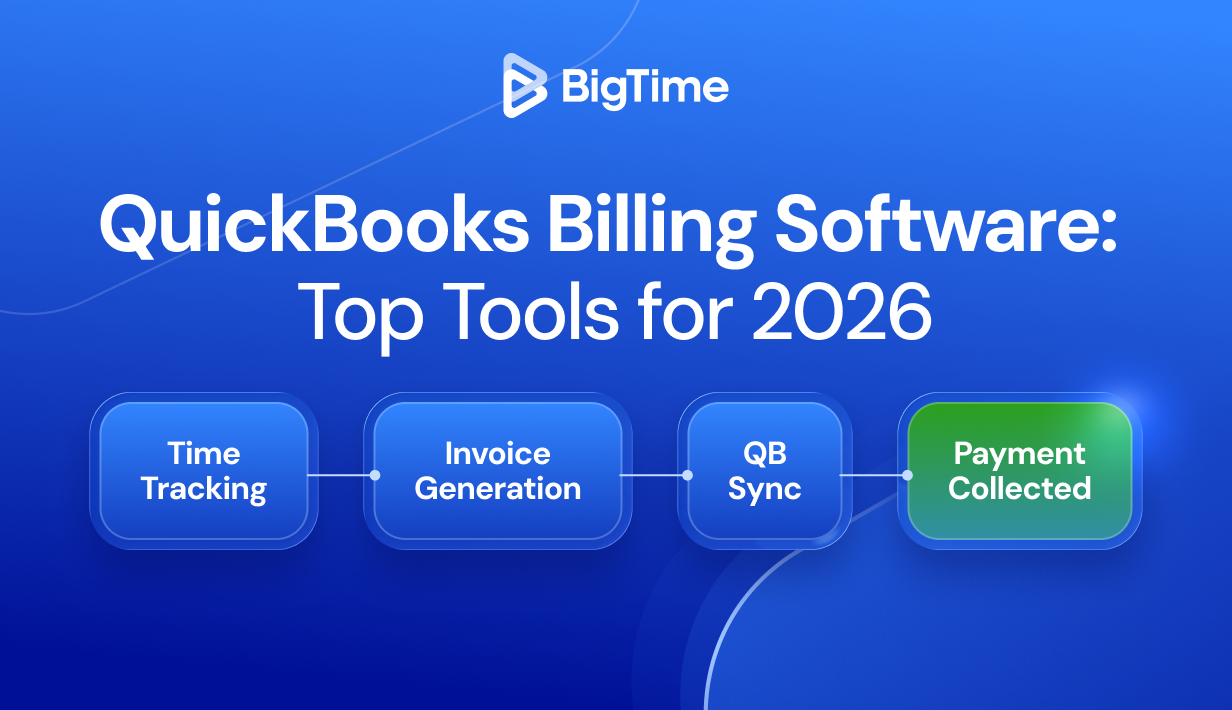
Professional services firms lose an average of 9.5 hours every week to manual billing tasks. Time spent re-entering data between disconnected systems and reconciling records that should have matched automatically. That’s nearly a full workday, every week, that your team isn’t spending on billable work.QuickBooks billing software closes that gap.
When your billing process runs through a platform built to integrate with your QuickBooks account, invoices, payments, and customer data stay in sync without anyone manually pushing them across. Your accounting team sees accurate numbers in real time. Your project leads stop exporting spreadsheets. And late payments become the exception rather than the rule.
This guide covers the best billing software compatible with QuickBooks in 2026: how the integrations actually work, what separates a solid QuickBooks integration from a shallow one, and which platform gives professional services firms the deepest, most reliable connection between their billing process and their books.
Why Professional Services Firms Look for QuickBooks-Integrated Billing Software
QuickBooks is the accounting backbone for a huge share of professional services firms. But its native billing capabilities have real limits. That’s why so many firms look for dedicated billing software that integrates with QuickBooks rather than replacing their accounting setup altogether. That decision is often driven by:
- Billable hours need to flow directly into invoices. QuickBooks native invoicing has no built-in time tracking. For firms that means manually transferring hours logged elsewhere into invoice line items, which creates room for errors and adds hours to an already full workload.
- Project-based billing is more complex than QuickBooks handles natively. Milestone invoicing, percentage-complete billing, and phased project billing all require logic that QuickBooks’ built-in invoice generator simply wasn’t designed to support.
- Double data entry quietly kills productivity. When your project management tool, time tracking system, and accounting software don’t talk to each other, someone on your team is manually re-entering data across all three. Billing software that integrates with QuickBooks eliminates that redundancy entirely.
- Recurring billing at scale needs dedicated infrastructure. Managing recurring invoices across 20 or 30 clients, with different billing cycles, rates, and payment terms, is where QuickBooks billing tools earn their place. Dedicated platforms automate the scheduling, sending, and payment collection so nothing slips through.
- Cash flow visibility depends on connected data. When invoices live in one system and payments in another, your view of outstanding invoices and collected revenue is always slightly out of date. A tight QuickBooks integration keeps both systems current.
How QuickBooks Billing Software Integration Works
Not every QuickBooks integration is built the same way. Some platforms offer a genuine two-way connection where data flows in both directions and both systems stay current. Others offer a one-way push that looks functional on the surface but creates data drift the moment someone updates a record in QuickBooks directly. Understanding what’s actually happening under the hood helps you avoid buying something that creates more reconciliation work than it saves.
What Data Flows Between Systems
A well-built billing software integration with QuickBooks syncs the following data objects:
| Data Object | Sync Direction | What It Does |
| Invoices | Two-way | Invoice details, line items, quantities, and rates push from your billing platform to QuickBooks. Payment status updates back when recorded in either system. |
| Customers | Two-way | Customer records created or updated in either platform propagate to the other automatically. Name, address, and payment terms stay consistent across both systems. |
| Payments | One-way | Payments collected through your billing software post to QuickBooks against the correct invoice. Payments entered directly in QuickBooks may not pull back into your billing platform, depending on the integration. |
| Items & Services | One-way | Products and service items import from QuickBooks into your billing platform to keep rate structures consistent. New items created in the billing platform do not always push back. |
| Sales Tax | One-way | Tax codes and rates are read from QuickBooks so your invoices reflect the correct sales tax calculations. Tax configuration stays in QuickBooks. |
One-Way vs. Two-Way Sync
One-way sync sends data from your billing platform to QuickBooks but doesn’t bring changes made in QuickBooks back into your billing tool. For firms where all invoice activity happens in one place, this might be acceptable. For professional services firms managing projects, expenses, and billing across multiple team members, one-way sync creates data drift over time. Two-way sync keeps both systems in continuous alignment and is the standard worth holding any billing software to.
QuickBooks Online vs. QuickBooks Desktop vs. QuickBooks Enterprise
These three versions of QuickBooks use fundamentally different integration architectures, and not every billing platform supports all three.
- QuickBooks Online is cloud-based and uses Intuit’s REST API for real-time, bidirectional sync. It’s the most widely supported version and the one most modern billing tools are built around. If you’re on QuickBooks Online, you’ll have the most options.
- QuickBooks Desktop (Pro/Premier) runs on-premise and requires either the QuickBooks Desktop SDK or the Web Connector, a locally installed application that facilitates data exchange. Sync is typically batch-based rather than real-time, and fewer billing platforms support it explicitly. If your firm relies on QuickBooks Desktop, confirm support before committing to any platform.
- QuickBooks Enterprise is Intuit’s accounting platform for larger organizations. It supports more complex chart of accounts structures, higher data volumes, and industry-specific configurations. Integration requires a more robust connection than standard Desktop, so Enterprise support is worth verifying separately from general Desktop compatibility.
Top-Rated Billing Software That Integrates With QuickBooks 2026: Comparison
Before diving into individual platforms, here’s a side-by-side look at the leading QuickBooks billing solutions across the criteria that matter most to professional services firms. Use this to narrow your shortlist before reading the full write-ups below.
| Tool | Price Range | QB Online | QB Desktop | Sync Type | Billing Models | Free Trial | G2 Rating |
| BigTime | From $20/user/mo | ✓ | ✓ | Two-way | Project, T&M, Recurring | Yes | 4.5/5 |
| Invoiced | From $100/mo | ✓ | ✓ (Enterprise) | Two-way | Recurring, One-time | Yes | 4.6/5 |
| Method CRM | From $25/user/mo | ✓ | ✓ | Two-way | Project, Recurring | Yes | 4.4/5 |
| FreshBooks | From $19/mo | ✓ | Limited | One-way | Time-based, Recurring | Yes | 4.5/5 |
| Zoho Invoice | Free / Paid | ✓ | Via app | One-way | Project, Recurring | Free tier | 4.5/5 |
| HoneyBook | From $19/mo | ✓ | — | One-way | Project, Milestones | Yes | 4.6/5 |
| DepositFix | From $79/mo | ✓ | — | Two-way | Recurring, Subscriptions | Yes | 4.3/5 |
BigTime: The Best QuickBooks Billing Software for Professional Services
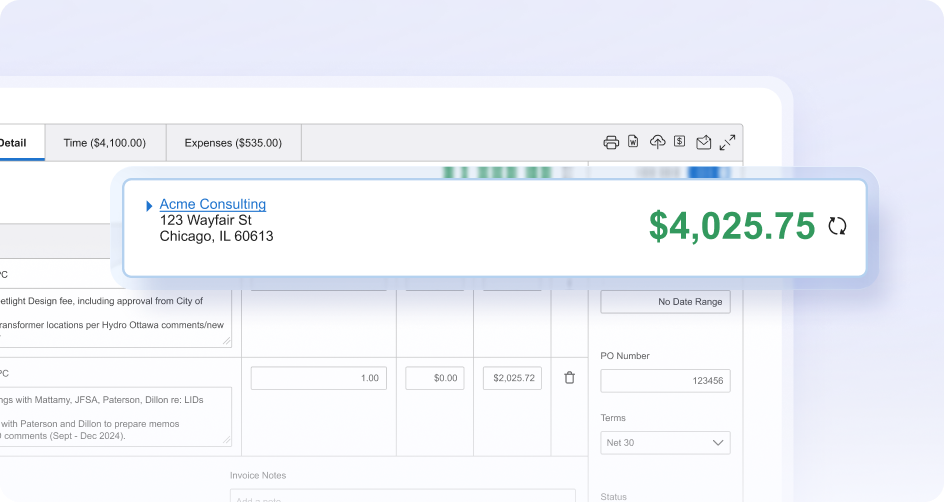
BigTime is a PSA platform purpose-built for professional services firms: consulting, engineering, architecture, IT services, and accounting. It is also one of the top Quickbooks-integrated invoicing software. Its billing module connects directly with both QuickBooks Online and QuickBooks Desktop, giving firms a complete path from time entry to collected payment without toggling between multiple tools or re-entering data at any stage.
Key Features
- Two-way QuickBooks sync: Invoices, customers, payments, and items sync bidirectionally between BigTime and your QuickBooks account. Updates made in either system propagate to the other automatically, so your books stay accurate without manual intervention.
- Project-based billing: Bill by project milestone, phase, percentage complete, or time and materials. BigTime supports every billing model professional services firms rely on, including recurring billing for ongoing retainer clients, all from a single platform.
- Built-in time & expense tracking: Billable hours flow directly from time entries into invoice line items with no re-entry required. Expense tracking ties project costs to client invoices automatically, so your final invoice reflects exactly what was delivered.
- Custom invoice templates: Build and customize invoices with your firm’s branding, custom fields, and preferred layout. Send custom invoices to clients directly from the platform, with online payment links included.
- Automated payment reminders: Configure automated reminders for overdue invoices on a schedule your team controls. Late payments get flagged and followed up without anyone on your team doing it manually.
- Online payments & ACH: Clients can accept payments via credit card or ACH payments directly from the invoice. Collected payments post to QuickBooks automatically the moment they’re recorded.
- Real-time financial visibility: AI-powered executive dashboards surface outstanding invoices, payment status, collected revenue, and projected cash flow, all tied to your live QuickBooks account so leadership always has an accurate view.
Who It’s Best For
BigTime is the right fit for professional services firms with five or more people who need more than a basic invoice generator. If your firm tracks billable hours, bills complex projects across multiple clients, manages recurring billing for retainer work, and needs a QuickBooks integration that covers the full billing process rather than just pushing invoices across, BigTime was built for exactly that. It’s particularly strong for consulting, engineering, and IT services firms where project complexity and billing accuracy directly affect profitability.
QuickBooks Integration Specifics
- Supported versions: QuickBooks Online and QuickBooks Desktop (Pro, Premier, and Enterprise).
- Sync direction: Two-way across invoices, customers, payments, items, and sales tax.
- Sync frequency: Real-time for QuickBooks Online; scheduled sync available for QuickBooks Desktop.
- Setup: Connect your QuickBooks account from BigTime’s Integrations settings in under 10 minutes, with no developer involvement required.
Pricing
BigTime plans start at $20 per user per month. A free demo is available.
Invoiced
G2: 4.6/5 (130+ reviews) | Capterra: 4.6/5 (60+ reviews)
Best For
Mid-market and enterprise businesses that need to send invoices to large quantities of customers. Less suited to firms that need project-based billing or time tracking built into the same platform.
Key Features
- Automated invoicing software with collections workflows with dunning management
- Two-way sync with QuickBooks Online and QuickBooks Enterprise
- Recurring billing and subscription management at scale
- Customer portal for clients to view invoices and make payments
- Reporting and financial forecasting tools
QuickBooks Integration
Invoiced supports two-way sync with QuickBooks Online and QuickBooks Enterprise, covering invoice details, payments, and customer data. It’s a capable integration for high-volume recurring billing, but QuickBooks Desktop support is limited to the Enterprise tier only. Firms on QB Desktop Pro or Premier will need to look elsewhere.
Pricing
Plans from $100/month. Free trial available. The entry price point is significantly higher than most alternatives on this list, which makes it harder to justify for smaller firms unless recurring billing volume is genuinely high.
Method CRM
G2: 4.4/5 (260+ reviews) | Capterra: 4.4/5 (90+ reviews)
Best For
Small businesses and trades companies that want CRM and invoicing tightly connected to QuickBooks Desktop. A reasonable fit for field service businesses, but it’s not built around the project-based billing and time tracking that professional services firms depend on.
Key Features
- Deep two-way sync with QuickBooks Online and Desktop across all versions
- Create invoices, estimates, and purchase orders from within the CRM
- Customizable workflows and invoice templates
- Client portal for invoice approval and online payments
- Lead-to-invoice workflow management
QuickBooks Integration
Method is built specifically around QuickBooks and offers one of the deeper QB Desktop integrations available in a CRM-adjacent platform. That focus, however, is also its ceiling. If your primary need is billing accuracy tied to project delivery and billable hours rather than CRM-driven workflows, Method covers only part of the picture.
Pricing
Plans from $25/user/month. Free trial available.
FreshBooks
G2: 4.5/5 (680+ reviews) | Capterra: 4.5/5 (4,200+ reviews)
Best For
Freelancers and small service-based businesses that want clean, simple invoicing with basic time tracking. The review count is impressive, but most of those users are sole operators or very small teams with straightforward billing needs, not growing professional services firms managing multiple projects simultaneously.
Key Features
- Create and send professional invoices quickly with polished templates
- Automated reminders for late payments
- Built-in time tracking and basic expense tracking
- Accept online payments via credit card and ACH payments
- Recurring invoices for retainer clients
QuickBooks Integration
This is where FreshBooks shows its limits for firms that need reliable, automatic sync. FreshBooks connects to QuickBooks Online primarily through third-party connectors like Zapier rather than a native integration, meaning you’re dependent on a middleware layer that adds complexity and potential failure points. QuickBooks Desktop support is minimal. For firms that need true two-way sync between their billing platform and their books, FreshBooks is not the right foundation.
Pricing
Plans from $19/month. Free trial available.
Zoho Invoice
G2: 4.5/5 (220+ reviews) | Capterra: 4.7/5 (560+ reviews)
Best For
Small businesses and startups that need a free or low-cost invoice generator with decent customization. The free tier is genuinely useful for very early-stage businesses, but firms with more than a handful of clients will quickly run into its limits.
Key Features
- Free invoice generator with unlimited invoices on the entry tier
- Custom invoice templates with full branding control
- Track invoices and payment status in real time
- Automated reminders and payment receipts
- Accept online payments via multiple gateways
QuickBooks Integration
Zoho Invoice’s Quickbooks invoicing software connects to QuickBooks Online through the broader Zoho ecosystem and third-party connectors, but it’s not a native integration. Sync coverage is one-way for most configurations, and the specific data objects covered vary depending on how the connection is set up. For firms that need predictable, automatic two-way sync, the lack of a direct native integration is a meaningful gap worth confirming before committing.
Pricing
Free for businesses with up to five customers. Paid plans via Zoho Books from $20/month.
HoneyBook
G2: 4.6/5 (540+ reviews) | Capterra: 4.8/5 (590+ reviews)
Best For
Creative freelancers and solo service providers, specifically photographers, event planners, and independent consultants, who want proposals, contracts, and invoicing in one lightweight platform. The high Capterra rating reflects strong satisfaction among that audience. It does not reflect suitability for firms billing complex projects across multiple team members.
Key Features
- Invoicing combined with proposals, contracts, and basic project management
- Send custom invoices with online payment links
- Milestone-based billing and payment schedules
- Automated workflows for client onboarding and follow-up
- Branded client portal for invoice and contract management
QuickBooks Integration
HoneyBook integrates with QuickBooks Online only, with no QuickBooks Desktop support. The integration syncs payments and invoices one-way to QuickBooks, which means any updates made on the QuickBooks side stay there. For a solo operator sending straightforward invoices, that’s manageable. For a growing firm that needs accurate, bidirectional data flow between billing and accounting, it creates reconciliation gaps that compound over time.
Pricing
Plans from $19/month. Free trial available.
DepositFix
G2: 4.3/5 (40+ reviews) | Capterra: 4.4/5 (30+ reviews)
Best For
Service businesses and subscription-based companies focused primarily on automated payment collection and recurring billing tied to QuickBooks Online. The review volume is notably lower than other platforms on this list, which makes it harder to assess reliability at scale with confidence.
Key Features
- Two-way sync with QuickBooks Online covering invoices, payments, and customer data
- Recurring billing and subscription management
- Automated invoicing and payment collection workflows
- Customizable payment pages and branded invoice forms
- ACH payments and credit card support
QuickBooks Integration
DepositFix offers genuine two-way sync with QuickBooks Online, which puts it ahead of several alternatives on this list for that specific use case. The integration covers invoices, payments, and customer information reliably. That said, QuickBooks Desktop is not supported, and there is no QuickBooks Enterprise integration. For firms on Desktop or Enterprise, DepositFix is not a viable option regardless of its recurring billing strengths.
Pricing
Plans from $79/month. Free trial available.
How to Evaluate QuickBooks Billing Software: What Actually Matters
With dozens of billing tools claiming QuickBooks compatibility, the gap between a genuine integration and a surface-level one is easy to miss until you’re already committed to a platform. These are the criteria worth applying before you sign anything.
- Sync direction. Two-way sync is the baseline worth insisting on. One-way integrations push data into QuickBooks but ignore changes made on the QuickBooks side, which creates reconciliation problems that compound over time.
- QuickBooks version support. Confirm explicitly which versions a platform supports. QuickBooks Online, Desktop, and Enterprise use different integration architectures, and support for one does not imply support for the others.
- Billing model coverage. Map out every billing model your firm uses across its full client base before evaluating any platform. Milestone invoicing, time and materials, and multi-currency recurring billing management require dedicated logic that basic invoice generators don’t support.
- Time tracking connectivity. For firms billing on time and materials, the connection between logged hours and invoice line items is where accuracy either holds together or breaks down. The best time and billing software for QuickBooks converts time entries directly into billable line items without manual steps in between.
- Integration depth. Ask vendors specifically which data objects sync, in which direction, and how conflicts are handled. A QuickBooks integration that only carries invoice totals without syncing customer details, sales tax, or payment terms is not a complete integration, regardless of how it’s marketed.
Final Verdict: What Is the Best QuickBooks Billing Software for 2026?
For professional services firms, the answer is BigTime.
Its two-way sync with both QuickBooks Online and QuickBooks Desktop, combined with built-in time tracking, project-based billing, recurring billing, and automated payment reminders, makes it the only platform on this list that covers the full billing process from logged hours to collected payment, all connected to your QuickBooks account in real time.
If your firm is managing multiple projects simultaneously, tracking billable hours across a team, and billing clients in different ways across different engagements, generic billing tools will always leave gaps. BigTime closes those gaps with a QuickBooks integration that’s built for exactly that kind of complexity.
Which QuickBooks Billing Software Is Right for Your Firm?
Best for Professional Services Firms (Consulting, Engineering, IT)
BigTime. Purpose-built for firms that bill by project, track billable hours, and manage multiple clients with different billing models. The only platform on this list that covers the full billing process and connects it to QuickBooks in real time.
Best for Engineering and Architecture Firms
BigTime. Phase-based project billing, milestone invoicing, and expense tracking tied to project budgets require dedicated billing logic. BigTime handles all of it natively, with two-way QuickBooks sync keeping your accounting team’s data accurate without manual transfers.
Best for Medium-Sized and Growing Firms
BigTime. As your firm scales, billing complexity grows with it. More clients, more billing models, and more team members touching invoices means you need a platform that handles that complexity without breaking down. BigTime’s modular PSA platform grows with your firm and keeps your QuickBooks account accurate at every stage.
Best for Freelancers and Small Businesses
BigTime. Even for smaller teams, the cost of manual billing and disconnected systems adds up quickly. BigTime’s entry-level plans give smaller firms access to the same two-way QuickBooks sync, time tracking, and automated payment reminders that larger firms rely on, without requiring enterprise-level complexity to get started.
Getting Started With BigTime and QuickBooks
Setting up BigTime’s QuickBooks integration is straightforward enough that most firms are fully connected and running their first sync within a single working session. Here’s how the onboarding process works:
- Connect your QuickBooks account. From BigTime’s Integrations settings, click “Connect QuickBooks” and authorize the connection. The process works for both QuickBooks Online and QuickBooks Desktop and takes under 10 minutes with no developer involvement required.
- Map your data. BigTime walks you through mapping your QuickBooks chart of accounts, customers, and service items to BigTime’s project and billing structure. This typically takes 15 to 30 minutes depending on the complexity of your QuickBooks account setup.
- Run your initial sync. Trigger a full sync to pull your existing QuickBooks data into BigTime. Review your customers, open invoices, and service items to confirm everything transferred correctly before moving forward.
- Build your first project and generate an invoice. Create a project in BigTime, log time and expenses against it, and generate your first invoice. Send it to your client directly from the platform and watch it appear in your QuickBooks account automatically.
- Set up automated reminders. Configure automated payment reminders for outstanding invoices so your team stops chasing late payments manually. Set the schedule, write the message once, and BigTime handles the follow-up from there.
Most firms are fully operational within a single day. The initial data mapping is the most time-intensive part of the process, and even that rarely takes more than an hour for firms with a well-organized QuickBooks account.
Frequently Asked Questions
Does QuickBooks Have Built-In Billing Software Features?
QuickBooks Online includes basic invoicing: sending invoices, accepting online payments, and automated reminders. For simple billing needs, that’s sufficient. For professional services firms managing project-based billing, tracking billable hours, or handling recurring billing across multiple clients, QuickBooks native invoicing falls short. Most growing firms pair it with dedicated billing software that fills those gaps.
Why Should I Integrate Billing Software With QuickBooks Instead of Using Them Separately?
Running billing and accounting in disconnected systems means someone is manually transferring data between them. That creates double data entry, reconciliation errors, and a cash flow picture that’s always slightly out of date. Integrated billing software keeps invoices, payments, and customer details in sync automatically so your books stay accurate without manual intervention.
What Should I Look for in Billing Software That Integrates With QuickBooks?
Start with sync direction: two-way sync is the baseline worth insisting on. Then confirm which QuickBooks versions the platform supports. Beyond the technical integration, look for billing model flexibility, built-in time tracking, automated payment reminders, and online payment options.
Which Billing Software Integrates Best With QuickBooks?
BigTime. It supports two-way sync with both QuickBooks Online and QuickBooks Desktop, covers every billing model professional services firms use, and connects time tracking, expense tracking, and project-based billing directly to your QuickBooks account. No other platform on this list was built specifically for that level of billing complexity.
Is There a Difference Between a “Basic” and “Advanced” QuickBooks Integration?
Yes. A basic integration syncs invoice totals and little else. An advanced integration carries through customer details, line items, payment terms, sales tax, and payment status in both directions. The difference becomes obvious at month-end, when a basic integration leaves reconciliation work behind and an advanced one doesn’t.
How Do I Set Up a Billing Software Integration With QuickBooks?
With BigTime, you authorize the QuickBooks connection from the Integrations settings, map your chart of accounts and customer data, and run an initial sync. Most firms complete the full setup in under an hour. From that point, invoices, payments, and customer records sync automatically with no manual steps required.




