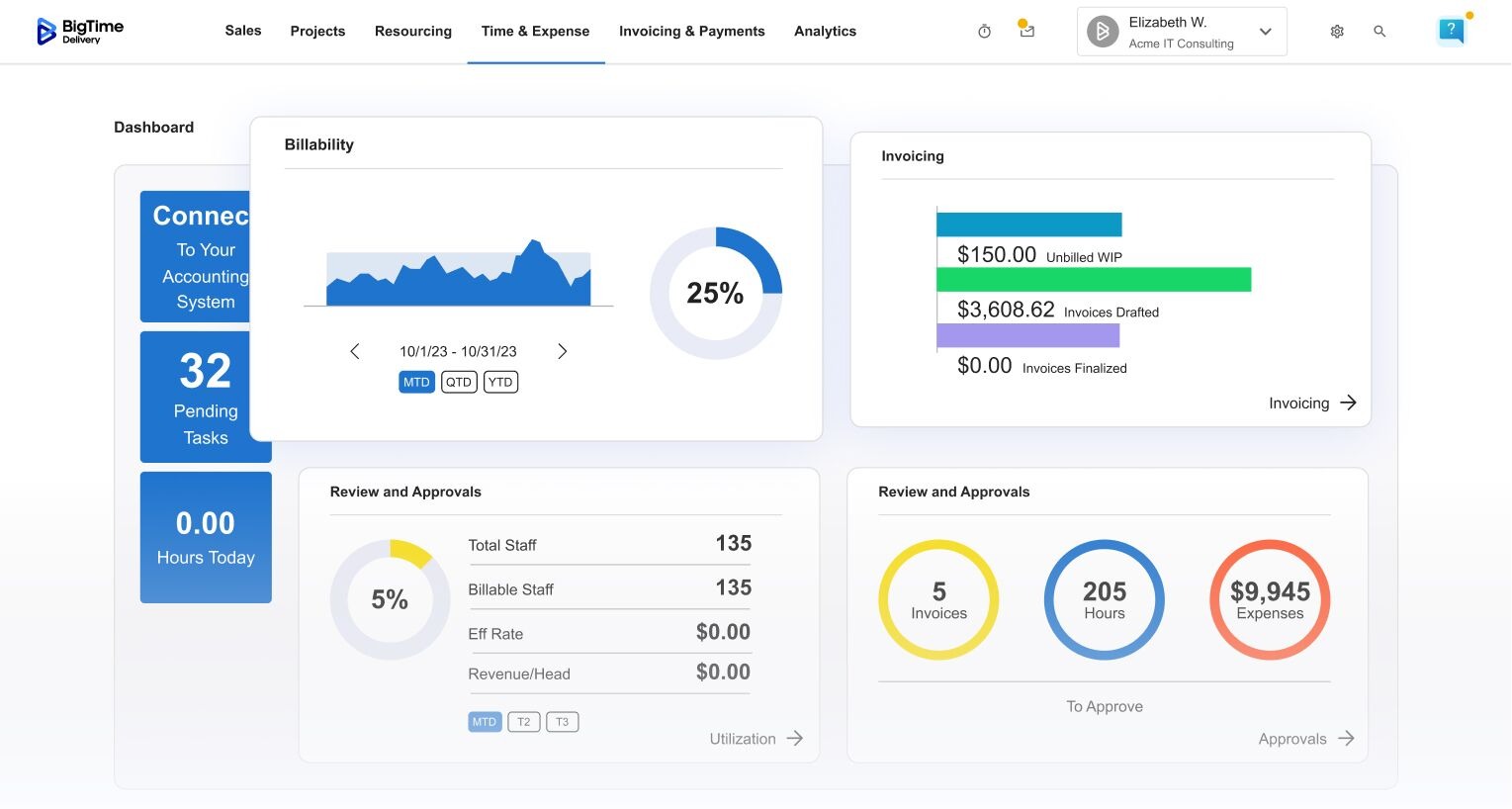
Consulting work moves fast, and the admin work can quietly eat the margin if you let it. When hours live in scattered spreadsheets, you lose more than time; you lose project profitability, billable utilization, and confidence in what you are charging. That’s why the best time tracking and billing software for consultants isn’t just a timer. It’s a system for capturing work cleanly, turning it into client-ready invoices, and keeping revenue predictable.
In this article, you will find:
- What is time tracking and billing software for consultants?
- Features the best time and billing software for consultants should have
- 2026 software ranking and quick comparison table
- Deep dives into top tools
- Final verdict: which platform is best for consultants?
What Is Time Tracking and Billing Software for Consultants?
Time tracking and billing software for consultants is a purpose-built system that can track billable hours (time and expenses), guaranree accurate billing by following your rules (rates, roles, markups, retainers, fixed-fee phases), and turn that data into accurate invoices and detailed reports. In practice, strong consultant billing software helps you solve common consulting problems like:
- Turning work into invoices without manual data entry.
- Reducing write-offs and “lost hours” commonly seen in simple project management tools.
- Handling real-world billing models, such as time-and-materials, fixed fee, retainers, milestone billing, blended rates, etc.
- Building transparency clients actually like with clear narratives, task-level detail, and supporting reports that reduce questions and speed up approvals.
- Tracking profitability in the same flow for multiple projects.
If you’re evaluating consulting billing software or billing software for consultants, this is the baseline: your system should make time capture easier, billing rules harder to mess up, and invoicing faster without losing visibility into profitability and billable and non-billable hours.
What Features Should the Best Time Tracking and Billing Software for Consultants Have?
Most tools can “track time.” The difference is whether that time turns into clean invoices and reliable profitability insights without extra admin work – and in user friendly interface. Accurate time tracking is designed around consulting reality: multiple rates, changing scopes, approval cycles, and clients who expect clarity – and some software solutions know that better than other tools.
Here are the features that matter most when evaluating consultant billing software and time and billing software for consultants in 2026:
Flexible time capture (that consultants will actually use)
Manual time tracking can be burdensome – unless you have a time management tool that can simplify the process. The best time tracking software makes it effortless to log time daily, not just at month-end. While evaluating your potential tracking software for consultants, look for fast timers, manual entry, calendar-based logging, templates for recurring work, and mobile-friendly entry. The best platforms also encourage better descriptions with prompts or configurable fields, so invoices read like professional consulting deliverables.
Built-in approvals and audit trails
If time entries can be edited and invoiced without structure, mistakes are inevitable. The best billing and time tracking solution for consultants includes approval workflows (submit → review → approve), permission controls, and an audit trail that shows who changed what and when. This keeps invoices defensible, especially for larger clients with procurement scrutiny.
Project budgets, retainers, and fixed-fees
Many consultants juggle T&M alongside fixed-fee phases or retainer arrangements – and the best billing and time tracking tools can help them do that. Leading tools in this category can offer budget tracking by phase, alerts when you approach thresholds, and financial forecasting that offers you unique insights into project costs before they appear on the invoices. Without these capabilities, you will end up rebuilding controls in spreadsheets.
Invoice generation that matches how clients want to be billed
Consulting invoices need to be clear, accurate, and aligned to the SOW – especially if you want to bill multiple clients at once. Prioritize tools that let you generate invoices from approved time and expenses, choose summary vs. detailed formats, group lines by project phase or activity type, and customize narratives. The best tools in this category can offer you even more, with automated cost calculations for time spent on a given project, branded invoices for improved client relationships, and automated online payments.
Profitability and utilization reporting that is easy to act on
A system is only valuable if it helps you make better decisions week to week based on the real data from project tracking. Look for executive dashboards that show utilization, realization, margin by project, WIP, write-offs, and budget burn to trac billable time and ensure that your project planning is always as successful as possible. The best time and billing software for consultants lets you filter by client, team member, date range, and engagement type so you can spot issues early and guarantee good financial health for all your client contracts.
Integrations that reduce double entry
Most firms rely on accounting, consulting CRM, payroll, and project tools. Your consultant billing software should connect cleanly to accounting for invoices, payments, and GL mapping, and ideally support SSO, exports, and open APIs. This allows for accurate invoicing, real time tracking and advanced reporting without steep learning curve and switching between dozens of tools.
2026 Time Tracking and Billing Software for Consultants Ranking
Not every “time tracker” can handle consulting billing realities like role-based rates, retainers, fixed-fee phases, write-ups/write-downs, and invoice narratives that hold up under client scrutiny. For this 2026 list, we prioritized tools that help consultants capture time consistently, apply billing rules correctly, and turn approved work into invoices with minimal cleanup.
Time Tracking and Billing Software for Consultants Comparison
If you want a quick way to narrow your shortlist, focus on how each platform handles billing complexity. Some tools are built specifically for professional services (strong rate logic, approvals, invoicing, utilization, and margin reporting). Others are excellent time trackers, but you’ll end up doing more billing work in accounting software or spreadsheets.
Here’s a practical side-by-side view of the top options in this guide:
| Tool | Description | Strengths | Limitations |
| BigTime | Consulting-focused time, billing, and project financials in one platform. | Fast, accurate billing; flexible rate logic; strong visibility into utilization and margins; mobile access. | Best value when you want a dedicated consultant billing system (not just a timer). |
| Kantata PS Cloud | Enterprise PSA for delivery and financial management. | Deep PSA capabilities for complex orgs. | Heavy to implement; can feel rigid and overbuilt for many consulting teams. |
| BQE CORE | Time and billing with firm operations tools. | Broad feature coverage across firm admin. | Steeper learning curve; workflows and UI can be clunky for day-to-day consulting use. |
| Accelo | Work management with time and billing layers. | Useful automation for service operations. | Billing depth varies; rate logic/reporting can require workarounds and careful configuration. |
| Deltek Ajera | Project accounting + invoicing for project-based firms. | Strong accounting orientation. | Dated UX for many users; less flexible outside certain firm types and billing setups. |
| NetSuite OpenAir PSA | PSA designed to pair with NetSuite ERP. | Works best inside the NetSuite ecosystem. | High cost/complexity; poor fit if you’re not already committed to NetSuite. |
| Productive | Project financials and invoicing for service teams. | Modern interface; good budget visibility. | Advanced consulting billing rules can be limited; may not satisfy finance-heavy needs. |
| Harvest | Lightweight time tracking with basic invoicing. | Very easy time entry and adoption. | Not true consultant billing software; limited approvals, rate complexity, and profitability controls. |
| QuickBooks Time | Time tracking for payroll/accounting workflows. | Simple tracking, especially with QuickBooks. | Weak for consulting billing: limited rate structures, invoice detail, and engagement financials. |
| Toggl Track | Simple time tracking and reports. | Great UX for logging time. | Billing is add-on/light; you’ll still need separate tools for invoicing and controls. |
BigTime
Reviews: G2: 4.5/5, Capterra: 4.6/5.
Pros:
- Purpose-built for consultants who bill in the real world. BigTime makes it easy to track time in multiple tasks by client, project, phase, and role, then push that work into professional invoices without the usual end-of-month scramble.
- Billing stays consistent even when pricing gets complicated. Role-based rates, different engagement structures, and approval workflows help keep project cost management accurate and defensible, especially when multiple people contribute to the same client work.
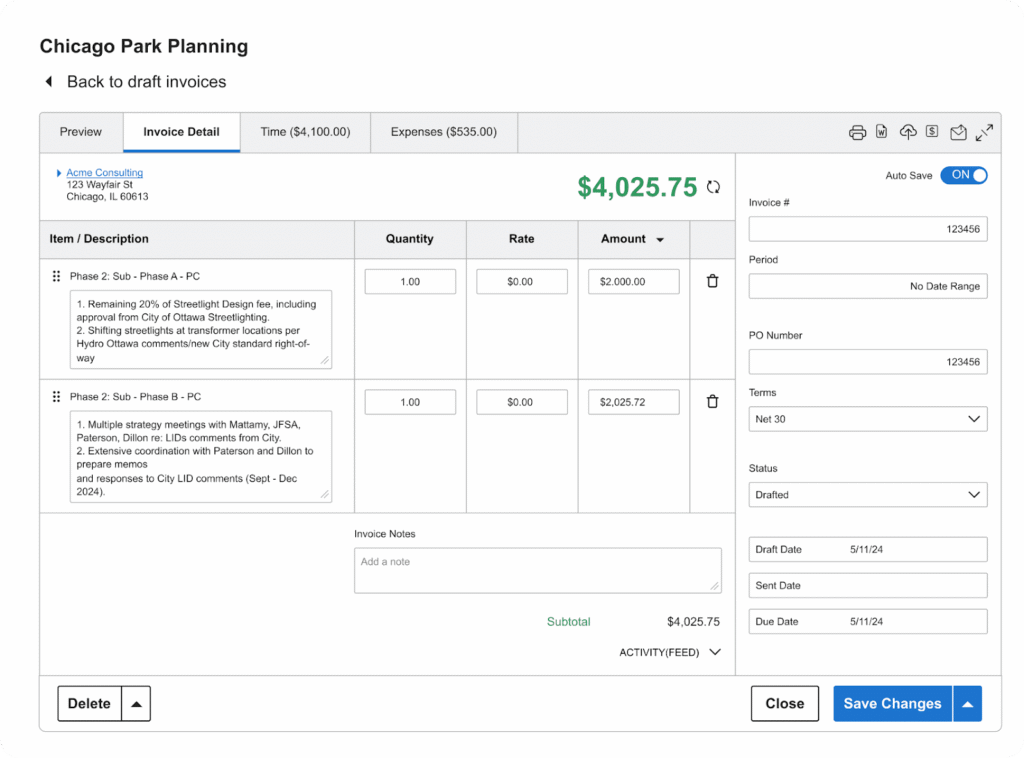
- Detailed invoices look professional and are faster to approve. You can produce clear, client-friendly invoices from approved time and expenses, which helps reduce back-and-forth.
- Strong reporting for utilization and profitability. BigTime is built to help you manage a consulting business, not just run a timer, so you can gain insights in the real-time and act before the month closes.
- Hands-on support model for implementation and adoption. BigTime emphasizes dedicated implementation support and an SLA-backed reliability posture that fits firms that cannot afford downtime.
Cons:
- Some teams need initial training to standardize workflows. Like most consultant billing software, you get the best results when you invest a bit of time upfront to define roles, rates, and invoice formats.
Do you want to make informed decisions for your business every time? BigTime is a strong fit when you want time tracking and billing software for consultants that does more than capture hours. It’s designed to connect the full flow from time and expenses, to approvals, to invoicing, to the financial visibility you need to run a consulting practice with confidence. Instead of rebuilding invoices manually from scattered entries, you’re working from a single source of truth where billable work is structured, validated, and ready to invoice.
What really stands out is how naturally BigTime supports consulting teams that juggle multiple billing approaches. Whether you bill hourly, run retainers, structure work into phases, or need rate cards by role, the platform helps enforce your rules so billing stays consistent across the firm. That consistency matters because it reduces write-offs, keeps client communication clean, and protects margin without adding administrative overhead.
Key Features
- Time & expense capture built for billable work: Track hours quickly with structures that map cleanly to clients, projects, and phases. With BigTime, logging hours takes just a few seconds!
- Approval workflows and controls: Route time and expenses through review before invoicing to prevent mistakes and give you a clear audit trail for client questions.
- Flexible rate management: Apply rates by role, client, or engagement rules so you avoid underbilling and keep pricing consistent as the team grows.
- Billing and invoicing: Generate polished invoices from approved entries with formatting that helps clients understand what they’re paying for and approve faster.
- Reporting for utilization and profitability: Use dashboards and filtering to track realization, utilization rates, and margin trends so you can manage delivery and finance in the same system.
- Implementation and reliability focus: Dedicated implementation support and high-availability positioning help consulting teams adopt the system and keep operations running smoothly.
Pricing: Starting at $20 per user/month with a free trial available (pricing varies by plan and needs).

Kantata PS Cloud
Reviews: G2: 4.2/5, Capterra: 4.2/5.
Pros:
- Broad PSA coverage beyond just billing. Kantata can connect delivery, resource management, and financial tracking, which is useful if you need a single system to coordinate large, cross-functional consulting teams.
- Solid visibility for portfolio-style management. Teams that run many concurrent projects often like having project planning and delivery data in one place, instead of stitching reports together manually.
- Strong ecosystem story. Kantata positions itself for firms that need enterprise-grade workflows and integrations, especially in more structured environments.
Cons:
- Complexity is a recurring theme. On G2, the product’s learning curve and “not intuitive” feedback show up frequently, which can slow adoption for consultants who just want fast time entry and clean invoices.
- Potentially overbuilt for small business owners. If your primary need is time tracking + invoicing, Kantata can feel like too much platform, too much configuration, and too much overhead.
- Pricing transparency is limited. You’ll typically need a sales process to get a quote, which makes quick comparisons harder.
Kantata PS Cloud is best understood as a broad professional services automation platform rather than pure time tracking and billing software for consultants. It’s built for organizations that want delivery governance, resource planning, and financial oversight bundled together, and it can work well when you have the operational maturity to support a heavier system.
Where it falls short for many consulting teams is day-to-day simplicity. If your team needs quick adoption, minimal configuration, and a direct path from approved time to invoice, Kantata can feel slower to operationalize, forcing its users to seek Kantata alternatives. In other words, it may be “powerful,” but that power comes with setup and process weight that not every consultancy wants to tackle to monitor billable rates.
Key Features
- Resource and capacity planning: Helps allocate people across projects, but it typically requires disciplined upkeep to keep plans trustworthy.
- Time and expense tracking: Covers the basics, though usability complaints suggest you should test time entry flows with real users before committing.
- Project governance and reporting: Useful for standardizing delivery across many engagements, but reporting can become admin-heavy as complexity grows.
- Integrations: Supports a range of integrations, which helps in enterprise environments but can add dependency and maintenance overhead.
Pricing: Custom / quote-based (you request pricing from Kantata).
BQE CORE
Reviews: G2: 4.3/5, Capterra: 4.5/5.
Pros:
- All-in-one breadth: Time, expenses, billing, and firm ops features live under one roof, which can reduce tool sprawl for some teams looking to bill clients based on hourly rates.
- Solid time + expense capture: Reviewers often highlight straightforward time/expense entry and billing workflows once the system is set up.
Cons:
- Setup and usability friction: Even positive reviews frequently mention the platform can be hard to set up or feel less intuitive than simpler consultant billing software.
- Performance and workflow annoyances: Users report lagginess/slowdowns and small UX pain points that can make weekly time entry more frustrating than it should be.
- Pricing clarity is limited: Public pricing is not straightforward; you’ll often end up in a quote conversation to understand real costs.
BQE CORE is positioned as an all-in-one platform for professional services firms, with time tracking and billing as part of a broader operations suite. That can sound appealing for consultants who want fewer tools, but it also means you’re adopting a bigger system than many teams actually need for clean time-to-invoice workflows.
For consulting teams focused on speed and billing consistency, the trade-off is usually adoption friction. If time entry feels slower, navigation is less obvious, or the system needs ongoing admin attention, you may end up with uneven usage, which is exactly how billing accuracy slips.
Key Features
- Time & expense tracking: Captures hours and costs in one place, but day-to-day usability depends heavily on configuration and user training.
- Billing & invoicing tools: Lets you generate invoices from tracked work, though many firms still refine templates and workflows to match client expectations.
- Project management + reporting: Includes reporting dashboards, but teams often need time to tune reports to answer consulting-specific questions (utilization, realization, margin).
- Support availability: Capterra lists support availability as 24/7/365 on the plan page, which is helpful when issues block billing cycles.
Pricing: Custom quote / per-user pricing model; free trial available (no free version listed).
Accelo
Reviews: G2: 4.4/5, Capterra: 4.5/5.
Pros:
- Wide “quote-to-cash” coverage in one place. Accelo tries to combine CRM, projects, time, and invoicing so you’re not bouncing between separate systems for basic operations.
- Automation potential (with the right setup). If you have someone who can own configuration, workflows and triggers can reduce repetitive admin over time.
Cons:
- Heavier than it looks. Reviews repeatedly point to setup complexity and a learning curve, which can slow adoption for consultants who just need clean time entry and fast billing.
- Can be slower day-to-day. Because it’s trying to do a lot (CRM + projects + billing), teams often report UX friction and “too many moving parts” compared to simpler consultant billing software.
- Pricing isn’t transparent. Accelo pushes you toward a quote process, which makes it harder to quickly compare true cost vs. alternatives.
Accelo is not a pure time tracking and billing software for consultants so much as an all-in-one operations platform that includes time logs and invoicing. That can be appealing if you want one system to manage client communication, project delivery, and billing signals in the same workflow.
The downside is the typical “suite” trade-off: more configuration, more process decisions, and more training to get to a smooth time-to-invoice flow. If your priority is fast adoption and consistent billing with minimal admin overhead, Accelo can feel like extra weight rather than a streamlined consulting billing system.
Key Features
- Time logs, timers, and timesheets: Covers core time capture, but you should validate how quickly your team can log time daily without friction.
- Client invoices & payments: Invoicing is built in, but invoice clarity and billing-rule flexibility can require careful configuration to match consulting contracts.
- Automation and workflows: Advanced workflows and triggers exist, but they only pay off if you invest in setup and ongoing maintenance.
- Dashboards and visibility: Offers financial insight dashboards, though reporting depth can vary depending on how consistently teams structure data.
Pricing: Quote-based (plans shown, but you request pricing).
Deltek Ajera
Reviews: G2: 4.0/5, Capterra: 3.6/5.
Pros:
- Strong project-based accounting DNA. Ajera is geared toward project accounting, revenue generation and invoicing structure, which can help if finance needs tighter control than lightweight time trackers offer.
- Invoice drafting tied to time/expenses. The system links billable activity to invoices, which can reduce manual re-entry when processes are set up correctly.
Cons:
- Not built around “consultant-first” usability. Reviews regularly point to complexity and a steeper learning curve, especially for staff who aren’t project accounting specialists.
- Feels dated for modern consulting workflows. Users frequently describe the interface and navigation as less intuitive than newer consulting billing software, which can hurt adoption and time-entry consistency.
- Pricing isn’t clearly published. You’ll typically need a vendor conversation to understand true costs and implementation effort.
Deltek Ajera is better described as project-based accounting software (with time tracking and billing attached) than pure time tracking and billing software for consultants. It can work for firms that want finance-driven controls and are comfortable operating inside a more structured accounting-oriented system.
For many consulting teams, the friction is practical: if the UI feels heavy and workflows are harder to learn, time entry quality drops, and billing becomes slower instead of faster. That matters because consultant billing software only pays off when people actually use it consistently, week after week.
Key Features
- Project-based accounting & financial controls: Built around project accounting, which can be useful, but it also increases setup and admin expectations.
- Time & expense capture to invoice: Billable entries attach to draft invoices, helping reduce manual line-item rebuilds.
- Invoicing and billing workflows: Supports generating invoices faster, but invoice clarity and usability depend on how well the system is configured.
- Dashboards and reporting: Promises visibility into projects and finances, though many teams still need training to get meaningful reporting without extra effort.
Pricing: Not provided publicly by the vendor (quote-based).
NetSuite OpenAir PSA (SuiteProjects Pro)
Reviews: G2: 3.7/5, Capterra: 3.9/5.
Pros:
- Best fit when you already run NetSuite. If your finance stack is centered on NetSuite, OpenAir/SuiteProjects Pro can keep project delivery and financials closer together than disconnected point tools.
- Covers the PSA basics in one system. Time, expenses, billing, and reporting are all there, which can work for large teams that accept a heavier platform.
Cons:
- Usability is a consistent complaint. Reviews frequently call out navigation friction, confusing UI, and “not very user friendly,” which is a real problem for consultant adoption and weekly time entry compliance.
- Can feel expensive and enterprise-biased. Reviewers explicitly mention price as a barrier for small and mid-sized companies, and the overall experience often reflects an enterprise suite more than a consultant-first workflow.
- Implementation overhead is real. On G2, the average “time to implement” is shown as months, which is a big commitment if your main goal is faster invoicing.
NetSuite OpenAir PSA (listed on G2 as SuiteProjects Pro) is positioned as a full PSA suite: project planning, resourcing, time and expense tracking, and billing tied into broader financial processes. On paper, that makes it a contender for complex organizations that want consulting billing software inside a larger ERP ecosystem.
In practice, it’s often a tougher recommendation for teams simply looking for streamlined time tracking and billing software for consultants. When time entry and navigation feel clunky, compliance drops, and billing teams spend more time chasing clean data. If you’re not deeply invested in NetSuite already, the platform can be more system than solution.
Key Features
- Time & expense tracking: Captures billable activity, but user feedback suggests you should validate day-to-day usability before rolling out broadly.
- Project accounting + billing: Connects project activity to accounting and billing workflows to support structured invoicing.
- Reporting and analytics: Provides project performance and financial visibility, but teams often need setup and governance to make reporting consistently reliable.
- NetSuite integration support: Oracle documentation highlights visibility across SuiteProjects Pro and NetSuite for side-by-side KPIs, which matters most in NetSuite-centric environments.
Pricing: Quote-based / not transparently published on the primary product pages; multiple reviewers flag cost as a limiting factor for smaller firms.
Productive
Reviews: G2: 4.6/5, Capterra: 4.6/5.
Pros:
- Broad “all-in-one” coverage. Productive bundles time tracking, budgeting, resourcing, and invoicing, which can reduce tool sprawl if you’re willing to live inside one platform.
- Rate cards + approvals exist (on higher plans). It supports rate cards and billable time approvals, which are table-stakes for consultant billing software once multiple roles and rates enter the picture.
Cons:
- Designed with agencies in mind, not pure consulting billing. If you mainly need tight time-to-invoice workflows, the extra modules can feel like overhead rather than leverage.
- Reporting and navigation can be frustrating. G2 reviewers call out an overwhelming layout for new users and reporting that feels limited or less customizable than expected.
- You may pay for what you don’t use. Key billing controls (like approvals and rate cards) show up in higher tiers, which can push costs up fast for small teams.
Productive is a capable platform, but it’s not the cleanest fit for consultants who want a straightforward system for accurate time capture and fast invoicing. It works best when you actually want a broader “ops hub” (projects + resourcing + budgets + invoices) and you have the discipline to keep the structure maintained.
For many consulting teams, the trade-off is focus. If the UI feels busy and reporting takes effort to configure, adoption and time-entry consistency can slip, which undermines the entire point of time tracking and billing software for consultants.
Key Features
- Time tracking + timesheet approvals: Time entry plus billable time approvals, but approvals are plan-dependent, so validate what’s included before you commit.
- Rate cards: Helps apply role-based billing logic, though you’ll want to test how it handles your real pricing edge cases (blended rates, exceptions, retainers).
- Budgets, retainers, and invoicing: Supports budgets and invoicing workflows, but some users report budgeting/billing can be tricky to manage in certain scenarios.
- Reporting: Plenty of reports exist, yet user feedback points to limits in customization and ease of use.
Pricing: Starts at $9/user/month billed yearly (Essential). Professional: $24/user/month billed yearly, Ultimate: $32/user/month billed yearly; 14-day free trial is listed.
Harvest
Reviews: G2: 4.3/5, Capterra: 4.6/5.
Pros:
- Very easy time entry. Harvest’s core timer and timesheets are simple enough that most consultants will actually use them consistently.
- Clean invoicing for straightforward billing. If you bill hourly (or simple fixed fees), it can generate invoices without too much setup.
- Clear pricing and quick rollout. You can get started fast without a long implementation cycle.
Cons:
- Not true consulting billing software for complex scenarios. Once you need approvals, layered rate logic, retainers, or deeper profitability controls, Harvest can feel limited and you’ll end up patching gaps with other tools/processes.
- Advanced controls are plan-gated. Timesheet approvals and deeper reporting sit in Premium, which can push cost up as your team grows.
- Reporting depth is “good enough,” not finance-grade. It works for basic utilization and budget visibility, but it’s not built to run a consulting business end-to-end.
Harvest is a popular choice when you primarily need reliable time tracking and simple billing. It’s light, approachable, and tends to get adopted quickly because the workflow doesn’t feel like “another system” your team has to learn. For solo consultants and small teams with predictable billing rules, that simplicity is a genuine advantage.
Where Harvest starts to disappoint is when your billing needs look like real consulting: multiple roles, rate cards by client, approvals, retainer burn, invoice narratives by phase, and tighter control over WIP and margin. You can absolutely invoice from Harvest, but the more complex your engagements become, the more you’ll feel like you’re asking a lightweight time tracker to behave like full time tracking and billing software for consultants.
Key Features
- Time tracking (web/desktop/mobile): Fast timers and straightforward timesheets make daily logging easier to maintain.
- Invoicing: Build invoices from tracked time/expenses, but customization is best for simple client requirements.
- Timesheet approvals (Premium): Adds review controls, but it’s not as robust as approval workflows in consultant-first billing platforms.
- Profitability reporting (Premium): Helps track profitability by project/client, though depth is still limited compared to PSA-style tools.
Pricing: Free plan available (1 seat / 2 projects). Pro: $11 per seat/month (annual) or $13.75 (monthly). Premium: $14 per seat/month (annual) or $17.50 (monthly). 30-day free trial listed.
QuickBooks Time
Reviews: G2: 4.5/5, Capterra: 4.7/5.
Pros:
- Strong fit if you already live in QuickBooks. QuickBooks Time is tightly positioned around feeding time into payroll and invoicing in the QuickBooks ecosystem.
- Good for basic job costing and “who’s working” visibility. Features like GPS-enabled tracking and scheduling can be useful for teams with field work or strict attendance needs.
Cons:
- Not consultant-first billing software. It’s built more for employee time tracking than consulting engagement billing, so consultants often outgrow it when billing rules get more complex (multi-rate by role, retainers, fixed-fee phases, invoice narratives).
- Cost adds up quickly. Pricing includes a monthly base fee plus a per-user fee, which can get expensive fast for small consulting teams.
- QuickBooks Online is required. That dependency can be a blocker if you don’t already use QuickBooks Online or if you want flexibility in your accounting stack.
QuickBooks Time is best viewed as a workforce time tracking tool that happens to support billing-adjacent workflows. If your main goal is to simplify payroll and you’re already standardized on QuickBooks, it can do the job without adding another ecosystem to manage.
For consulting firms specifically, it’s rarely the “best” time tracking and billing software for consultants because it doesn’t prioritize consulting billing complexity. You can track time against customers/projects and generate invoices, but the system is not designed to manage consulting-specific rate structures and billing controls with the same depth as dedicated consultant billing software.
Key Features
- Workforce time tracking (web + mobile): Employees can clock in/out and submit timesheets from multiple devices, but mobile feature parity is not guaranteed.
- GPS and geofencing (plan-dependent): Tracks location while users are clocked in; useful for compliance-style oversight, less relevant for knowledge-work consulting.
- Scheduling and alerts: Helps managers set schedules and prompt clock-in/out behavior, which is more operations-centric than consulting-centric.
- QuickBooks integrations: Built to sync with QuickBooks Online and payroll workflows to reduce manual re-entry.
Pricing: Time Premium: $20/month base fee + $8/user/month. Time Elite: $40/month base fee + $10/user/month (QuickBooks Online required; promos may apply).
Toggl Track
Reviews: G2: 4.6/5, Capterra: 4.7/5.
Pros:
- Easy to adopt for consistent time entry. Toggl Track is simple enough that most consultants will log time daily without needing heavy training.
- Strong reporting for a pure time tracker. It’s good at slicing time by client/project and sharing reports when you need quick visibility.
- Clear entry-level path for billable work. Starter includes billable rates and basic revenue-style reporting, which can be “enough” for uncomplicated hourly billing.
Cons:
- Not true time tracking and billing software for consultants. Toggl Track is primarily a time tracker, so deeper consulting needs (structured approvals, WIP controls, advanced invoice workflows, profitability governance) can require extra tools and process.
- Billing features are limited and plan-dependent. Timesheet approvals and more advanced reporting sit in Premium, which can increase costs quickly as you scale.
- You may outgrow it once contracts get more complex. Fixed-fee projects are mentioned at Premium, but it still won’t replace dedicated consultant billing software when you need end-to-end financial management.
Toggl Track works best for consultants who want a clean, reliable way to capture time and produce credible reports for billing support. It’s lightweight, fast to roll out, and generally does a good job keeping time data organized by client and project.
Where it falls short is the “billing system” part. If your goal is to run billing like a professional services firm (approval chains, structured invoice narratives, WIP, utilization/realization controls, and margin management in one place), Toggl Track often becomes a component of the workflow rather than the system that runs it.
Key Features
- Billable rates (Starter+): Set billable rates and use them in reporting, but the billing workflow is still lighter than purpose-built consulting billing platforms.
- Timesheet approvals (Premium): Adds basic governance, though it’s not the same as full approval + invoicing controls in consultant-first tools.
- Invoice creation (Premium/feature set): Toggl lists invoice creation (PDF invoices), but it’s better suited for simple billing outputs than complex consulting invoicing requirements.
- Profitability and utilization-style reporting (Premium): Toggl positions profitability/utilization reporting, but it still won’t replace PSA-level financial management for consultancies.
Pricing: Free ($0, up to 5 users). Starter: $9/user/month. Premium: $18/user/month. Enterprise: custom pricing (30-day trial offered for paid plans).
Which Time Tracking and Billing Software for Consultants Is the Best?
If you’re choosing time tracking and billing software for consultants in 2026, the best option is the one that protects billable time, enforces billing rules automatically, and gets invoices out the door without last-minute cleanup. Many tools in this list can track hours, but several fall short when consulting billing gets real: role-based rates, approvals, retainer logic, invoice narratives, and the need to see utilization and margin before the month closes. That’s why “good time tracking” doesn’t always translate into better cash flow or fewer write-offs.
BigTime is the best consultant billing software for firms that want a reliable, consultant-first system from time entry to invoicing. It’s designed to keep billing consistent across clients and roles, reduce revenue leakage through better workflows and approvals, and give you the reporting that actually helps you run the business. Instead of forcing you to stitch together time tracking, invoicing, and profitability tracking across multiple apps, BigTime keeps the workflow connected so you spend less time reconciling and more time delivering client work.
If you want to see how BigTime fits your process, book a personalized demo and/or start a free trial with BigTime.

Consultant Billing & Time Tracking Software: FAQ
What is time tracking and billing software for consultants?
Time tracking and billing software for consultants is a system that captures billable hours and expenses, applies your billing rules (rates, roles, retainers, fixed-fee phases), and converts approved work into client-ready invoices. It’s built to reduce revenue leakage by making time entry consistent, rate application automatic, and invoicing faster and more defensible.
What are the key features to look for in time and billing tracking software for consulting companies?
Look for features that protect margin and reduce billing friction, especially as your client mix and pricing models grow:
- Fast time + expense capture: Timers, manual entries, mobile access, and smart structures (client/project/phase) that make daily logging easy.
- Approvals and audit trails: A clear submit/review/approve workflow so time and expenses are clean before invoicing.
- Flexible invoicing: The ability to generate detailed or summarized invoices, group by phase/workstream, and customize narratives to match SOWs.
- Retainers and fixed-fee support: Budget tracking, burn reporting, and controls that prevent scope drift and surprise write-offs.
- Utilization + profitability reporting: Real-time visibility into realization, utilization, margin, WIP, and budget burn by client and project.
- Accounting integrations: Clean sync with your accounting stack so invoices, payments, and reporting don’t become a manual reconciliation project.
What is the best time tracking and billing software for consultants?
BigTime is the best time tracking and billing software for consultants because it’s built specifically for professional services workflows, not adapted from generic time tracking or workforce scheduling. It connects time, expenses, approvals, and invoicing in one system, while giving consulting firms the reporting they need to protect utilization and profitability.
What are the strenghts of BigTime as a time tracking and billing software for consulting firms?
BigTime stands out because it’s designed to make consulting billing more accurate, more consistent, and less time-consuming:
- Consulting-grade billing flexibility: Strong support for role-based rates, client-specific pricing, and engagement structures that reflect how consultancies actually bill.
- Cleaner invoices with fewer disputes: Approved time and expense workflows help ensure invoices are accurate before they go out, with narratives that clients can follow.
- Profitability visibility that’s usable: You can track utilization and margin in the same system you use for time and billing, so issues surface early, not after month-end.
- Built for adoption, not just features: BigTime is structured around repeatable workflows that help teams log time consistently, which is where revenue protection really starts.
How to choose a time tracking and billing software for consultants?
Choose a platform based on how well it handles your billing reality today and how easily it will scale with your firm tomorrow. Start by listing your must-support billing models (T&M, retainers, fixed fee, phased billing) and your non-negotiables (role-based rates, approvals, invoice customization, profitability reporting). Then test the weekly workflow: how quickly consultants can enter time, how approvals work, how invoices are generated, and whether reporting answers the questions you rely on to manage margin.
If you want the safest choice for long-term growth, pick BigTime. It’s purpose-built for consultants who need accurate time capture, flexible billing logic, professional invoicing, and clear visibility into utilization and profitability—all without stitching together multiple tools.