

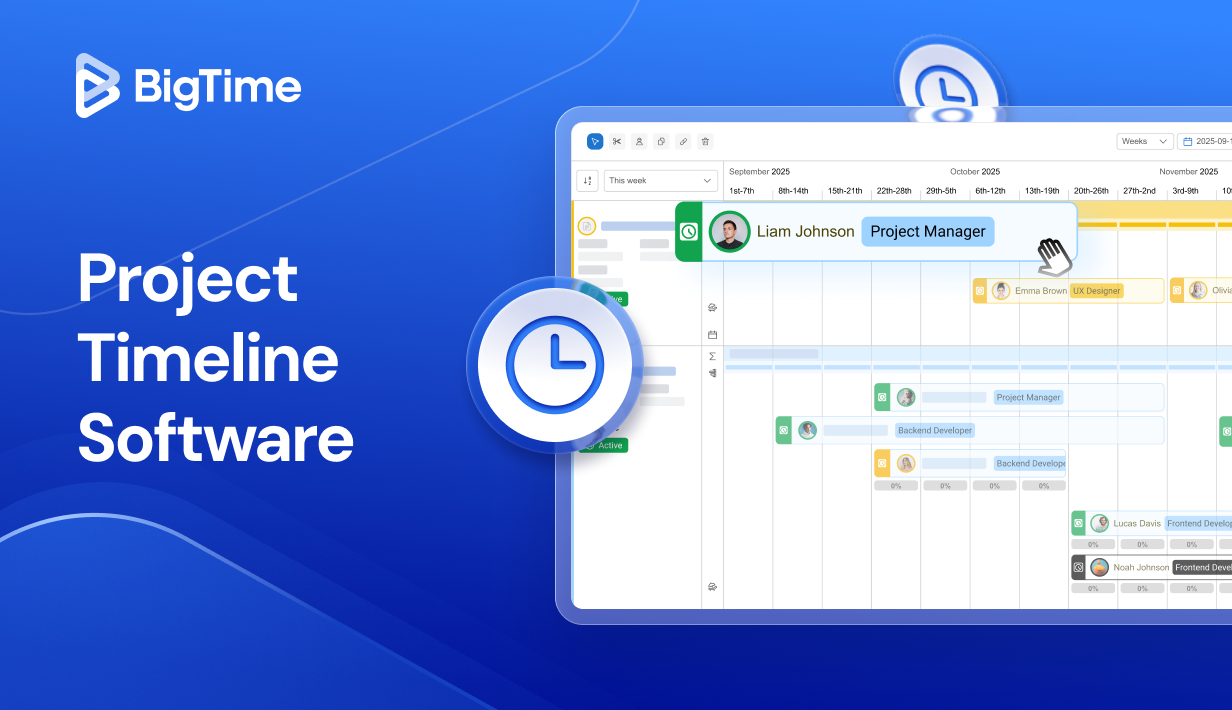
A timeline is where good intentions either turn into reliable delivery or quietly slip into chaos. When teams juggle shifting priorities, shared resources, and tight deadlines, “we’ll figure it out as we go” turns into missed handoffs, overloaded owners, and last-minute surprises. That’s exactly why project timeline software has become a must-have for modern teams: it gives you a clear view of what’s happening, what’s blocked, and what needs attention before delays spread.
The best project management timeline software goes beyond a pretty Gantt chart. It helps you map dependencies, track milestones, balance workloads, and keep everyone aligned when dates inevitably change. Whether you’re looking for a lightweight project timeline tool or a full timeline project management tool for complex portfolios, the goal is the same: a timeline you can trust, and a plan your team can follow.
In this article, you’ll learn:
- What is project timeline software?
- What features should the best project timeline software have?
- 2026 project timeline software ranking
- Project timeline software comparison table
- Top project timeline tools: in-depth reviews
- Which project timeline software is the best?
What Is Project Timeline Software?
Project timeline software is a project management system that visualizes work across time so orican plan, sequence, and deliver projects with clear start and end dates, milestones, dependencies, and ownership. In practice, a project timeline tool helps teams solve the problems that cause delays and rework, such as:
- Keeping task dates, project milestones, and deliverables aligned across multiple workstreams (so “done” actually means done).
- Mapping project dependencies and critical paths, so one slip doesn’t quietly knock three downstream deadlines off track.
- Turning a timeline into a shared source of truth for stakeholders for improved team collaboration.
- Balancing capacity and assignments against the timeline, so your timeline project management tool isn’t promising work your team can’t realistically deliver.
- Tracking progress against planned dates, spotting schedule risk early, and adjusting before you miss client commitments.
In other words, project management timeline software isn’t just a prettier Gantt chart you use for project planning. The best project management timeline tools connect people, work, and time in a way that keeps project delivery predictable, even when priorities shift.
What Is the Difference Between a Project Timeline and a Gantt Chart?
A Gantt chart is one way of visualizing a project timeline, not a synonym for it. A project timeline is the underlying plan: your tasks, dates, dependencies, milestones, and the people responsible for each piece of work. A Gantt chart is a specific view of that plan, typically horizontal bars set against a calendar, showing how tasks overlap and connect over time.
Most project timeline software gives you a Gantt view by default, but a true timeline management system goes beyond the visual. It should also let you track schedule variance, manage resource capacity, and switch between other views, such as list or calendar, without losing the underlying schedule logic. If a tool only offers a Gantt chart with no dependency logic, baseline tracking, or resource visibility behind it, you’re looking at a visualization, not full project timeline software.
The Benefits of Project Timeline Software
In 2026, teams move fast, priorities change mid-sprint, and stakeholders expect updates that are both immediate and accurate. Project timeline software brings order to that reality by making time a first-class part of planning, not an afterthought that gets updated “when we have a minute.” When your timeline is reliable, execution becomes calmer, decisions get easier, and delivery gets more predictable.
A strong project timeline management software setup creates four big advantages that show up quickly. Those include:
- Clearer sequencing and fewer surprises. A project timeline view forces the real conversations early. What must happen first? Which tasks can run in parallel? Where are the handoffs? With dependencies and milestones visible, teams stop discovering critical blockers a week before launch, even when managing complex projects.
- Faster, better stakeholder communication. Most projects don’t need more meetings, they need a shared view of project tasks, milestones, and progress. Project management timeline software gives project managers a clean way to see what’s on track, what’s moving, and why. That lowers the “what’s going on?” noise and gives leaders more confidence to make decisions.
- Healthier workloads and more realistic commitments. Resource management often looks great until it collides with capacity planning. The best project management software with project timeline makes it easier to see when one person is carrying too many time-sensitive tasks, or when the same team is assigned to three “high priority” projects at once.
- Stronger delivery discipline across multiple projects. When you manage more than one initiative (for example, in marketing agencies or in agile software development teams), the cost of a messy timeline multiplies. Project management timeline tools help standardize how teams plan milestones, track dates, and handle changes so you can compare projects consistently and spot patterns. Over time, that improves resource forecasting, strengthens accountability, and makes it easier to run a portfolio without relying on heroics.
What Features Should The Best Project Timeline Software Have?
Most platforms can show tasks on a calendar or project data in a simple table. The best project timeline software goes further: it helps you build a schedule you can defend, keeps it accurate as work changes across the portfolio management, and makes it easy to explain what’s happening to people who aren’t in the weeds every day. If you’re comparing project management timeline tools, these are the features that usually separate “nice timeline view” from a timeline you can actually run the project with.
Dependency Types
Most project timeline software talks about “dependencies” without explaining what that actually means in practice, and it’s worth pausing on before you start comparing tools. There are four core dependency types, and knowing them helps you evaluate whether a platform’s scheduling logic will hold up once your project gets complicated.
- Finish-to-Start. The most common type. One task cannot begin until the task before it is complete, such as needing a signed scope of work before you can start staffing the project.
- Start-to-Start. Two tasks begin at the same time but don’t have to finish together, useful for pairing scoping work with initial resource assignment.
- Finish-to-Finish. Two tasks must finish together even if they started separately, common when a deliverable and its internal review both need to wrap before client handoff.
- Start-to-Finish. The least common type. A task cannot finish until another task starts, often used in handoff or transition scenarios.
The best project timeline software doesn’t just let you draw a line between two tasks. It should let you specify which of these four relationships applies, then automatically reschedule downstream work when a date changes upstream. If a tool only supports finish-to-start dependencies, you’ll likely find yourself manually adjusting the schedule every time your plan gets more nuanced than a simple sequence.
Flexible timeline planning
Task management shouldn’t be a burden – at least with the right online project management tools. A strong project timeline tool should let you drag dates, adjust durations, and shift phases without breaking the rest of your plan. Look for roll-up views (task → phase → project) plus quick ways to filter or group by owner, team, or workstream – just a few clicks should be more than enough. The best tools also make it easy to re-plan projects after scope changes, so you can update the schedule in minutes instead of rebuilding the whole timeline.
Milestones and baseline
Timelines need a memory. Project milestones give you visible delivery markers that stakeholders can track without reading every task, while baselines capture what you committed to at the time of approval. The best tools also make variance easy to spot (planned vs. actual) so you can manage schedule performance, not just report it.
Resource management tools matching the timeline view
A timeline that ignores capacity is just wishful thinking for both planning and project updates. The best timeline project management tool helps you see staffing pressure alongside dates, so you can identify overbooked individuals and overloaded roles. Even simple workload management indicators (hours, allocation %, or assignment counts) can reveal bottlenecks that would otherwise show up as late milestones or gaps in project scope. Ideally, the tool makes it easy to rebalance work and immediately see how that affects the schedule, helping teams complete tasks in a timely manner.
Progress tracking that updates in the real time
Your timeline shouldn’t rely on someone remembering to update a spreadsheet every Friday – especially in large scale projects. Look for project progress signals tied to task status, completion %, approvals, and (where relevant) time tracking or checkpoints. The best project timeline tools also help you distinguish between “in progress” and “at risk,” so you can intervene before a delay becomes a missed deadline. The goal is a timeline that reflects reality daily, not a retrospective summary of assigned tasks once the week is over.
Reporting that answers schedule questions
A timeline tool should make it easy to answer: What’s on track? What’s slipping? What changed since last week? Useful reporting includes milestone health, risk of task dependencies, schedule variance vs. baseline, and overdue or blocked work that threatens a key date. For teams running multiple teams and initiatives, portfolio-level reporting matters too, because you need to see collisions across projects, not just inside one plan.
Integrations that prevent duplicate data entry
Timelines break when the “real work” happens somewhere else and doesn’t sync back. Strong integrations reduce drift between tasks, owners, and dates and create a secure environment by keeping systems aligned (communication, documentation, dev trackers, CRM/accounting where relevant). The best tools also support bi-directional updates with other tools or automation rules, so a status change or a completion event can update the timeline without manual work.
2026 Project Timeline Software Ranking
There’s no shortage of tools that can display tasks on a timeline. The hard part is finding a project timeline software platform that stays accurate when project priorities shift, dependencies move, and stakeholders want answers fast. For this 2026 ranking, I focused on tools that consistently support real-world timeline management, not just a “timeline view” bolted onto task lists.
To keep the ranking practical, each project management timeline software option was evaluated across criteria that matter in day-to-day delivery:
- Timeline strength: Gantt flexibility, milestones, baselines, and schedule version control, along with task prioritization.
- Dependency logic: clarity of dependencies, impact visibility, and rescheduling reliability.
- Execution support: team collaboration, approvals, and ways to keep timeline updates current without extra admin work.
- Visibility and reporting: schedule health, variance tracking, cross-project views, and stakeholder-ready reporting.
- Scalability: governance, permissions, onboarding process, seamless integration and multi-project management for growing teams.
- Market feedback: consistent signals from user review ecosystems like G2 and Capterra (as a credibility check, not the only deciding factor).
Project Timeline Tools – Comparison
Most team members don’t need “a timeline view.” They need a timeline they can trust when dates move, dependencies shift, and stakeholders want a clear answer on what’s changing and why. The comparison below focuses on how well each project timeline software option supports real scheduling work: building a plan, maintaining it under change, and communicating it without constant manual cleanup.
| Tool | Description | Best for | G2/Capterra Reviews |
| BigTime | Services-focused platform that connects timelines to resourcing, time/expense, and financial visibility. | Professional services firms that need timelines tied to staffing, billing, and profitability | G2: 4.5/5, Capterra: 4.6/5 |
| Wrike | Robust work management with Gantt features, but can be heavy. | Larger teams needing mature Gantt and dependency handling | G2: 4.2/5, Capterra: 4.4/5 |
| TeamGantt | Simple, Gantt-first timeline tool with limited depth. | Small teams wanting a fast, visual Gantt tool | G2: 4.8/5, Capterra: 4.6/5 |
| Asana | Popular task platform with a lighter Timeline view. | Cross-functional teams that want light timeline visibility inside a broader workspace | G2: 4.4/5, Capterra: 4.5/5 |
| Instagantt | Gantt add-on for Asana that adds friction. | Asana users who want a dedicated Gantt layer | G2: 4.3/5, Capterra: 4.3/5 |
| Smartsheet | Grid-first system that can turn into spreadsheet sprawl. | Spreadsheet-first teams needing flexible tracking | G2: 4.4/5, Capterra: 4.5/5 |
| ClickUp | Feature-packed platform that can feel noisy. | Teams wanting an all-in-one platform with many view types | G2: 4.7/5, Capterra: 4.6/5 |
| Microsoft Project | Traditional scheduling tool that’s powerful but dated. | PMO-driven teams needing formal, dependency-heavy scheduling | G2: 4.3/5, Capterra: 4.4/5 |
| ProjectManager | Gantt-centric PM tool that’s decent, not exceptional. | Teams wanting straightforward Gantt planning without a steep learning curve | G2: 4.5/5, Capterra: 4.1/5 |
BigTime
Reviews: G2: 4.5/5, Capterra: 4.6/5.

Pros & Cons
Pros:
- Built for timelines that have to survive real delivery. BigTime’s Gantt-centric project planning based on the actual resource availability is designed to keep project schedules usable after the first change request, not just during initial planning.
- Resource planning is part of the timeline story, not a separate spreadsheet. BigTime supports capacity planning and allocation workflows (including specialized features such as utilization views and allocation editing) so you can spot overload in all the tasks early.
- Baseline and schedule control that helps you manage expectations. When you need to show what changed (and how far you’ve moved from the original plan), baseline features and schedule management tools make the timeline easier to defend with stakeholders.
- Stronger operational visibility for client work. For professional services teams, BigTime connects the timeline to the mechanics that often decide whether delivery is “on track”.
- Perfect for professional services companies. Whether you’re running IT firm, consulting company or marketing agency, BigTime is a perfect choice for both agile methodologies and standard project management.
Cons:
- Heavier than a lightweight project timeline tool. If you only need a simple internal Gantt chart with minimal governance, BigTime can feel like more platform than you need.
BigTime’s project timeline software stands out in the project timeline software category because it treats scheduling as an operating process, not just a visualization. Instead of stopping at “here’s the Gantt,” BigTime is designed to help services teams plan, staff, execute, and stay financially aligned while the timeline moves – all in an intuitive interface created for streamlined collaboration. That matters in real delivery environments, where deadlines change, dependencies collide, and leadership wants an answer that’s grounded in what the team can actually deliver.
From a timeline perspective, BigTime supports interactive Gantt planning with visibility into tasks, durations, and dependencies, which is the foundation of any serious project management timeline software strategy. Where it becomes especially valuable is the way timeline planning connects to staffing and utilization workflows. When you’re managing multiple projects, that link between schedule and capacity is what keeps a timeline honest, and it’s also what separates BigTime from many general-purpose tools for managing projects that treat resourcing as an afterthought.
Key Features:
- Interactive Gantt charts for schedule control — Build and adjust timelines and work schedules visually, with a clear view of task sequencing and the overall delivery window.
- Dependency and critical-path awareness — Manage dependency chains and understand schedule impact so one slip doesn’t quietly cascade into multiple missed project milestones.
- Baseline creation and schedule variance visibility — Lock a baseline plan and use it to manage expectation gaps between what was promised and what’s happening now.
- Auto-scheduling and bulk timeline actions — Speed up re-planning when dates shift for all project types by using automation and bulk edits instead of manual task-by-task cleanup.
- Resource allocation editor and utilization views — See capacity constraints, adjust allocations, and keep the timeline realistic as priorities change.
- Advanced reporting for quick project tracking. Access project information in just a few clicks. Use AI-powered insights to get the information you need or create custom dashboard in one workspace.
- Projected fees and delivery visibility — Tie delivery planning to financial expectations so timeline changes don’t happen in a vacuum.
Pricing
Pricing starts at US$20 per user/month (with a free trial). Free personalized demo available.

Wrike
Reviews: G2: 4.2/5, Capterra: 4.4/5.
Pros & Cons
Pros:
- Strong timeline fundamentals for teams that live in Gantt views. Wrike’s Gantt chart supports dependencies and automatic rescheduling behavior, which helps keep timelines coherent when upstream work shifts.
- Good structure for cross-functional coordination. When multiple teams need shared visibility, Wrike’s mix of views and workflow tools can keep projects organized without forcing everyone into the same working style.
- Mature ecosystem for larger organizations. Wrike is built with scale in mind, which can be helpful if you need permissions, standardized processes, and enterprise-ready controls.
Cons:
- Can feel complicated fast. Wrike’s interface and configuration depth can be a lot for new users, and timeline hygiene often depends on strong internal process and ownership.
- Costs can climb as you add capabilities. Many teams outgrow the basics quickly and end up needing higher tiers, add-ons, or enterprise packaging to get the full timeline and reporting experience they expected.
- Not the most “services-optimized” timeline system. If you need your project timeline software to connect tightly to resourcing, utilization, and delivery economics, Wrike can require more workarounds than tools built specifically for that environment.
Wrike is a well-known project management timeline software option for teams that want a capable platform with solid timeline views and dependency handling. Its Gantt chart supports dependencies and can automatically reschedule dependent tasks when plans change, which is important if you’re managing real sequencing, not just visual dates.
That said, Wrike is not a lightweight project timeline tool. It tends to work best when a team is willing to invest in setup, standardize how work is structured, and actively maintain the system. Without that discipline, timelines can become cluttered, reporting gets harder, and the tool starts to feel like overhead rather than support.
Key Features
- Gantt chart timeline view — Plan daily tasks across time, adjust dates directly on the timeline, and switch views to match how different teams prefer to work.
- Task dependencies with automatic rescheduling — Link tasks and milestones with dependency lines, then let the system push dependent active tasks when a predecessor moves.
- Milestones and schedule visibility — Use milestones and timeline markers to communicate delivery checkpoints without forcing stakeholders to interpret every task detail.
- Workflow and dashboards — Configure workflows and dashboards for visibility, but expect some upfront design work to make them reliable for ongoing timeline reporting.
Pricing
Wrike offers a free plan and paid plans including Team and Business, with Enterprise and Pinnacle positioned for larger organizations. The pricing page also references a 14-day free trial for new users.
TeamGantt
Reviews: G2: 4.8/5, Capterra: 4.6/5.
Pros & Cons
Pros:
- Easy, visual scheduling that teams adopt quickly. TeamGantt is built around a clean Gantt experience, so creating a timeline, dragging dates, and reorganizing phases feels straightforward for most users.
- Dependencies are available (with multiple types). It supports common dependency types (e.g., finish-to-start, start-to-start, finish-to-finish), which is enough for many schedule-driven projects.
- Useful baseline-level controls for basic schedule management. Features like baselines and milestones help teams communicate key dates without drowning stakeholders in task detail.
Cons:
- No robust features for reporting. Reviews frequently point to reporting as relatively basic, which can make it harder to run leadership-ready schedule health conversations at scale.
- Free/low-tier limitations can be restrictive. Users mention constrained sharing and missing advanced options on the free experience, which can create friction once you move beyond personal timelines.
- Some “paper cut” usability issues show up in practice. Capterra reviewers call out occasional glitches (for example, milestones not appearing) and exports that don’t always work well for large plans.
TeamGantt is a solid project timeline tool when your main priority is putting a clear schedule in front of people fast. It’s Gantt-first, it’s approachable, and it generally works best for teams that want a simple way to plan tasks, set milestones, and keep a live timeline visible without a heavy setup process.
Where TeamGantt can fall short as project management timeline software is when timelines need more than visualization. If you rely on deeper portfolio reporting, stronger governance, or more advanced schedule analytics, you may find yourself filling gaps with manual work or bolt-ons. That’s why it’s often a better fit for smaller teams or single-project timelines than for complex, multi-program environments.
Key Features
- Gantt chart planning — Build and adjust timelines for new and recurring tasks with drag-and-drop scheduling designed for quick updates.
- Dependencies — Link tasks using standard dependency types to keep sequencing clear when dates shift.
- Milestones — Mark deadlines, approvals, and key deliverables directly on the timeline for stakeholder-friendly check-ins.
- Baselines — Capture an “original plan” so you can see variance as the schedule evolves.
Pricing
TeamGantt’s site lists a Pro plan at $49/month per manager (monthly), plus $7/month per collaborator, with a free plan also available.
Asana
Reviews: G2: 4.4/5, Capterra: 4.5/5.
Pros & Cons
Pros:
- Solid for visual planning in a collaborative workspace. Asana’s Timeline (and Gantt-style view) is useful for mapping start/due dates and communicating a schedule to stakeholders who want a clean, high-level picture.
- Good adoption for cross-functional teams. If multiple departments already live in Asana for task management, adding a timeline view can reduce “where’s the plan?” noise without introducing a brand-new system.
- Polished core experience. Asana generally feels modern and approachable, which helps teams keep tasks updated (the biggest hidden factor in timeline accuracy).
Cons:
- Timeline depth is lighter than true schedule-first tools. For complex, dependency-heavy plans, Asana can feel more like a task platform with a timeline overlay than dedicated project timeline management software.
- Advanced timeline capabilities often require paid tiers. If you want more robust planning and visibility, you may need to move beyond the free plan and into higher plans as requirements grow.
- Can get messy at scale without strict structure. Asana’s flexibility is a double-edged sword: inconsistent task hygiene, naming, and ownership standards can turn timelines into cluttered visuals that are hard to trust.
Asana is a popular choice for teams that want project management timeline software as part of a broader collaboration hub. Its Timeline view helps you lay tasks across time, see overlapping work, and communicate milestones in a way that’s easy for non-PM stakeholders to digest. For marketing campaigns, product launches, and cross-team coordination where the timeline is important but not deeply engineered, it can work well.
Where Asana can disappoint as a timeline project management tool is when the schedule is the project. If you need stronger dependency modeling, baseline vs. actual schedule variance, or portfolio-grade controls, you may end up compensating with process, spreadsheets, or add-ons. In those environments, Asana’s timeline is often “good enough to visualize,” but not always strong enough to manage schedule risk with confidence, forcing companies to look for Asana alternatives.
Key Features
- Timeline (Gantt-style) project view — Visualize work over time using start/due dates and quickly adjust the plan when priorities move.
- Dependencies — Link work so teams can see sequencing and understand what’s blocked, though dependency-heavy schedules may require more discipline to maintain.
- Multiple time-based views — Switch between timeline/Gantt and calendar-style views depending on whether you’re planning sequencing or tracking upcoming deadlines.
- Collaboration on tasks — Keep comments and updates tied to work items, which helps reduce timeline drift caused by “offline” decisions.
Pricing
Asana offers multiple plans (including a free option) with paid tiers such as Starter and Advanced, plus Enterprise/Enterprise+. Timeline/Gantt-style planning is positioned as part of the broader feature set across paid plans.
Instagantt
Reviews: G2: 4.3/5, Capterra: 4.3/5.
Pros & Cons
Pros:
- A clearer Gantt experience than many “timeline views.” Instagantt is purpose-built for Gantt planning, so it’s often easier to create a readable schedule, adjust dates, and spot overlaps than in general task platforms.
- Works well if you’re committed to Asana. The Asana integration is a big reason people choose it, especially when they want dependency lines and timeline planning beyond what they feel they can get natively.
- Affordable entry point for solo planning. The vendor pricing positions paid plans as starting at a low monthly cost, which can make it attractive as a lightweight project timeline tool.
Cons:
- It can add “another layer” to manage. Even with integration, you’re still working across two systems, which can create extra admin work and confusion about where the most current plan lives.
- Exports and presentation outputs are a recurring complaint. Reviews call out challenges exporting to Excel/PowerPoint and limitations in producing polished timeline outputs for stakeholders.
- Scheduling depth isn’t enterprise-grade. It’s a solid Gantt tool, but if you need portfolio controls, strong governance, or advanced schedule analytics, it can feel limited compared to more complete project timeline management software.
Instagantt is best understood as a dedicated project timeline tool that either runs standalone or sits alongside Asana to give teams a more classic Gantt experience. If your main problem is “we need a clearer timeline than our current task lists provide,” it can be a practical upgrade, especially for simple dependency planning and milestone communication.
Where it becomes less compelling as project management timeline software is when the timeline needs to be the operational source of truth across teams. Because it often functions as an added layer on top of another system, teams can end up duplicating effort. In busier environments, that friction is usually what pushes teams toward a single platform that can handle timelines, governance, and reporting without a split workflow.
Key Features
- Asana Gantt integration — Pull Asana tasks into a Gantt view so you can plan sequencing and start dates more visually than in a list.
- Dependencies and progress % — Link tasks and set progress indicators to make schedule status easier to interpret at a glance.
- Multiple project views — Use zoom levels and alternative views (including Kanban-style options) for different planning preferences.
- Sharing and stakeholder snapshots — Share timelines externally, though export/formatting expectations should be tested early for exec-ready outputs.
Pricing
Instagantt’s pricing page states a 7-day free trial and paid plans starting from $7 per month, with monthly and yearly subscriptions available.
Smartsheet
Reviews: G2: 4.4/5, Capterra: 4.5/5.
Pros & Cons
Pros:
- Great if your team already thinks in spreadsheets. Smartsheet’s grid-first experience makes it easy to stand up trackers, schedules, and dashboards without a long onboarding cycle.
- Solid Gantt basics when configured correctly. It supports dependencies that can auto-shift downstream dates and baselines for plan vs. actual tracking, which covers many “good enough” timeline needs.
- Strong sharing and visibility for stakeholders. Reports and dashboards can give leadership a clean view without forcing them into the weeds of task rows.
Cons:
- It can become spreadsheet sprawl. Without strict standards (templates, ownership, governance), teams often create too many sheets, inconsistent structures, and timelines that look different in every project.
- Advanced automation and reporting take real setup work. Many of the outcomes people want require someone who understands formulas, workflow rules, and how to keep complex sheets maintainable over time.
- Not a “schedule-first” tool for complex dependency networks. While it has Gantt and dependencies, it can feel less precise than tools designed primarily for timeline planning and critical-path-driven delivery.
Smartsheet works best as project timeline software when your organization wants a flexible, spreadsheet-style system that can also display a timeline. It’s a practical choice for operational tracking, intake workflows, and projects where the timeline is important but not deeply engineered.
Where it struggles as project management timeline software is consistency at scale. The same flexibility that makes it attractive can also make it hard to keep timelines clean across teams, especially when multiple people build their own “version” of what a project plan should look like. If you need a single, standardized timeline approach across a portfolio, expect process work and ongoing administration.
Key Features
- Gantt view with dependencies — Link tasks so dependent dates can update automatically when a predecessor moves, reducing manual rescheduling.
- Baselines for schedule variance — Capture your original plan and compare it against current dates to show schedule drift over time.
- Dashboards and reports — Roll up sheet data into stakeholder-friendly dashboards, but the value depends on how well your underlying sheet structure is designed.
- Automation and alerts — Trigger reminders and workflow steps, though advanced setups often require more configuration than teams expect.
Pricing
Smartsheet lists tiered plans on its pricing page and promotes a 30-day free trial; plan details vary by user type and scale (with higher tiers for larger organizations).
ClickUp
Reviews: G2: 4.7/5, Capterra: 4.6/5.
Pros & Cons
Pros:
- Strong flexibility for building timeline workflows your way. ClickUp can handle multiple views (including Gantt), custom fields, and different team setups, so it’s adaptable when your “standard” project timeline changes by department or client.
- Dependencies and Gantt planning are real, not just a cosmetic timeline. You can create dependency relationships directly in views (including Gantt), which helps teams maintain sequencing as dates move.
- Broad platform coverage. If your team wants tasks + docs + dashboards in one system, ClickUp can reduce tool sprawl, which often improves timeline visibility for stakeholders.
Cons:
- The learning curve is the cost of all that flexibility. Many users report the platform can feel overwhelming at first, and timeline quality often depends on how well you design statuses, fields, and workspace structure.
- Performance and “workspace noise” can show up as you scale. Larger, heavily customized setups can feel slower and less clean, which matters when people are supposed to update tasks in real time.
- Advanced capability is often gated by plan tiers. Teams commonly start small, then discover key features they assumed were standard are tied to higher plans, which can change the ROI math.
ClickUp is a capable project timeline tool if you want one platform that can support a wide range of workflows, including timeline-based planning. For teams that need flexibility across different project types, its view options (Gantt included) can make it easier to communicate schedules without rebuilding plans in separate tools.
The tradeoff is consistency. As project management timeline software, ClickUp works best when you invest in a clean workspace design and enforce simple standards. Without that, timelines can turn into clutter: too many statuses, too many fields, and too many “almost the same” ways to track work, which makes schedule reporting harder to trust.
Key Features
- Gantt chart view — Visualize tasks across time and adjust scheduling via a timeline view, including dependency-aware planning.
- Dependency relationships — Create and manage task dependencies in views (including Gantt) to keep sequencing explicit as plans shift.
- Custom fields and statuses — Shape your timeline workflow to match how your team works, but keep the model simple or reporting becomes inconsistent.
- Dashboards and reporting — Build stakeholder views from your workspace data, with accuracy tied directly to task hygiene and standardization.
Pricing
ClickUp offers a Free plan and multiple paid tiers, with Enterprise priced separately; its pricing is published on the vendor site and varies by tier and billing cadence.
Microsoft Project
Reviews: G2: 4.3/5, Capterra: 4.4/5.
Pros & Cons
Pros:
- Strong scheduling engine for complex plans. Microsoft Project is built for dependency-heavy timelines, with tooling that supports critical path thinking and structured schedule control.
- Familiar for organizations already deep in Microsoft 365. For teams standardized on Microsoft’s ecosystem, it can fit governance and procurement expectations more easily than newer tools.
Cons:
- Steeper learning curve than most project timeline tools. Many teams find it “too much tool” unless they truly need formal scheduling mechanics; otherwise, the timeline becomes PM-owned and contributors disengage.
- Collaboration can feel dated compared to modern work platforms. Reviews frequently highlight friction around collaboration and day-to-day usability, which directly hurts timeline freshness.
- Pricing and packaging can be confusing. Microsoft’s Planner/Project packaging includes multiple plans and combinations, which makes “what do we need?” harder than it should be.
Microsoft Project is traditional project timeline software designed for environments where the schedule is the project. It’s strongest when you need rigorous dependency modeling, clear critical-path visibility, and structured schedule controls that support formal project management practices. If your timeline has hundreds of tasks and the sequencing truly drives delivery, Project still has real strengths.
Where it’s less compelling as project management timeline software is everyday team execution. For cross-functional teams that need fast updates, lightweight collaboration, and simple stakeholder visibility, Microsoft Project can feel heavy. The result is common: the timeline gets built well, but it’s harder to keep it current because updates depend on a small number of power users.
Key Features
- Gantt charts and schedule modeling — Build detailed timelines with task sequencing, constraints, and schedule calculations suited to formal planning.
- Critical path visibility — Highlight critical tasks so you can focus on the work that drives the finish date and manage schedule risk more directly.
- Dependency-based scheduling — Model task relationships so date changes carry through the plan instead of forcing manual rework across the timeline.
Pricing
Microsoft positions paid options as Planner/Project plans (for example, “Planner and Project Plan 3” and “Planner and Project Plan 5”) with plan comparisons on its pricing page; exact costs vary by plan and billing terms.
ProjectManager
Reviews: G2: 4.5/5, Capterra: 4.1/5.
Pros & Cons
Pros:
- Good Gantt coverage for straightforward scheduling. ProjectManager supports classic timeline planning and can handle common dependency types, which is enough for many teams that want a more structured plan than a simple calendar view.
- Quick to trial and get a timeline running. The vendor positions the product around a 30-day free trial, which makes it easy to test whether the timeline view fits your workflow before committing.
Cons:
- “Good enough” timeline depth, but not elite scheduling. For complex portfolio timelines (or situations where baselines, governance, and schedule analytics must be bulletproof), it can feel like it sits between lightweight tools and full PMO-grade systems.
- Trial and plan expectations can create friction. Some reviewers describe painful experiences around the trial-to-paid transition and feature access, which is worth pressure-testing early (especially around anything your team considers “must-have”).
ProjectManager is a capable project management timeline software option if your main goal is to plan and track projects with a clear Gantt view and basic dependency logic, without stepping into a highly specialized platform. It’s positioned as a cloud tool that supports planning, tracking, workload visibility, and reporting in one place, which can work well for teams that want structure but don’t want a steep scheduling learning curve.
Where it tends to disappoint as project timeline management software is when timelines become operationally demanding: lots of inter-project dependencies, strict governance, or highly controlled reporting that leadership expects to be consistent across a portfolio. In those environments, teams may spend more time compensating with process and workarounds, or bump into plan-tier constraints that change the value proposition.
Key Features
- Gantt timelines with dependency types — Build schedules using multiple dependency types so sequencing stays clear when dates shift.
- Real-time reporting and dashboards — Pull project and workload reporting without manual exports, assuming your team keeps task data clean.
- Portfolio-level visibility — View multiple projects in one place for broader oversight, though depth varies depending on how standardized your setup is.
Pricing
ProjectManager offers a 30-day free trial, and paid plans are listed on its pricing page (with tiered options for teams and larger organizations).
Which Project Timeline Software Fits Your Team?
Not every team needs the same depth of timeline management. Here’s how to think about it based on where your firm is today.
For Small Teams And Single-Project Work
If you’re managing one project at a time with a small team, prioritize simplicity over depth. Look for drag-and-drop scheduling, basic milestones, and a clean visual layout. You don’t need portfolio reporting or resource forecasting yet, and a lightweight tool with a shallow learning curve will get you moving faster than a heavier platform.
For Growing Professional Services Firms
Once you’re running multiple client projects at once, especially with shared staff across projects, the calculus changes. You need a project timeline tool that connects scheduling to capacity, so you can see when a consultant, engineer, or account lead is stretched across too many deadlines. Baseline tracking and schedule variance reporting also become more important here, since client-facing deadlines carry real financial consequences when they slip.
For Multi-Entity Or Enterprise Portfolios
At scale, governance and permissions matter as much as scheduling logic. Look for tools that support standardized templates across teams, portfolio-level reporting that rolls multiple projects into one view, and role-based access so the right people can adjust dates without creating chaos across the portfolio.
BigTime is purpose-built for the middle two categories: professional services firms coordinating multiple client timelines who need scheduling, capacity, and financial visibility working together, not just a simple task list or an enterprise-only system that ignores billable delivery.
Which Project Timeline Software Is The Best?
If your timeline is mostly a visual aid, many tools can get the job done. But when the timeline is a commitment, especially in client work where deadlines, staffing, approvals, and scope shifts all collide, you need more than a clean Gantt view. You need project timeline software that keeps the schedule connected to execution, so the plan stays credible after the first real change.
That’s why BigTime is the best project timeline software in 2026. It’s built for teams that can’t afford “timeline theater.” BigTime helps you plan work across time, track delivery against reality, and keep timelines grounded in capacity and utilization, not optimistic assumptions. Instead of forcing teams to manage resourcing and delivery economics in separate spreadsheets, it brings those realities into the same system where the timeline lives. The result is a timeline that’s easier to maintain, easier to defend, and far more useful in day-to-day decision-making.
If you want to see how BigTime supports timeline planning in a real services environment, book a personalized demo and see how BigTime can transform planning in your business.

Project Timeline Software – FAQ
What is project timeline software?
Project timeline software is a project management system that visualizes work across time, so teams can plan start/end dates, sequence tasks, track milestones, and manage dependencies in one place. It turns a project plan into a living schedule that updates as work changes, helping teams spot delays early and keep stakeholders aligned.
What are the key features in project timeline software?
The best project timeline management software typically includes these core capabilities:
- Interactive timeline/Gantt view – Build and adjust schedules quickly with drag-and-drop planning, phase rollups, and clear date controls.
- Dependencies and impact visibility – Link tasks and instantly see how one change affects downstream work, milestones, and delivery dates.
- Milestones and baselines – Mark key delivery checkpoints and compare planned vs. actual timelines to track schedule variance over time.
- Resource and capacity visibility – Understand who is overbooked, where bottlenecks will happen, and whether the timeline is realistic.
- Real-time progress tracking – Keep the timeline current using status updates, completion signals, approvals, and (where relevant) time tracking.
- Portfolio-level timeline views – See schedule risk across multiple projects, not just inside one plan, so leaders can prioritize correctly.
- Permissions and governance – Control who can change dates and dependencies, keep an audit trail, and standardize timelines with templates.
What are the popular project timeline tools?
Here are a few widely used project timeline tools and project management timeline tools:
- BigTime – A standout for services teams because it connects timelines to staffing, utilization, time tracking, and financial visibility, so schedules stay grounded in delivery reality.
- Wrike – Strong Gantt fundamentals, but often requires careful setup and governance to keep timelines clean as complexity grows.
- TeamGantt – Simple and visual, great for straightforward planning, but limited for portfolio management and deeper reporting needs.
- Asana – Excellent collaboration with a lighter timeline layer; can feel constrained for dependency-heavy scheduling.
- Smartsheet – Familiar grid-to-Gantt approach; powerful, but can become inconsistent at scale without standards and strong ownership.
What is the best project timeline software?
BigTime is the best project timeline software for teams that need timelines to hold up in real delivery, especially in client-facing environments. It’s not just about showing a schedule; it’s about keeping the timeline accurate as work shifts by connecting planning to capacity, utilization, time/expense, and delivery performance.
If your timeline needs to be defensible to stakeholders (not just visually appealing), BigTime is the strongest choice because it keeps the schedule tied to the operational constraints that actually determine whether you hit your dates.




