As technology becomes the backbone of nearly every business function, IT leaders face increasing pressure to manage complex project ecosystems with precision and strategic foresight. Without a unified view of projects, budgets, and resources, organizations risk losing time, money, and talent. That’s where IT portfolio management software comes in.
These advanced platforms enable enterprises to plan, track, and analyze all IT initiatives in a centralized environment. By integrating financial data, performance metrics, and resource utilization insights, IT project portfolio management (IT PPM) software helps decision-makers ensure every technology investment aligns with broader business objectives.
In this guide, we’ll explore how IT portfolio management tools are transforming the way organizations plan and execute IT initiatives. You’ll discover what these systems do, the features that matter most, and which platforms stand out as the best IT project portfolio management software for 2026.
What is IT Project Portfolio Management (PPM) Software?
IT portfolio management software is a specialized platform that helps organizations analyze, prioritize, and manage their IT projects and assets as a unified portfolio rather than isolated efforts. It delivers visibility into project performance, resource allocation, budgets, and risks, enabling executives to make informed, data-driven decisions that maximize business outcomes for the entire company.
Put simply, IT project portfolio management (IT PPM) software serves as the command center for your IT strategy. Instead of focusing solely on the project execution, it provides a holistic view of how each initiative contributes to business value, innovation, and long-term operational efficiency.
What Features Should the Best IT Portfolio Management Software Have?
Choosing the right IT portfolio project management software (IT PPM) isn’t just about price or brand name — it’s about functionality, flexibility, and scalability. The best solutions go beyond basic project tracking to deliver comprehensive oversight of resources, budgets, performance, and strategy. A well-designed IT PPM platform allows leaders to manage complex project ecosystems from a single, intuitive interface while maintaining complete visibility and control.
Below are the key features to consider when evaluating the best IT project portfolio management software for your organization in 2026.
Centralized Portfolio Dashboard
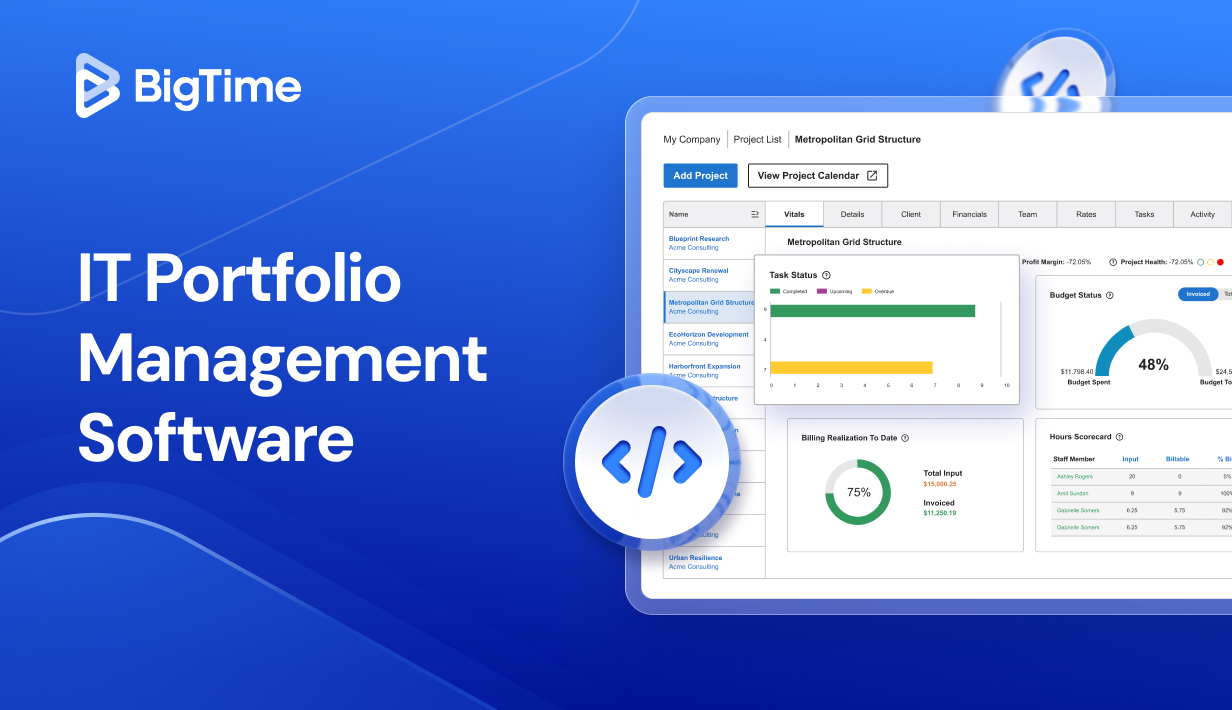
A real-time, visual executive dashboard is the cornerstone of any effective IT portfolio management system. It should present a unified view of all active and planned projects, including financials, project timelines, risk management, and resource utilization, so executives can assess performance quickly and make informed adjustments to keep initiatives on track.
Resource Management and Capacity Planning
Effective resource allocation is critical for maintaining high employee productivity and preventing burnout. The best platforms provide real-time visibility into workloads, skills, and availability, allowing managers to plan capacity accurately. Automated tools can dynamically balance assignments as priorities shift across the portfolio and inform you about any schedule conflicts before they affect project execution and profitability.
Financial Planning and Monitoring
Strong financial controls ensure portfolio transparency and accountability – and they ensure no project details will go unnoticed. IT PPM software should include financial forecasting, budgeting, cost control, and ROI analysis tools. Integration with ERP tools and accounting systems eliminates manual entry errors and keeps financial data consistent across departments, ensuring all project costs are always accounted for.
Advanced Reporting and Analytics
A powerful analytics engine is essential for strategic oversight. Look for project management tools with customizable dashboards, KPI tracking, predictive analytics, and data visualization tools to monitor project progress in seconds. Additionally, portfolio analysis tools with AI-driven insights can reveal performance trends, inefficiencies, and improvement opportunities across your company – and without adding to manual work.
Scenario Modeling and Forecasting
Scenario modeling enables IT organizations to test different funding or project allocation strategies before making decisions. By simulating multiple outcomes, leaders can evaluate trade-offs, mitigate risks, and manage project portfolios for long-term performance. As a result, they can improve project planning and contribute to a succesful business strategy.
Scalable and Customizable Architecture
Scalability is critical as business needs evolve and require advanced software solutions to support their project ideas. The best IT PPM platforms can easily accommodate new projects, departments, and data sources. Customizable modules, user interfaces, and integration options ensure the software grows alongside your organization without adding unnecessary complexity.
2026 IT Portfolio Management Software Ranking
The IT landscape is evolving faster than ever, with organizations demanding smarter, more integrated solutions to manage increasingly complex project portfolios. As business and digital transformation accelerates, IT portfolio management software has evolved from a simple project monitoring tool into a critical business intelligence platform — one that helps companies align technology investments with strategy, optimize resource planning, and strengthen organizational agility.
Our 2026 IT portfolio management software ranking showcases the leading platforms redefining how businesses approach IT governance, project prioritization, and resource management. Each solution has been evaluated for its functionality, scalability, integration capabilities, user experience, and overall customer satisfaction.
IT PMM Software & Tools: Comparison
| Tool | Description | Strengths | Limitations |
| BigTime | All-in-one IT portfolio and project management solution for tech and professional services firms. | Intuitive interface, strong budgeting and resource tools, great dashboards, seamless integrations, and top-tier support. | Few enterprise add-ons still expanding, but no major drawbacks. |
| Planview Enterprise One | Enterprise-level platform for complex IT portfolios. | Deep analytics, strong strategic alignment, excellent scalability. | Complex setup, steep learning curve, expensive, not ideal for mid-sized firms. |
| ServiceNow ITBM | IT business and service management in one platform. | Excellent automation and visibility for large enterprises. | High cost, heavy setup, cluttered interface, requires consultants. |
| Wrike | Flexible project tool with portfolio add-ons. | Easy to use, good collaboration, clean interface. | Limited financial tracking, weak governance, costly as teams grow. |
| Clarity PPM (Broadcom) | Enterprise PPM for financial and performance control. | Advanced budgeting, forecasting, and visualization. | Outdated UI, complex setup, steep cost, limited user-friendliness. |
| Smartsheet | Spreadsheet-style platform with automation and tracking. | Familiar layout, fast onboarding, easy integrations. | Limited analytics, weak IT alignment, cluttered for large teams. |
| Mavenlink (Kantata) | PPM tool for service-focused IT projects. | Great for time tracking and profitability insights. | Limited portfolio depth, slow reporting, outdated visuals. |
| Microsoft Project Online | Cloud-based version of Microsoft Project. | Strong scheduling, good Microsoft 365 integration. | Steep learning curve, limited cross-portfolio view, requires add-ons. |
| Sciforma | Scalable multi-portfolio PPM system. | Powerful analytics and scenario modeling. | Dated interface, complex setup, costly customization. |
| WorkOtter | Affordable, cloud-based PPM for smaller teams. | Quick setup, simple to use, budget-friendly. | Lacks automation, limited integrations, not scalable for enterprises. |
BigTime
Reviews: G2: 4.7 | Capterra: 4.7
Pros:
- Intuitive and modern interface that minimizes onboarding time.
- Exceptional portfolio visibility with customizable dashboards and advanced analytics.
- Powerful project budgeting and resource management tools ideal for IT and professional services firms.
- Seamless integrations with leading systems like QuickBooks, Jira, Salesforce, and HubSpot.
- Fast implementation process and highly rated customer support.
Cons:
- Some enterprise-scale modules are still being expanded, though frequent updates continue to close the gap.
BigTime is recognized as one of the most advanced and user-friendly IT portfolio management solutions in 2026. Designed for organizations managing complex IT initiatives, it delivers complete control over projects, budgets, and resources — all within an intuitive, modern interface.
At its core, BigTime empowers IT leaders to plan, track, optimize and prioritize projects in their technology portfolios. From forecasting capacity and monitoring real-time budgets to analyzing resource utilization, the platform ensures every decision is driven by accurate, actionable data. Users gain full visibility into which projects deliver the greatest business value and where operational efficiency can be improved. Automation tools streamline time tracking, reporting, and billing — freeing teams from hours of administrative work each week.
BigTime also scales effortlessly as organizations expand. Its frequent feature enhancements, responsive support, and portfolio optimization keep it ahead of the curve in usability, reporting strength, and integration flexibility. For IT leaders seeking a single platform that bridges strategic insight with day-to-day execution and keeps them all on the same page, BigTime stands as the clear industry leader in 2026.
Key Features:
- Portfolio Dashboard: Real-time visibility into all IT projects with interactive project performance metrics.
- Resource Management: Dynamic allocation tools that balance workloads and prevent bottlenecks and schedule conflicts.
- Budgeting and Forecasting: Automated cost tracking and financial insights that support data-driven planning.
- Time and Expense Tracking: Streamlined tracking for accurate billing and profitability analysis.
- Integrations: Direct connectivity with ERP, CRM, and project management platforms.
- Custom Reporting: Build detailed reports with drag-and-drop simplicity to monitor KPIs and performance trends.
- Mobile Access: Manage projects and approvals anywhere with secure mobile functionality.
Pricing: BigTime offers flexible pricing tailored to organization size and feature needs. Plans typically start around $10 per user/month, with advanced analytics and integrations available in higher tiers. A free trial and personalized demo are available for teams exploring the platform.

Planview Enterprise One
Reviews: G2: 4.2 | Capterra: 4.3
Pros:
- Excellent analytics and strategic planning tools.
- Strong portfolio data visibility and resource capacity management.
- Highly scalable for large, complex IT environments.
Cons:
- Steep learning curve and slow implementation.
- Expensive licensing and consulting requirements.
- Interface feels dated and unintuitive.
Planview Enterprise One is an IT portfolio management platform designed for large enterprises overseeing extensive and complex project portfolios. It delivers deep analytical insights and advanced strategic alignment tools that help organizations connect strategic objectives directly to project execution. With powerful scenario modeling, resource forecasting, and capacity planning capabilities, it enables executives to optimize resources, budgets, and funding across global operations.
That power, however, comes with complexity. While Planview offers some analytical depth, its implementation and customization often require months of consulting and training. Users also note that the interface can feel dated and overwhelming for new teams. Combined with its high cost and demanding maintenance requirements, Planview Enterprise One is best suited for established enterprises with the infrastructure and expertise to fully leverage its capabilities — rather than for fast-growing or highly agile IT organizations.
Key Features:
- Scenario Planning: Model different portfolio scenarios to guide investment decisions and ensure successful project delivery.
- Capacity Management: Optimize staffing and workload management across teams.
- Financial Oversight: Track project costs and align spending with business value.
- Strategic Prioritization: Ensure IT projects align with long-term goals.
- Integration Suite: Connects to ERP, HR, and financial platforms to effectively manage unified data.
Pricing: Available via custom quote, with costs reflecting enterprise complexity. High implementation and support fees are typical.
ServiceNow ITBM
Reviews: G2: 4.1 | Capterra: 4.2
Pros:
- Strong integration with IT service management (ITSM).
- Excellent workflow automation and process visibility.
- Suitable for large enterprises needing centralized IT governance.
Cons:
- Very high implementation and licensing costs.
- Complex configuration that requires expert consultants.
- Interface feels cluttered and unintuitive for non-technical users.
- Overly rigid for smaller or fast-moving IT teams.
ServiceNow IT Business Management (ITBM) is a comprehensive IT application portfolio management solution built for large enterprises looking to unify IT service delivery and portfolio oversight within a single platform. Its greatest strength lies in its seamless integration with ServiceNow’s IT Service Management (ITSM) suite, enabling organizations to connect project tracking with service requests, incidents, and outcomes across departments.
That depth of functionality comes at a cost. Implementing ServiceNow ITBM can be lengthy and expensive, often requiring specialized consultants for setup and customization. While the interface is feature-rich, its complexity can feel daunting to new users, and smaller teams may find it too heavy for agile operations.
Key Features:
- Portfolio Management: Consolidated visibility across all IT projects and initiatives.
- Automation Engine: Streamlines workflows, approvals, and reporting processes.
- Demand and Resource Planning: Aligns resources and budgets with project priorities.
- Financial Tracking: Monitors spending and forecasts IT investment performance.
- Integration with ITSM: Connects IT service delivery with portfolio management.
Pricing: ServiceNow ITBM uses a custom pricing model, typically on the higher end of the market. Implementation and ongoing support costs can be significant, especially for organizations without an existing ServiceNow infrastructure.
Wrike
Reviews: G2: 4.2 | Capterra: 4.3
Pros:
- Clean, intuitive interface with fast onboarding.
- Great for team collaboration and task visibility.
- Highly flexible with many integration options.
Cons:
- Limited portfolio-level financial and capacity management.
- Lacks advanced IT governance or scenario planning tools.
- Reporting features are basic compared to enterprise PPM systems.
- Can become expensive as teams and data grow.
Wrike is a widely used project and work management platform that has expanded to include IT portfolio management features, making it a popular choice among mid-sized IT teams. It provides a collaborative workspace for managing tasks, timelines, and dependencies, with intuitive dashboards that give managers real-time visibility into ongoing projects.
That same simplicity, however, reveals its limitations. While Wrike’s business solutions excel at project tracking and team collaboration, it lacks the advanced financial management, resource forecasting, and strategic alignment tools required by enterprise-level IT departments. Its reporting and analytics are relatively basic, limiting its value for data-driven portfolio optimization.
For smaller IT teams seeking a user-friendly, cloud-based collaboration and tracking system, Wrike delivers strong value. But for organizations managing large, complex IT portfolios, it serves best as a complementary project management tool rather than a comprehensive IT portfolio management solution.
Key Features:
- Real-Time Dashboards: Monitor project progress, risks, and workloads at a glance.
- Custom Workflows: Adapt workflows to match IT and business processes.
- Collaboration Tools: Centralized communication and document sharing.
- Integrations: Connects with hundreds of productivity and project management tools.
- Automation: Rules-based automation to streamline repetitive tasks.
Pricing: Wrike offers several tiers, starting with a free basic plan and scaling up to enterprise packages that cost around $25–$30 per user/month. Advanced reporting and integrations are available only in premium plans.
Clarity PPM (Broadcom)
Reviews: G2: 4.0 | Capterra: 4.1
Pros:
- Excellent for financial tracking and portfolio forecasting.
- Strong data visualization and performance reporting.
- Scalable architecture suited for large enterprise portfolios.
Cons:
- Outdated user interface that feels cumbersome.
- Implementation and updates require heavy IT involvement.
- Steep learning curve for new users.
- High total cost of ownership compared to modern alternatives.
Clarity PPM (Broadcom) is one of the longest-standing solutions in the IT project portfolio management space, recognized for its robust financial oversight and advanced performance analytics. It excels at helping large enterprises manage budgets, monitor resource utilization, and choose the best strategic path across extensive IT portfolios. With granular control over cost centers, demand planning, and ROI tracking, Clarity is a strong fit for organizations that prioritize governance, compliance, and integrated budgeting.
That strength in financial management, however, comes with trade-offs. The platform’s interface feels dated and less intuitive than modern, cloud-native alternatives, which can frustrate users aiming to improve efficiency in their budget tracking. Implementations are often time-consuming, and many organizations rely on external consultants for configuration and maintenance. Combined with high licensing and support costs, these factors make Clarity less practical for smaller firms or those seeking agile, real-time reporting and data collection capabilities.
Key Features:
- Advanced Financial Management: Detailed budgeting, forecasting, and expense tracking.
- Portfolio Analytics: In-depth reporting and performance measurement tools.
- Demand and Capacity Planning: Manages project schedules across portfolios.
- Scenario Analysis: Evaluate multiple project and funding configurations.
- Governance Tools: Enforces compliance and risk control across IT initiatives.
Pricing: Clarity PPM follows an enterprise-tier pricing model, with costs varying by organization size and deployment method. Implementation and maintenance expenses are typically high, reflecting its enterprise focus.
Smartsheet
Reviews: G2: 4.4 | Capterra: 4.5
Pros:
- Familiar spreadsheet-like interface that shortens onboarding time.
- Excellent automation tools for workflow management in project teams.
- Strong collaboration and task tracking features.
- Integrates easily with platforms like Microsoft Teams, Jira, and Slack.
Cons:
- Limited IT portfolio-level reporting and analytics.
- Lacks strategic alignment and financial planning depth.
- Can become cluttered and hard to manage as portfolios scale.
- Not ideal for organizations needing advanced IT governance.
Smartsheet is a widely used cloud-based work management and collaboration platform that also serves as a lightweight IT portfolio management solution. Its greatest strength is accessibility — teams already comfortable with spreadsheets can quickly adapt to Smartsheet’s familiar interface to manage project timelines, budgets, and resource usage across multiple IT initiatives. With built-in automation and strong integration capabilities, it’s particularly appealing to mid-sized organizations seeking flexibility without the complexity of a full-scale enterprise system.
That same simplicity, however, can be a limitation. While Smartsheet excels at task-level coordination and team collaboration, it lacks the advanced strategic portfolio management features found in enterprise-grade tools. Its financial tracking, risk management, and reporting functionalities are relatively basic, which often leads IT leaders to supplement it with additional software for deeper visibility. As organizations scale, managing large, complex IT ecosystems in Smartsheet can also introduce data duplication and process inefficiencies, forcing them to look for Smartsheet alternatives.
Key Features:
- Grid and Gantt Views: Flexible project visualization for scheduling and tracking.
- Automation Tools: Custom rules to eliminate manual workflows.
- Dashboards: Real-time visibility into progress and project KPIs.
- Integrations: Connects with popular platforms like Microsoft 365, Jira, and Google Workspace.
- Collaboration Features: Centralized communication and document sharing.
Pricing: Smartsheet pricing starts at $9 per user/month for basic plans, with business and enterprise tiers offering more automation and integration features.
Mavenlink (Kantata)
Reviews: G2: 4.2 | Capterra: 4.3
Pros:
- Excellent time tracking and project profitability analysis.
- Strong resource scheduling and utilization insights.
- Good collaboration tools for service-based IT teams.
- Integrates well with financial and project management systems.
Cons:
- Limited portfolio-level strategy and scenario planning.
- Reporting customization is restrictive.
- Interface feels outdated and less intuitive.
- Not as scalable or flexible for large IT organizations.
Mavenlink (now Kantata) is a well-regarded IT project portfolio management platform. It unifies project management, resource planning, and project cost management in a single solution. For IT departments managing client projects or internal development initiatives, Mavenlink excels at tracking profitability, monitoring utilization, and managing billable hours efficiently.
However, while Mavenlink performs well at the project and operational level, it lacks the broader strategic portfolio governance and forecasting capabilities found in enterprise-grade PPM systems like BigTime. It’s best suited for organizations focused on operational efficiency rather than long-range strategic alignment.
Although Kantata’s integrations and collaboration tools are robust, the interface feels somewhat dated, which can slow user adoption. Scaling across multiple departments or global regions may also require additional customization. As a result, many companies decide agains using this tool, seeking Kantata alternatives.
Key Features:
- Resource Management: Optimize workloads and monitor utilization rates.
- Financial Tracking: Analyze margins, profitability, and budget forecasts.
- Project Accounting: Integrates billing and invoicing for accurate reporting.
- Collaboration Hub: Centralized communication across teams and clients.
- Integrations: Compatible with Salesforce, NetSuite, and other key tools.
Pricing: Mavenlink offers custom pricing based on company size and requirements. Costs are typically mid- to high-range, depending on advanced reporting or API integration needs.
Microsoft Project Online
Reviews: G2: 4.0 | Capterra: 4.2
Pros:
- Deep integration with Microsoft 365 and Teams.
- Strong scheduling, task tracking, and resource management tools.
- Reliable performance and broad enterprise adoption.
- Familiar interface for organizations already using Microsoft products.
Cons:
- Steep learning curve for new users.
- Limited portfolio-level visibility without add-ons.
- Requires heavy customization for IT governance and analytics.
- Outdated interface compared to modern cloud PPM tools.
Microsoft Project Online is the cloud-based evolution of the classic Microsoft Project platform, offering organizations a familiar environment for managing complex IT portfolios. It’s particularly well-suited for teams operating within the Microsoft ecosystem, with seamless integrations across Power BI, Teams, and SharePoint that enhance collaboration and reporting.
Functionally, Project Online delivers strong project execution tools, making it effective for day-to-day project management based on real-time data. However, as a full-fledged IT portfolio management solution, it requires significant customization or third-party integrations to achieve advanced portfolio analytics, financial tracking, and governance capabilities. Without these enhancements, portfolio-level insights remain limited compared to modern, purpose-built platforms like BigTime.
Key Features:
- Project Scheduling: Advanced Gantt charts and timeline management.
- Resource Allocation: Monitor workloads and optimize team capacity.
- Microsoft 365 Integration: Sync with Teams, SharePoint, and Power BI for reporting.
- Portfolio Reporting: Basic dashboards and KPI tracking.
- Task Collaboration: Share updates and progress in real time across teams.
Pricing: Microsoft Project Online pricing starts at $10 per user/month for basic plans, with full-feature enterprise tiers costing up to $55 per user/month. Customization and add-ons may increase total costs.
Sciforma
Reviews: G2: 4.1 | Capterra: 4.2
Pros:
- Strong multi-portfolio and program management capabilities.
- Powerful analytics and scenario modeling tools.
- Highly configurable to match different organizational needs.
- Good balance between performance tracking and resource management.
Cons:
- Dated user interface and non-intuitive navigation.
- Long setup time with complex configuration steps.
- Requires technical expertise for customization and integration.
- High upfront costs for implementation and support.
Sciforma is a comprehensive IT project portfolio management platform built for enterprises overseeing multiple portfolios across departments or regions. It excels at combining detailed project execution with high-level strategic portfolio oversight, giving leaders clear insights into performance, capacity, and investment outcomes.
However, Sciforma’s strength in functionality comes with usability challenges. The interface feels dated compared to more modern, cloud-native alternatives, and initial setup can be time-intensive. Implementing and configuring the system often requires technical expertise or external consulting support, which can slow adoption — especially for smaller or fast-moving IT teams focused on agility.
Key Features:
- Multi-Portfolio Management: Manage several portfolios simultaneously across business units.
- Scenario Forecasting: Model different funding and scheduling options before execution.
- Resource Management: Allocate and optimize personnel across projects.
- Financial Tracking: Monitor costs and profitability at portfolio level.
- Custom Reporting: Build tailored dashboards and analytics views.
Pricing: Sciforma uses a custom pricing model, typically starting at mid-to-high enterprise levels. Implementation and support services are billed separately, adding to total ownership costs.
WorkOtter
Reviews: G2: 4.5 | Capterra: 4.6
Pros:
- Affordable and easy-to-implement cloud PPM solution.
- Clean, intuitive interface suitable for smaller IT teams.
- Quick setup with minimal training required.
- Good basic portfolio tracking and reporting tools.
Cons:
- Limited automation and advanced analytics.
- Lacks deep integration options compared to enterprise tools.
- Not scalable enough for large, global organizations.
- Basic resource management and financial tracking features.
WorkOtter is a lightweight, cloud-based IT portfolio management solution built for small to mid-sized IT teams seeking simplicity, affordability, and ease of use. It focuses on delivering core PPM functionality — including project tracking, resource scheduling, and reporting — without the steep learning curve or high cost of enterprise-grade systems.
While it performs well for straightforward project oversight, WorkOtter lacks the depth required for larger or more complex portfolios. Advanced capabilities such as financial forecasting, scenario modeling, and deep integration with ERP or CRM systems are limited. For organizations managing dozens of initiatives or requiring strict governance, it may not provide sufficient scalability or flexibility.
Key Features:
- Project & Portfolio Tracking: Monitor progress, timelines, and project performance metrics.
- Resource Scheduling: Assign and balance workloads efficiently.
- Custom Dashboards: Visualize data in real time with configurable widgets.
- Reporting Tools: Export portfolio insights quickly for stakeholder visibility.
- Cloud Deployment: Fast and accessible from any device.
Pricing: WorkOtter offers subscription-based pricing starting around $10–$15 per user/month, making it one of the most budget-friendly IT project portfolio management tools in 2026.
Which IT Portfolio Management Software Is the Best?
With so many capable platforms available, selecting the right IT portfolio management software depends on your organization’s size, complexity, and strategic goals. Enterprise solutions provide robust governance and deep analytics but come with high implementation costs and steep learning curves. On the other hand, more accessible deliver simplicity and speed — yet often lack the financial visibility and analytical power needed for mature portfolio oversight.
When considering usability, scalability, and overall value, BigTime stands out as the most balanced and forward-thinking choice for 2026. It combines the comprehensive functionality of an enterprise-grade IT project portfolio management system with the agility and user-friendliness that growing IT organizations need. Whether your focus is resource planning, financial control, or strategic alignment, BigTime delivers a unified platform that adapts to your business and scales with your success.
Why BigTime Leads the Market
BigTime delivers the power of an enterprise-grade IT project portfolio management system—without the complexity. Its intuitive interface, advanced reporting, and built-in automation give IT leaders real-time visibility into resources, budgets, and project performance. Unlike heavier legacy tools, BigTime is fast to implement, easy to adopt, and scales seamlessly as portfolios expand.
With robust financial tracking, seamless integrations with Jira, QuickBooks, and Salesforce, and industry-leading customer support, BigTime empowers organizations to make smarter, data-driven IT decisions. The result is a platform that simplifies portfolio management, strengthens strategic alignment, and delivers measurable ROI, making BigTime the best IT portfolio management software of 2026.
Experience it for yourself: Book a demo or start a free trial.
FAQ
What Is Project Portfolio Management Software?
Project portfolio management (PPM) software is a digital platform that enables organizations to plan, evaluate, and manage multiple projects within a single, unified system. It provides real-time visibility into project performance, budgets, resources, and risks, allowing leaders to prioritize initiatives that align with business goals and deliver measurable results.
What Are The Benefits of Project Portfolio Management Software?
PPM software helps organizations optimize resources, improve decision-making, and ensure every project contributes to long-term success.
Key benefits include:
- Centralized visibility and control over all projects in one platform.
- Improved resource allocation and balanced workloads.
- Data-driven insights for more accurate budgeting and forecasting.
- Reduced risks and cost overruns through proactive management.
- Enhanced collaboration and reporting across departments.
What Is The Best Project Portfolio Management Software?
The best project portfolio management software in 2026 is BigTime. It offers the ideal balance of usability, scalability, and enterprise functionality. BigTime delivers powerful financial tracking, real-time reporting, and seamless integrations with tools such as Jira, Salesforce, and QuickBooks. Its intuitive design makes it easy to implement and adopt while still providing deep analytical capabilities that drive efficiency and profitability.
What Is The Best IT Project Portfolio Management Software?
For IT project portfolio management, BigTime once again leads the market. Purpose-built for technology and professional services organizations, it simplifies IT portfolio oversight with powerful dashboards, accurate forecasting, and robust integration options. BigTime gives IT leaders the strategic visibility and control needed to optimize performance and maximize ROI.
How To Choose The Right Project Portfolio Management Software?
Selecting the best PPM software requires careful evaluation of your organization’s goals and priorities. Follow these steps to make the right choice:
- Define your needs: Identify what you want to improve—visibility, resource management, or financial tracking.
- Compare core features: Evaluate reporting, automation, and integration capabilities that align with your workflows.
- Test usability: Choose a platform that’s intuitive and easy for your team to adopt.
- Check scalability: Ensure the software can grow with your organization’s size and complexity.
- Try before you buy: Request a demo or free trial to confirm it meets your operational and technical requirements.