


%20copy.png)
While our development team is hard at work this summer with our upcoming UX/UI update, we haven’t stopped releasing new features and enhancements to improve your experience in BigTime.
June Release Highlights
Core Solution
- Option to mark a labor code as taxable
- Auto-select Category (Expense Code) as taxable on Invoice
- Time Format in timesheet settings
Reporting
- Allow group/subtotal on vendor bill ref number field
Ecosystem Integrations
- Setting to use BigTime ID with HubSpot integration
July Release Highlights
Core Solution
- “Reply to Email” field to Invoice Email Settings
- Date field on a Vendor Bill = Created Date
Reporting
- Monthly periods 13-24 added to Allocation monthly report
Core Solution
Several enhancements have been made to settings and invoicing to further streamline billing.
Each labor code can now be marked as “Taxable.” When a labor code is marked as taxable, any time an invoice is subtotaled by Labor Code that line item will automatically be marked as Taxed. Note: this only applies to the Single Invoice Rate (US) style.


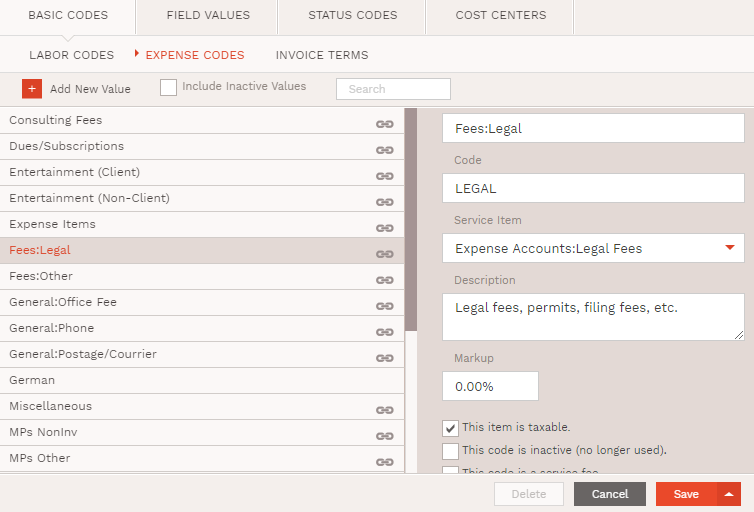
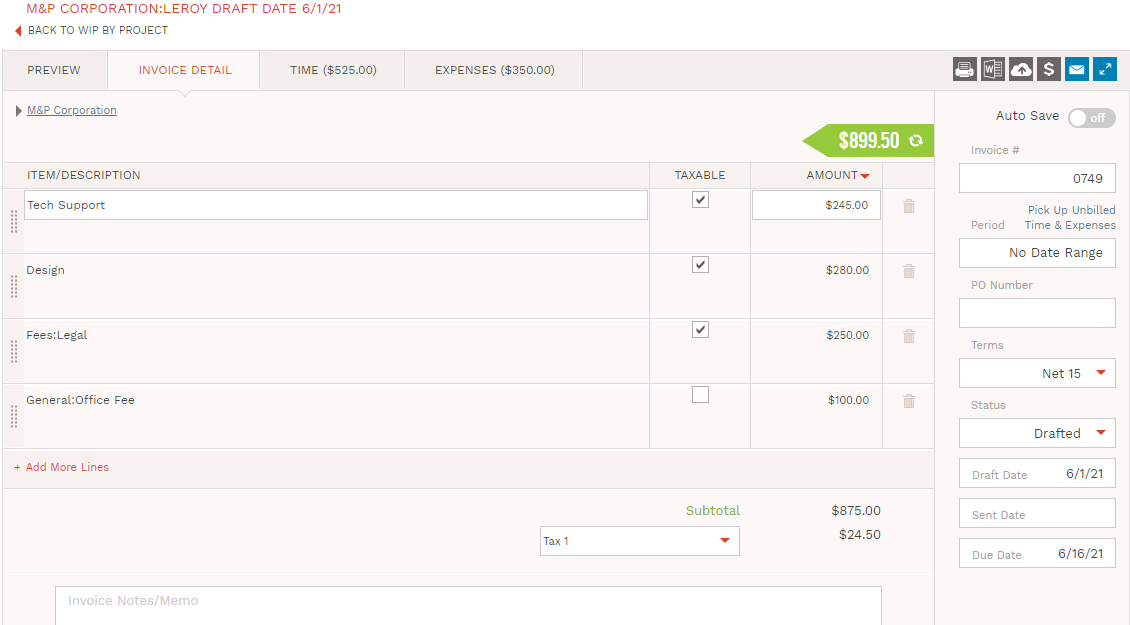
If an expense code is marked as Taxable, then when subtotaling by Category that line item will be marked as Taxed. Note: this only applies to the Single Invoice Rate (US) style.
We know our customers have a million different things to think about during the day, and the last thing they need to worry about is remaining compliant to email authentication protocol. As for my personal favorite enhancement, we are proud to help guide you through the ever-changing rules of email marketing by modifying our email routing to pass DMARC validations.
A ‘Reply To’ field has been included in the invoice email settings. When the recipient receives the email in their inbox and responds, their email response will be sent to the custom email address that is input in the ‘Reply To’ field and not to the ‘Send From’ email address (the default that is input here is [email protected]). If an invoice is sent without setting a value for the ‘Reply To’ email field, the system will default to using the email address set in the ‘Send From’ email address.

We also released a new timesheet feature to allow more control over how time is entered.
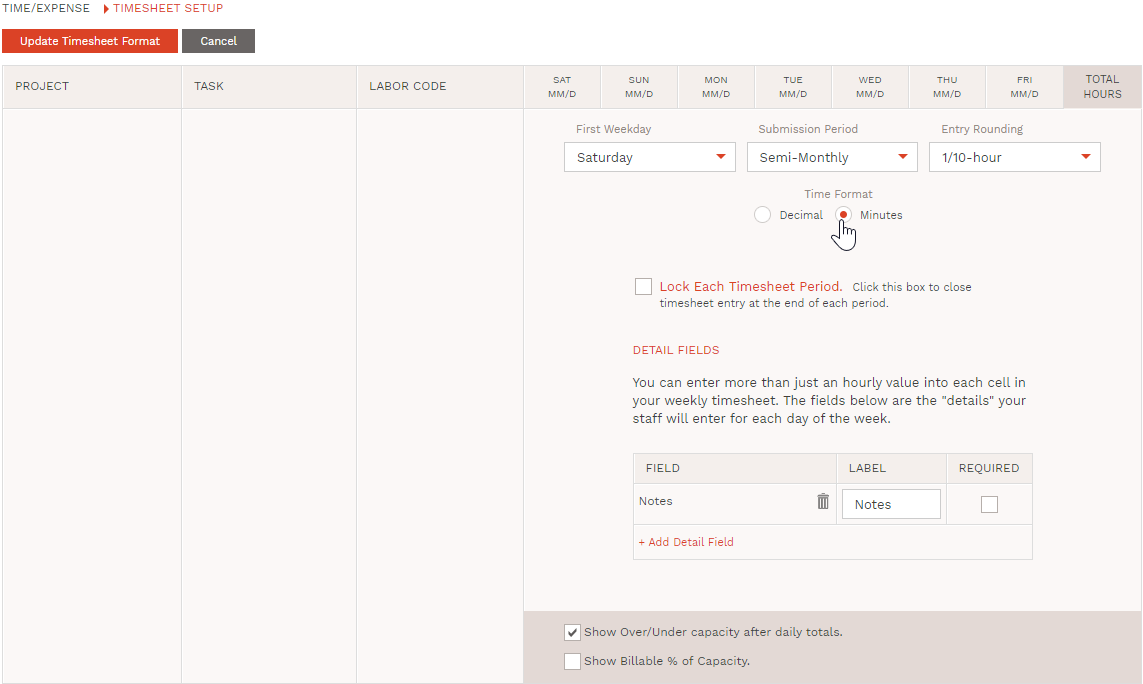
A system administrator can configure the time entry format to be in a decimal format or minutes format. The options are displayed as two radio buttons: Decimal (10.25) and Minutes (10:15). Decimal is the default option. Based on their selection, the user will enter their time in minutes or in decimal. We store the time on the backend as a decimal in either case. Anywhere a user can EDIT a time entry (such as the Edit Time entry detail dialog or timesheets screen) will display as the time format selected. Anywhere the time entry is displayed it will display as the decimal (reports, approvals, etc.).

Another enhancement was made to show the created date for each line item on a vendor bill. When a vendor bill is created from time, each line item will represent the created date of that Bill. (Note: prior to this change we were applying the date of the time entry or the most recent time entry date)

Reporting
We released two new reporting features to allow for more visibility.
Firms that are using the Vendor Bill (Time) feature are able to report on the Bill’s reference number. That report field now allows the option to include a Group/Subtotal if it is applied to the report. This will allow users to view all the time entries that are applied to each bill and the overall totals.

Users can now view allocation data for up to 24 months. Additional period fields (M13-M24) have been added to the monthly allocation period report type:
- Allocated
- Input
- Hours, Remaining
- Allocated Fees
- Fees, Input
- Fees, Remaining
- Allocated Costs
- Cost, Input
- Profit Projection
Ecosystem Integrations
Last but not least, a new setting allows HubSpot users to have more control over project IDs.
HubSpot users can choose which ID they would like to be applied in BigTime when the Deal is imported from HubSpot. In the HubSpot settings configuration, there is a field for Project ID. Options are to use the HubSpot Deal ID or use the BigTime Project ID. This means if the BigTime Project ID is selected, then when the Deal is imported to BigTime the ID applied to the Project will generate based on the auto-numbering format.





